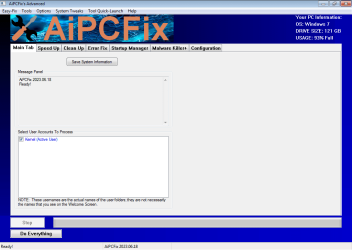
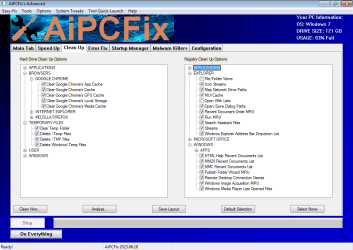
I don't find any substantial difference between this and any other similar registry cleaner programs that
claim to do the same things. This post and the linked website make lots of strong claims, but does
zero effort to prove it or show any support to those claims.
Let's review point for point:
How? How does it exactly to speed up anything?
Computer speed is mostly related to workload and available hardware and while some software and configuration changes can improve performance, claiming that "it can already significantly improve performance on slower computers" is very strong and no detail about it is shown anywhere. So, the question is, how does it improves performance and how can you and the end user measure such gain?
What does it cleans up? What does it deletes? What does it changes? How does it yields any benefit?
Again, zero explanation about this point.
What errors? With what fix? What consequences, if any, exists in implementing such fixes?
remove malware from computers
This is a plain lie.
Malware removal from infected system is long proved to be impossible and the only reasonable reaction to a succesful attack is a clean install at best, or completely disposing of hardware in the worst cases, with no chance of knowing if you were succesful or there are leftovers.
Moreover, "removing malware" is a typical function antivirus programs (regardless on how crap they really are), but here we're speaking about a registry cleaner! Two very different fields of knowledge are needed for it, and while not impossible to implement in the same program, doing so is doubtful at best.
Once again, a claim without any kind of support.
How do you define "junkware"? What the user considers junkware? How the program determines that something is "junk" and should be nuked and what not? And also, how does it manages to "clean out" them?
Any feedback is definitely welcome!
Generally speaking, I find it to be just "yet another registry cleaner", with nothing new to offer in comparison with any other such program. And it shares the very same shortcomings that them, very strong, totally unfounded claims, promising to fix each and every computer problem with zero effort and in the end achieving very little, if any, if not being counterproductive. The inclusion of antivirus elements also adds to my suspicion that it's just pure crap and very little value.
It seems to be still in beta stage, and while all programs go though this phase at some time, I find it hard to seriously test it without suspecting bugs. A good thing is that it's publicly disclosed, so the user can be aware of that.
No source code is available, so the end user or any third party is unable to check what it really does, specially when it appears to touch on the security field where inspection is critical.
No support of any claim other than something along the lines of "my program fixes many things" that one has to blindly believe.
Lack of any reputation from past work or prior experience in any of the fields. And while it's true that new people must make experience from scratch, it's always easier to trust known people than to trust a newcomer. Of course, good results will, over time, make the program reputable.
Overall, I find no reason to trust it at all.
Not until it shows any justification for all unfounded claims and some differentiation from the myrad of similar programs that claim to do the same (and fail to prove their claims too).