Always Use this program to open this kind of file

jan765

New member
Local time
4:31 AM
Messages
3
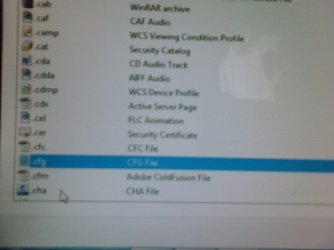
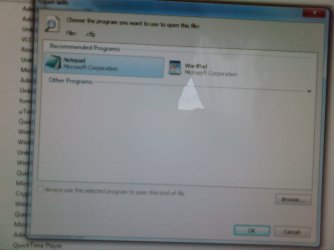
I was editing a .cfg file for half life 2 and used the "open with" and click "Always use this program" and checked it, and used Notepad to open it.

It worked fine and I could open the file.
Once I played the game, the "startup videos" would no longer play for ANY hl2 engine game! I knew it was because I changed the default open program.

So, I tried to find the default program the cfg used before I changed it.....
I thought it was Microsoft Outlook, or Express?
Well yeah, I decided to use that, and checked Always use this program..

Obviously it was a mistake..

After that, I wanted to change it again, and used "open with" again.
This time I get a problem.

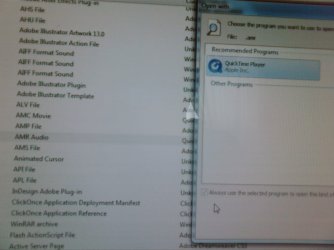
PROBLEM: The "Always use this kind of program" is now greyed out! ONLY for the cfg file extension and I cant find a workaround! I downloaded a registry that enables the "always use" for every file, but the cfg files remain unchanged! It is still greyed out no matter what - using Microsoft Outlook.

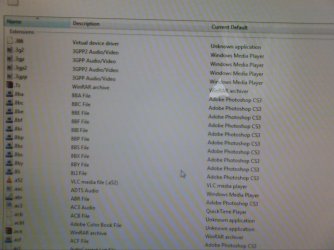
Is there a way to change the default open program to whatever it was way before I decided to edit it?
What should I do to once again to check the "always use"?
Thanks!


:cry:
 

Attachments

  • cfg file i edited hl2.jpg
    cfg file i edited hl2.jpg
    66.7 KB · Views: 41
  • cfg file.jpg
    cfg file.jpg
    101.8 KB · Views: 36
  • only cfg disabled.jpg
    only cfg disabled.jpg
    94.6 KB · Views: 22
  • working - always use for another file.jpg
    working - always use for another file.jpg
    111.4 KB · Views: 18
  • default program - control panel.jpg
    default program - control panel.jpg
    121.6 KB · Views: 20

My Computer My Computer

At a glance

Windows 7
OS
Windows 7
I was editing a .cfg file for half life 2 and used the "open with" and click "Always use this program" and checked it, and used Notepad to open it.

It worked fine and I could open the file.
Once I played the game, the "startup videos" would no longer play for ANY hl2 engine game! I knew it was because I changed the default open program.

So, I tried to find the default program the cfg used before I changed it.....
I thought it was Microsoft Outlook, or Express?
Well yeah, I decided to use that, and checked Always use this program..

Obviously it was a mistake..

After that, I wanted to change it again, and used "open with" again.
This time I get a problem.

PROBLEM: The "Always use this kind of program" is now greyed out! ONLY for the cfg file extension and I cant find a workaround! I downloaded a registry that enables the "always use" for every file, but the cfg files remain unchanged! It is still greyed out no matter what - using Microsoft Outlook.

Is there a way to change the default open program to whatever it was way before I decided to edit it?
What should I do to once again to check the "always use"?
Thanks!


:cry:

Go the easy way try system restore.
 

My Computer My Computer

At a glance

Windows 10, Home Clean InstallIntel Core2 processsor Q8200(2.33Ghz 1333FSB)...6 gbATI Radeon 256MB HD3650
Computer type
PC/Desktop
Computer Manufacturer/Model Number
Dell XPS 420
OS
Windows 10, Home Clean Install
CPU
Intel Core2 processsor Q8200(2.33Ghz 1333FSB) Quad Core Tech
Motherboard
Dell
Memory
6 gb
Graphics Card(s)
ATI Radeon 256MB HD3650
Sound Card
Intergrated 7.1 Channel Audio
Monitor(s) Displays
Dell SP2009W 20"
Hard Drives
640 GB Serial ATA Hard drive
Cooling
Fan
Keyboard
Dell USB Keyboard
Mouse
Dell Premium Optical USB
Internet Speed
DSL 2.85
Hello Jan, and welcome to Seven Forums.

In addition, you could use the program in the tutorial below to unassociate the CFG file extension so that it will be back to default instead.

Unassociate File Extention Type - Vista Forums

Hope this helps,
Shawn
 

My Computer My Computer

At a glance

64-bit Windows 11 Pro for WorkstationsIntel i7-8700K OC'd to 5 GHz64 GB (4x16GB) G.SKILL TridentZ RGB DDR4 3600...ASUS ROG-STRIX-GTX1080TI-O11G-GAMING
Computer type
PC/Desktop
Computer Manufacturer/Model Number
Self built custom
OS
64-bit Windows 11 Pro for Workstations
CPU
Intel i7-8700K OC'd to 5 GHz
Motherboard
ASUS ROG Maximus XI Formula Z390
Memory
64 GB (4x16GB) G.SKILL TridentZ RGB DDR4 3600 MHz
Graphics Card(s)
ASUS ROG-STRIX-GTX1080TI-O11G-GAMING
Sound Card
Integrated
Monitor(s) Displays
2 x Samsung Odyssey G7 27"
Screen Resolution
2560x1440
Hard Drives
1TB Samsung 990 PRO M.2,
4TB Samsung 990 PRO PRO M.2,
TerraMaster F8 SSD Plus NAS
PSU
Seasonic Prime Titanium 850W
Case
Thermaltake Core P3
Cooling
Corsair Hydro H115i
Keyboard
Logitech wireless K800
Mouse
Logitech MX Master 4
Internet Speed
2 Gb/s Download and 100 Mb/s Upload
Antivirus
Malwarebyte Anti-Malware Premium
Browser
Google Chrome
Other Info
Logitech Z625 speaker system,
Logitech BRIO 4K Pro webcam,
HP Color LaserJet Pro MFP M477fdn,
APC SMART-UPS RT 1000 XL - SURT1000XLI,
Galaxy S23 Plus phone
Yes it will work. Brink actually wrote and/or edited those tutorials for Vista, and then used the applicalbe portions for Windows 7
 

My Computer My Computer

At a glance

Windows 10, Home Clean InstallIntel Core2 processsor Q8200(2.33Ghz 1333FSB)...6 gbATI Radeon 256MB HD3650
Computer type
PC/Desktop
Computer Manufacturer/Model Number
Dell XPS 420
OS
Windows 10, Home Clean Install
CPU
Intel Core2 processsor Q8200(2.33Ghz 1333FSB) Quad Core Tech
Motherboard
Dell
Memory
6 gb
Graphics Card(s)
ATI Radeon 256MB HD3650
Sound Card
Intergrated 7.1 Channel Audio
Monitor(s) Displays
Dell SP2009W 20"
Hard Drives
640 GB Serial ATA Hard drive
Cooling
Fan
Keyboard
Dell USB Keyboard
Mouse
Dell Premium Optical USB
Internet Speed
DSL 2.85
What do you have to lose... I dont think Brink would suggest something that wouldnt work...
 

My Computer My Computer

At a glance

64-bit Windows 8.1 ProCore(TM) i5 CPU 4330 Haswell @ 3.20GHz12.00 GBIntel(R) HD Graphics
Computer type
PC/Desktop
Computer Manufacturer/Model Number
LENOVO K450 @3.0GHZ
OS
64-bit Windows 8.1 Pro
CPU
Core(TM) i5 CPU 4330 Haswell @ 3.20GHz
Motherboard
LENOVO
Memory
12.00 GB
Graphics Card(s)
Intel(R) HD Graphics
Sound Card
Intel HD integtrated
Monitor(s) Displays
HP 25' ISP Monitor
Screen Resolution
1900/1020
Hard Drives
(1) ST1000DM003-1CH162 (2) Generic STORAGE DEVICE USB Device (3) Generic STORAGE DEVICE USB Device
Internet Speed
100mb down/10mb up
OMG
Thank you VERY MUCH!!!!!!!!!!!!!!!
I am very happy to see that ICON for cfg (the default icon)!
haha!
Made me happy lol!!!

Thank you so much Brink!!

Umm one question (i am a computer noob)
What would the "delete file type" do?
 

My Computer My Computer

At a glance

Windows 7
OS
Windows 7
OMG
Thank you VERY MUCH!!!!!!!!!!!!!!!
I am very happy to see that ICON for cfg (the default icon)!
haha!
Made me happy lol!!!

Thank you so much Brink!!

Umm one question (i am a computer noob)
What would the "delete file type" do?

You're most welcome Jan.

Deleting the file type would remove it completely in the registry. Doing this could give you a problem when you try to open or use the file extension type (ex: CFG). The file would basically no longer be recognized by Windows 7 if deleted.
 

My Computer My Computer

At a glance

64-bit Windows 11 Pro for WorkstationsIntel i7-8700K OC'd to 5 GHz64 GB (4x16GB) G.SKILL TridentZ RGB DDR4 3600...ASUS ROG-STRIX-GTX1080TI-O11G-GAMING
Computer type
PC/Desktop
Computer Manufacturer/Model Number
Self built custom
OS
64-bit Windows 11 Pro for Workstations
CPU
Intel i7-8700K OC'd to 5 GHz
Motherboard
ASUS ROG Maximus XI Formula Z390
Memory
64 GB (4x16GB) G.SKILL TridentZ RGB DDR4 3600 MHz
Graphics Card(s)
ASUS ROG-STRIX-GTX1080TI-O11G-GAMING
Sound Card
Integrated
Monitor(s) Displays
2 x Samsung Odyssey G7 27"
Screen Resolution
2560x1440
Hard Drives
1TB Samsung 990 PRO M.2,
4TB Samsung 990 PRO PRO M.2,
TerraMaster F8 SSD Plus NAS
PSU
Seasonic Prime Titanium 850W
Case
Thermaltake Core P3
Cooling
Corsair Hydro H115i
Keyboard
Logitech wireless K800
Mouse
Logitech MX Master 4
Internet Speed
2 Gb/s Download and 100 Mb/s Upload
Antivirus
Malwarebyte Anti-Malware Premium
Browser
Google Chrome
Other Info
Logitech Z625 speaker system,
Logitech BRIO 4K Pro webcam,
HP Color LaserJet Pro MFP M477fdn,
APC SMART-UPS RT 1000 XL - SURT1000XLI,
Galaxy S23 Plus phone
Back
Top