
You are using an out of date browser. It may not display this or other websites correctly.
You should upgrade or use an
alternative browser.
Solved Annoying problem with Aero..(I think)
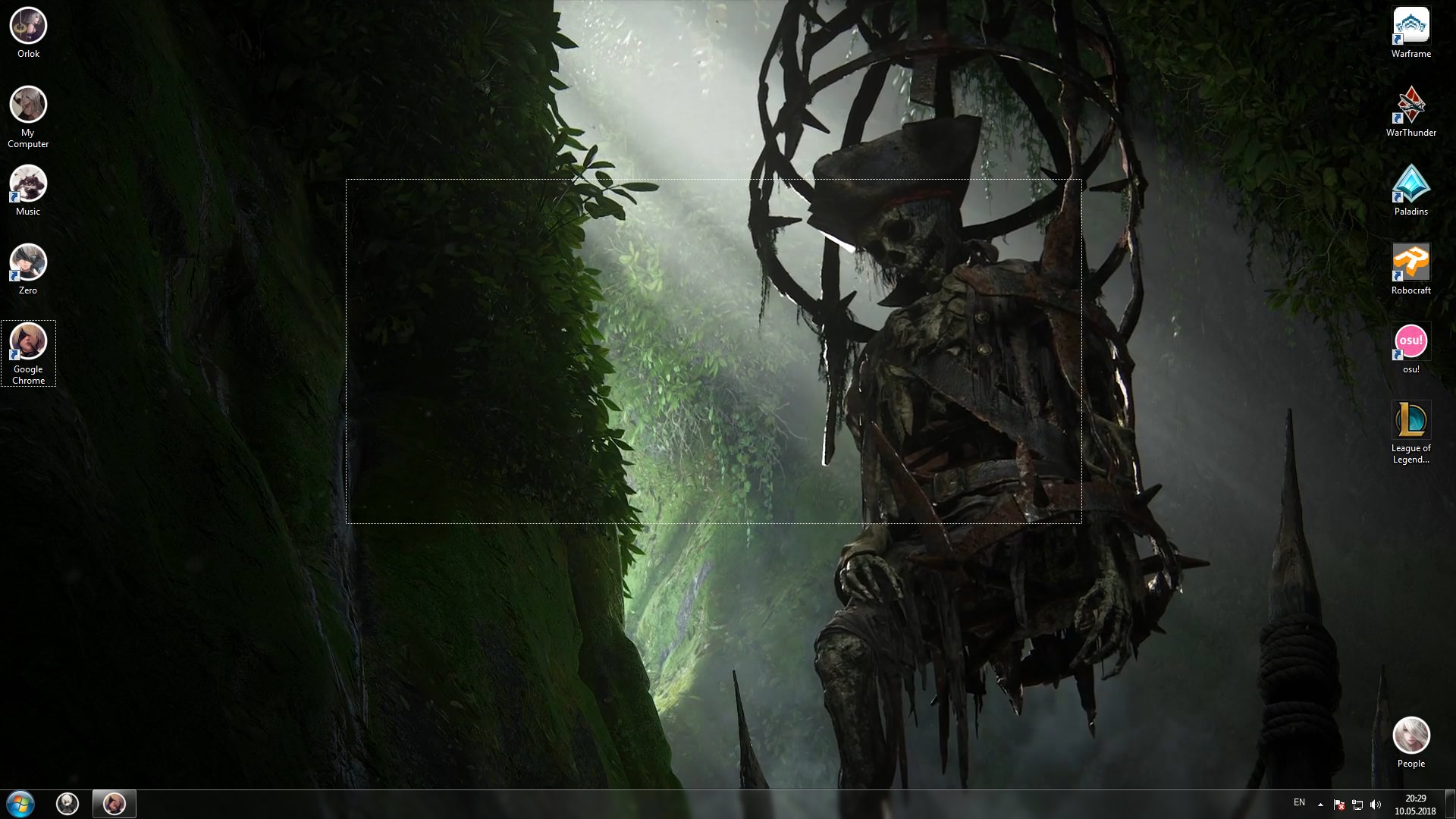
My English is too bad to know how is that called, so please, help me with that.. Problem is in screenshot.
And one more thing. PC completely freezes when i'm testing upload speed on Speedtest.net
Hope on your help!
- Computer type
- PC/Desktop
- Computer Manufacturer/Model Number
- Asus
- OS
- Windows 7 Ultimate x64
- CPU
- Intel(R) Core(TM)2 Duo CPU E8400 @3.00Ghz
- Motherboard
- P5KPL C-1600
- Memory
- Kingston 4GB
- Graphics Card(s)
- GT 430
- Sound Card
- Realtek HD Audio Manager
- Monitor(s) Displays
- Generic PnP Monitor
- Screen Resolution
- 1920x1080
- Hard Drives
- MAXTOR
- Internet Speed
- 60MB/s
- Antivirus
- Malwarebytes Nod32
- Browser
- Chrome
New member
Thread Starter
I solved it by my own, thanks anyways who wanted to help!
- Computer type
- PC/Desktop
- Computer Manufacturer/Model Number
- Asus
- OS
- Windows 7 Ultimate x64
- CPU
- Intel(R) Core(TM)2 Duo CPU E8400 @3.00Ghz
- Motherboard
- P5KPL C-1600
- Memory
- Kingston 4GB
- Graphics Card(s)
- GT 430
- Sound Card
- Realtek HD Audio Manager
- Monitor(s) Displays
- Generic PnP Monitor
- Screen Resolution
- 1920x1080
- Hard Drives
- MAXTOR
- Internet Speed
- 60MB/s
- Antivirus
- Malwarebytes Nod32
- Browser
- Chrome
I WANT TO BELIEVE!
Guru
VIP
Hi
Orlok,
I solved it by my own, thanks anyways who wanted to help!
I am glad you sorted it out.
Perhaps you could tell us how you solved it?
This will help anyone with the same issue that comes across this thread.
- Computer type
- Laptop
- Computer Manufacturer/Model Number
- Fujitsu LIFEBOOK
- OS
- Win 7 HP SP1 64-bit Vista HB SP2 32-bit Linux Mint 18.3
- CPU
- Intel(R) Pentium(R) CPU P6200 @ 2.13GHz
- Motherboard
- FUJITSU FJNBB06
- Memory
- 4.00 GB
- Graphics Card(s)
- Intel(R) Graphics Media Accelerator HD
- Sound Card
- [1] Realtek High Definition Audio [2] Intel(R) Display Audio
- Screen Resolution
- 1366 x 768 x 32 bits (4294967296 colors) @ 59 Hz
- Hard Drives
- TOSHIBA MK5076GSX
- Antivirus
- AVG FREE
New member
Thread Starter
Right click My Computer>Properties>Advanced system settings>Click settings in performance tab>Click custom> Check all boxes and press OK.
- Computer type
- PC/Desktop
- Computer Manufacturer/Model Number
- Asus
- OS
- Windows 7 Ultimate x64
- CPU
- Intel(R) Core(TM)2 Duo CPU E8400 @3.00Ghz
- Motherboard
- P5KPL C-1600
- Memory
- Kingston 4GB
- Graphics Card(s)
- GT 430
- Sound Card
- Realtek HD Audio Manager
- Monitor(s) Displays
- Generic PnP Monitor
- Screen Resolution
- 1920x1080
- Hard Drives
- MAXTOR
- Internet Speed
- 60MB/s
- Antivirus
- Malwarebytes Nod32
- Browser
- Chrome
I WANT TO BELIEVE!
Guru
VIP
Thanks
Orlok,
Right click My Computer>Properties>Advanced system settings>Click settings in performance tab>Click custom> Check all boxes and press OK.
Have a great weekend!
- Computer type
- Laptop
- Computer Manufacturer/Model Number
- Fujitsu LIFEBOOK
- OS
- Win 7 HP SP1 64-bit Vista HB SP2 32-bit Linux Mint 18.3
- CPU
- Intel(R) Pentium(R) CPU P6200 @ 2.13GHz
- Motherboard
- FUJITSU FJNBB06
- Memory
- 4.00 GB
- Graphics Card(s)
- Intel(R) Graphics Media Accelerator HD
- Sound Card
- [1] Realtek High Definition Audio [2] Intel(R) Display Audio
- Screen Resolution
- 1366 x 768 x 32 bits (4294967296 colors) @ 59 Hz
- Hard Drives
- TOSHIBA MK5076GSX
- Antivirus
- AVG FREE