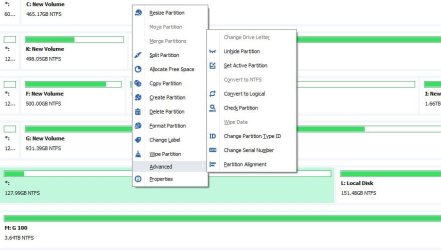
Hi

Is there anything I can do with the partition on the left (is that an actual partition anyway?) so I can make use of the 128 GB? Hopefully w/o screwing up L
Right now, the one and only option if I r-click is 'delete volume'.
I'm not really on the up and up on why or how hard drives get formatted the way they do. It's a good bet though that anything you currently have on L drive is on L and only L. The other partition on the left without a drive letter probably has nothing at all. I say this for two reasons: 1) If this drive (drive 5) was an OS boot drive, it'd say so. 2) Since the partition on the left doesn't even have a drive letter, I doubt anything was written to it. Though, it's possible, and like I said, I'm not on the up and up on drive partitions and what have you.
Usually you simply just right click the drive as you did and select "Extend." I do this all the time without ill recourse. I'm guessing you don't even have this option because the first partition on the left has been somehow marked primary. How was this drive formatted? What is its use?
You
might be able to delete the partition, format and then extend. (or delete then extend) But that depends on what this drive is used for. If it were me, I'd first clone the whole drive with
HDD Raw Copy Tool (a really cool small clone utility I've just began to use) to another equal or greater hard drive. Once you have that clone in place and is air gaped (meaning, disconnected from the computer and stuck somewhere safe) then go ahead and delete that partition, format and extend. The extend option should now be there.
Absent of that, there's another pretty good piece of software called DiskGenius that should get the job done. Even has a built-in clone feature.
DiskGenius: Data Recovery, Partition Manager, Backup & Disk Utilities It's free unless you opt for the standard or professional version. I'm thinking about getting the Pro version myself. 100 smackers and lifetime upgrades ain't bad I guess. The features are great, too. You can literally take your current Windows install and convert it to a VMware file. This means you can run your version of Windows in software called VMware Workstation Player that virtualizes as another install in software (host and guest) Great for testing other OSs and what not.
Compare Different Editions of DiskGenius DiskGenius also supports Oracle's VirtualBox. Pretty much the same thing as VMware. I don't care for VirtualBox myself since I always end up with issues and USB emulation is far better in VMware.
Since DIskGenius has the option to assign a drive letter, you could simply try that for the left partition. But again, I'd clone that whole drive in place first. LOL That's just how I personally roll.