There is a currently a discussion about this issue on a different forum. A user on that forum pointed out the discussion here, so I thought it would help to share the main points from that other thread on this forum. Here is the link in case anyone wants to read it directly:
Mysterious folders in my AppData>Local folder
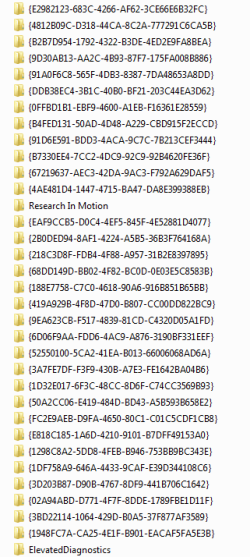
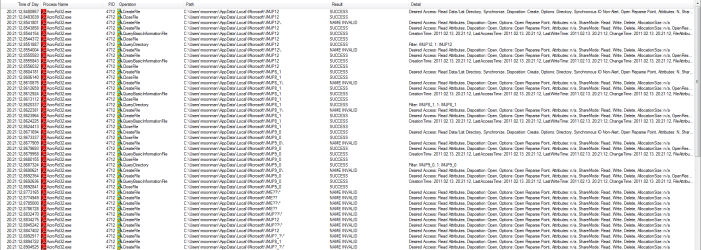
It's a fairly long thread, so I'll sum it up here: So far, we were able to determine that (as noted above), some of the Windows Live Essentials components are creating these folders. So far, it was confirmed that both WL Mail and WL Messenger could create them, but there may be other WL apps that do the same thing (again, as noted above.) Apparently, WL Mail (or other WL apps) create these folders whenever the program has not been run in a while. This generally results in one folder per day, but if enough time passes without the WL app being run (perhaps 12 or more hours), more than one of these folders can be created on the same day.
It was also determined that for the people that are only running WL Mail, this issue showed up with the most recent version of that program. Version 2011 (Build 15.4.3508.1109) of WL Mail has this issue, but the previous version -- Version 2011 (Build 15.4.3502.0922) -- does not. One user that was not having this issue updated to the newer version of WL Mail and reported that the issue then started. I do not know how the versions of WL Messenger effect this issue (I personally only use WL Mail), but it's quite possible that as with WL Mail, this showed up with a recent version change.
My best guess at this point is that these folders are simply being placed in the wrong folder by the WL apps. It seems logical that they should be placed in the "AppData\Local\Temp" folder instead of the "AppData\Local" folder. Regardless of this, however, the fact remains that these are temp folders, the app creating them is not cleaning them up, and Windows does not know to clean them up because they are not being placed in a proper temp folder location. The result is an ever-growing collection of "nuisance" folders in the "Local" folder.
The folders are not, however, anything malicious.
I assume that it's safe to delete them, but I have not personally done so yet.
Larry