Are my temps to high?

jessejw

New member
Member
VIP
Local time
9:02 AM
Messages
157
Location
New York
Okay just want to make sure my temps are not too high because its like 80 deg up stairs in my house and that's where the computer is.
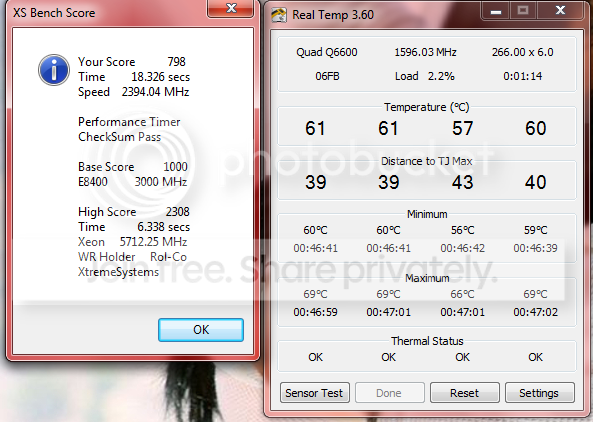


temps.png


One other question is it okay if I added a fan to my case blowing out? I only have one fan and i'm pretty sure it blows in and I just Cleaned all the dust out of my PC
 

My Computer My Computer

Computer Manufacturer/Model Number
Lenovo
OS
Windows 7 Home Premium 32bit
CPU
Intel(R) Core(TM)2 Quad CPU
Memory
3GB DDR2
Graphics Card(s)
Geforce 9800GTX+
Monitor(s) Displays
Dell 22"
Screen Resolution
1440x900
Hard Drives
1TB, 120GB External
Mouse
Razer Death Adder
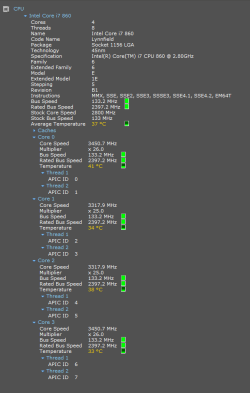
That does sounds a bit high to me under a failry idle load of 2%. These are my temperatures at the moment, and its 28 degrees Celcius inside my house.

I think adding an additional fan as an exhaust will certainly help keep it cooler.
 

Attachments

  • Capture2.PNG
    Capture2.PNG
    14.9 KB · Views: 20

My Computer My Computer

Computer type
PC/Desktop
Computer Manufacturer/Model Number
Golden Mk. I.4
OS
Windows 10 Pro x64 ; Xubuntu x64
CPU
Intel i7 860 @ 2.80 GHz O/C'ed to 4.0GHz
Motherboard
Gigabyte P55A-UD3R Rev.1. Award BIOS F13
Memory
16GB Corsair Vengance DDR3 @ 661 MHz Dual Channel (9-9-9-24)
Graphics Card(s)
EVGA NVidia GTX 560 1024MB
Sound Card
Realtek Integrated
Monitor(s) Displays
Dual Samsung SyncMaster 2494HS
Screen Resolution
1920*1080 and 1920*1080
Hard Drives
1*Samsung 840 EVO 120GB SSD;
1*OCZ Vertex 2 60GB SSD;
2*Samsung F3 SpinPoint 1TB in RAID0;
1*Samsung F1 SpinPoint 1TB;
2*Western Digital 1TB External USB 3.0
1*Western Digital 500GB External USB 3.0
1*Seagate 500GB External USB 2.0
PSU
Thermaltake ToughPower QFan 750W
Case
Thermaltake Element S VK60001W2Z
Cooling
Corsair H60 Water Cooling, 2*230mm and 2*80mm case fans
Keyboard
Logitech G110
Mouse
Logitech MX518
Is that under loads or idle? :eek: because i have a room that's always at 28ºC and my processor temp is 34ºC with arctic silver 5 thermal compound and OEM heatsink/fan
 

My Computer My Computer

Computer type
PC/Desktop
OS
Windows
If those are CPU temps, they are high, but not distastrously high:

Here are some sample CPU temps on my Core 2 Duo at different times:

83 ambient, minor load: 43

80 ambient, using the Intel TAT tool to stress the CPU: 60

72 ambient; minor load: 34

The ambients are Fahrenheit; the others are Celsius.

I wouldn't freak out, but I'd get to the bottom of it. It's too high--assuming the temps are accurate and the CPU is not under a serious load.

The left hand side of the screen says a test took about 18 seconds and the WR (world record?) is about 6 seconds. I'm wondering if you just took a stress test when the measurement was taken? Was this a Pi test or similar?

I have a desktop. I assume laptops run a bit hotter.

If it's during or immediately after a stress, I'd ignore it until I knew the non-stress temps.

Regarding fans. If its a desktop, you should already have a fan on the backside, and it should be pulling air OUT.
 

My Computer My Computer

Computer type
PC/Desktop
Computer Manufacturer/Model Number
Ignatz Special; 4 speed manual gearbox; factory air conditioning; one of one
OS
Windows 7 Home Premium SP1, 64-bit
CPU
Intel Skylake i5-6600K, not overclocked
Motherboard
AsRock Z170M Extreme 4, micro ATX
Memory
8 GB HyperX DDR4-2666 (2 x 4 GB)
Graphics Card(s)
none; graphics are integrated on CPU
Sound Card
onboard: Realtek ALC1150; external: USB Behringer UF0-202
Monitor(s) Displays
Dell S2340M 23 inch IPS
Screen Resolution
1600 x 900
Hard Drives
System: Crucial MX100 series SSD, 128 GB;
Data: Samsung Spinpoint 103SJ, 1 TB;
Backup: WD Caviar Green WD30EZRX-00D8PB0, 3 TB
PSU
Rosewill SilentNight 500 watt fanless, semi-modular
Case
Antec Solo II
Cooling
Noctua NH-U12S; Noctua F12 intake, Noctua S12A exhaust
Keyboard
Microsoft 200 6JH-00001 USB
Mouse
Dell or Microsoft optical wired; USB
Antivirus
Microsoft Security Essentials and Malwarebytes Premium
Browser
Pale Moon
Other Info
All fans PWM; speeds at idle: CPU circa 500 rpm; intake circa 600 rpm; exhaust circa 600 rpm; CPU temps 27 idle and 47 C load in a warm room (27 C/81 F) when running Intel Extreme Tuning Utility stress test.
Okay just want to make sure my temps are not too high because its like 80 deg up stairs in my house and that's where the computer is.

They are far from ideal. Is your heatsink properly attached (all push pins fully and firmly seated etc)


One other question is it okay if I added a fan to my case blowing out? I only have one fan and i'm pretty sure it blows in and I just Cleaned all the dust out of my PC

Out for the 2nd fan. Exhaust the heat build up.

Where is the current fan located - in the front, or the rear?

Front for intake, rear for exhaust.
 

My Computer My Computer

Computer type
PC/Desktop
Computer Manufacturer/Model Number
Systems by SmartEyeball
OS
8 Pro x64
CPU
i7 3770K 4.6GHz
Motherboard
ASUS P8Z77 WS
Memory
16GB G.Skill Trident X 2666mhz
Graphics Card(s)
x2 EVGA 780 Ti Superclocked SLI
Sound Card
SB X-FI Surround 5.1 PRO USB / ATH-AD900 Headphones
Monitor(s) Displays
x3 Dell U2410 / 58" Samsung
Screen Resolution
5760*1200/ 1920*1200
Hard Drives
2x Intel 520 240GB (RAID 0) * 2x WD Caviar Blacks 2TB (RAID 0) * 2TB WD Caviar Black * Sony Optirac DVD
PSU
Silverstone Strider Evolution 1200W
Case
Thermaltake Level 10 GT Snow Edition
Cooling
Noctua NH-D14
Keyboard
Topre Realforce // Ducky Shine MX Black // Filco Ninja TKL
Mouse
Thermaltake Theron (Highly Recommended) + Razer Imperator
Antivirus
MSE
Browser
IE, FF, WaterFox
Other Info
GT Extreme V2 Sim Racing Cockpit + 40" LCD and K/B Mouse stand ▼
Fanatec CSR Elite Wheel + Clubsport V1 Pedals + CSR shifter/7G-H ▼Saitek X52 Pro ▼ TrackIR 5 Pro
Buttkicker v2 Seat Rumbler with Dedicated 5.1 and Sub Woofer attached to frame ▼
=
Bloody Big Grin
Okay just want to make sure my temps are not too high because its like 80 deg up stairs in my house and that's where the computer is.

They are far from ideal. Is your heatsink properly attached (all push pins fully and firmly seated etc)

One other question is it okay if I added a fan to my case blowing out? I only have one fan and i'm pretty sure it blows in and I just Cleaned all the dust out of my PC
Out for the 2nd fan. Exhaust the heat build up.

Where is the current fan located - in the front, or the rear?

Front for intake, rear for exhaust.

The fan is on the rear it has a small fan I left the window open upstairs in my house the temp is around 72 now and my temps dropped a lot.


Temps
temps2.png


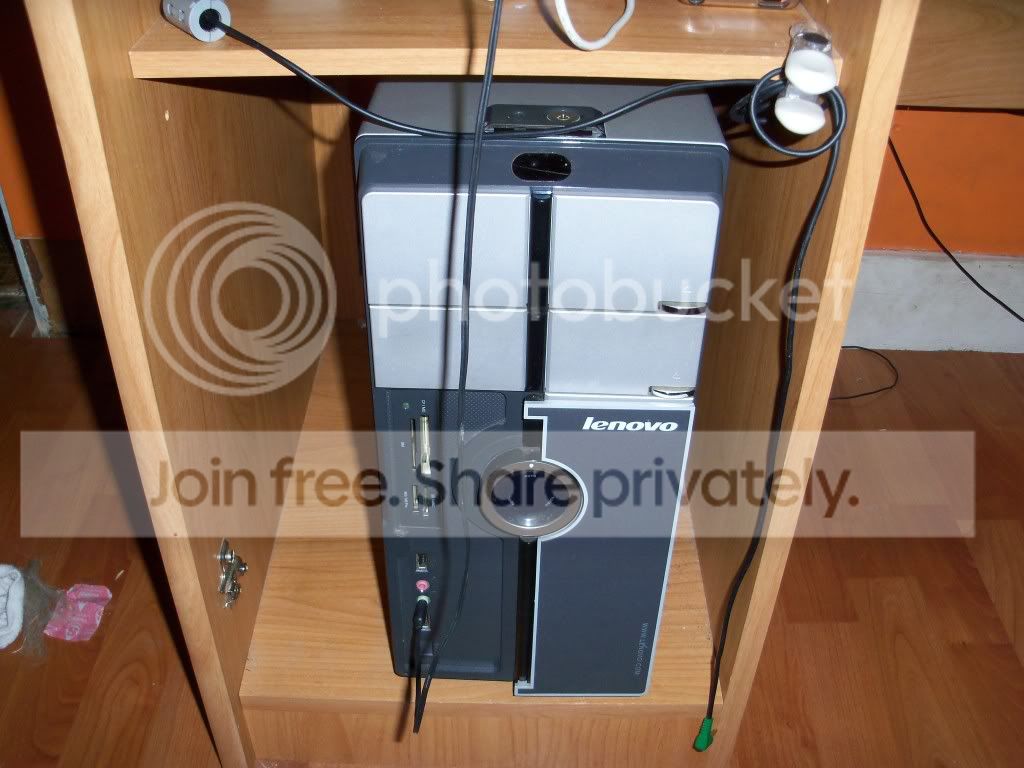
This is were the computer is
100_0634.jpg


One side is way closer then the other, but this side has no vents or fans on it.
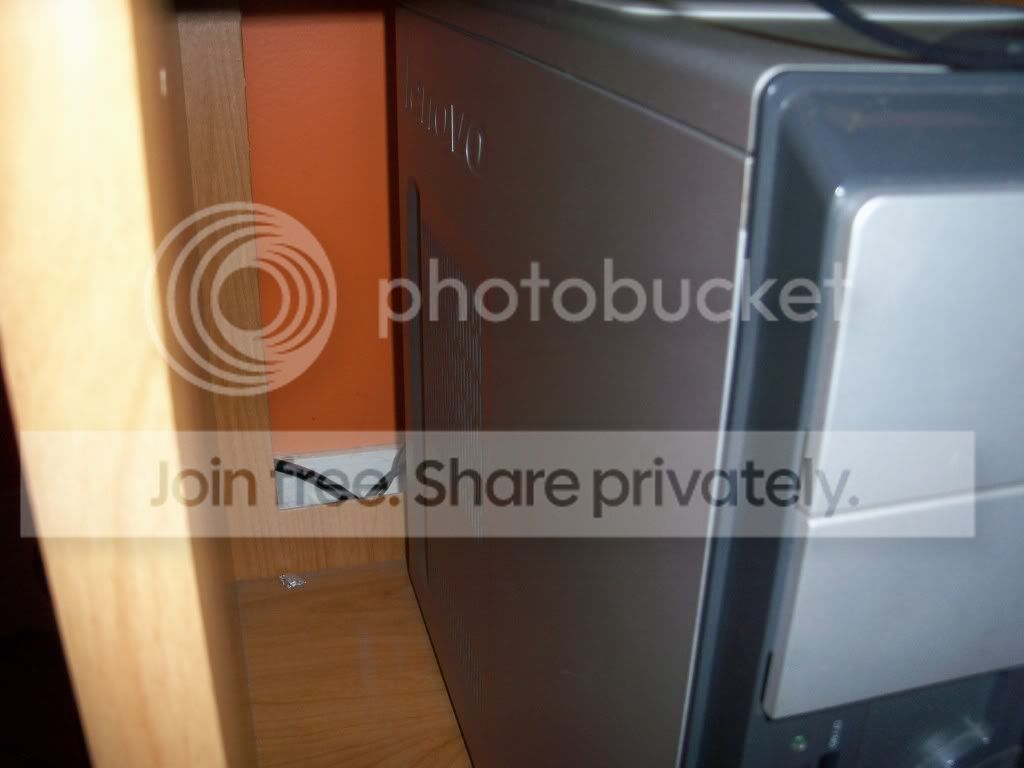
100_0633.jpg


This side has some room about 5" and has vents on it and there is room in the back were the fan is
100_0632.jpg
 

My Computer My Computer

Computer Manufacturer/Model Number
Lenovo
OS
Windows 7 Home Premium 32bit
CPU
Intel(R) Core(TM)2 Quad CPU
Memory
3GB DDR2
Graphics Card(s)
Geforce 9800GTX+
Monitor(s) Displays
Dell 22"
Screen Resolution
1440x900
Hard Drives
1TB, 120GB External
Mouse
Razer Death Adder
Back
Top