Hi
I am new on this forum. i Have currently installed windows XP, but i cannot get help from nowhere (I literally searched for days), so i hope you dont mind to come to this forum.
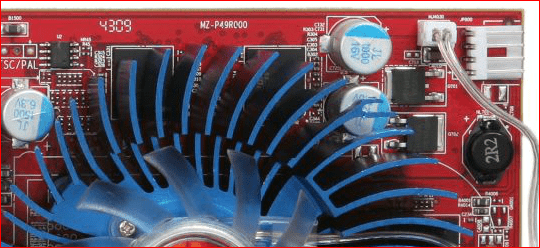
The problem is, that i have a geforce 5500 and i wanted to upgrade a system a little bit, so i purchased an ATI radeon HD 3650 AGP. the problem is, that when i insert this card to an AGP socket, the computer wont boot. it freezes in the start and does not come even to a check of components stage. i checked on the internet and the socket should be correct one for my graphic card.
I must say that my knowledge of computers hardware and software is really poor. Is instalation of new graphic card to complicated and I need profesional help? is it possible, that my power suply unit is to weak?
my specifications:
cpu: pentium 4 3,0 GHz
memory: ddr 2 GB (4×512 MB)
ups: 400 W
Motherboard: prescott 800 Dual channel (AsRock)
currently I am at work so I cannot check my motherboard, i will post it later.
If anyone knows how to deal with this problem, please help me.
Best regards, Shtembs
I am new on this forum. i Have currently installed windows XP, but i cannot get help from nowhere (I literally searched for days), so i hope you dont mind to come to this forum.
The problem is, that i have a geforce 5500 and i wanted to upgrade a system a little bit, so i purchased an ATI radeon HD 3650 AGP. the problem is, that when i insert this card to an AGP socket, the computer wont boot. it freezes in the start and does not come even to a check of components stage. i checked on the internet and the socket should be correct one for my graphic card.
I must say that my knowledge of computers hardware and software is really poor. Is instalation of new graphic card to complicated and I need profesional help? is it possible, that my power suply unit is to weak?
my specifications:
cpu: pentium 4 3,0 GHz
memory: ddr 2 GB (4×512 MB)
ups: 400 W
Motherboard: prescott 800 Dual channel (AsRock)
currently I am at work so I cannot check my motherboard, i will post it later.
If anyone knows how to deal with this problem, please help me.
Best regards, Shtembs
Last edited:
My Computer
- OS
- windows XP 32 bit