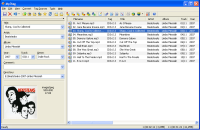
Auto MP3 Tagger

baarod

New member
Guru
VIP
Local time
8:55 AM
Messages
1,519
Location
Chicago
Can anyone recommend an automatic mp3 tagger that will embed album art and get all tags from either local or remote DB? WMP12 does not always get art and is spotty on organizing the library.
 

My Computer

Computer type
Laptop
Computer Manufacturer/Model Number
Apple
OS
El Capitan / Windows 10
CPU
i7-4980HQ
Memory
16GB
Graphics Card(s)
Iris 5200
mp3Tag

I use an excellent program called mp3tag. You can find it here.

here's some info:-


Mp3tag v2.42 - the universal Tag Editor and more ...
Mp3tag is a powerful and yet easy-to-use tool to edit metadata (ID3, Vorbis Comments and APE) of common audio formats. It can rename files based on the tag information, replace characters or words from tags and filenames, import/export tag information, create playlists and more. The program supports online freedb database lookups for selected files, allowing you to automatically gather proper tag information for select files or CDs.


Mp3tag supports the following audio formats:

Main features:

  • Write ID3v1.1-, ID3v2-, APEv2-Tags and Vorbis Comments to multiple files at once
  • Full Unicode support
  • Support for embedded cover art
  • Automatically create playlists
  • Recursive subfolders support
  • Remove parts or the entire tag of multiple files
  • Rename files based on the tag information
  • Import tags from filenames
  • Format tags and filenames
  • Replace characters or words from tags and filenames
  • Regular Expressions
  • Export tag information to user-defined formats (like html, rtf, csv, xml)
  • Import tag information from online databases like freedb or Amazon (also by text-search)
  • Import tag information from local freedb databases
  • Support for ID3v2.3 (ISO-8859-1 and UTF-16) and ID3v2.4 with UTF-8
  • and much more ...
Hope this helps
 

My Computer

OS
Windows Se7en Ultimate x64
CPU
AMD Athlon Phenom II 550 (Dual Core at the moment)
Motherboard
DFI LPJR790GX-M2RS
Memory
4GB OCZ reaper DDR2 PC8500 1066
Graphics Card(s)
CrosssFire 2 x Sapphire RADEON HD3650 (512 MB GDDR3)
Sound Card
Built-in
Monitor(s) Displays
Samsung LE-40B551 40 in. HDTV, HP w2007v, Elo Touchscreen
Screen Resolution
1920 x 1080 pixels
Hard Drives
OCZ Agility Series 30GB SATA II 2.5" Solid State Drive
Samsung Spinpoint F3 1TB SATA II
Samsung Spinpoint F1 500GB SATA II
Western Digital Caviar 500GB SATA II
PSU
OCZ 600W StealthXStream
Case
Antec P180 Mini
Cooling
Scythe Ninja Copper Cooler 5th Anniversary Limited Edition
Keyboard
Cordless Desktop® EX 90
Mouse
Cordless Desktop® EX 90
Internet Speed
Hamster-in-a-wheel
Other Info
WinTV-NOVA-T PCI
Altec Lansing ACS56
Call me stupid but I can't seem to get it to look at a collection of songs and realize the are from the same album and correct all the mp3 tags, create the correct artist and album folders, move and rename the files and attach album art. I'd like the tool to automate that. Is there such a thing or am I using this tool incorrectly?
 

My Computer

Computer type
Laptop
Computer Manufacturer/Model Number
Apple
OS
El Capitan / Windows 10
CPU
i7-4980HQ
Memory
16GB
Graphics Card(s)
Iris 5200
mp3tag

Call me stupid but I can't seem to get it to look at a collection of songs and realize the are from the same album and correct all the mp3 tags, create the correct artist and album folders, move and rename the files and attach album art. I'd like the tool to automate that. Is there such a thing or am I using this tool incorrectly?


I have my songs in folders ie album folders in the music folder eg Akhon - Trouble, properties click on the folder and select the mp3tag option (if you don't have this option present, re-install and chose the option at install). mp3tag will open with all the files in the folder listed.

Highlight all the tracks on the right of the screen (select 1 track then CTRL-A). Then select the Tag Sources option from the top menu to the top left of the screen and choose a site to tag them from (you can get more src files from the mp3tag site to give you more sites to tag from). Mp3tag will go away and search for the album details, it normally brings back a list. Select from the list and it will automatically bring back all matching details. You should then have all the tracks tagged in that folder.

Once you get used to it it doesn't take long at all. I tagged 680 albums using it!!

If you don't have tracks in folders and have them all jumbled up then you could try using the freedb tag source which has an option to tag from selected tracks. If you have just one folder right click on that and select mp3 then just highlight the track you want to tag using freedb.
 
Last edited:

My Computer

OS
Windows Se7en Ultimate x64
CPU
AMD Athlon Phenom II 550 (Dual Core at the moment)
Motherboard
DFI LPJR790GX-M2RS
Memory
4GB OCZ reaper DDR2 PC8500 1066
Graphics Card(s)
CrosssFire 2 x Sapphire RADEON HD3650 (512 MB GDDR3)
Sound Card
Built-in
Monitor(s) Displays
Samsung LE-40B551 40 in. HDTV, HP w2007v, Elo Touchscreen
Screen Resolution
1920 x 1080 pixels
Hard Drives
OCZ Agility Series 30GB SATA II 2.5" Solid State Drive
Samsung Spinpoint F3 1TB SATA II
Samsung Spinpoint F1 500GB SATA II
Western Digital Caviar 500GB SATA II
PSU
OCZ 600W StealthXStream
Case
Antec P180 Mini
Cooling
Scythe Ninja Copper Cooler 5th Anniversary Limited Edition
Keyboard
Cordless Desktop® EX 90
Mouse
Cordless Desktop® EX 90
Internet Speed
Hamster-in-a-wheel
Other Info
WinTV-NOVA-T PCI
Altec Lansing ACS56
OK, I'm trying that now...
 

My Computer

Computer type
Laptop
Computer Manufacturer/Model Number
Apple
OS
El Capitan / Windows 10
CPU
i7-4980HQ
Memory
16GB
Graphics Card(s)
Iris 5200

My Computer

Computer Manufacturer/Model Number
* BFK Customs *
OS
W 7 64-bit Ultimate
CPU
Intel Q9550 Yorkfield
Motherboard
ASUS P5Q Pro
Memory
8GB Dominator 8500C5D
Graphics Card(s)
ATI : XFX 5870
Sound Card
Realtek HD Audio 7-1
Monitor(s) Displays
1x 47" LCD HDMI & 3x 26" LCD HDMI
Screen Resolution
1920x1080P & 1920x1200
Hard Drives
1x 80GB Intel X25-M G2 SSD : 1x 500GB & 1x 640GB WD Caviar Black(s)
PSU
Corsair 620HX
Case
Cooler Master RC-690
Cooling
Tuniq Tower 120, 2x 140mm and 3x 120mm case fans
Keyboard
Microsoft 500
Mouse
Razer Diamondback 3G
Internet Speed
14 Mb/s
Other Info
1x Koutech 3Gb/s SATA HDD Hot Swap Rack
Hi, recently I also needed to do it. I was looking for a simple program, found a great detailed tutorial How to download MP3 album art?. In such a way I knew about mp3Tag Pro and I satisfied with it.
 

My Computer

OS
XP
WMP12 can actually tag your files in a decent way. Both by renaming the file and updating the tag. But you have to configure it to do it.

Go to Tools, Options.
Click on the Rip Music tab
Click on the Filename button
Select the details you want in the filename such as artist-album-track #-song title
Now click on the Library tab
Tick rename music files using rip music settings
 

My Computer

Computer Manufacturer/Model Number
self built
OS
Windows 7 Professional 64-bit
CPU
Intel E8400 3GHz
Motherboard
Intel DX48BT2
Memory
Kingston PC3-10700H 4Gb
Graphics Card(s)
XFX Radeon HD 5850 BlackEd.
Sound Card
Asus Xonar DG
Monitor(s) Displays
2x Samsung SM-T220HD 22"
Screen Resolution
1680x1050 on two monitors
Hard Drives
OCZ Vertex 2 120gb 3.5" (OS)
Seagate Momentus XT 500gb
Samsung F3 1Tb (games)
2x Samsung F1 1Tb
PSU
Thermaltake ToughPower 850w
Case
Thermaltake Armor
Cooling
Scythe Mugen II
Keyboard
Microsoft Comfort Curve USB
Mouse
Razer Diamondback 3G
Internet Speed
8128/443
Hi, recently I also needed to do it. I was looking for a simple program, found a great detailed tutorial How to download MP3 album art?. In such a way I knew about mp3Tag Pro and I satisfied with it.


WMP12 can also find album art.
If you right click on the empty cover art for an album you'l see find album info.
 

My Computer

Computer Manufacturer/Model Number
self built
OS
Windows 7 Professional 64-bit
CPU
Intel E8400 3GHz
Motherboard
Intel DX48BT2
Memory
Kingston PC3-10700H 4Gb
Graphics Card(s)
XFX Radeon HD 5850 BlackEd.
Sound Card
Asus Xonar DG
Monitor(s) Displays
2x Samsung SM-T220HD 22"
Screen Resolution
1680x1050 on two monitors
Hard Drives
OCZ Vertex 2 120gb 3.5" (OS)
Seagate Momentus XT 500gb
Samsung F3 1Tb (games)
2x Samsung F1 1Tb
PSU
Thermaltake ToughPower 850w
Case
Thermaltake Armor
Cooling
Scythe Mugen II
Keyboard
Microsoft Comfort Curve USB
Mouse
Razer Diamondback 3G
Internet Speed
8128/443
I recommend MediaMonkey, make sure you set it up correctly so it doesnt automatically amend filenames based on id3 tags, I found that out the hard way when I first installed MM :)
 

My Computer

OS
Windows 7 Ultimate 64-Bit
CPU
Intel i5 2500k
Motherboard
Gigabyte GA-Z68AP-D3
Memory
Corsair Vengeance 8gb DDR3 RAM
Graphics Card(s)
GeForce GTX 560
Sound Card
Creative X-Fi XtremeMusic
Monitor(s) Displays
Samsung SyncMaster P2450
Screen Resolution
1920x1080
Hard Drives
2 x 500gb Samsung Spinpoint
1 x 1TB Samsung Spinpoint
1 x 1.5TB Seagate Barracuda
PSU
Seasonic M12 700W
Case
Antec Twelve Hundred
Keyboard
Logitech K120
Mouse
Logitech G400
Internet Speed
50mbit Cable (Virgin Media)
The only thing WMP won't do (and that'll be fixed when I finish the WMP plugin I'm writing) is embed album art in the mp3v2 tag. I use mp3tag for that and a more "10,000ft." view of the tags present. It will take the album art that WMP downloads and stores as the hidden "folder.jpg" files and add it to the tags. That way, if you ever lose your library or copy just the MP3s to another machine, it will be able to rebuild the library super fast.
 

My Computer

Computer type
Laptop
Computer Manufacturer/Model Number
Apple
OS
El Capitan / Windows 10
CPU
i7-4980HQ
Memory
16GB
Graphics Card(s)
Iris 5200
Let me know when your plugin is finished, Id be interested in trying it :D
 

My Computer

Computer Manufacturer/Model Number
self built
OS
Windows 7 Professional 64-bit
CPU
Intel E8400 3GHz
Motherboard
Intel DX48BT2
Memory
Kingston PC3-10700H 4Gb
Graphics Card(s)
XFX Radeon HD 5850 BlackEd.
Sound Card
Asus Xonar DG
Monitor(s) Displays
2x Samsung SM-T220HD 22"
Screen Resolution
1680x1050 on two monitors
Hard Drives
OCZ Vertex 2 120gb 3.5" (OS)
Seagate Momentus XT 500gb
Samsung F3 1Tb (games)
2x Samsung F1 1Tb
PSU
Thermaltake ToughPower 850w
Case
Thermaltake Armor
Cooling
Scythe Mugen II
Keyboard
Microsoft Comfort Curve USB
Mouse
Razer Diamondback 3G
Internet Speed
8128/443
Let me know when your plugin is finished, Id be interested in trying it :D

If I can just get it to stop fighting with WMP itself I'll be happy. How's this for a catch-22: WMP monitors music folders for changes in order to update library. My plugin is subscribed to those events. I can do a quickie check that all the files in the folder have album art embedded then. If not, and a folder.jpg is found I call back into WMP to update the tag. Only it then conflicts with itself as I don't think it's done updating the tag at that point. Ah, the joys of software development...
 

My Computer

Computer type
Laptop
Computer Manufacturer/Model Number
Apple
OS
El Capitan / Windows 10
CPU
i7-4980HQ
Memory
16GB
Graphics Card(s)
Iris 5200
If I can just get it to stop fighting with WMP itself I'll be happy. How's this for a catch-22: WMP monitors music folders for changes in order to update library. My plugin is subscribed to those events. I can do a quickie check that all the files in the folder have album art embedded then. If not, and a folder.jpg is found I call back into WMP to update the tag. Only it then conflicts with itself as I don't think it's done updating the tag at that point. Ah, the joys of software development...

Are you still developing this? Cause i probably spent countless hours organizing my library and i want the album art "HARDCODED" into all the album tracks so it always displays even after a format =)
 
I just came across this thread and thought I'd add my $0.02.

I use MusicBrainz Picard to tag and rename my mp3s. After grabbing the cover art plugin, it does everything you need however you'd like it done. It's got a great online database, and if you don't like how it names or tags something, you can change it before finalizing changes. It's really great for tagging entire albums. Only thing it doesn't do is monitor folders for you.

You can get it at Welcome to MusicBrainz! - MusicBrainz. There's a link to the program on the front page.
 

My Computer

OS
Windows 7 Professional x64
CPU
Intel Core i5-661 Clarkdale 3.33GHz LGA 1156
Motherboard
Intel H55 HDMI Micro
Memory
4GB DDR3 1333 (PC3 10600)
Graphics Card(s)
nVidia GeForce 9600 GT
Sound Card
Integrated
Monitor(s) Displays
HP w2408 24" LCD; Samsung SyncMaster 931BF 19" LCD
Screen Resolution
1920x1200
Hard Drives
Western Digital 320GB SATA;
Western Digital 500GB SATA;
Western Digital 1TB SATA;
Western Digital 2TB SATA;
PSU
OCZ ModXStream Pro OCZ700MXSP 700W
Case
APEX TX-381-C Black Steel Micro ATX Tower
Keyboard
Logitech UltraX Media Keyboard
Mouse
Logitech Cordless Optical Trackman
I will go for the double whammy of mp3tag and Picard. Sometimes WMP will put it's own ID3v2.3 tags over top of an existing ID3v2.4 tag. Picard won't remove the extra data. Mp3tag will. Then you can work normally in Picard again.

Where the cover art plugin can't find covers for some albums, I will surf allmusic.com and copy covers into the clipboard, then embed with mp3tag.
 

My Computer

Computer Manufacturer/Model Number
HP
OS
Windows 7 RC Build 7260
CPU
AMD Athlon 64 x2 4100+
Memory
4GB
Sound Card
X-Fi xtreme Music
I too recomend Media Monkey. Especialy for very large libraries. The down side of Media Monkey, is it's a very powerfull tool, and it will let you mess up your library if misused. This is also one of the upsides. If you know what your doing, it's quite powerfull and flexable.
 

My Computer

Computer Manufacturer/Model Number
HP Touchsmart
OS
XP Media Edition / Vista /Win 7 Home Premium
CPU
Win 7 Machine: Intel Core 2 Duo T5850 @ 2.16GHz Merom 65nm
Motherboard
Pegatron Corp. EVE Model
Memory
4GB Dual Channel DDR2 @ 333MHz 5-5-5-15
Graphics Card(s)
Nvidia Defaul 1920X1200 256MB GeForce 9300M
Sound Card
SoundMAX Integrated Digital HD Audio
Monitor(s) Displays
HP 25" Flat Panel Touch Screen
Screen Resolution
1900X1200
Hard Drives
500 GB Seagate ST3500620as (Sata) 1.5 TB Seagate External
Keyboard
HP Model RK713A
Internet Speed
3.0Gb
This is a long shot but until I had to reinstall Windows 7 (Ultimate Edition) I had an MP3 tagger but, after reinstallation, it's disappeared :(

I can't remember which tagger it was but it was accessed either by the "EDIT" button at the top of the file page or by right clicking on the mp3 track to be edited.
 

My Computer

Computer Manufacturer/Model Number
Packard Bell iMedia 1706
OS
Windows 7 Ultimate x86
CPU
Intel Pentium 4
Graphics Card(s)
Nvidia FX5200 LE
Take a look at the Zune software from Microsoft. It's for Zune players, but I know people who don't have a Zune, that use it for their music organizer.

I use it for my 3 zunes, and I find it to be an excellent music organizer and tagger. Some really sweet extras too like artist related screen savers, playlists, DJ(play more like this one) mode.
 

My Computer

Computer type
PC/Desktop
Computer Manufacturer/Model Number
Homebuilt
OS
windows 7 32
CPU
Intel i7 4770K
Motherboard
Asus Z97-A
Memory
Corsair Vengeance 8gb DDR3 2133(PC3 17000)
Graphics Card(s)
nVidia GTX 660 2gb
Sound Card
Asus Xonar D1
Monitor(s) Displays
Dell Ultrasharp UM2913WM
Screen Resolution
2560x1080 32
Hard Drives
PNY 240gb SSD
Seagate 500gb SSD
PSU
Corsair CXM 600
Case
Fractal Design Define R4
Cooling
Arctic Freezer Xtreme rev 2
Keyboard
Logitech K800 Wireless Illuminated
Mouse
MicroSoft 5000
Internet Speed
Cable
Antivirus
MSE
Browser
IE 11 and Chrome
Other Info
Samsung DVD-RW
Cambridge 4.1 speakers
Hauppauge HVR-950 USB Tuner
Asus Optimized Overclock to 4.4ghz
Take a look at the Zune software from Microsoft. It's for Zune players, but I know people who don't have a Zune, that use it for their music organizer.

I use it for my 3 zunes, and I find it to be an excellent music organizer and tagger. Some really sweet extras too like artist related screen savers, playlists, DJ(play more like this one) mode.

Thanks for that but I don't think that's the one.

Is there an mp3 tagger built into Windows 7? I ask because I can't actually recall downloading one!
 

My Computer

Computer Manufacturer/Model Number
Packard Bell iMedia 1706
OS
Windows 7 Ultimate x86
CPU
Intel Pentium 4
Graphics Card(s)
Nvidia FX5200 LE
Back
Top