Base System Device error code 28

ManuelAndrade

New member
Local time
1:45 PM
Messages
6
I am really so sorry. Although I have already read all the post against the matter, I think that I have already understand the problem. Of course there is a SD card reader problem (code 28) that I can not by pass. the reason is easy to understand and that's why I am asking for help. There is no way to find out a SD drive that fits. The PC is a Vaio VGN-FW21Z with a 32bit Win7 Home Premium. I have already try several drivers Ricoh (some of them for Vista, using Compatibility installation) and no way.:cry: . Thanks a lot.
 

My Computer

Computer type
Laptop
Computer Manufacturer/Model Number
Sony Vaio
OS
win7 home premium 32 bit
CPU
T9400
Memory
4GB
Thanks a lot for your quick and useful help. It was very hard to run the *.exe in an administrator way. I tried several ways and although I am admin user and the compatibility has checked as Run-as-admin, I only was able to run RIDFMC-*exe in SAFE MODE. In fact the BASE SYSTEM DEVICE became OK and the SD card read too. But when I turn into a normal mode, the SD card reader shows code 28 and dont allowed any card reading. Is it possible that the reader itself is damage? How can it be?. In SAFE MODE the SD card is OK and in normal mode NOK. How can we see what drivers are installed? (as I have been tried so many pieces of sw). And if I ask for an UPDATE DRIVER by internet search (instead local PC search) it says that the driver was finded but was unable to loaded.
 

My Computer

Computer type
Laptop
Computer Manufacturer/Model Number
Sony Vaio
OS
win7 home premium 32 bit
CPU
T9400
Memory
4GB

My Computer

Computer Manufacturer/Model Number
W530-3630QM1
OS
windows 7 home 64bit
CPU
INTEL-CORE I7
Memory
16GB
Hard Drives
750GB
Browser
Chrome
SD memory card code 28

Dear Maxie, thanks for your help. I have already run the SFC command and I suppose that it is all OK. I have already made a Defragment and an Analyze Disk before ask SevenForums help. Conversely I am in trouble with the updates which fails at boot time. The only successful update relate to MSSecurityEssential. All other updates are in loop (update/reverting changes). I really dont know if the problem has the same reasons. Until now I am trying to look at other post for that matter.
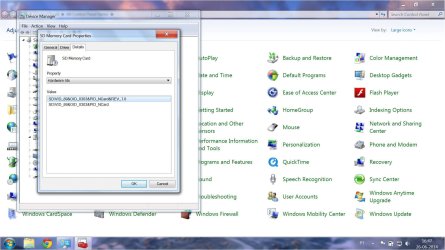
Here they are the 2 attaches. View attachment sfc_scannow.txt VAIO_VGN-FW21Z_SDcard_hardware-id.jpg
 

My Computer

Computer type
Laptop
Computer Manufacturer/Model Number
Sony Vaio
OS
win7 home premium 32 bit
CPU
T9400
Memory
4GB

My Computer

Computer Manufacturer/Model Number
W530-3630QM1
OS
windows 7 home 64bit
CPU
INTEL-CORE I7
Memory
16GB
Hard Drives
750GB
Browser
Chrome
Back
Top