Hello,
We just recently purchased a new computer with Windows 7 on it. I'm very familiar with XP but I pretty much feel lost with 7 so far! Still learning, I guess.
When we initially set up our internet with the wireless router, it worked great for a few weeks. Then I come home one day, and our internet suddenly stopped working. The router's lights are still on as if everything were normal, the modem is too, but the computer says "Unidentified Network / No Network Connection". When I take the router out of the equation and just plug the desktop directly into the modem, it works just fine.
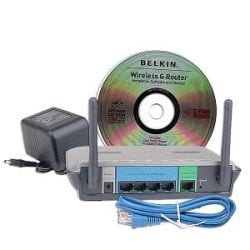
Router: Belkin Wireless G Router; Model F5D7230-4 (Version 7001)
Modem: Arris TM402P/110
OS: Windows 7 Home Premium (64-bit)
With the router plugged in, this is what I get:
-Network connections: Unidentified network/No network address
-cmd / ipconfig /flushdns & /registerdns; they both work properly, however when I try ipconfig /renew, it says: "Windows IP Configuration. An error occurred while renewing interface Local Area Connection: unable to contact your DHCP server. Request has timed out."
-cmd / ipconfig /all; gives me this:
Autoconfiguration IPv4 Address. . : 169.254.194.44(Preferred)
Subnet Mask . . . . . . . . . . . . . : 255.255.0.0
Default Gateway . . . . . . . . . . : 0.0.0.0
Tried the following:
-Hard reset of the router to return it to factory settings; no change.
-Tried moving the ethernet cable throughout the other 3 ports on the router after a few people reported they found out their problem was that specific port was somehow messed up; no go.
-cmd / netsh winsock reset catalog, restarted the computer, with no success. I still have the same 169.254.x.x IP after restarting the computer.
-System restore to 2 days after we got the computer, when everything was working flawlessly. Still have the same issue.
I had read about a possibility of a necessary firmware update for the router, however since the router can't establish the correct IP address, I can't access the Router Setup Utility to upgrade the firmware, and I don't know how else to do it.
I had disabled IPv6, after reading it can cause connection issues also. I don't think that's my problem but I haven't seen anything that says it's absolutely necessary to have IPv6 so I haven't enabled it yet.
I've also read about the Bonjour service from Apple/IPhone possibly screwing up the internet, but I have yet to try any uninstalls for Bonjour because the problems I read about other people having with Bonjour didn't seem to match mine; Bonjour was also installed the day we got the computer, right along with the router/modem. I can still uninstall it if someone thinks that is the problem.
I've double-checked the Services; DHCP client Startup type is Automatic, and Status is Started.
Is it possible the router itself could be bad, and that we just need a new one? I wouldn't have a clue how to figure out whether a router is bad or not. If we didn't have multiple computers in the house working off of this router, I would just leave the desktop plugged into the modem and call it a day. But, I miss my laptop! My laptop has XP, and it also tells me no wireless networks found. I also had to reset my Blackberry to Internet-only instead of Wi-Fi Preferred, because my phone's internet was no longer working either; "no wireless connections".
Oh, and Comcast basically says, "it's not an issue on our end, so we can't help you".
The only other things I've seen as a possibility is a reinstall of Windows? I would prefer that as an absolute last resort, although I will do it if I have to.
Let me know if you need any other information. Thank you.
We just recently purchased a new computer with Windows 7 on it. I'm very familiar with XP but I pretty much feel lost with 7 so far! Still learning, I guess.
When we initially set up our internet with the wireless router, it worked great for a few weeks. Then I come home one day, and our internet suddenly stopped working. The router's lights are still on as if everything were normal, the modem is too, but the computer says "Unidentified Network / No Network Connection". When I take the router out of the equation and just plug the desktop directly into the modem, it works just fine.
Router: Belkin Wireless G Router; Model F5D7230-4 (Version 7001)
Modem: Arris TM402P/110
OS: Windows 7 Home Premium (64-bit)
With the router plugged in, this is what I get:
-Network connections: Unidentified network/No network address
-cmd / ipconfig /flushdns & /registerdns; they both work properly, however when I try ipconfig /renew, it says: "Windows IP Configuration. An error occurred while renewing interface Local Area Connection: unable to contact your DHCP server. Request has timed out."
-cmd / ipconfig /all; gives me this:
Autoconfiguration IPv4 Address. . : 169.254.194.44(Preferred)
Subnet Mask . . . . . . . . . . . . . : 255.255.0.0
Default Gateway . . . . . . . . . . : 0.0.0.0
Tried the following:
-Hard reset of the router to return it to factory settings; no change.
-Tried moving the ethernet cable throughout the other 3 ports on the router after a few people reported they found out their problem was that specific port was somehow messed up; no go.
-cmd / netsh winsock reset catalog, restarted the computer, with no success. I still have the same 169.254.x.x IP after restarting the computer.
-System restore to 2 days after we got the computer, when everything was working flawlessly. Still have the same issue.
I had read about a possibility of a necessary firmware update for the router, however since the router can't establish the correct IP address, I can't access the Router Setup Utility to upgrade the firmware, and I don't know how else to do it.
I had disabled IPv6, after reading it can cause connection issues also. I don't think that's my problem but I haven't seen anything that says it's absolutely necessary to have IPv6 so I haven't enabled it yet.
I've also read about the Bonjour service from Apple/IPhone possibly screwing up the internet, but I have yet to try any uninstalls for Bonjour because the problems I read about other people having with Bonjour didn't seem to match mine; Bonjour was also installed the day we got the computer, right along with the router/modem. I can still uninstall it if someone thinks that is the problem.
I've double-checked the Services; DHCP client Startup type is Automatic, and Status is Started.
Is it possible the router itself could be bad, and that we just need a new one? I wouldn't have a clue how to figure out whether a router is bad or not. If we didn't have multiple computers in the house working off of this router, I would just leave the desktop plugged into the modem and call it a day. But, I miss my laptop! My laptop has XP, and it also tells me no wireless networks found. I also had to reset my Blackberry to Internet-only instead of Wi-Fi Preferred, because my phone's internet was no longer working either; "no wireless connections".
Oh, and Comcast basically says, "it's not an issue on our end, so we can't help you".
The only other things I've seen as a possibility is a reinstall of Windows? I would prefer that as an absolute last resort, although I will do it if I have to.
Let me know if you need any other information. Thank you.
My Computer
At a glance
Windows 7 HP
- OS
- Windows 7 HP