
- Local time
- 10:26 PM
- Messages
- 36
Hi all, just found one possible sollution to the extra heat produced by an SLI set up. Was looking at the nvidia forums when I noticed a post from "Raptor" (so all credit to him) saying that he noticed small screw holes at 80mm apart on the back of his GTX580 and whether you could attach a 80mm fan to the back of them. So I went exploring, my GTX480's have the same screw holes. Concerned about the amount of extra heat my new first SLI bulid was producing I purchased an ANTEC TRI COOL 80mm fan and attached it. I dont bench at all but during gaming (BFBC2, max settings) I now get a nice and cool 60-75degC on the 2 cards as apposed to 80-90degC, a nice 15-20 drop.
Thought it might be a good option for those who don't have space or mounting holes near the drive bays for extra cooling of an SLI setup.
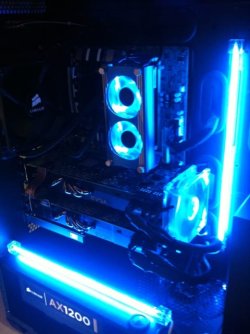
I've attached a pic of my setup.
Once again credit must go to "Raptor" over at Nvidia Forums for bringing this to my attention.
Cheers
Thought it might be a good option for those who don't have space or mounting holes near the drive bays for extra cooling of an SLI setup.
I've attached a pic of my setup.
Once again credit must go to "Raptor" over at Nvidia Forums for bringing this to my attention.
Cheers
Attachments
My Computer
- Computer Manufacturer/Model Number
- CUSTOM
- OS
- Win 7 64bit
- CPU
- i7-3770K @ 4.5Ghz
- Motherboard
- ASUS SABERTOOTH Z77
- Memory
- 16GB CORSAIR DOMINATOR PLATINUM @2133Mhz
- Graphics Card(s)
- 2x EVGA GTX680 SC SLI
- Sound Card
- CREATIVE SOUND BLASTER X-Fi TITANIUM HD
- Monitor(s) Displays
- DELL U3011 / SAMSUNG S27A950D 120Hz
- Screen Resolution
- 2560X1600 / 1920X1080
- Hard Drives
- INTEL 520 SSD 240GB
- PSU
- CORSAIR AX1200
- Case
- CORSAIR AIR540
- Cooling
- CORSAIR H100i
- Keyboard
- CORSAIR VENGEANCE K90
- Mouse
- LOGITECH G9x


