Hi Johnlennon, welcome to the Seven Forums.
The error message gives a clear reason why your Bluetooth dongle does not work. Without
VirtualBox Extension Pack you only get USB 1.x support, and it seems your dongle is USB 2. For USB 2 support the Extension Pack is needed. Close all virtual machines, download and install Extension Pack and try again.
Download Extension Pack here:
Downloads - VirtualBox. It is an executable file, just run it after downloading at it installs itself.
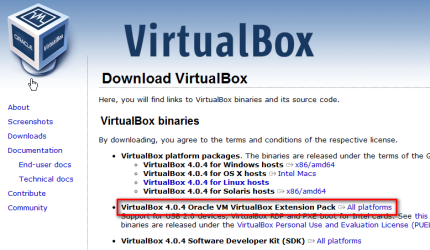
Extension Pack was introduced in VirtualBox 4.0.0. The Extension Pack must be the same version as VirtualBox itself. The download link above is for VirtualBox 4.0.4 and Extension Pack 4.0.4; if you have VirtualBox 4.0.0 or 4.0.2 installed, download the respective Extension Pack here:
http://www.virtualbox.org/wiki/Download_Old_Builds_4_0. Extension Pack is not available for versions older than 4.0.0.
After installing Extension Pack, run the XP vm again, attach the USB Bluetooth dongle and install the drivers. It should work now.
Kari



