Hi,
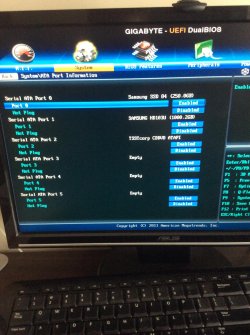
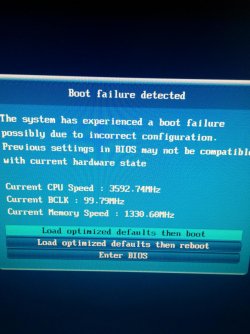
Evertime I boot my PC up, I get a message saying boot failure occur, and so I have to enter the BIOS in order to select my drive and boot windows.
The first time I saw this message was when I woke my PC up from sleep and it kind of kept restarting itself. I would hear the mobo beep, then turn off, turn back on beep, and turn off etc.
I don't know what option to choose and what setting are needed.
So right now I enter BIOS and choose my drive
Evertime I boot my PC up, I get a message saying boot failure occur, and so I have to enter the BIOS in order to select my drive and boot windows.
The first time I saw this message was when I woke my PC up from sleep and it kind of kept restarting itself. I would hear the mobo beep, then turn off, turn back on beep, and turn off etc.
I don't know what option to choose and what setting are needed.
So right now I enter BIOS and choose my drive
Attachments
My Computer
- Computer type
- PC/Desktop
- Computer Manufacturer/Model Number
- Custom Build
- OS
- Windows 7 Professional 64bit
- CPU
- Intel Core i5 - 2500K @ 3.30GHz
- Motherboard
- Gigabyte Z77-HD3
- Memory
- 4GB DDR3
- Graphics Card(s)
- EVGA Nvidia GeForce GT 740 2GB DDR3
- Screen Resolution
- 1680 x 1050
- Hard Drives
- 1T Samaung HD/ 1T toshiba external drive/ 1T western digital external drive/ 2T seagate external drive/ 250gb samaung SSD
- PSU
- Antec 430W
- Keyboard
- Microsoft Wireless Keyboard 800
- Mouse
- Microsoft Wireless Mouse 1000
- Antivirus
- AVG
- Browser
- Internet Explorer