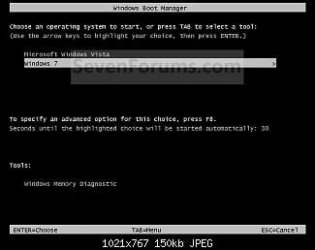
Solved Boot Manager Image Corrupt!

Sunimar

New member
Power User
Local time
2:22 AM
Messages
206
Location
Mumbai
Hey Folks,

After a longtime i'm posting on the site.
Issue: Every time i'm booting my laptop i keeping getting Boot Manager Image is Corrupt followed by BSODs.

Steps I tried: Installing the OS again but after copying the systems file from the CD/DVD when the system is about to start the installation of the OS i get the BSOD again and back to square 1.

Does this mean my HDD is bad and i've to replace it or are there any hope of getting it back????? kindly help!!!
 

My Computer

Computer type
Laptop
OS
Windows 7 Ultimate
Hey Folks,

After a longtime i'm posting on the site.
Issue: Every time i'm booting my laptop i keeping getting Boot Manager Image is Corrupt followed by BSODs.

Steps I tried: Installing the OS again but after copying the systems file from the CD/DVD when the system is about to start the installation of the OS i get the BSOD again and back to square 1.

Does this mean my HDD is bad and i've to replace it or are there any hope of getting it back????? kindly help!!!
I hope it didn't install anything yet! hopefully it put the files on some temp folder. Delete that folder later to reclaim space.

You have an win7 installation DVD as you were trying to reinstall.
Boot from that dvd (be sure it boots from dvd!! So change bios settings).
boot into http://www.sevenforums.com/tutorials/668-system-recovery-options.html (option 2) then "command prompt"

Code:
bootrec /fixboot
bootrec /fixmbr
commands succeed successfuly?

try to boot normally
 

My Computer

Computer type
Laptop
Computer Manufacturer/Model Number
ACER ASPIRE 5742G
OS
Microsoft Windows 7 Home Premium 64-bits 7601 Multiprocessor Free Service Pack 1
CPU
Intel(R) Core(TM) i3 CPU M 370 @ 2.40GHz
Motherboard
Acer Aspire 5742G
Memory
4,00 GB
Graphics Card(s)
ATI Mobility Radeon HD 5400 Series
Sound Card
(1) AMD High Definition Audio Device (2) Realtek High Defi
Screen Resolution
1366 x 768 x 32 bits (4294967296 colors) @ 60 Hz
Hard Drives
WDC WD5000BEVT-22ZAT0
Is the win7 operating system listed in "recovery environment"?

5. Select which operating system you want to repair and the click on Next. (See screenshot below)
NOTE: If Windows 7 is not listed here, or it is blank, then it is ok. Click on Next anyway.


My Computer

Computer type
Laptop
Computer Manufacturer/Model Number
ACER ASPIRE 5742G
OS
Microsoft Windows 7 Home Premium 64-bits 7601 Multiprocessor Free Service Pack 1
CPU
Intel(R) Core(TM) i3 CPU M 370 @ 2.40GHz
Motherboard
Acer Aspire 5742G
Memory
4,00 GB
Graphics Card(s)
ATI Mobility Radeon HD 5400 Series
Sound Card
(1) AMD High Definition Audio Device (2) Realtek High Defi
Screen Resolution
1366 x 768 x 32 bits (4294967296 colors) @ 60 Hz
Hard Drives
WDC WD5000BEVT-22ZAT0
Hey Folks,

After a longtime i'm posting on the site.
Issue: Every time i'm booting my laptop i keeping getting Boot Manager Image is Corrupt followed by BSODs.

Steps I tried: Installing the OS again but after copying the systems file from the CD/DVD when the system is about to start the installation of the OS i get the BSOD again and back to square 1.

Does this mean my HDD is bad and i've to replace it or are there any hope of getting it back????? kindly help!!!
I hope it didn't install anything yet! hopefully it put the files on some temp folder. Delete that folder later to reclaim space.

You have an win7 installation DVD as you were trying to reinstall.
Boot from that dvd (be sure it boots from dvd!! So change bios settings).
boot into http://www.sevenforums.com/tutorials/668-system-recovery-options.html (option 2) then "command prompt"

Code:
bootrec /fixboot
bootrec /fixmbr
commands succeed successfuly?[/FONT]


Thanks for the info Kaktussoft! Boot from options was selected as CD-ROM/DVD but will check for System Recovery Options. The process is just like installing an OS for the 1st time but nothing works for me i cannot go to safe mode no options all i got is BIOS and always end up with a BSOD. But will try the above mentioned steps! :D
 

My Computer

Computer type
Laptop
OS
Windows 7 Ultimate
Boot from DVD!!
Windows 7 Installation or System Repair Disc
1. Insert the Windows 7 installation disc, or System Repair Disc into the CD/DVD drive and restart the computer.
WARNING: Check to make sure that you set the BIOS to have the CD or DVD drive listed first in the boot order.

2. If prompted, press any key to boot from the Windows 7 installation DVD. (See screenshot below)
NOTE: You will only have about 8 seconds to press this key.

3. Select your language preferences and click on Next. (See screeshot below).

4. Click on Repair your computer. (See screenshot below)

5. Select which operating system you want to restore and the click on Next. (See screenshot below)
NOTE: If Windows 7 is not listed here, or it is blank, then it is ok. Click on Next anyway.

6. Select the system recovery option you want to do. (See screenshot below)


My Computer

Computer type
Laptop
Computer Manufacturer/Model Number
ACER ASPIRE 5742G
OS
Microsoft Windows 7 Home Premium 64-bits 7601 Multiprocessor Free Service Pack 1
CPU
Intel(R) Core(TM) i3 CPU M 370 @ 2.40GHz
Motherboard
Acer Aspire 5742G
Memory
4,00 GB
Graphics Card(s)
ATI Mobility Radeon HD 5400 Series
Sound Card
(1) AMD High Definition Audio Device (2) Realtek High Defi
Screen Resolution
1366 x 768 x 32 bits (4294967296 colors) @ 60 Hz
Hard Drives
WDC WD5000BEVT-22ZAT0
Steps:
connected external ODD as do not have a ODD on my laptop. From BIOS selected option: USB CD/DVD under Boot. Inserted the Windows 7 Installation DVD.

After restarting the laptop i hit a key to install from the CD/DVD.

Next i get: Windows is Loading Files......

Windows Boot Manager comes up with an error:
"Windows has encountered a problem communicating with a device connected to your computer.

this error can be caused by unplugging a removable storage device such as an external USB drive while the device is is use, or by faulty hardware such as a hard drive or
CD-ROM drive that is failing. Make sure any removable storage is properly connected and then restart your computer.

if you contnue to receive this error message, contact the hardware manufacturer.

status: 0xc00000e9

info: An unexpected I/O error has occurred."

Then nothing happens and i have to shutdown the system.

Tried the same above steps 6 times with same error message every time!

What next and my original question: is my HDD bad or is it fine????????:confused:


My Computer

Computer type
Laptop
OS
Windows 7 Ultimate
With Windows XP i get: Windows is loading files and loads all the files and after it shows: Windows will start the setup, i get a BSOD (with same error message). With Windows 7 i get the same error message but with a different BSOD (Black Screen of Death).:

Would like to add few details F8 does not work as i was checking some of the old threads on simiar topic. Did also tried few the steps mentioned on those threads but to my disappointment no resolution! FYI i'm using a Windows 7 Installation DVD/ Repair CD/DVD(
 

My Computer

Computer type
Laptop
OS
Windows 7 Ultimate
With Windows XP i get: Windows is loading files and loads all the files and after it shows: Windows will start the setup, i get a BSOD (with same error message). With Windows 7 i get the same error message but with a different BSOD (Black Screen of Death).:

Would like to add few details F8 does not work as i was checking some of the old threads on simiar topic. Did also tried few the steps mentioned on those threads but to my disappointment no resolution! FYI i'm using a Windows 7 Installation DVD/ Repair CD/DVD(
with winxp??? Don't understand
 

My Computer

Computer type
Laptop
Computer Manufacturer/Model Number
ACER ASPIRE 5742G
OS
Microsoft Windows 7 Home Premium 64-bits 7601 Multiprocessor Free Service Pack 1
CPU
Intel(R) Core(TM) i3 CPU M 370 @ 2.40GHz
Motherboard
Acer Aspire 5742G
Memory
4,00 GB
Graphics Card(s)
ATI Mobility Radeon HD 5400 Series
Sound Card
(1) AMD High Definition Audio Device (2) Realtek High Defi
Screen Resolution
1366 x 768 x 32 bits (4294967296 colors) @ 60 Hz
Hard Drives
WDC WD5000BEVT-22ZAT0
I meant i tried installing Windows XP as i couldn't find my Windows 7 DVD. My laptop didn't had Windows 7 as OEM OS it came with Windows XP SP2.


What do you suggest next! The good thing is that my HDD is fine as it shows up in BIOS but i'm not able to find the reason for the error. 1 possibility could be BAD SECTOR on the HDD. Whats your take on that?????
 

My Computer

Computer type
Laptop
OS
Windows 7 Ultimate

My Computer

Computer type
Laptop
Computer Manufacturer/Model Number
ACER ASPIRE 5742G
OS
Microsoft Windows 7 Home Premium 64-bits 7601 Multiprocessor Free Service Pack 1
CPU
Intel(R) Core(TM) i3 CPU M 370 @ 2.40GHz
Motherboard
Acer Aspire 5742G
Memory
4,00 GB
Graphics Card(s)
ATI Mobility Radeon HD 5400 Series
Sound Card
(1) AMD High Definition Audio Device (2) Realtek High Defi
Screen Resolution
1366 x 768 x 32 bits (4294967296 colors) @ 60 Hz
Hard Drives
WDC WD5000BEVT-22ZAT0

My Computer

Computer type
Laptop
Computer Manufacturer/Model Number
ACER ASPIRE 5742G
OS
Microsoft Windows 7 Home Premium 64-bits 7601 Multiprocessor Free Service Pack 1
CPU
Intel(R) Core(TM) i3 CPU M 370 @ 2.40GHz
Motherboard
Acer Aspire 5742G
Memory
4,00 GB
Graphics Card(s)
ATI Mobility Radeon HD 5400 Series
Sound Card
(1) AMD High Definition Audio Device (2) Realtek High Defi
Screen Resolution
1366 x 768 x 32 bits (4294967296 colors) @ 60 Hz
Hard Drives
WDC WD5000BEVT-22ZAT0
Ok buddy Thanx again for the help! will try it and will let you know the results!!!
 

My Computer

Computer type
Laptop
OS
Windows 7 Ultimate

My Computer

Computer type
Laptop
Computer Manufacturer/Model Number
ACER ASPIRE 5742G
OS
Microsoft Windows 7 Home Premium 64-bits 7601 Multiprocessor Free Service Pack 1
CPU
Intel(R) Core(TM) i3 CPU M 370 @ 2.40GHz
Motherboard
Acer Aspire 5742G
Memory
4,00 GB
Graphics Card(s)
ATI Mobility Radeon HD 5400 Series
Sound Card
(1) AMD High Definition Audio Device (2) Realtek High Defi
Screen Resolution
1366 x 768 x 32 bits (4294967296 colors) @ 60 Hz
Hard Drives
WDC WD5000BEVT-22ZAT0
Back
Top