Sorry, didn't mean for this post to get this long, but I have a fair amount of info to pass along.
First off, thanks for all your continued help, guys. It is really appreciated. I know more now, am getting closer, but am still frustrated at this point.
Sup3rsprt, yes, I can boot the Win 7 DVD on my XP machine.
Frostbite, I had not seen that screen until a short while ago. I d/l'd the RC build 7100.0.090421 from Microsoft's site about five days ago, maybe? Once I have it up and running, I'll try one of the later builds.
Here's the latest, and what I found out:
A friend of mine located a Vista restore iso for me, so I burned it to a DVD. Tried it in the target machine and was getting the "CDBOOT: Couldn't find boot manager" message.
I was really puzzled by this and getting unbelievably frustrated. Then something occurred to me. I was successful booting two Linux CDs (OS on the CD) and installing FreeDOS from CD. But I haven't been successful at all booting frrom DVDs. So, I burned the Vista Restore iso to a CD, and whammo! It booted.
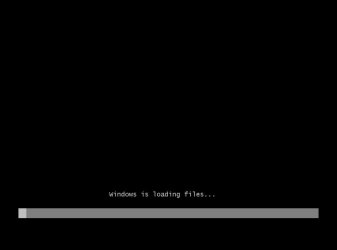
I used the Vista Restore CD to "repair" the machine, then tried again with the Win 7 DVD. This time it booted, and I got past the screen where it asks for the language and stuff.
But my elation was short-lived. It halted, asking me for a driver for the DVD/CD-ROM drive. My suspicion is slowly being confirmed, I think. The problem is most likely the new drive I have installed in that old machine.
It's a Samsung SH-S222A lightscribe drive. Nothing fancy -- 25 bux at MicroCenter on sale.
So, I go to Samsung.com to d/l a driver for my light drive, and find out that they have firmware d/l's only. That wasn't going to do me any good since I need the OS up and running to run the firmware ap, so I got the idea to check the drivers for the DVD drive in my XP box. Both systems are running the same exact DVD drive, so I was hopeful.
At the XP box's Device Manager, I looked at "Driver details", located the drivers installed for the drive (all Microsoft, btw), and copied them to a 3.5" floppy. Then I loaded the floppy in the target machine, hoping it would accept the Microsoft drivers in use on the XP box.
No joy. So, thinking I had nothing to lose, I booted my Vista notebook, and did the same with it, copying the files to a flash drive, then transferring them over to a floppy on my XP box. The XP machine had four driver files installed -- the Vista one had only two, but those two had the same name as two of the ones for the XP machine, but different dates. Gave them a shot with the target machine, but once again, nuthin doin.
It ticks me off that Samsung does not supply drivers for their drives, but nothing I can do about it. So, unless I can find a set of drivers that Win 7 will accept, I'm stuck. Well, maybe.
My daughter's machine has two DVD drives -- one's an older Memorex DVD (reader)/CD (burner) drive, and I know it came with drivers, cuz I remember seeing the CD recently. Probably no Vista drivers though. The newer burner in her machine is also a Memorex, so I'm gonna check on both at Memorex's site, and see if they have Vista drivers for these drives. If they do, I'll "borrow" one of her drives and give it a go on the target machine.
Dunno if I'll get to this tonight, but regardless, I'll let y'all know what I find out.
A general statement about compatibility issues with Win 7: If Microsoft is really serious about their minimum requirements, I think they need to actually pay closer attention to the majority of systems out there that will meet these minimal requirements (you can click on my system to see in detail what it is). My target machine is a prime example: the motherboard and processor are about 8 years old, and as a result, the bios does not mention "DVD". Even after upgrading the bios to the latest available, which is still about 7 years old, this does not enable native DVD support.
I am not 100% convinced that it is a BIOS issue, though. I'm still somewhat suspicious of the drive itself. I'll be able to confirm my suspicions, one way or the other most likely, by replacing the drive with one of the Memorexes.
Does this make sense to you guys?
Best,
Michael



 I have the boot order set to CDROM (or dvd), floppy 1, drive 0.