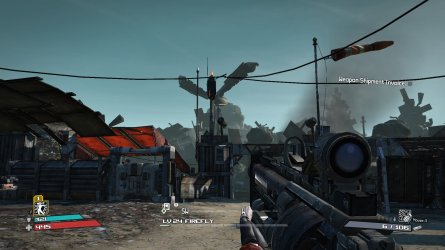
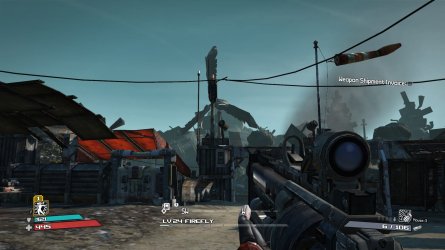
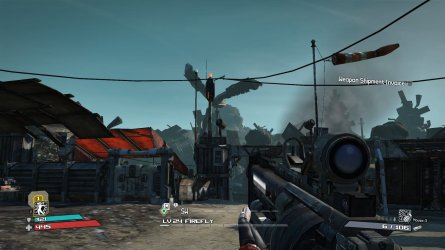
it certainly is subtle, so i've blown things up 300% to make it a bit clearer:
no aa
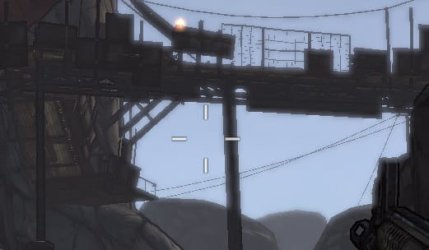
4x adaptive multi-sample aa - as far as i know, adaptive aa is meant to help with objects with holes in them, such as the railings.
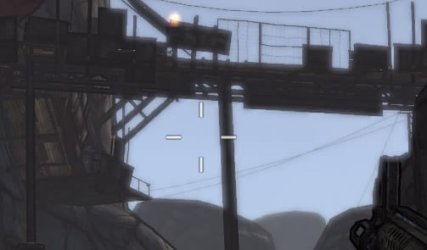
as you can see, there is a difference on the power lines, and the verticals too. ideally i should have taken the shot with 16x aa, but i'm too lazy to do it now.

note that the original screenshots were taken from exactly the same place, with exactly the same view without touching either the movement keys nor the mouse - it's only that the crops weren't cropped exactly at the same place - i was a bit slack in photoshop there

so it's not as if a slight change of view changed the edges at all.
i don't think you're ever going to completely eliminate aliasing in borderlands unless they rewrite the code and remake all the objects.
that's never going to happen, so until then we're going to have to do the best we can.
i'm not convinced now that the config tool helps the aa (check my signature quote) - but it does add extra little options such as vysnc, disabling intro movies etc - i found that pre-config tool i was getting bad tearing, even with vsync forced on, but now it's gone.
all the config tool does is to change entries in the ini files, and just saves a bit of manual work.



 ...and totally ignored me. so i gave up pretty fast...