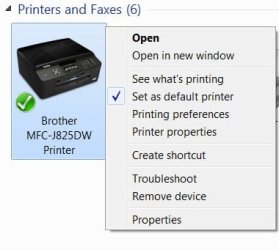
I have a Brother MFC-J825DW. I installed the software and it works fine.
Photoshop is also present on this machine (W7 Home, 64bit) and it was installed long time before the Brother.
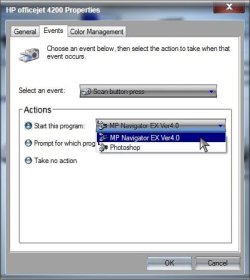
When I scan a document from the device (pressing the SCAN button on the device, as oppose to from Windows), a window pops up in Windows asking me which software do I want to use for this scan: The Brother one, or Photoshop, hence defeats the purpose of a "one button scan" feature. There is no "remember this selection" option.
How do I set up the Brother to be the default scanning software?
Note that I have installed the same software in several other Windows (7 and XP) machines which also have Photoshop installed and never had this issue in any other PC.
Thank you.
Photoshop is also present on this machine (W7 Home, 64bit) and it was installed long time before the Brother.
When I scan a document from the device (pressing the SCAN button on the device, as oppose to from Windows), a window pops up in Windows asking me which software do I want to use for this scan: The Brother one, or Photoshop, hence defeats the purpose of a "one button scan" feature. There is no "remember this selection" option.
How do I set up the Brother to be the default scanning software?
Note that I have installed the same software in several other Windows (7 and XP) machines which also have Photoshop installed and never had this issue in any other PC.
Thank you.
My Computer
- OS
- 7 Professional 32bit



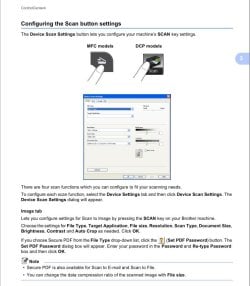
 From the manual for this all in one, page 74: