Browser opens by itself reformat didnt help

ohirris

New member
Local time
6:19 AM
Messages
13
Hello I have a huge problem with my browser. My main browser keeps opening by itself and it refreshes by itself. First I've had problems with Chrome, so I uninstalled and reinstalled but nothing happened. So I installed all kinds of anti malware/virus programs to get rid of any malicious malwares, but even through that I didnt find anything bad. I decided to refomat my computer and installed chrome again but once I installed it it started opening non-stop so I tried firefox but it's not as bad chrome, but it still opens the browser randomly and when Im on a website it would refresh back to the homepage. I have no idea what the problem is can anyone please help???

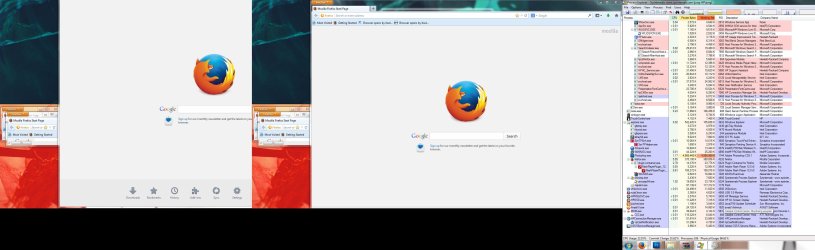
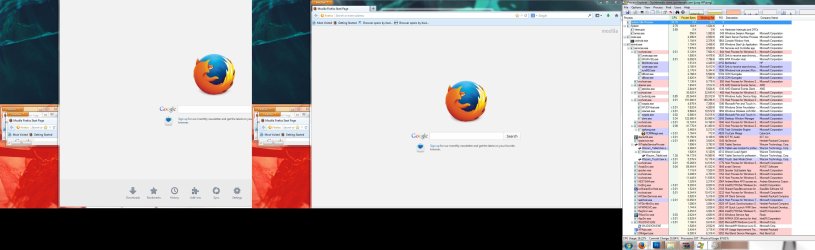
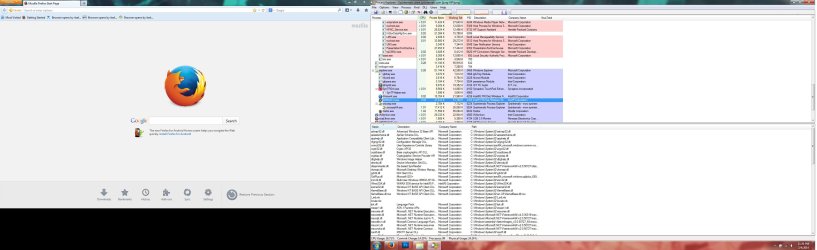
Heres what it looks like
http://i4.photobucke....n/Untitled.png
 

My Computer

Computer type
Laptop
Computer Manufacturer/Model Number
hp
OS
Windows 7 64x
Welcome to the Seven Forums.

Does your laptop have a button on it that opens/starts your default browser? If so, then the button might be faulty.
 

My Computer

Computer type
Laptop
Computer Manufacturer/Model Number
Employer provided Dell Latitude
OS
W7 Pro SP1 64bit
CPU
i7
Memory
8GB
Graphics Card(s)
Intel HD Graphics
Hard Drives
crappy SSD
Antivirus
Employer mandated Symantec Endpoint Protection
Browser
Pale Moon 64bit, IE11 64bit & Chrome 64bit
It does have a button that opens a browser but when I press the button again it would just refresh, not open multiple windows.
I've even tried disabling my keyboard, and the problem still persists.
 

My Computer

Computer type
Laptop
Computer Manufacturer/Model Number
hp
OS
Windows 7 64x

My Computer

Computer type
Laptop
Computer Manufacturer/Model Number
Employer provided Dell Latitude
OS
W7 Pro SP1 64bit
CPU
i7
Memory
8GB
Graphics Card(s)
Intel HD Graphics
Hard Drives
crappy SSD
Antivirus
Employer mandated Symantec Endpoint Protection
Browser
Pale Moon 64bit, IE11 64bit & Chrome 64bit
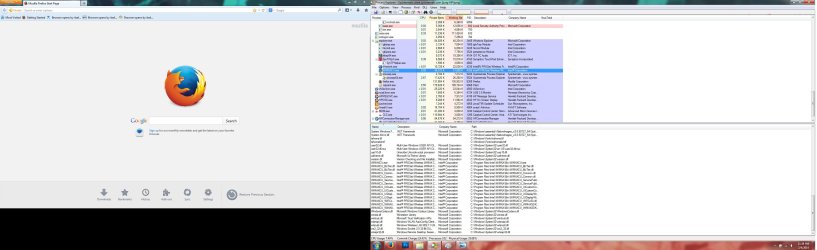
Here you go thanks for the help.
 

Attachments

  • 1.jpg
    1.jpg
    333 KB · Views: 4
  • 2.jpg
    2.jpg
    335.8 KB · Views: 3

My Computer

Computer type
Laptop
Computer Manufacturer/Model Number
hp
OS
Windows 7 64x
You are welcome...

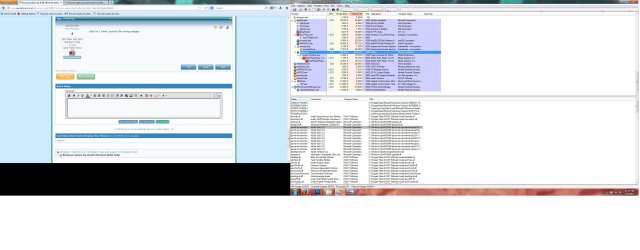
...unfortunately, Process Explorer did not reveal much - yet.

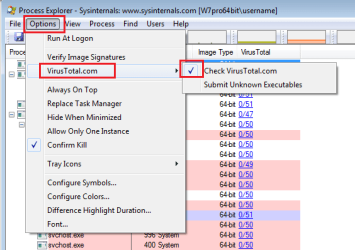
Let's see if an infection has found its way back in already:

PE1.png


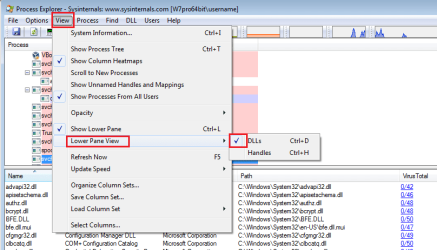
Select the row for Firefox in the upper pane and show the lower pane via these clicks:

PE2.png


You might also want to test surfing in the Windows safe mode with networking.
 

My Computer

Computer type
Laptop
Computer Manufacturer/Model Number
Employer provided Dell Latitude
OS
W7 Pro SP1 64bit
CPU
i7
Memory
8GB
Graphics Card(s)
Intel HD Graphics
Hard Drives
crappy SSD
Antivirus
Employer mandated Symantec Endpoint Protection
Browser
Pale Moon 64bit, IE11 64bit & Chrome 64bit
Here you go Ive tried Safe Mode and it had the same result
 

Attachments

  • 3.jpg
    3.jpg
    281.5 KB · Views: 3
  • 4.jpg
    4.jpg
    292.2 KB · Views: 3
  • 5.jpg
    5.jpg
    278.6 KB · Views: 3

My Computer

Computer type
Laptop
Computer Manufacturer/Model Number
hp
OS
Windows 7 64x
Hold on I think i posted the wrong images
 

My Computer

Computer type
Laptop
Computer Manufacturer/Model Number
hp
OS
Windows 7 64x
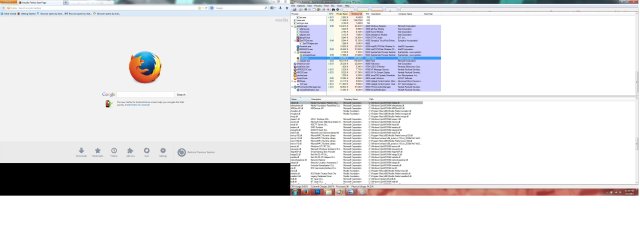
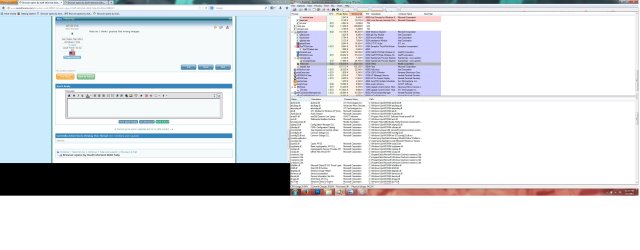
Here you go
 

Attachments

  • 5aa.jpg
    5aa.jpg
    273.2 KB · Views: 2
  • 4aa.jpg
    4aa.jpg
    275.6 KB · Views: 1
  • 3aa.jpg
    3aa.jpg
    359.9 KB · Views: 2
  • 2aa.jpg
    2aa.jpg
    328.5 KB · Views: 4
  • 1aa.jpg
    1aa.jpg
    342.8 KB · Views: 5

My Computer

Computer type
Laptop
Computer Manufacturer/Model Number
hp
OS
Windows 7 64x
For some reason, the Virustotal column is not populated with the results of the hash checks. What Antivirus app are you using? What firewall app? W7's native firewall?

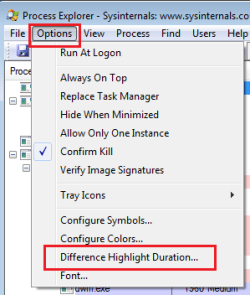
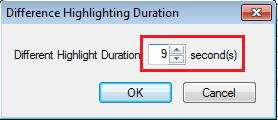
Here is one more setting that might help you to see processes as they start and end:

PE3.png

PE4.png

Set that duration to the max of 9 - if you want.


Also, when you take screenshots, try Alt+PrntScrn to just capture the active window (make Process Explorer active first). No need to post more screenshots. You should be able to see the hash check results like those shown in my screenshots. If you can get them to work, just scan to see if anything is obviously bad.

We can try Process Monitor next... but it can be harder to explain.
 

My Computer

Computer type
Laptop
Computer Manufacturer/Model Number
Employer provided Dell Latitude
OS
W7 Pro SP1 64bit
CPU
i7
Memory
8GB
Graphics Card(s)
Intel HD Graphics
Hard Drives
crappy SSD
Antivirus
Employer mandated Symantec Endpoint Protection
Browser
Pale Moon 64bit, IE11 64bit & Chrome 64bit
Hmm I think there something up with Flash player but Im not sure.
I am very new with this so sorry for my lack of understandings.
 

Attachments

  • 2gdggd.jpg
    2gdggd.jpg
    214.8 KB · Views: 5

My Computer

Computer type
Laptop
Computer Manufacturer/Model Number
hp
OS
Windows 7 64x
No need to apologize - you are doing great. I just hope that I'm not wasting your time. Hopefully, we are both learning a bit. The Process Explorer tool just added that Virustotal feature a few days ago. I'm still learning about how/when best to use it. You can click on any of the links (like one of the red links) to see which little know antivirus tool has not updated its hash for Flash. Flash is probably okay.

What Antivirus app are you using? What firewall app? Windows 7's native firewall?

BTW, that last screenshot gad a lot of white area around it. If you are using MS Paint to save the image, glance at this post: http://www.sevenforums.com/system-s...en-after-firewall-disabled-2.html#post2678725
 

My Computer

Computer type
Laptop
Computer Manufacturer/Model Number
Employer provided Dell Latitude
OS
W7 Pro SP1 64bit
CPU
i7
Memory
8GB
Graphics Card(s)
Intel HD Graphics
Hard Drives
crappy SSD
Antivirus
Employer mandated Symantec Endpoint Protection
Browser
Pale Moon 64bit, IE11 64bit & Chrome 64bit
Thank you for your help much appreciated. As of now I dont have any firewall I have Avast, Malywarebytes, RogueKiller. What I dont understand is that I reformatted my computer about 3 times how is it possible there is still virus or whatever that's causing this.
 

My Computer

Computer type
Laptop
Computer Manufacturer/Model Number
hp
OS
Windows 7 64x
The W7 native firewall should be on...

Avast is fine. There are infections that can survive formatting the hard drive by being on a hidden partition. Offline scanners hunt for those. (What is Windows Defender Offline?). But one of our members that regularly deals with infections can help you better than I. Maybe one will stop by this thread.

We can play with Process Monitor if you want. It might not help us find the issue, because some things happen in indirect ways. it is had to track the rot cause.
 

My Computer

Computer type
Laptop
Computer Manufacturer/Model Number
Employer provided Dell Latitude
OS
W7 Pro SP1 64bit
CPU
i7
Memory
8GB
Graphics Card(s)
Intel HD Graphics
Hard Drives
crappy SSD
Antivirus
Employer mandated Symantec Endpoint Protection
Browser
Pale Moon 64bit, IE11 64bit & Chrome 64bit
Okay Im setting up the firewall now lets try the process monitor now.
 

My Computer

Computer type
Laptop
Computer Manufacturer/Model Number
hp
OS
Windows 7 64x
It is pretty much like Process Explorer in that there is nothing to install...
...just download/open/copy/run the exe.
http://technet.microsoft.com/en-us/sysinternals/bb896645.aspx


It starts gather data as soon as you run it. Let it continue to gather data as you wait for a bunch of browser windows to appear. Once that happens, you can stop the data collection.

The image below is from another post of mine. The rectangle on the left is highlighting the icon/button that starts/stops data collection. The other rectangle I'll speak to later - after you gathered data during a browser attack :-)

233077d1348334991-missing-start-menu-icons-pm1.jpg
 

My Computer

Computer type
Laptop
Computer Manufacturer/Model Number
Employer provided Dell Latitude
OS
W7 Pro SP1 64bit
CPU
i7
Memory
8GB
Graphics Card(s)
Intel HD Graphics
Hard Drives
crappy SSD
Antivirus
Employer mandated Symantec Endpoint Protection
Browser
Pale Moon 64bit, IE11 64bit & Chrome 64bit
Ok so I did a little experiment I opened IE and the firefox started bombarding my screen and blue screen appearred lol
 

My Computer

Computer type
Laptop
Computer Manufacturer/Model Number
hp
OS
Windows 7 64x
That might be a good thing. You might want to start another thread in this sub-forum: BSOD Help and Support - Windows 7 Help Forums

Follow these steps:
http://www.sevenforums.com/bsod-help-support/96879-blue-screen-death-bsod-posting-instructions.html


But we can keep working in this thread too:
Let's change Process Monitor so that it does not use so much of your Virtual Memory:

Stop Process Monitor from gathering its data (Ctrl+E).
Clear the current data (Ctrl-X).

Click on File > Backing Files...

Once the next little window appears, select "Use file named:"
Use the button to the right of that field to...
...select any path that you want (maybe the desktop?).
Type in any file name that you want.
"OK" your way out of that window and the next one.

Make Process Monitor gather data again (Ctrl+E).
Wait for a browser attack :-)
Stop Process Monitor from gathering its data (Ctrl+E).

If the computer survives that - we can filter the data. It will probably show Explorer starting Firefox and we might not find what told Explorer to do that.
 

My Computer

Computer type
Laptop
Computer Manufacturer/Model Number
Employer provided Dell Latitude
OS
W7 Pro SP1 64bit
CPU
i7
Memory
8GB
Graphics Card(s)
Intel HD Graphics
Hard Drives
crappy SSD
Antivirus
Employer mandated Symantec Endpoint Protection
Browser
Pale Moon 64bit, IE11 64bit & Chrome 64bit
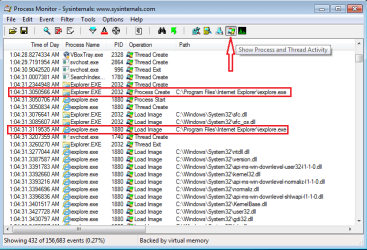
Once you have some Process Monitor data gathered during a browser attack...
...filter it to only Show Process and Thread Activity:

pm.PNG

The look for apps that start other apps.

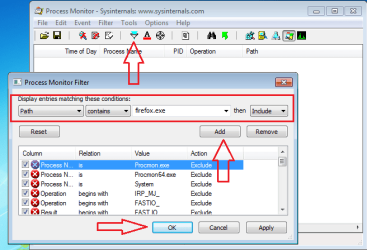
You can explore the other ways to filter...
...like adding a filter for entries that contain Firefox in the path.

pm2.png
 

My Computer

Computer type
Laptop
Computer Manufacturer/Model Number
Employer provided Dell Latitude
OS
W7 Pro SP1 64bit
CPU
i7
Memory
8GB
Graphics Card(s)
Intel HD Graphics
Hard Drives
crappy SSD
Antivirus
Employer mandated Symantec Endpoint Protection
Browser
Pale Moon 64bit, IE11 64bit & Chrome 64bit
Hey it seems like the problem has sort of gone away but I am not 100% sure that its gone. My main browser doesnt refresh by itself anymore and doesnt open the a window by itself as often as it did before. But when I opened IE it did open Firefox by itself but it didnt open 100 of them, only one. So Im guessing there still is a problem somewhere.
 

My Computer

Computer type
Laptop
Computer Manufacturer/Model Number
hp
OS
Windows 7 64x
Back
Top