Hello,
I'm currently having huge issues with my laptop.
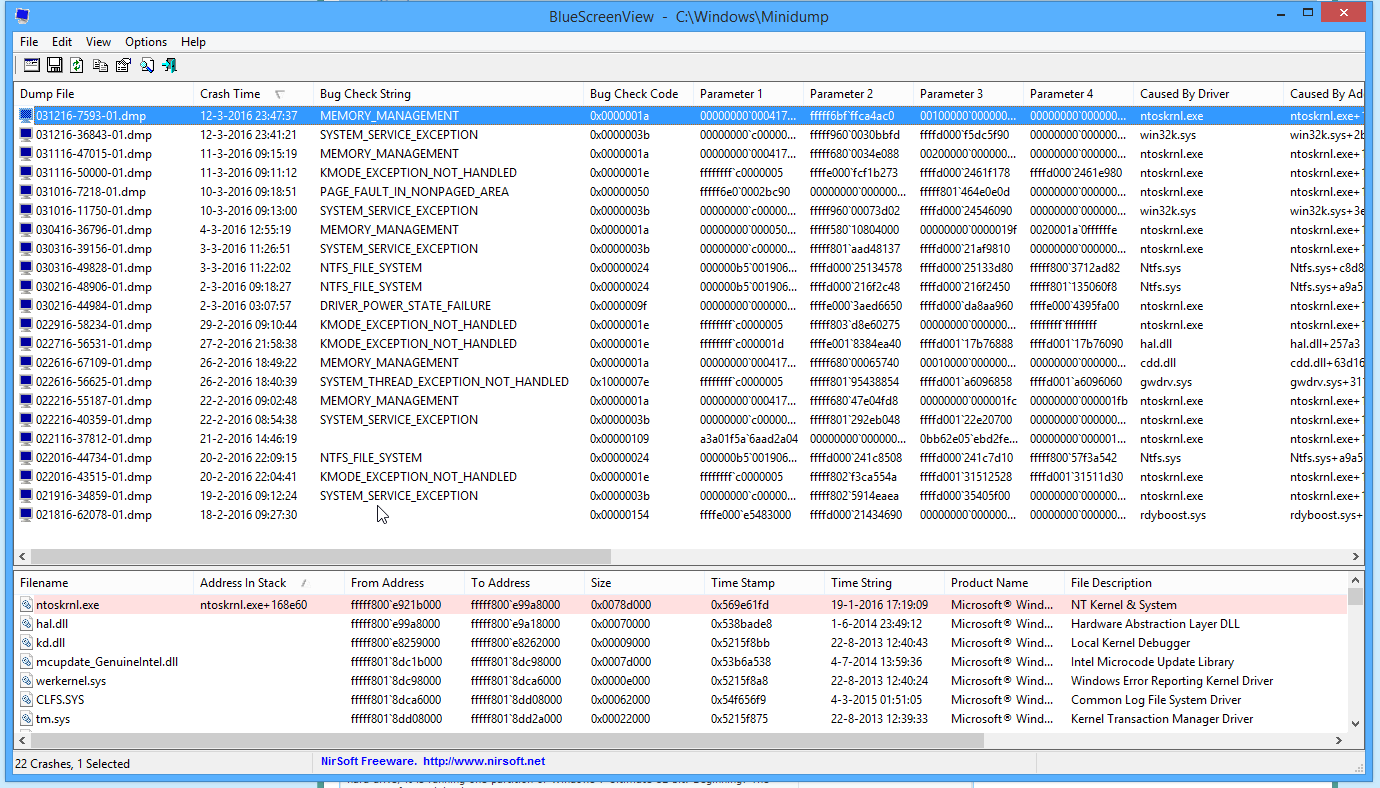
Since 2 weeks ago it started acting weird as in waking up from sleep and hibernate and random BSOD's.
Alright, so my situation, I got 2 drives:
1 HDD with 1TB capacity (This was the default HDD I got with the laptop)
1 SSD with 1TB capacity (Which I bought a few days ago)
So my laptop started with these annoying bluescreens, literally around 3 ~ 4 bluescreens per day in a row.
First I thought it'd be something with my HDD or Windows installation, so what I did was just buying a new SSD and trying that one out.
First I cloned my HDD to my SSD, the problems still occured.
So I did a fresh windows install on my SSD and moved my registry files, app data, and program files folder to it. But the problem still occurs, it still gives me BSOD's.
Here are 2 errors of the BSOD's (It's not a lot, because this is on my new SSD)
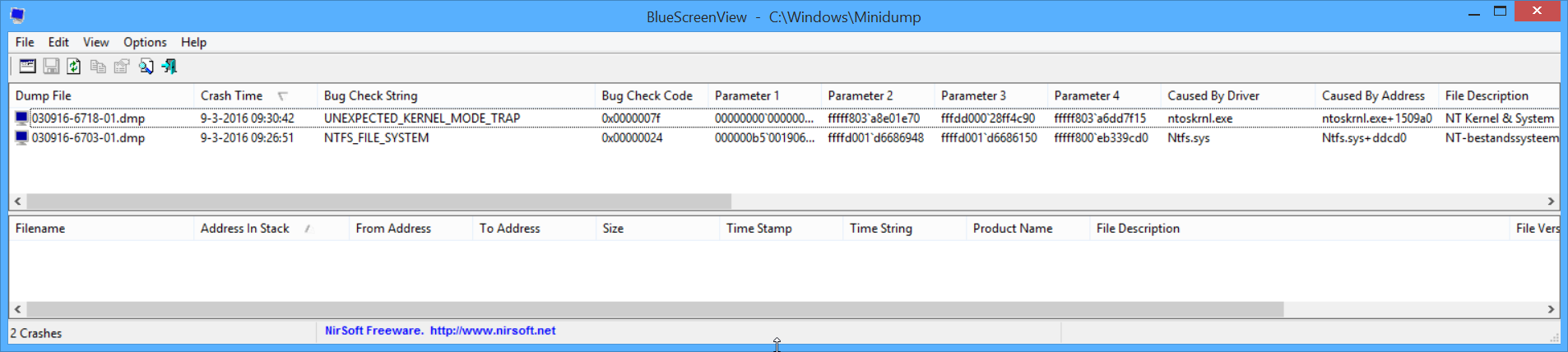
The errors say UNEXPECTED KERNEL MODE TRAP and NTFS_FILE_SYSTEM
After Googling a while, people say it could be your Antivirus, your Harddisk and your RAM.
In my case I'm sure it's not the antivirus or the harddisk, because there's no antivirus on the new install and the SSD is new.
So it COULD be the RAM.
But why could it be the RAM?
I've got 2 default RAM sticks, 4GB each.
And I bought 2 more RAM sticks of 8GB each like 1 year ago, and my laptop has been running smooth since then, I never had any problems.
Why could this be the RAM?
My laptop DID turn on a few times in my bag, and my CPU does get up to around 75 degrees.
But I don't think these 2 things could be the reason for this.
Anyone able to help me out with this?
I know some of you will say do a "Ramtest" but as I've read, in some cases Ramtest doesn't give you any results while the problem is the RAM.
Is it possible to remove 1 ram stick at a time, and test the laptop for a few days?
Would this be a good solution/way to check whether it's the RAM or not?
I'm currently having huge issues with my laptop.
Since 2 weeks ago it started acting weird as in waking up from sleep and hibernate and random BSOD's.
Alright, so my situation, I got 2 drives:
1 HDD with 1TB capacity (This was the default HDD I got with the laptop)
1 SSD with 1TB capacity (Which I bought a few days ago)
So my laptop started with these annoying bluescreens, literally around 3 ~ 4 bluescreens per day in a row.
First I thought it'd be something with my HDD or Windows installation, so what I did was just buying a new SSD and trying that one out.
First I cloned my HDD to my SSD, the problems still occured.
So I did a fresh windows install on my SSD and moved my registry files, app data, and program files folder to it. But the problem still occurs, it still gives me BSOD's.
Here are 2 errors of the BSOD's (It's not a lot, because this is on my new SSD)
The errors say UNEXPECTED KERNEL MODE TRAP and NTFS_FILE_SYSTEM
After Googling a while, people say it could be your Antivirus, your Harddisk and your RAM.
In my case I'm sure it's not the antivirus or the harddisk, because there's no antivirus on the new install and the SSD is new.
So it COULD be the RAM.
But why could it be the RAM?
I've got 2 default RAM sticks, 4GB each.
And I bought 2 more RAM sticks of 8GB each like 1 year ago, and my laptop has been running smooth since then, I never had any problems.
Why could this be the RAM?
My laptop DID turn on a few times in my bag, and my CPU does get up to around 75 degrees.
But I don't think these 2 things could be the reason for this.
Anyone able to help me out with this?
I know some of you will say do a "Ramtest" but as I've read, in some cases Ramtest doesn't give you any results while the problem is the RAM.
Is it possible to remove 1 ram stick at a time, and test the laptop for a few days?
Would this be a good solution/way to check whether it's the RAM or not?
My Computer
At a glance
Windows 8.1 64-bitIntel Core i7 3630QM @ 2.40GHz | Ivy Bridge 2...24,0GB Dual-Channel DDR3 (11-11-11-28)Generic PnP Monitor (1920x1080@64Hz)
- Computer type
- Laptop
- Computer Manufacturer/Model Number
- Asus
- OS
- Windows 8.1 64-bit
- CPU
- Intel Core i7 3630QM @ 2.40GHz | Ivy Bridge 22nm Technology
- Motherboard
- ASUSTeK COMPUTER INC. K95VB (SOCKET 0)
- Memory
- 24,0GB Dual-Channel DDR3 (11-11-11-28)
- Graphics Card(s)
- Generic PnP Monitor (1920x1080@64Hz)
- Hard Drives
- 931GB Seagate ST1000DM003-1CH162 (SATA)
931GB Samsung SSD 850 EVO 1TB (SSD)
- Antivirus
- None due to new Windows installation
- Browser
- Firefox (Temporary)