- Local time
- 6:00 PM
- Messages
- 12,011
But thats probably because its not your first build AddRam, i can always upgrade this build after and so i think getting the ssd will be more clever to keep the OS on. What are the advantages of having a ssd or hdd?
You notice the SSD mostly in boot speed and anything that is disk intensive, such as virus scans or opening big applications. You don't notice it for stuff like looking at this forum. Gamers say it doesn't make much difference for games either--they load faster, but that's about it.
If you are going to build now and upgrade continually over time, you should concentrate on the foundation parts--stuff that you likely won't upgrade for several years---case, motherboard, processor, and RAM.
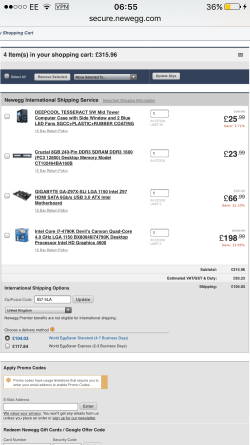
There's a big difference between a 400 pound budget for the next 3 years and a 400 pound budget today and say another 150 pounds in 3 months. If I knew I could add in another 150 pounds in 3 months, I'd probably build the thing without a video card and just use integrated video for the first 3 months.
If you did that, you'd have a mediocre gaming system for 3 months, but you could buy better foundation parts today. After 3 months, buy a video card.
The 150 pounds you don't spend today on a video card could be spent on an SSD, HD, better case, and stronger processor.
My Computer
- Computer type
- PC/Desktop
- Computer Manufacturer/Model Number
- Ignatz Special; 4 speed manual gearbox; factory air conditioning; one of one
- OS
- Windows 7 Home Premium SP1, 64-bit
- CPU
- Intel Skylake i5-6600K, not overclocked
- Motherboard
- AsRock Z170M Extreme 4, micro ATX
- Memory
- 8 GB HyperX DDR4-2666 (2 x 4 GB)
- Graphics Card(s)
- none; graphics are integrated on CPU
- Sound Card
- onboard: Realtek ALC1150; external: USB Behringer UF0-202
- Monitor(s) Displays
- Dell S2340M 23 inch IPS
- Screen Resolution
- 1600 x 900
- Hard Drives
- System: Crucial MX100 series SSD, 128 GB;
Data: Samsung Spinpoint 103SJ, 1 TB;
Backup: WD Caviar Green WD30EZRX-00D8PB0, 3 TB
- PSU
- Rosewill SilentNight 500 watt fanless, semi-modular
- Case
- Antec Solo II
- Cooling
- Noctua NH-U12S; Noctua F12 intake, Noctua S12A exhaust
- Keyboard
- Microsoft 200 6JH-00001 USB
- Mouse
- Dell or Microsoft optical wired; USB
- Antivirus
- Microsoft Security Essentials and Malwarebytes Premium
- Browser
- Pale Moon
- Other Info
- All fans PWM; speeds at idle: CPU circa 500 rpm; intake circa 600 rpm; exhaust circa 600 rpm; CPU temps 27 idle and 47 C load in a warm room (27 C/81 F) when running Intel Extreme Tuning Utility stress test.