Hello gregrocker and Anak.
I'm sorry for the late response.
No, it isn't good to try and do this work when I'm tired. The other day I was actually in the process of painting and in between coats of paint drying, I was trying to work on this problem. I have been painting for the past 3 days.
Life gets demanding sometimes and I don't always have the time to sit in front of the computer.
Tonight I just found out I have been logged into the forum on my sister's PC upstairs because I was showing her something a week ago or so, but I wasn't actually logged in on my Netbook downstairs because I haven't had time. So sorry if it looked like I was online and ignoring you. I wasn't.
gregrocker, I did read your tutorials but at the that time I never tried the suggestions because Anak and ICit2lol were in the process of helping me work through steps and giving me suggestions. I am so sorry, I am not that fast.
I thought it would be rude to abandon the people that were helping me and jump over there ... and I was having difficulty absorbing more information. I have read so much 'stuff' about technology in the past month and a 1/2 that my head feels overwhelmed with information.
That being said, I did do this when Anak asked me to: Anak had you mark the Recovery partition Active to see if Recovery would either boot itself at reboot, or if it would now run from F11 or ESC key. It didn't work. I could get to ESC key but still not to F11.
The other day I did watch the HP videos x2 and a month ago I watched that video also.
I went to your trouble shooting tutorial late last night.
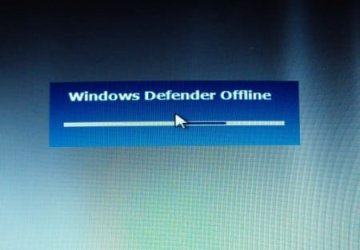
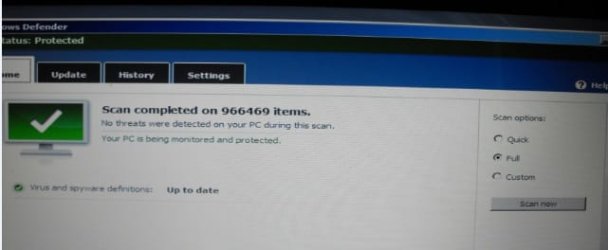
Yes, I made an Anti Virus Disc that finally works. I started running Windows Defender at 1:30 A.M. (although the disc has a different time) and threw a towel over the screen and went to bed exhausted. In the morning I looked at it. It didn't find anything.
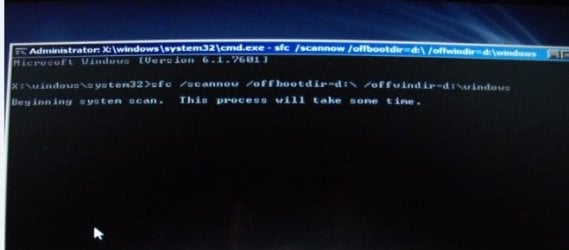
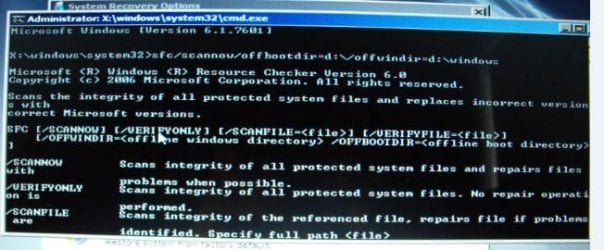
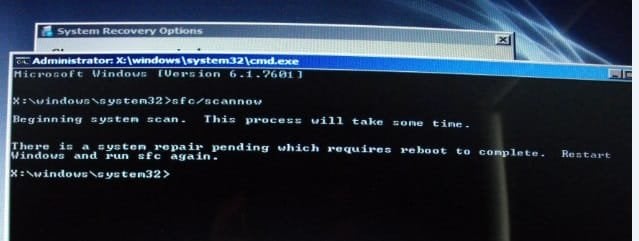
I am trying step 4 sfc/scannow today and that is where I am at. I didn't do something right it looks like.
I tried rebooting several times and doing it over and running Repair again.
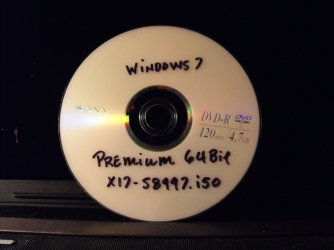
I made the X17-58997.iso Disc also.
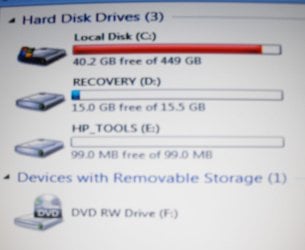
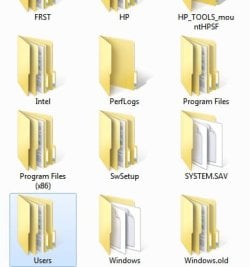
Here are the screen shots.
Thank you for your time gregrocker.
I'm sorry for the late response.
No, it isn't good to try and do this work when I'm tired. The other day I was actually in the process of painting and in between coats of paint drying, I was trying to work on this problem. I have been painting for the past 3 days.
Life gets demanding sometimes and I don't always have the time to sit in front of the computer.
Tonight I just found out I have been logged into the forum on my sister's PC upstairs because I was showing her something a week ago or so, but I wasn't actually logged in on my Netbook downstairs because I haven't had time. So sorry if it looked like I was online and ignoring you. I wasn't.
gregrocker, I did read your tutorials but at the that time I never tried the suggestions because Anak and ICit2lol were in the process of helping me work through steps and giving me suggestions. I am so sorry, I am not that fast.
I thought it would be rude to abandon the people that were helping me and jump over there ... and I was having difficulty absorbing more information. I have read so much 'stuff' about technology in the past month and a 1/2 that my head feels overwhelmed with information.
That being said, I did do this when Anak asked me to: Anak had you mark the Recovery partition Active to see if Recovery would either boot itself at reboot, or if it would now run from F11 or ESC key. It didn't work. I could get to ESC key but still not to F11.
The other day I did watch the HP videos x2 and a month ago I watched that video also.
I went to your trouble shooting tutorial late last night.
Yes, I made an Anti Virus Disc that finally works. I started running Windows Defender at 1:30 A.M. (although the disc has a different time) and threw a towel over the screen and went to bed exhausted. In the morning I looked at it. It didn't find anything.
I am trying step 4 sfc/scannow today and that is where I am at. I didn't do something right it looks like.
I tried rebooting several times and doing it over and running Repair again.
I made the X17-58997.iso Disc also.
Here are the screen shots.
Thank you for your time gregrocker.
Attachments

Last edited:
My Computer
At a glance
Windows 7 Home Premium (x64) Service Pack 1 (...Intel Pentium P6200 2.13 GHz4.00 GBIntel HD Graphics
- Computer type
- Laptop
- Computer Manufacturer/Model Number
- HP 2000-150CA Notebook
- OS
- Windows 7 Home Premium (x64) Service Pack 1 (build 7601)
- CPU
- Intel Pentium P6200 2.13 GHz
- Motherboard
- HP 3674 28.49 1066 MH / BIOS: HP F.34
- Memory
- 4.00 GB
- Graphics Card(s)
- Intel HD Graphics
- Sound Card
- Multimedia HD
- Monitor(s) Displays
- 15.3
- Screen Resolution
- 1366X768
- Hard Drives
- Hitachi HTS545050B9A300 ATA
(500.11 GB)
- Keyboard
- Standard PS2
- Mouse
- Synaptics PS2 Port Touch Pad / Microsoft HID-compliant mouse
- Internet Speed
- 100 Mbps
- Antivirus
- MSE
- Browser
- PaleMoon / Fire Fox
- Other Info
- Purchased 2011

 Thank you so much gregrocker!