cache.db file replacement? Help!

igor253

New member
Local time
10:04 PM
Messages
18
I fooled around with cache.db file located in
C:/Program Files(x86) --> Common Files --> Adobe --> Adobe PCD --> Cache

It looks like I changed the text when I opened it with notepad and accidentlly saved it. And now I can't use any of my Adobe products.

E.G.
When I try to open my Adobe Acrobat Reader this is the message that pops up:
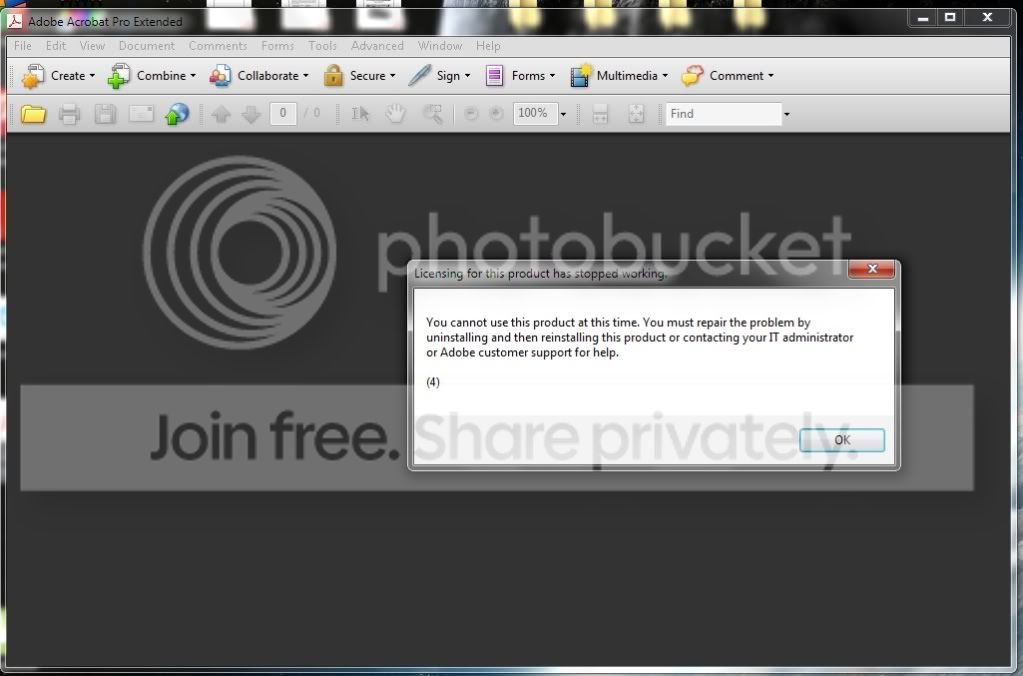
AAP.jpg

After that the program shuts down.
I also tried reinstalling the program but there is no difference.

So, is there any way to download this file?

Thank you!
 
Last edited:

My Computer My Computer

At a glance

windows 7
OS
windows 7

My Computer My Computer

At a glance

Windows 7 Ultimate x64Intel(R) Core(TM) 2 Quad Q8200 @ 2.33 GHz2x2GB Kingston DDR21GB AMD Radeon HD 5450
Computer type
PC/Desktop
Computer Manufacturer/Model Number
Custom Built
OS
Windows 7 Ultimate x64
CPU
Intel(R) Core(TM) 2 Quad Q8200 @ 2.33 GHz
Motherboard
Asus P5KPL-AM SE Motherboard
Memory
2x2GB Kingston DDR2
Graphics Card(s)
1GB AMD Radeon HD 5450
Sound Card
VIA Technologies High Definition Audio Device
Monitor(s) Displays
Samsung SyncMaster 733NW
Screen Resolution
1440x900
Hard Drives
SEAGATE 320GB Barracuda® 7200.12, SATA 3 Gb/s, 7200 RPM, 16MB cache x 2
Case
Custom Casing
Cooling
Ice cubes from the freezer ;)
Keyboard
Generic Plug & Play Keyboard
Mouse
Optical Mouse
Internet Speed
Very slow
Hello,

Try to use System Restore to restore your PC to an earlier state (before you messed with "cache.db").

How to Do a System Restore in Windows 7

Thank you for repling,

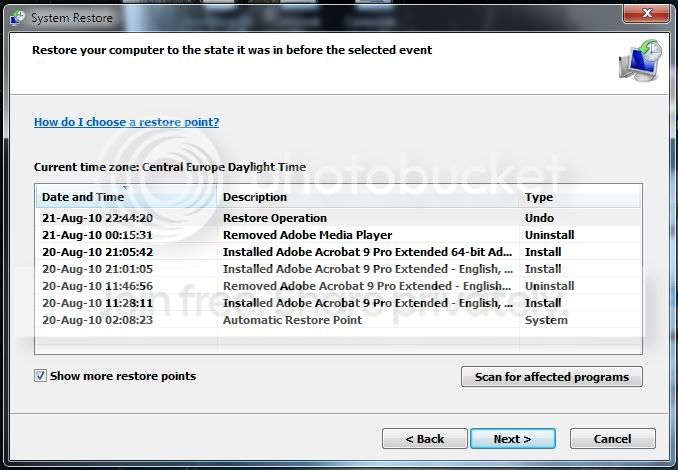
This could really help me, I already did everything you said. The only problem is that the system restores only one day back, August 20th to be exact. I need to go back just one more day (August 19th), but how do I do that?

Thank you for your help!
 

My Computer My Computer

At a glance

windows 7
OS
windows 7
Hello,

Try to use System Restore to restore your PC to an earlier state (before you messed with "cache.db").

How to Do a System Restore in Windows 7

Thank you for repling,

This could really help me, I already did everything you said. The only problem is that the system restores only one day back, August 20th to be exact. I need to go back just one more day (August 19th), but how do I do that?

Thank you for your help!

Tick the box that says "Show more restore points".
 

My Computer My Computer

At a glance

Windows 7 Ultimate x64Intel(R) Core(TM) 2 Quad Q8200 @ 2.33 GHz2x2GB Kingston DDR21GB AMD Radeon HD 5450
Computer type
PC/Desktop
Computer Manufacturer/Model Number
Custom Built
OS
Windows 7 Ultimate x64
CPU
Intel(R) Core(TM) 2 Quad Q8200 @ 2.33 GHz
Motherboard
Asus P5KPL-AM SE Motherboard
Memory
2x2GB Kingston DDR2
Graphics Card(s)
1GB AMD Radeon HD 5450
Sound Card
VIA Technologies High Definition Audio Device
Monitor(s) Displays
Samsung SyncMaster 733NW
Screen Resolution
1440x900
Hard Drives
SEAGATE 320GB Barracuda® 7200.12, SATA 3 Gb/s, 7200 RPM, 16MB cache x 2
Case
Custom Casing
Cooling
Ice cubes from the freezer ;)
Keyboard
Generic Plug & Play Keyboard
Mouse
Optical Mouse
Internet Speed
Very slow
Back
Top