Can I have more than one virtualization solution?

FerchogtX

New member
Pro User
Local time
3:17 PM
Messages
640
Location
Mexico
Sounds like a dumb question... but I don't want issues that make me reinstall later... In my laptop I got Virtual PC with XP Mode... but as Virtual PC is only aimed for Microsoft OSes, I would like to install another solution (Maybe VirtualBox or VmWare...) so I can emulate maybe linux or another type of OS... (Maybe Windows 95... just for fun).

Can Virtual PC co-exist with other soft (VirtualBox, VMWare...) without having issues and BSODs? Wich one is better, VirtualBox or VMWare Player? Can I create new machines with this last one? Is that one free?

Thanks in advance guys.

See ya!!! :D
 

My Computer

Computer type
PC/Desktop
Computer Manufacturer/Model Number
Assembled Desktop PC
OS
Microsoft Windows 7 Home Premium SP1 64-bit Build 7600
CPU
AMD Athlon 64 X2 5200+ Dual Core CPU @ 2.7 Ghz (Brisbane)
Motherboard
PCChips A13G+ v3.0
Memory
2x2 GB DDR2 PC-5300 (667 Mhz) Kingston ValueRAM
Graphics Card(s)
XFX ATI Radeon HD 4350 GPU (512 MB + 512 MB HM)
Sound Card
Realtek High Definition Audio Driver ALC660 @ MCP61S
Monitor(s) Displays
HP S2031 20" LED HD Widescreen Display Monitor
Screen Resolution
1600 x 900 px
Hard Drives
Maxtor Diamond Max 10 (160 GB, 7200 RPM, SATA-II Hard Disk)
Western Digital Scorpion Blue (250 GB, 5400 RPM, SATA-II External Hard Disk - Personal Data)
Toshiba MQ01ABD050 (500 GB, 5400 RPM, SATA-II External Hard Disk - Software & ISOs)
PSU
Pixxo Transformer 850W 80+ Certification PSU
Case
Compaq 5BW353 Case
Cooling
Many solutions, see other info...
Keyboard
Green Leaf (Mitzu) Standard Keyboard
Mouse
Microsoft USB Lasser Pointing Device
Internet Speed
10 MB
Antivirus
Avast Antivirus Free
Browser
Firefox, Chrome, Internet Explorer
Other Info
Windows Experience Index Result: 3.8 of 7.9.

Cooling solutions:
- AVC @ 2000/5000 RPM Copper Heatpipes (For Athlon 64 X2 6000+ CPU used in an Athlon 64 X2 5200+)
- Rear Fan 80 mm @ 2700 RPM for heat extraction
- Manhatan Chipset Cooler @ 4700/7200 RPM (For nVidia Chipset in MoBo)
- Foxconn @ 2500 RPM (Old Pentium III heatsink fan) in XFX ATI Radeon HD 4350
I have used Virtual PC (XP MODE), Virtualbox and vmware installed and working together in perfect harmony.
 

My Computer

Computer Manufacturer/Model Number
Samsung NP530U4B-S02IN
OS
Windows® 8 Pro (64-bit)
CPU
Intel® Core™ i5 Processor 2467M (1.60GHz, 3MB L3 Cache)
Motherboard
Samsung Electronics
Memory
6GB DDR3 System Memory at 1,333MHz (on BD 4GB + 2GB x 1)
Graphics Card(s)
AMD Radeon™ HD7550M 1GB DDR3 (Ext. Graphic)
Sound Card
Realtek High Definition Audio
Monitor(s) Displays
35.56cm (14.0) SuperBright 300nit HD LED Display
Screen Resolution
1366x768
Hard Drives
1TB S-ATA II Hard Drive (5400RPM) with ExpressCache 16GB SSD
Internet Speed
sucks
Antivirus
Microsoft Security Essentials
Browser
Google Chrome (Sync enabled)
I cannot remember exactly at this time but maybe someone else can tell you which.

Its either VirtualBox or VMWare that will let you import your XP Mode and allow you to scrap your Virtual PC. :) Personally I prefer VMWare Workstation 7.1 but that isn't free.
 

My Computer

Computer Manufacturer/Model Number
Custom | Whitebox
OS
Windows 7 Ultimate, OS X 10.7, Ubuntu 11.04
CPU
Intel E6750 @ 3.80GHz
Motherboard
Gigabyte GA-EP45-UD3L (Revision 1.1)
Memory
2x2GB & 2x1GB (6GB) OCZ Reaper 1066MHz @ 1080MHz
Graphics Card(s)
EVGA nVidia GTX 260 896mb (216 Core) FTW Edition
Sound Card
Realtek ALC888
Monitor(s) Displays
21" VIZIO TV
Screen Resolution
1680x1050 @ 60Hz
Hard Drives
Western Digital WD6401AALS - 640GB
Hitachi HDP725016GLA380 - 160GB
PSU
Corsair 750W
Case
NZXT Nemesis Elite
Cooling
Thermaltake SpinQ
Keyboard
Logitech Wireless S520
Mouse
Logitech Wireless S520 - Microsoft Wireless Arc Mouse
Internet Speed
Download: 20mbps, Upload: 3mbps
Talking about preference, I like Virtualbox.
 

My Computer

Computer Manufacturer/Model Number
Samsung NP530U4B-S02IN
OS
Windows® 8 Pro (64-bit)
CPU
Intel® Core™ i5 Processor 2467M (1.60GHz, 3MB L3 Cache)
Motherboard
Samsung Electronics
Memory
6GB DDR3 System Memory at 1,333MHz (on BD 4GB + 2GB x 1)
Graphics Card(s)
AMD Radeon™ HD7550M 1GB DDR3 (Ext. Graphic)
Sound Card
Realtek High Definition Audio
Monitor(s) Displays
35.56cm (14.0) SuperBright 300nit HD LED Display
Screen Resolution
1366x768
Hard Drives
1TB S-ATA II Hard Drive (5400RPM) with ExpressCache 16GB SSD
Internet Speed
sucks
Antivirus
Microsoft Security Essentials
Browser
Google Chrome (Sync enabled)
You should be able to run them simultaneously without issues. Your only real limiter is Disk I/O.
 

My Computer

OS
Windows 7 Ultimate x64 SP1
CPU
Intel Core i3 530 2.93 Ghz Clarkdale
Motherboard
ASRock P55 PRO/USB3 LGA 1156
Memory
4 GB OCZ DDR3 1600 (PC12800) Low Voltage Desktop Memory
Graphics Card(s)
Nvidia GeForce GTX 550 Ti with 1 GB of RAM
Sound Card
Realtek HD ALC892
Monitor(s) Displays
20'' eMachines E202HDbmd Glare Panel Widescreen
Screen Resolution
1600 x 900
Hard Drives
Western Digital 1 TB Caviar Black Edition (7200 RPM) SATA
Hitachi Deskstar 500 GB (7200 RPM) SATA
Samsung SpinPoint 400 GB (7200 RPM) SATA
PSU
Rosewill Xtreme Series RX750-D-B ATX12V v2.2 & EPS12V (750W)
Case
Cooler Master Centurion 534 RC-534-KKN2-GP Mid-Tower
Cooling
Standard Case Fans and Stock CPU Heatsink
Keyboard
Microsoft Wireless Optical Desktop Elite
Mouse
Microsoft Wireless Optical Desktop Elite
Internet Speed
7.1 Mbps Verizon DSL
Yes, you can install all of them. VMware has the ability to directly import that XP mode image. VMWare player is my desktop virtualization software of choice.
 

My Computer

Computer Manufacturer/Model Number
Self-Built in July 2009
OS
Windows 7 Ultimate x64
CPU
Intel Q9550 2.83Ghz OC'd to 3.40Ghz
Motherboard
Gigabyte GA-EP45-UD3R rev. 1.1, F12 BIOS
Memory
8GB G.Skill PI DDR2-800, 4-4-4-12 timings
Graphics Card(s)
EVGA 1280MB Nvidia GeForce GTX570
Sound Card
Realtek ALC899A 8 channel onboard audio
Monitor(s) Displays
23" Acer x233H
Screen Resolution
1920x1080
Hard Drives
Intel X25-M 80GB Gen 2 SSD
Western Digital 1TB Caviar Black, 32MB cache. WD1001FALS
PSU
Corsair 620HX modular
Case
Antec P182
Cooling
stock
Keyboard
ABS M1 Mechanical
Mouse
Logitech G9 Laser Mouse
Internet Speed
15/2 cable modem
Other Info
Windows and Linux enthusiast. Logitech G35 Headset.
Hi there
Only vmware SERVER doesn't work if vmware workstation is installed otherwise you can run any virtualisation software you like.

Note however that if you DO chose multi-virtualisation software the chances are that your Virtual Machines will have different Disk Formats so they won't necessarily be compatable with each other.

Cheers
jimbo
 

My Computer

Computer type
PC/Desktop
Computer Manufacturer/Model Number
Custom built, several laptops HP/ASUS
OS
Linux CENTOS 7 / various Windows OS'es and servers
CPU
Intel i7 Intel i5
Memory
8GB, 16GB
Graphics Card(s)
On Motherboard
Sound Card
Realtek HD audio
Monitor(s) Displays
Apple Cinema display, Samsung LCD
Screen Resolution
1920 X 1080
Hard Drives
4 X 1TB SATA
Mouse
Toshiba wireless laser
Internet Speed
> 20MB up
Perfect... then I will install VirtualBox so I can run a linux enviornment.

Thanks for your help guys, I really apreciate this :D

See ya!! :D
 

My Computer

Computer type
PC/Desktop
Computer Manufacturer/Model Number
Assembled Desktop PC
OS
Microsoft Windows 7 Home Premium SP1 64-bit Build 7600
CPU
AMD Athlon 64 X2 5200+ Dual Core CPU @ 2.7 Ghz (Brisbane)
Motherboard
PCChips A13G+ v3.0
Memory
2x2 GB DDR2 PC-5300 (667 Mhz) Kingston ValueRAM
Graphics Card(s)
XFX ATI Radeon HD 4350 GPU (512 MB + 512 MB HM)
Sound Card
Realtek High Definition Audio Driver ALC660 @ MCP61S
Monitor(s) Displays
HP S2031 20" LED HD Widescreen Display Monitor
Screen Resolution
1600 x 900 px
Hard Drives
Maxtor Diamond Max 10 (160 GB, 7200 RPM, SATA-II Hard Disk)
Western Digital Scorpion Blue (250 GB, 5400 RPM, SATA-II External Hard Disk - Personal Data)
Toshiba MQ01ABD050 (500 GB, 5400 RPM, SATA-II External Hard Disk - Software & ISOs)
PSU
Pixxo Transformer 850W 80+ Certification PSU
Case
Compaq 5BW353 Case
Cooling
Many solutions, see other info...
Keyboard
Green Leaf (Mitzu) Standard Keyboard
Mouse
Microsoft USB Lasser Pointing Device
Internet Speed
10 MB
Antivirus
Avast Antivirus Free
Browser
Firefox, Chrome, Internet Explorer
Other Info
Windows Experience Index Result: 3.8 of 7.9.

Cooling solutions:
- AVC @ 2000/5000 RPM Copper Heatpipes (For Athlon 64 X2 6000+ CPU used in an Athlon 64 X2 5200+)
- Rear Fan 80 mm @ 2700 RPM for heat extraction
- Manhatan Chipset Cooler @ 4700/7200 RPM (For nVidia Chipset in MoBo)
- Foxconn @ 2500 RPM (Old Pentium III heatsink fan) in XFX ATI Radeon HD 4350
I use VMware to play on Linux Mint, and full-screen works without any problems.

One thing I don't like about VMware is that if you want to install lets say Vista it bypasses the screens where you would up partitions or to format drive, even though there's nothing to format. It just jumps right into installation.

That's said VMware is easy to use and works really fast.

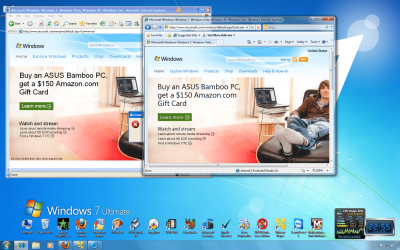
XP mode runs EXCELLENT on VMware Player, it can be integrated side by side with Windows 7.
 

Attachments

  • Untitled.png
    Untitled.png
    487.8 KB · Views: 48
Last edited:

My Computers

System One System Two

  • Computer type
    PC/Desktop
    Computer Manufacturer/Model Number
    PowerSpec G164
    OS
    WIN10
    CPU
    AMD Ryzen 5 3600 6-Core Processor 3.59 GHz
    Memory
    16.0 GB
    Internet Speed
    VERY FAST>>>!!!
  • Antivirus
    ESET Security Premium
Software

I have used all three programs but would recommend VMWare for the reliability and the ease of use. I would also recommend it because it is easy to learn, understand and supports a multitude of virtual disk formats
 

My Computer

Computer Manufacturer/Model Number
Ei 205
OS
Windows 7 Pro x32
CPU
Intel Celeron D CPU 3.33GHz 3.33GHz
Motherboard
James's Motherboards
Memory
2.00GB
Graphics Card(s)
NVIDIA GeForce 7300LE
Sound Card
Realtek Onboard HD Audio
Monitor(s) Displays
HannStar AH191
Screen Resolution
1440x900
Hard Drives
James's Hard Drives
PSU
James's PSU's
Case
James's Cases
Cooling
James's Colling Systems
Keyboard
SilverCrest MTS2218
Mouse
SilverCrest MTS2218
Internet Speed
4MB/S
Back
Top