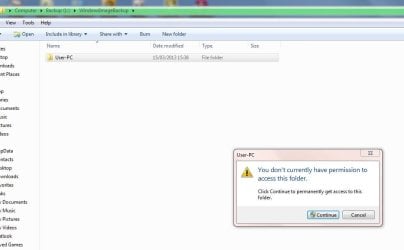
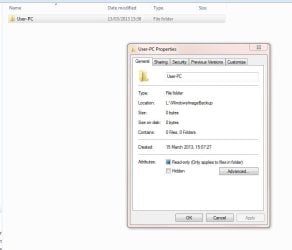
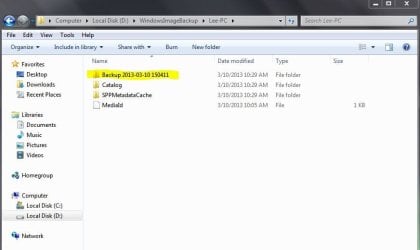
I have created a System Image from Control Panel>Back Up and Restore>System Image and saved to an external hrd drive. Now I can't access the folder. Here are a couple of Screen Shots including one that tells me in Properties that there aren't any files saved. If I click on "Click Continue to permanently get access to this folder" then a green bar extends along the top but stops just before it gets to the end and nothing happens.
I am the only user of the computer and I am an administrator. Any help would be appreciated.
My usual disclaimer: I'm not an expert in anything.
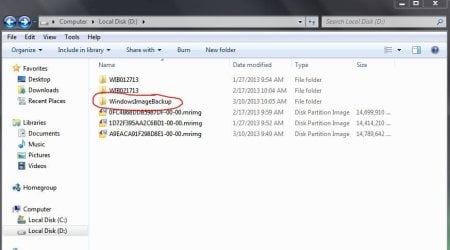
When the System Image finished, were you shown a dialog box asking if you wanted to create a System Repair Disk? And after that did you get a prompt saying the System Image completed successfully? If so, when you open the start menu and click on Computer, is your external hard drive listed as L:? (I'm guessing it's L: since that's the listing on your second screenshot.)
When you open L: (either by right-clicking > open or by double-clicking the drive icon) you should see a file called WindowsImageBackup.
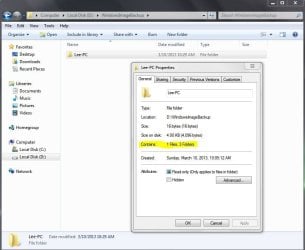
When you open that file you should see a new file called {your name}-PC. When you right-click on that file > properties you should definitely see that it contains at least one file and 3 folders.
The fact that your screenshot doesn't show this makes me believe the System Image wasn't successfully created. How much free space do you have on the external hard drive and what was the estimated free space required for the System Image? How is the external hard drive formatted (FAT32 or NTFS?) Do you have a different hard drive you could try?
Marsmimar, thank you for your reply. About the only thing I can tell you is that the File System is NTFS and I have 465 GB of free space to take about 70 GB of information. I wasn't asked if I wanted to create a System Repair Disc and I wasn't told that operation completed successfully.
This is the first time this Hard Drive has been used (the last one failed!). I will remove what appears to be an empty folder and start again and see what happens.
Marsmimar, I started again. The operation completed successfully and when I clicked on "Click continue to permanetley get access to this folder" it opened immediately and all is as you demonstrate with your screen shots.
So it's a bit of a mystery, anyway all seems to be resolved so thanks for your response it is appreciated.
Sometimes "stuff' just happens. Maybe it has to do with the phase of the moon, the day of the week, and how may stray dogs and cats are in the neighborhood.
Glad to hear it all got sorted out, though. Thanks for posting back.