Solved Cannot boot from SSD after windows partition cloning

I do not know why the the imaged SSD is booting as G and have never seen that before. It could have been the Logical source partition, unless you went into Advanced Settings before imaging and changed the default from Auto drive letter.

That it booted as non-Gen after you disconnected the others makes me think you have a rare case where drive letter slips during imaging that results in Blue Screen Non-Gen lockout, which is resolved here: http://www.sevenforums.com/installa...-win7-partition-another-drive.html#post484430

I agree it's best to have the SSD independently bootable but that doesn't solve the drive letter problem.

I also notice that you have the Paging File on XP which makes me think you've done other things we don't know about. Turn off the paging file and then turn it back on System Managed on G: Change Virtual Memory Paging File

One thing you could try as suggested is to use Partition Wizard to convert the source Win7 partition to Primary before imaging so that you're imaging a Primary partition lettered C which I've never seen Macrium transfer via image to any other than C. Are you changing anything else you're not telling us?
 
Last edited:
I do not know why the the imaged SSD is booting as G and have never seen that before. It must have been the Logical source partition, unless you went into Advanced Settings before imaging and changed the default from Auto drive letter.

I did not change the drive letter before imaging. It was Auto.

That it booted as non-Gen after you disconnected the others makes me think you have a rare case where drive letter slips during imaging that results in Blue Screen Non-Gen lockout, which is resolved here: http://www.sevenforums.com/installa...-win7-partition-another-drive.html#post484430

Thanks, I will look at that.

I also notice that you have the Paging File on XP which makes me think you've done other things we don't know about. Turn off the paging file and then turn it back on System Managed on G: Change Virtual Memory Paging File

Ok, but I can't imagine why the page file location is relevant.

One thing you could try as suggested is to convert the source Win7 drive to Primary before imaging so that you're imaging a Primary partition lettered C which I've never seen Macrium transfer via image to any other than C.

This has to be critical. Should I use Partition Wizard to mark my WIN7 partition as primary? (I am afraid to play with my original partition)

Are you changing anything else you're not telling us?

I haven't changed anything since I started this thread.
 

My Computer My Computer

At a glance

Windows 7 Professional 342it
Computer type
PC/Desktop
OS
Windows 7 Professional 342it
Remarkable.

I still feel this probably has something to do with the fact that your original Win7 on the spinner was in a "logical" partition when you cloned (or imaged out and back) it to the SSD.

Leave your third drive disconnected. Reconnect the spinner.

Assuming you have your current spinner Win7 backed up anyway (on the intermediate drive as a "system image" backup, from your most recent image out and back approach), how about this for an idea: back on the spinner, what if we changed your Win7 C partition from "logical" to "primary" with Partition Wizard, and then try to clone it again over to the SSD. That will address my concern about this being relevant.


You need to put the BIOS back again one more time, to have the spinner as drive #1 in the boot sequence.

Then boot to Win7, run Partition Wizard, change C from "logical" to "primary". Partition Wizard will probably not complete the function immediately (since you're booted to C) but will prompt you to let it restart Windows. It will then kick in at boot time, to complete your operation. When finished it will continue on in the boot sequence, and you should then come up under Win7 on the spinner as C, with that partition now being "primary".

WinXP should still be F and "primary", and D and E should still be "logical". Only C will have been made "primary".

Now let's once again try the cloning of what now is a "primary" C over to the SSD. Again, using EasyBCD first delete the existing boot menu entry for the existing Win7_New partition on the SSD. Then use Partition Wizard to actually delete that partition from the SSD.

And then use Macrium Reflect to clone primary C over to the SSD as primary Win7_New. Again, use EasyBCD to add the Win7_New partition on SSD to the boot menu. Remember, we're booted to the spinner's WinXP as the "active" boot partition, so the boot menu we're playing with using EasyBCD is the boot menu in the WinXP partition.

Don't user "backup/repair" to change the boot drive to be SSD with EasyBCD. Just leave it alone just as it is, with the spinner being the intended boot drive, ... same as it is first in the BIOS boot sequence.

So now we have spinner and SSD connected, third drive disconnected. Primary Win7 (C) on spinner has been cloned onto SSD (also primary). Boot menu in WinXP partition has entries for both WinXP, Win7 (on spinner), and Win7_New (on SSD). I don't care if Win7_2 is on the menu or not, as long as that third drive is disconnected.

Now reboot, which will be to the spinner's "active" WinXP partition and its updated boot menu. Select Win7_New on SSD and see what happens. Does it boot? Do you come up as C, or not?
 

My Computer My Computer

At a glance

Windows 7 Pro x64 (1), Win7 Pro X64 (2)i5-3350p 3.1Ghz/6MB-cache (1); E8400 3.0Ghz/6...8GB PC3-12800 DDR3 (1); 4GB PC3-10600 DDR3 (2)ATI HD7750 (1), (see TV cards); ATI R7 250 (2)
Computer type
PC/Desktop
Computer Manufacturer/Model Number
Home-built, two systems (1) and (2)
OS
Windows 7 Pro x64 (1), Win7 Pro X64 (2)
CPU
i5-3350p 3.1Ghz/6MB-cache (1); E8400 3.0Ghz/6MB-cache (2)
Motherboard
ASUS P8Z77-V Pro (1); ASUS P5Q3 (2)
Memory
8GB PC3-12800 DDR3 (1); 4GB PC3-10600 DDR3 (2)
Graphics Card(s)
ATI HD7750 (1), (see TV cards); ATI R7 250 (2)
Sound Card
Realtek ALC892 HD Audio (1); Realtek ALC1200 HD Audio (2)
Monitor(s) Displays
Eizo HD2441W LCD, Eizo S2433W (1); Eizo 24" S2433W (2)
Screen Resolution
1920x1200, 1920x1200 (1); 1920x1200 (2)
Hard Drives
(1) 1TB SATA-II (7200RPM), 2x2TB SATA-III (7200RPM), 250GB SATA-III (10000RPM) for OS; 2x2TB external USB 3.0

(2) 320GB SATA-II (7200RPM), 750GB SATA-II (7200RPM), 150GB SATA-II (10000RPM) for OS; 2TB external USB 3.0
PSU
Nesteq ECS-6001 600W (1); Nesteq ECS-5001 500W (2)
Case
Acousti-Case 360 (1) and (2)
Cooling
Noctua NH-U12P SE2 for CPU, 2x120mm case fans (1) and (2)
Keyboard
IBM PS/2 (1) and (2)
Mouse
Logitech MX Revolution wireless (1); Microsoft wired (2)
Internet Speed
100mbps down / 10mbps up
Antivirus
Microsoft Security Essentials; Malwarebyte Anti-Malware Pro
Browser
Firefox
Other Info
Ceton InfiniTV 4-tuner cablecard-enabled TV card as well as Hauppauge HVR-2250 OTA/ATSC 2-tuner TV card in (1), running under Win7 WMC
I corrected the link for the Paragon fix for drive letter slippage . It is rare that our forums' links decay over time.

Paging file is only relevant because it shouldn't be on the partition of an old XPired OS. More importantly though you can't get faster than on an SSD.

There is no risk converting C to Primary which is preferred for an OS anyway. If it wants the whole Logical container changed that is OK too since you can have max four primary partitions. But PW has the ability to see members of the container as individual partitions for its purposes.
 
Last edited:
Having only one HD and the SSD connected, I booted from the HD to WIN7.
Using Partition Wizard I changed C from logical to primary.
After rebooting twice, C is now primary in Disk Management.
Using EasyBCD I deleted the menu entry for WIN7_NEW.
Using Partition Wizard I deleted WIN7_NEW.
Using Macrium Reflect (and having changed only the alignment setting), I am now cloning WIN7 to the SSD (at 13% now).
 

My Computer My Computer

At a glance

Windows 7 Professional 342it
Computer type
PC/Desktop
OS
Windows 7 Professional 342it
Fingers crossed.
 

My Computer My Computer

At a glance

Windows 7 Pro x64 (1), Win7 Pro X64 (2)i5-3350p 3.1Ghz/6MB-cache (1); E8400 3.0Ghz/6...8GB PC3-12800 DDR3 (1); 4GB PC3-10600 DDR3 (2)ATI HD7750 (1), (see TV cards); ATI R7 250 (2)
Computer type
PC/Desktop
Computer Manufacturer/Model Number
Home-built, two systems (1) and (2)
OS
Windows 7 Pro x64 (1), Win7 Pro X64 (2)
CPU
i5-3350p 3.1Ghz/6MB-cache (1); E8400 3.0Ghz/6MB-cache (2)
Motherboard
ASUS P8Z77-V Pro (1); ASUS P5Q3 (2)
Memory
8GB PC3-12800 DDR3 (1); 4GB PC3-10600 DDR3 (2)
Graphics Card(s)
ATI HD7750 (1), (see TV cards); ATI R7 250 (2)
Sound Card
Realtek ALC892 HD Audio (1); Realtek ALC1200 HD Audio (2)
Monitor(s) Displays
Eizo HD2441W LCD, Eizo S2433W (1); Eizo 24" S2433W (2)
Screen Resolution
1920x1200, 1920x1200 (1); 1920x1200 (2)
Hard Drives
(1) 1TB SATA-II (7200RPM), 2x2TB SATA-III (7200RPM), 250GB SATA-III (10000RPM) for OS; 2x2TB external USB 3.0

(2) 320GB SATA-II (7200RPM), 750GB SATA-II (7200RPM), 150GB SATA-II (10000RPM) for OS; 2TB external USB 3.0
PSU
Nesteq ECS-6001 600W (1); Nesteq ECS-5001 500W (2)
Case
Acousti-Case 360 (1) and (2)
Cooling
Noctua NH-U12P SE2 for CPU, 2x120mm case fans (1) and (2)
Keyboard
IBM PS/2 (1) and (2)
Mouse
Logitech MX Revolution wireless (1); Microsoft wired (2)
Internet Speed
100mbps down / 10mbps up
Antivirus
Microsoft Security Essentials; Malwarebyte Anti-Malware Pro
Browser
Firefox
Other Info
Ceton InfiniTV 4-tuner cablecard-enabled TV card as well as Hauppauge HVR-2250 OTA/ATSC 2-tuner TV card in (1), running under Win7 WMC
I corrected the link for the Paragon fix for drive letter slippage . It is rare that our forums' links decay over time.

Are you sure the link is correct? It leads to the first post of a 5 pages thread.

Paging file is only relevant because it shouldn't be on the partition of an old XPired OS.

I had WIN7 page file in another partition/drive to save space and to boost performance (since I just use that windowsXP installation for testing purposes only).
 

My Computer My Computer

At a glance

Windows 7 Professional 342it
Computer type
PC/Desktop
OS
Windows 7 Professional 342it
I had WIN7 page file in another partition/drive to save space and to boost performance (since I just use that windowsXP installation for testing purposes only).
On a spinner, the different partitions are located at different locations on the spinning platters. So if the read-head/arm mechanism is somewhere over the C-partition for Win7, and it then needs to move to the pagefile for a reason, the mechanism will need to move to that pagefile.sys located in the WinXP partition... which is a ways away from where the Win7 partition is located on the platter. And then when done and it needs to get back to where the Win7 C-partition is again, the arm again needs to move back.

So there's actually arm motion which is unnecessarily large, when you have the page file located in a different partition than C on the same hard drive.

Now if you had two drives, and you put the page file in a partition on the second drive (which of course has its own separate arm mechanism for that second drive's platters), well now the C-arm can just sit where it is on the first drive and the pagefile arm can sit where it is on the second drive, and now it really is "efficient". But that's because you moved the page file off of the drive that has Windows on it, to a second drive. These are the mechanics of spinning platters, and the read/arm mechanism that has to move to get to the location of the file being sought.

With only one drive (spinner), your "best" arrangement is simply to leave the page file in the C-partition. That will minimize arm motion.
 

My Computer My Computer

At a glance

Windows 7 Pro x64 (1), Win7 Pro X64 (2)i5-3350p 3.1Ghz/6MB-cache (1); E8400 3.0Ghz/6...8GB PC3-12800 DDR3 (1); 4GB PC3-10600 DDR3 (2)ATI HD7750 (1), (see TV cards); ATI R7 250 (2)
Computer type
PC/Desktop
Computer Manufacturer/Model Number
Home-built, two systems (1) and (2)
OS
Windows 7 Pro x64 (1), Win7 Pro X64 (2)
CPU
i5-3350p 3.1Ghz/6MB-cache (1); E8400 3.0Ghz/6MB-cache (2)
Motherboard
ASUS P8Z77-V Pro (1); ASUS P5Q3 (2)
Memory
8GB PC3-12800 DDR3 (1); 4GB PC3-10600 DDR3 (2)
Graphics Card(s)
ATI HD7750 (1), (see TV cards); ATI R7 250 (2)
Sound Card
Realtek ALC892 HD Audio (1); Realtek ALC1200 HD Audio (2)
Monitor(s) Displays
Eizo HD2441W LCD, Eizo S2433W (1); Eizo 24" S2433W (2)
Screen Resolution
1920x1200, 1920x1200 (1); 1920x1200 (2)
Hard Drives
(1) 1TB SATA-II (7200RPM), 2x2TB SATA-III (7200RPM), 250GB SATA-III (10000RPM) for OS; 2x2TB external USB 3.0

(2) 320GB SATA-II (7200RPM), 750GB SATA-II (7200RPM), 150GB SATA-II (10000RPM) for OS; 2TB external USB 3.0
PSU
Nesteq ECS-6001 600W (1); Nesteq ECS-5001 500W (2)
Case
Acousti-Case 360 (1) and (2)
Cooling
Noctua NH-U12P SE2 for CPU, 2x120mm case fans (1) and (2)
Keyboard
IBM PS/2 (1) and (2)
Mouse
Logitech MX Revolution wireless (1); Microsoft wired (2)
Internet Speed
100mbps down / 10mbps up
Antivirus
Microsoft Security Essentials; Malwarebyte Anti-Malware Pro
Browser
Firefox
Other Info
Ceton InfiniTV 4-tuner cablecard-enabled TV card as well as Hauppauge HVR-2250 OTA/ATSC 2-tuner TV card in (1), running under Win7 WMC
I had had the page file in the second HDD.
 

My Computer My Computer

At a glance

Windows 7 Professional 342it
Computer type
PC/Desktop
OS
Windows 7 Professional 342it
I had had the page file in the second HDD.
I see. So you had it in WinXP_2, on that other HDD. Ok.

Anyway, what happened with the clone-to-SSD process? You were at 13% quite a while ago. Did that ever complete? And if so, I can't wait to hear what the results were of booting to Win7_New on the SSD showed for the drive letter?
 

My Computer My Computer

At a glance

Windows 7 Pro x64 (1), Win7 Pro X64 (2)i5-3350p 3.1Ghz/6MB-cache (1); E8400 3.0Ghz/6...8GB PC3-12800 DDR3 (1); 4GB PC3-10600 DDR3 (2)ATI HD7750 (1), (see TV cards); ATI R7 250 (2)
Computer type
PC/Desktop
Computer Manufacturer/Model Number
Home-built, two systems (1) and (2)
OS
Windows 7 Pro x64 (1), Win7 Pro X64 (2)
CPU
i5-3350p 3.1Ghz/6MB-cache (1); E8400 3.0Ghz/6MB-cache (2)
Motherboard
ASUS P8Z77-V Pro (1); ASUS P5Q3 (2)
Memory
8GB PC3-12800 DDR3 (1); 4GB PC3-10600 DDR3 (2)
Graphics Card(s)
ATI HD7750 (1), (see TV cards); ATI R7 250 (2)
Sound Card
Realtek ALC892 HD Audio (1); Realtek ALC1200 HD Audio (2)
Monitor(s) Displays
Eizo HD2441W LCD, Eizo S2433W (1); Eizo 24" S2433W (2)
Screen Resolution
1920x1200, 1920x1200 (1); 1920x1200 (2)
Hard Drives
(1) 1TB SATA-II (7200RPM), 2x2TB SATA-III (7200RPM), 250GB SATA-III (10000RPM) for OS; 2x2TB external USB 3.0

(2) 320GB SATA-II (7200RPM), 750GB SATA-II (7200RPM), 150GB SATA-II (10000RPM) for OS; 2TB external USB 3.0
PSU
Nesteq ECS-6001 600W (1); Nesteq ECS-5001 500W (2)
Case
Acousti-Case 360 (1) and (2)
Cooling
Noctua NH-U12P SE2 for CPU, 2x120mm case fans (1) and (2)
Keyboard
IBM PS/2 (1) and (2)
Mouse
Logitech MX Revolution wireless (1); Microsoft wired (2)
Internet Speed
100mbps down / 10mbps up
Antivirus
Microsoft Security Essentials; Malwarebyte Anti-Malware Pro
Browser
Firefox
Other Info
Ceton InfiniTV 4-tuner cablecard-enabled TV card as well as Hauppauge HVR-2250 OTA/ATSC 2-tuner TV card in (1), running under Win7 WMC
I had had the page file in the second HDD.
I see. So you had it in WinXP_2, on that other HDD. Ok.

I also had placed Windows and IE temp files in the second HDD and that's why I believe am having problems with some programs now (I hope they will be solved when I reconnect the second HDD).

Anyway, what happened with the clone-to-SSD process? You were at 13% quite a while ago. Did that ever complete? And if so, I can't wait to hear what the results were of booting to Win7_New on the SSD showed for the drive letter?

It is at 95% now.
 

My Computer My Computer

At a glance

Windows 7 Professional 342it
Computer type
PC/Desktop
OS
Windows 7 Professional 342it
Using EasyBCD I added WIN7_NEW to the boot menu.
I booted and again saw WIN7_NEW on G not C. But I booted normally and without a Non-Gen screen.
I will try to reboot after disconnecting the HDD.
 

My Computer My Computer

At a glance

Windows 7 Professional 342it
Computer type
PC/Desktop
OS
Windows 7 Professional 342it
Having only the SSD connected I booted to WIN7_NEW, but I got:
DISK BOOT FAILURE, INSERT SYSTEM DISK AND PRESS ENTER
 

My Computer My Computer

At a glance

Windows 7 Professional 342it
Computer type
PC/Desktop
OS
Windows 7 Professional 342it
Having only the SSD connected I booted to WIN7_NEW, but I got:
DISK BOOT FAILURE, INSERT SYSTEM DISK AND PRESS ENTER
If you want to boot from the SSD as boot drive #1, you must install Boot Manager into it through EasyBCD's "repair/backup" button to "change boot drive". And of course that has to be done when EasyBCD is usable, i.e. when booted back from Win7 on the spinner.

You hadn't done that, I imagine, because my plan was to be able to boot from the spinner and opt for Win7_New on the SSD from the presented boot menu... and end up being C.

Unfortunately, C is still not happening. It's still G. I'm honestly perplexed, as I've never seen this symptom ever. I'm just trying to react, and devise what might be some way to overcome it.

For the moment, let's take a break. I will communicate with Macrium about this issue, to see if they have any idea as to what might be going on.

Sorry we're not having progress as I'd hoped.

More later, after I hopefully hear back from Macrium.
 

My Computer My Computer

At a glance

Windows 7 Pro x64 (1), Win7 Pro X64 (2)i5-3350p 3.1Ghz/6MB-cache (1); E8400 3.0Ghz/6...8GB PC3-12800 DDR3 (1); 4GB PC3-10600 DDR3 (2)ATI HD7750 (1), (see TV cards); ATI R7 250 (2)
Computer type
PC/Desktop
Computer Manufacturer/Model Number
Home-built, two systems (1) and (2)
OS
Windows 7 Pro x64 (1), Win7 Pro X64 (2)
CPU
i5-3350p 3.1Ghz/6MB-cache (1); E8400 3.0Ghz/6MB-cache (2)
Motherboard
ASUS P8Z77-V Pro (1); ASUS P5Q3 (2)
Memory
8GB PC3-12800 DDR3 (1); 4GB PC3-10600 DDR3 (2)
Graphics Card(s)
ATI HD7750 (1), (see TV cards); ATI R7 250 (2)
Sound Card
Realtek ALC892 HD Audio (1); Realtek ALC1200 HD Audio (2)
Monitor(s) Displays
Eizo HD2441W LCD, Eizo S2433W (1); Eizo 24" S2433W (2)
Screen Resolution
1920x1200, 1920x1200 (1); 1920x1200 (2)
Hard Drives
(1) 1TB SATA-II (7200RPM), 2x2TB SATA-III (7200RPM), 250GB SATA-III (10000RPM) for OS; 2x2TB external USB 3.0

(2) 320GB SATA-II (7200RPM), 750GB SATA-II (7200RPM), 150GB SATA-II (10000RPM) for OS; 2TB external USB 3.0
PSU
Nesteq ECS-6001 600W (1); Nesteq ECS-5001 500W (2)
Case
Acousti-Case 360 (1) and (2)
Cooling
Noctua NH-U12P SE2 for CPU, 2x120mm case fans (1) and (2)
Keyboard
IBM PS/2 (1) and (2)
Mouse
Logitech MX Revolution wireless (1); Microsoft wired (2)
Internet Speed
100mbps down / 10mbps up
Antivirus
Microsoft Security Essentials; Malwarebyte Anti-Malware Pro
Browser
Firefox
Other Info
Ceton InfiniTV 4-tuner cablecard-enabled TV card as well as Hauppauge HVR-2250 OTA/ATSC 2-tuner TV card in (1), running under Win7 WMC
What do you think of trying this approach ?

Run Diskpart Clean on the new SSD
Boot the PC with a Macrium Recovery disc
Create a backup image of the Old Win 7 partition
Restore the backup image to the new (clean) SSD

That way Windows is not running when creating and restoring the image.
Maybe that would allow the restored image to use the C letter ?

Would Macrium know about the Windows drive letters when Windows is not running ?

Right now it's such a mess with all the Windows partitions, active, etc... i can't really follow everything.
 

My Computer My Computer

At a glance

Multi-Boot W7_Pro_x64 W8.1_Pro_x64 W10_Pro_x6...AMD Athlon II x4 6206GB GSkill DDR2 800AMD 4670 GPU + AMD 4200 IGP
Computer type
PC/Desktop
Computer Manufacturer/Model Number
home built
OS
Multi-Boot W7_Pro_x64 W8.1_Pro_x64 W10_Pro_x64 +Linux_VMs +Chromium_VM
CPU
AMD Athlon II x4 620
Motherboard
Gigabyte GA-MA785G-UD3H
Memory
6GB GSkill DDR2 800
Graphics Card(s)
AMD 4670 GPU + AMD 4200 IGP
Sound Card
on board Realtek ALC889A
Monitor(s) Displays
RCA 40" LCD TV, Insignia 32" LCD TV, HP 15" LCD monitor
Screen Resolution
1680 x 1050
Hard Drives
OCZ Vertex 3 120GB,
Samsung F3 1TB (3),
Several others - WD, Seagate, Hitachi, ...
PSU
Corsair 500 W
Case
Rosewill mid tower
Cooling
CM 90mm rifle
Keyboard
Gyration wireless, Logitech wireless, Dell USB wired
Mouse
Gyration wireless, Logitech wireless, V7 USB wired
Internet Speed
Spectrum - 100Mbps D / 10Mbps U
Antivirus
Avast, MBAM3, EMET, WinPatrol
Browser
Pale Moon, Firefox, IE
Other Info
2 multi-boot PC's
Mainly HTPC/Office/Gen purpose (no gaming).
Trendnet USB KVM.
LG DVD burner/Blue Ray Player.
Tray system for removable SATA backup drives.

Not currently OCd, under-volted.
I use Hybrid sleep, rarely re-boot or shutdown.

Hauppauge HD-PVR, Avermedia PCIe TV Tuner, Hauppauge PCI TV Tuner.
That's because you didn't first move the Bootmgr - Move to C:\ with EasyBCD - Windows 7 Forums.

Another way is to Mark Partition Active then run Startup Repair - Run 3 Separate Times until Win7 boots and is labeled System Active.

Until then the only thing booting the imaged partition is adding it with EasyBCD. That's why I gave you steps in the beginning to make it self-booting.

I used the "change boot drive" function and saw "EasyBCD has successfully made drive H: the new boot partition".
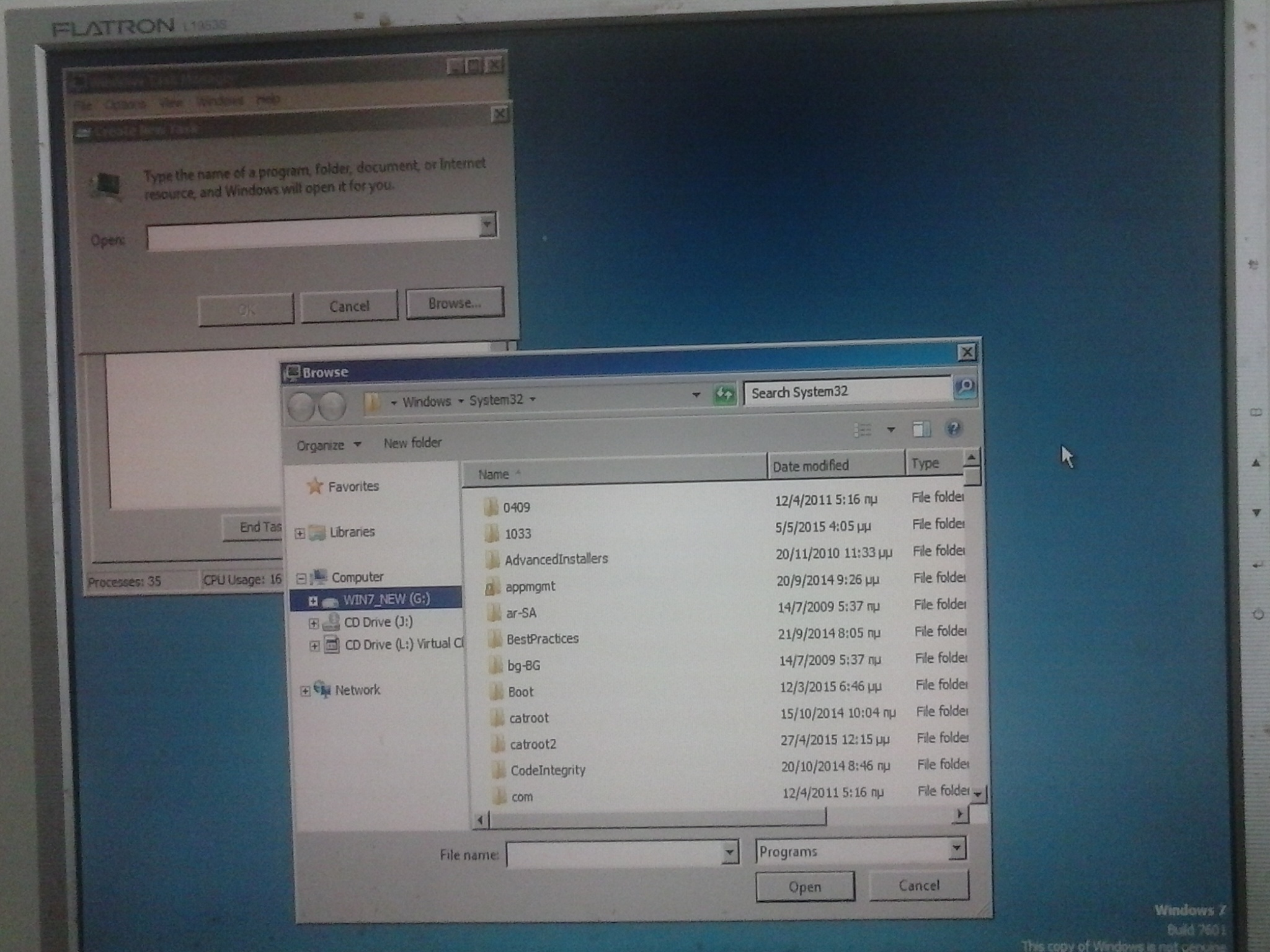
I booted from the SDD to WIN7_NEW, but WIN7_NEW is still G (and I see the non-Gen screen like before):

newWin2.jpg
 

My Computer My Computer

At a glance

Windows 7 Professional 342it
Computer type
PC/Desktop
OS
Windows 7 Professional 342it
What do you think of trying this approach ?

Run Diskpart Clean on the new SSD
Boot the PC with a Macrium Recovery disc
Create a backup image of the Old Win 7 partition
Restore the backup image to the new (clean) SSD

That way Windows is not running when creating and restoring the image.
Maybe that would allow the restored image to use the C letter ?

Would Macrium know about the Windows drive letters when Windows is not running ?

Right now it's such a mess with all the Windows partitions, active, etc... i can't really follow everything.

Just now, I was thinking to do that. I will try it.
 

My Computer My Computer

At a glance

Windows 7 Professional 342it
Computer type
PC/Desktop
OS
Windows 7 Professional 342it
That way Windows is not running when creating and restoring the image.
Maybe that would allow the restored image to use the C letter ?
I don't think there's anything in the imaging process itself which imputes the eventual drive letter which Windows will assign to partitions at boot time. The drive lettering is a boot-time process, depending on what's discovered at boot time.

So, I think Win7_New is getting distracted (or confused?) by the discovery of the original Win7 (on the spinner) which is on DISK0, before getting to DISK1 where Win7_New (on the SSD) lives. For some reason it is deciding to assigning C to the original Win7 (on the spinner) even though that isn't the booted Windows partition. It then assigns D, E and F to the other normal partitions on DISK0, and then moves on to DISK1 as if it too were just another normal drive with partitions, where it discovers Win7_New and casually assigns the next available letter which is G.

It's honestly as if it weren't really booted to Win7_New on the SSD, but actually was booted to the original Win7 on the spinner... despite what shows in the screenshot for G, namely that it is the "system/boot" partition.

That's what I was hoping to research, by uncabling the spinner and booting directly to the SSD (after installing Boot Manager in it with EasyBCD's "change boot drive"). And yet, the camera picture shows that it is still G!!! That suggests it actually is something in the Win7_New partition itself which seems to be the result of an odd Win7 install, where its drive letter was forced to be G! And yet it was cloned from Win7 as C.

Everything I've suggested which I thought had a good chance of fixing this has failed. I'm waiting to hear back from Macrium to see if they have any thoughts. Note that originally I thought it was EaseUS which was at fault. But now, since the same results are coming out of Macrium Reflect, it's clearly something else in the environment which is responsible.
 

My Computer My Computer

At a glance

Windows 7 Pro x64 (1), Win7 Pro X64 (2)i5-3350p 3.1Ghz/6MB-cache (1); E8400 3.0Ghz/6...8GB PC3-12800 DDR3 (1); 4GB PC3-10600 DDR3 (2)ATI HD7750 (1), (see TV cards); ATI R7 250 (2)
Computer type
PC/Desktop
Computer Manufacturer/Model Number
Home-built, two systems (1) and (2)
OS
Windows 7 Pro x64 (1), Win7 Pro X64 (2)
CPU
i5-3350p 3.1Ghz/6MB-cache (1); E8400 3.0Ghz/6MB-cache (2)
Motherboard
ASUS P8Z77-V Pro (1); ASUS P5Q3 (2)
Memory
8GB PC3-12800 DDR3 (1); 4GB PC3-10600 DDR3 (2)
Graphics Card(s)
ATI HD7750 (1), (see TV cards); ATI R7 250 (2)
Sound Card
Realtek ALC892 HD Audio (1); Realtek ALC1200 HD Audio (2)
Monitor(s) Displays
Eizo HD2441W LCD, Eizo S2433W (1); Eizo 24" S2433W (2)
Screen Resolution
1920x1200, 1920x1200 (1); 1920x1200 (2)
Hard Drives
(1) 1TB SATA-II (7200RPM), 2x2TB SATA-III (7200RPM), 250GB SATA-III (10000RPM) for OS; 2x2TB external USB 3.0

(2) 320GB SATA-II (7200RPM), 750GB SATA-II (7200RPM), 150GB SATA-II (10000RPM) for OS; 2TB external USB 3.0
PSU
Nesteq ECS-6001 600W (1); Nesteq ECS-5001 500W (2)
Case
Acousti-Case 360 (1) and (2)
Cooling
Noctua NH-U12P SE2 for CPU, 2x120mm case fans (1) and (2)
Keyboard
IBM PS/2 (1) and (2)
Mouse
Logitech MX Revolution wireless (1); Microsoft wired (2)
Internet Speed
100mbps down / 10mbps up
Antivirus
Microsoft Security Essentials; Malwarebyte Anti-Malware Pro
Browser
Firefox
Other Info
Ceton InfiniTV 4-tuner cablecard-enabled TV card as well as Hauppauge HVR-2250 OTA/ATSC 2-tuner TV card in (1), running under Win7 WMC
Will it be any good to delete the WINXP partition before cloning?
 

My Computer My Computer

At a glance

Windows 7 Professional 342it
Computer type
PC/Desktop
OS
Windows 7 Professional 342it
Back
Top