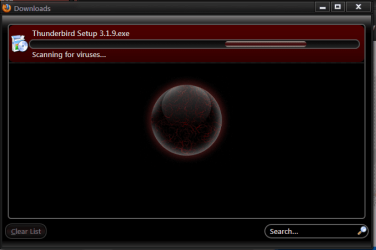
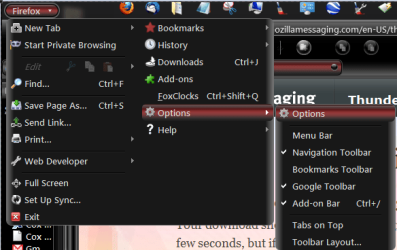
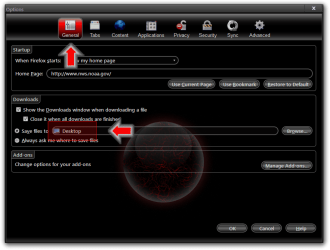
Using Firefox 4 to download Thunderbird 3.1.9 results in a download window
with Save and Cancel buttons only. Pressing Save appears to complete the
download but the file appears nowhere on my HD.
Switching to IE 8, security settings won't let me download the executable file
even when I reduce the internet security settings to their lowest rung.
Download works with Firefox 4 on a XP system, but will not work with the
Windows 7 Home Premium 32bit version.
No warnings of any kind appear in Firefox 4.
Any suggestions?
with Save and Cancel buttons only. Pressing Save appears to complete the
download but the file appears nowhere on my HD.
Switching to IE 8, security settings won't let me download the executable file
even when I reduce the internet security settings to their lowest rung.
Download works with Firefox 4 on a XP system, but will not work with the
Windows 7 Home Premium 32bit version.
No warnings of any kind appear in Firefox 4.
Any suggestions?
My Computer
- Computer Manufacturer/Model Number
- Custom
- OS
- Windows Home Premium 32bit
- CPU
- AMD Athlon II X2 255 Regor 3.1GHz Socket AM3
- Motherboard
- Gigabyte GA-870A-UD3 Rev.2.1
- Memory
- Kingston ValueRAM 2GB (2x1GB) DDR3 1333 Dual Channel
- Graphics Card(s)
- Sapphire 100287L Radeon HD5670 512MB PCI Express 2.0 x16
- Sound Card
- Realtek onboard
- Monitor(s) Displays
- Samsung 56" HDTV
- Hard Drives
- Western Digital 3.5" 640GB SATA
- PSU
- Black Cooler Master eXtreme Power Plus 500W ATX12V V2.3
- Case
- Black Logisys Ikonik Taran A10 Mid Tower
- Cooling
- AMD CPU cooler, 2 120mm case fans