
Hi  First of all thanks for checking out my problem, it's been bugging me so extra help would be much appreciated.
I recently found out that my Windows Update seems non-existent or at least.... something like that.
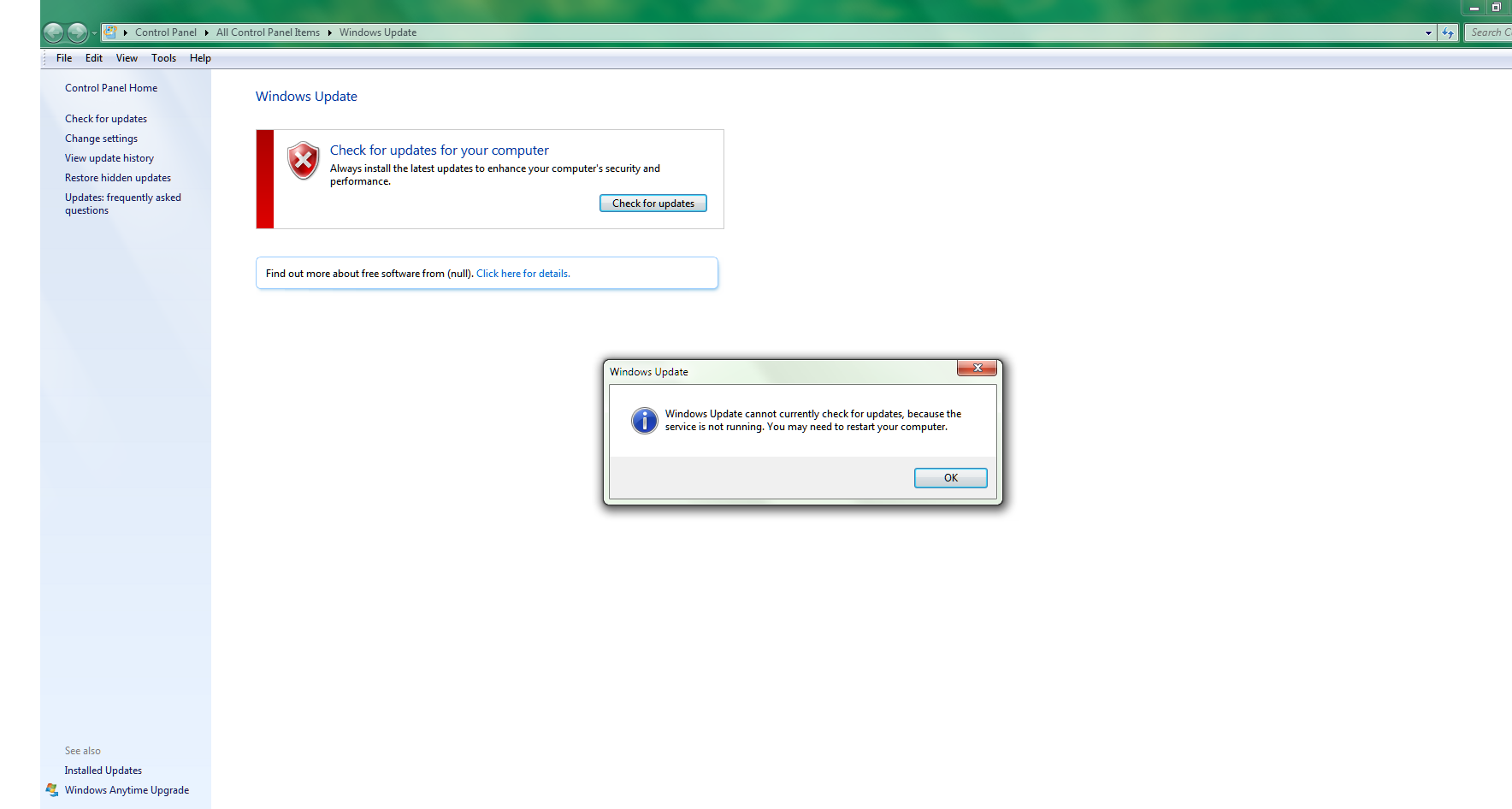
When trying to start Windows Update I get the following message:
_______________________________________________________________________________________
Things I've Tried:
1. System Update Readiness Tool (SURT)
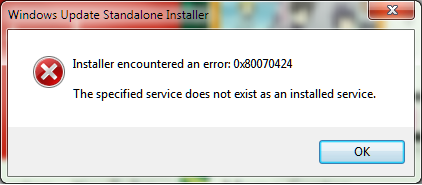
When installing this suggested tool I get the following message:
2. Going to services and see if it's running
When going to 'Administrative Tools' I get the following lovely message:

3. Start services via a shortcut
Using %windir%\system32\services.msc I managed to get to services but there doesn't appear to be a Windows Update in there... (Also no Background Intelligent Transfer Service)
So there is no "Windows Update" in the Services menu.
4. net stop wuauserv
Going via cmd and trying the following 'trick':
"Open cmd
Type net stop wuauserv and hit Enter.
Type ren c:\windows\SoftwareDistribution softwaredistribution.old and hit Enter.
Type net start wuauserv and hit Enter.
Exit Command Prompt and try to run Windows Update."
This doesn't work either, giving me the following screen (blurred out my username for privacy reasons):

5. Using Microsoft 'Fix It'
Used this tool, restarted, didn't do anything still got the same problem....
___________________________________________________________________________________
If anyone would be so kind as to set me into a direction of what to do next it would be greatly appreciated.
I'm not the best with computers but I do know my way around, although I would appreciate it if things were explained in a reasonably ...erhm... understandable? manner haha
First of all thanks for checking out my problem, it's been bugging me so extra help would be much appreciated. I recently found out that my Windows Update seems non-existent or at least.... something like that.
When trying to start Windows Update I get the following message:
_______________________________________________________________________________________
Things I've Tried:
1. System Update Readiness Tool (SURT)
When installing this suggested tool I get the following message:
2. Going to services and see if it's running
When going to 'Administrative Tools' I get the following lovely message:
3. Start services via a shortcut
Using %windir%\system32\services.msc I managed to get to services but there doesn't appear to be a Windows Update in there... (Also no Background Intelligent Transfer Service)
So there is no "Windows Update" in the Services menu.
4. net stop wuauserv
Going via cmd and trying the following 'trick':
"Open cmd
Type net stop wuauserv and hit Enter.
Type ren c:\windows\SoftwareDistribution softwaredistribution.old and hit Enter.
Type net start wuauserv and hit Enter.
Exit Command Prompt and try to run Windows Update."
This doesn't work either, giving me the following screen (blurred out my username for privacy reasons):
5. Using Microsoft 'Fix It'
Used this tool, restarted, didn't do anything still got the same problem....
___________________________________________________________________________________
If anyone would be so kind as to set me into a direction of what to do next it would be greatly appreciated.
I'm not the best with computers but I do know my way around, although I would appreciate it if things were explained in a reasonably ...erhm...
understandable? manner hahaMy Computer
At a glance
Windows 7 64 bit
- OS
- Windows 7 64 bit


