Solved Cannot update MSE and Microsoft Update after recet HDD crash

bakerb316

New member
Local time
8:46 AM
Messages
5
Recently had to replace HDD due to HDD crash. Cloning procedure performed OK, be it slowly, but the replacement booted fine. However when I try to update MSE I get the "Virus and Spyware definitions could be updated" warning and the the error code reported is 0xc8000247. Windows Update gives me a warning that "the service is not currently running. You may need to restart the computer." I've restarted and I get the same warnings. I've tried "WindowsUpdateDiagnostic.diagcab" and it runs and takes a long while. Each time I get different results from all green check marks to some red x. It doesn't seem to fix anything. I've been working at this for 2+ days researching the net and nothing seems to be the winning fix. I'm looking for any suggestions. I'm willing to go back to square one with suggestions as to a fix. Please help. Where do I start.
 

My Computer My Computer

At a glance

Windows 7 64 bitIntel Core 2 Quad Q6600 / 2.4 GHz8GBRadeon HD7970
Computer type
PC/Desktop
Computer Manufacturer/Model Number
Gateway GT5628
OS
Windows 7 64 bit
CPU
Intel Core 2 Quad Q6600 / 2.4 GHz
Motherboard
Schroeder Town Motherboard - Intel Bearlake-G33 chipset
Memory
8GB
Graphics Card(s)
Radeon HD7970
Hard Drives
Seagate SSHD 2TB - recently added due to Master drive failure
WD 500GB
Antivirus
Microsoft Secutiry Essentials
Browser
Firefox & IE
Please view the first post in Updates and Activations issued by Brink and post the requested files, Please read the instructions carefully if the Log sizes cause a download failure.

I will request that this post is moved to the correct sub-forum.

Roy
 

My Computer My Computer

At a glance

W7 home premium 32bit/W7HP 64bit/w10 tp insid...E5300 dual core3gbNvidia Geforce 7100 Nforce 630i
Computer type
PC/Desktop
Computer Manufacturer/Model Number
medionl/Aspire 6930G/acer x55a
OS
W7 home premium 32bit/W7HP 64bit/w10 tp insider ring
CPU
E5300 dual core
Motherboard
medion MS7366
Memory
3gb
Graphics Card(s)
Nvidia Geforce 7100 Nforce 630i
Monitor(s) Displays
avixc
Internet Speed
n (isp resticted to 72)
Antivirus
mse/pands
Browser
palemoon
Other Info
Belkin Fd7050 n USB using Railink RT2870 drivers, more upto date

My Computer My Computer

At a glance

Win 7 Pro 64-bitIntel i5 2.4 Ghz8GB DDR3Intel HD 3000
Computer type
Laptop
Computer Manufacturer/Model Number
Sony Vaio VPCEB47GM Laptop
OS
Win 7 Pro 64-bit
CPU
Intel i5 2.4 Ghz
Memory
8GB DDR3
Graphics Card(s)
Intel HD 3000
Sound Card
IDT High Definition
Monitor(s) Displays
15.6 WGXA Anti-Glare LED
Screen Resolution
1280x800
Hard Drives
640Gb 7200rpm
Antivirus
MSE
Browser
Opera (primary) with IE9 backup
print.png

Windows Update
Publisher details
Issues found Windows Update error 0x80080005(2015-09-13-T-06_37_19P)
Windows Update error 0x80080005(2015-09-13-T-06_37_19P)

Fixed
check.png
Resetting Windows Update data store
Completed

Problems installing recent updates

Fixed
check.png
Repair Windows Update
Completed

Potential issues that were checked Windows Update environment variables are incorrect
Windows Update environment variables are incorrect

Issue not present

Some security settings are missing or have been changed

Issue not present

Check for missing or corrupt files

Issue not present

Service registration is missing or corrupt

Issue not present

Windows Update services are not running

Issue not present

Cryptographic service components are not registered

Issue not present

Issues found
Detection details
6
Windows Update error 0x80080005(2015-09-13-T-06_37_19P) Fixed
check.png
Resetting Windows Update data store Completed
info.png

DataStoreAndWULogFiles.zip
973.58KB File Name: DataStoreAndWULogFiles.zip

6
Problems installing recent updates Fixed
check.png
Repair Windows Update Completed
Repair Windows Update services and dependencies


Potential issues that were checked
Detection details

Windows Update environment variables are incorrect Issue not present


Some security settings are missing or have been changed Issue not present


Check for missing or corrupt files Issue not present


Service registration is missing or corrupt Issue not present


Windows Update services are not running Issue not present


Cryptographic service components are not registered Issue not present


Detection details
collapse.png


info.png

Error Report
RootCause: RC_DataStore ErrorCode: 0x80080005 TimeDetected: 2015-09-13-T-06:37:19P
info.png

Collected File
File Name: CheckSURLog.cab Collection information Computer Name: WINDOWS7-PC Windows Version: 6.1
Architecture: amd64
Time: Sunday, September 13, 2015 6:21:51 PM


Publisher details
collapse.png


Background Intelligent Transfer Service Find and fix problems that may prevent background downloads from working Package Version: 1.2.1.20140627
Publisher: Microsoft Corporation
Windows Update Find and fix problems with Windows Update Package Version: 8.1.1.20140627
Publisher: Microsoft Corporation
Windows Update Find and fix problems with Windows Update Package Version: 8.1.1.20140627
Publisher: Microsoft Corporation


But in the end... same results.
 

My Computer My Computer

At a glance

Windows 7 64 bitIntel Core 2 Quad Q6600 / 2.4 GHz8GBRadeon HD7970
Computer type
PC/Desktop
Computer Manufacturer/Model Number
Gateway GT5628
OS
Windows 7 64 bit
CPU
Intel Core 2 Quad Q6600 / 2.4 GHz
Motherboard
Schroeder Town Motherboard - Intel Bearlake-G33 chipset
Memory
8GB
Graphics Card(s)
Radeon HD7970
Hard Drives
Seagate SSHD 2TB - recently added due to Master drive failure
WD 500GB
Antivirus
Microsoft Secutiry Essentials
Browser
Firefox & IE
Code:
Diagnostic Report (1.9.0027.0):
-----------------------------------------
Windows Validation Data-->

Validation Code: 0x8004FE21
Cached Online Validation Code: 0x0
Windows Product Key: *****-*****-DV2GW-GHR2V-RCKD2
Windows Product Key Hash: oWNL5ZvFt8TrU955uX6MMhj5s3o=
Windows Product ID: 00359-OEM-8882565-80606
Windows Product ID Type: 3
Windows License Type: OEM System Builder
Windows OS version: 6.1.7601.2.00010300.1.0.003
ID: {A8BEDA67-2B08-4F98-B5A1-20A83B906714}(1)
Is Admin: Yes
TestCab: 0x0
LegitcheckControl ActiveX: N/A, hr = 0x80070002
Signed By: N/A, hr = 0x80070002
Product Name: Windows 7 Home Premium
Architecture: 0x00000009
Build lab: 7601.win7sp1_gdr.150113-1808
TTS Error: 
Validation Diagnostic: 
Resolution Status: N/A

Vista WgaER Data-->
ThreatID(s): N/A, hr = 0x80070002
Version: N/A, hr = 0x80070002

Windows XP Notifications Data-->
Cached Result: N/A, hr = 0x80070002
File Exists: No
Version: N/A, hr = 0x80070002
WgaTray.exe Signed By: N/A, hr = 0x80070002
WgaLogon.dll Signed By: N/A, hr = 0x80070002

OGA Notifications Data-->
Cached Result: N/A, hr = 0x80070002
Version: N/A, hr = 0x80070002
OGAExec.exe Signed By: N/A, hr = 0x80070002
OGAAddin.dll Signed By: N/A, hr = 0x80070002

OGA Data-->
Office Status: 109 N/A
OGA Version: N/A, 0x80070002
Signed By: N/A, hr = 0x80070002
Office Diagnostics: 025D1FF3-364-80041010_025D1FF3-229-80041010_025D1FF3-230-1_025D1FF3-517-80040154_025D1FF3-237-80040154_025D1FF3-238-2_025D1FF3-244-80070002_025D1FF3-258-3

Browser Data-->
Proxy settings: N/A
User Agent: Mozilla/4.0 (compatible; MSIE 8.0; Win32)
Default Browser: C:\Program Files (x86)\Mozilla Firefox\firefox.exe
Download signed ActiveX controls: Prompt
Download unsigned ActiveX controls: Disabled
Run ActiveX controls and plug-ins: Allowed
Initialize and script ActiveX controls not marked as safe: Disabled
Allow scripting of Internet Explorer Webbrowser control: Disabled
Active scripting: Allowed
Script ActiveX controls marked as safe for scripting: Allowed

File Scan Data-->
File Mismatch: C:\Windows\system32\wat\watadminsvc.exe[7.1.7600.16395], Hr = 0x80092003
File Mismatch: C:\Windows\system32\wat\watux.exe[7.1.7600.16395], Hr = 0x80092003
File Mismatch: C:\Windows\system32\sppobjs.dll[6.1.7601.17514], Hr = 0x80092003
File Mismatch: C:\Windows\system32\sppc.dll[6.1.7601.17514], Hr = 0x800b0100
File Mismatch: C:\Windows\system32\sppcext.dll[6.1.7600.16385], Hr = 0x800b0100
File Mismatch: C:\Windows\system32\sppwinob.dll[6.1.7601.17514], Hr = 0x80092003
File Mismatch: C:\Windows\system32\slc.dll[6.1.7600.16385], Hr = 0x800b0100
File Mismatch: C:\Windows\system32\slcext.dll[6.1.7600.16385], Hr = 0x800b0100
File Mismatch: C:\Windows\system32\sppuinotify.dll[6.1.7600.16385], Hr = 0x80092003
File Mismatch: C:\Windows\system32\slui.exe[6.1.7601.17514], Hr = 0x80092003
File Mismatch: C:\Windows\system32\sppcomapi.dll[6.1.7601.17514], Hr = 0x800b0100
File Mismatch: C:\Windows\system32\sppcommdlg.dll[6.1.7600.16385], Hr = 0x800b0100
File Mismatch: C:\Windows\system32\sppsvc.exe[6.1.7601.17514], Hr = 0x80092003
File Mismatch: C:\Windows\system32\drivers\spsys.sys[6.1.7127.0], Hr = 0x80092003
File Mismatch: C:\Windows\system32\drivers\spldr.sys[6.1.7127.0], Hr = 0x80092003
File Mismatch: C:\Windows\system32\systemcpl.dll[6.1.7601.17514], Hr = 0x800b0100
File Mismatch: C:\Windows\system32\user32.dll[6.1.7601.17514], Hr = 0x800b0100

Other data-->
Office Details: <GenuineResults><MachineData><UGUID>{A8BEDA67-2B08-4F98-B5A1-20A83B906714}</UGUID><Version>1.9.0027.0</Version><OS>6.1.7601.2.00010300.1.0.003</OS><Architecture>x64</Architecture><PKey>*****-*****-*****-*****-RCKD2</PKey><PID>00359-OEM-8882565-80606</PID><PIDType>3</PIDType><SID>S-1-5-21-365101056-2115663696-871311377</SID><SYSTEM><Manufacturer>Gateway</Manufacturer><Model>GT5628</Model></SYSTEM><BIOS><Manufacturer>Intel Corp.</Manufacturer><Version>DPP3510J.15A.0316.2008.0522.1909</Version><SMBIOSVersion major="2" minor="4"/><Date>20080522000000.000000+000</Date></BIOS><HWID>425C3F07018400FA</HWID><UserLCID>0409</UserLCID><SystemLCID>0409</SystemLCID><TimeZone>Eastern Standard Time(GMT-05:00)</TimeZone><iJoin>0</iJoin><SBID><stat>3</stat><msppid></msppid><name></name><model></model></SBID><OEM><OEMID>GATEWA</OEMID><OEMTableID>SYSTEM  </OEMTableID></OEM><GANotification/></MachineData><Software><Office><Result>109</Result><Products/><Applications/></Office></Software></GenuineResults>  

Spsys.log Content: 0x80070002

Licensing Data-->
Software licensing service version: 6.1.7601.17514

Name: Windows(R) 7, HomePremium edition
Description: Windows Operating System - Windows(R) 7, OEM_COA_NSLP channel
Activation ID: 9f83d90f-a151-4665-ae69-30b3f63ec659
Application ID: 55c92734-d682-4d71-983e-d6ec3f16059f
Extended PID: 00359-00176-825-680606-02-1033-7600.0000-1812010
Installation ID: 018886169563641242206140535265575441833415879944564835
Processor Certificate URL: http://go.microsoft.com/fwlink/?LinkID=88338
Machine Certificate URL: http://go.microsoft.com/fwlink/?LinkID=88339
Use License URL: http://go.microsoft.com/fwlink/?LinkID=88341
Product Key Certificate URL: http://go.microsoft.com/fwlink/?LinkID=88340
Partial Product Key: RCKD2
License Status: Licensed
Remaining Windows rearm count: 4
Trusted time: 9/13/2015 7:06:09 PM

Windows Activation Technologies-->
HrOffline: 0x8004FE21
HrOnline: N/A
HealthStatus: 0x000000000001EFF0
Event Time Stamp: 8:21:2015 00:27
ActiveX: Registered, Version: 7.1.7600.16395
Admin Service: Registered, Version: 7.1.7600.16395
HealthStatus Bitmask Output:
Tampered File: %systemroot%\system32\sppobjs.dll
Tampered File: %systemroot%\system32\sppc.dll|sppc.dll.mui
Tampered File: %systemroot%\system32\sppcext.dll|sppcext.dll.mui
Tampered File: %systemroot%\system32\sppwinob.dll
Tampered File: %systemroot%\system32\slc.dll|slc.dll.mui
Tampered File: %systemroot%\system32\slcext.dll|slcext.dll.mui
Tampered File: %systemroot%\system32\sppuinotify.dll|sppuinotify.dll.mui
Tampered File: %systemroot%\system32\slui.exe|slui.exe.mui|COM Registration
Tampered File: %systemroot%\system32\sppcomapi.dll|sppcomapi.dll.mui
Tampered File: %systemroot%\system32\sppcommdlg.dll|sppcommdlg.dll.mui
Tampered File: %systemroot%\system32\sppsvc.exe|sppsvc.exe.mui
Tampered File: %systemroot%\system32\drivers\spsys.sys


HWID Data-->
HWID Hash Current: MgAAAAIAAAABAAEAAgADAAAAAQABAAEAln2A7pYZFJYKQKZj3Cg6vIqbwGtYG9Z5zDE=

OEM Activation 1.0 Data-->
N/A

OEM Activation 2.0 Data-->
BIOS valid for OA 2.0: yes
Windows marker version: 0x0
OEMID and OEMTableID Consistent: yes
BIOS Information: 
  ACPI Table Name    OEMID Value    OEMTableID Value
  APIC            GATEWA        SYSTEM  
  FACP            GATEWA        SYSTEM  
  MCFG            GATEWA        SYSTEM  
  WDDT            GATEWA        SYSTEM  
  ASF!            GATEWA        SYSTEM  
  SLIC            GATEWA        SYSTEM  
  ASPT            GATEWA        SYSTEM  
  WDTT            GATEWA        SYSTEM  
  SSDT            GATEWA        CpuPm
  SSDT            GATEWA        CpuPm
  SSDT            GATEWA        CpuPm
  SSDT            GATEWA        CpuPm
  SSDT            GATEWA        CpuPm
  SSDT            GATEWA        CpuPm
  SSDT            GATEWA        CpuPm
  SSDT            GATEWA        CpuPm
  SSDT            GATEWA        CpuPm
 

My Computer My Computer

At a glance

Windows 7 64 bitIntel Core 2 Quad Q6600 / 2.4 GHz8GBRadeon HD7970
Computer type
PC/Desktop
Computer Manufacturer/Model Number
Gateway GT5628
OS
Windows 7 64 bit
CPU
Intel Core 2 Quad Q6600 / 2.4 GHz
Motherboard
Schroeder Town Motherboard - Intel Bearlake-G33 chipset
Memory
8GB
Graphics Card(s)
Radeon HD7970
Hard Drives
Seagate SSHD 2TB - recently added due to Master drive failure
WD 500GB
Antivirus
Microsoft Secutiry Essentials
Browser
Firefox & IE

My Computer My Computer

At a glance

Win 7 x64 Home Premium (and x86 VirtualBox VM...i3 370M/i7 6500U8GB - finally :)/8GBit's an i3, dude!/dual Intel&nVidia
Computer type
Laptop
Computer Manufacturer/Model Number
Asus K52F or Lenovo B51-80
OS
Win 7 x64 Home Premium (and x86 VirtualBox VM)/Win10
CPU
i3 370M/i7 6500U
Motherboard
Asus/Lenovo
Memory
8GB - finally :)/8GB
Graphics Card(s)
it's an i3, dude!/dual Intel&nVidia
Sound Card
onboard
Monitor(s) Displays
15.6" built-in
Screen Resolution
1366x768/1920x1080
Hard Drives
750GB Seagate internal
Sundry external drives attached to other computers on the local network
1TB SSD on the Lenovo
PSU
n/a
Internet Speed
as much as I can get - usually on a dongle/phone, so <1MB/s
Antivirus
MSE/Defender
Browser
IE11/12/Edge/Chrome/FF(if I must)
Diagnostic Report (1.9.0027.0):
-----------------------------------------
Windows Validation Data-->

Validation Code: 0
Cached Online Validation Code: 0x0
Windows Product Key: *****-*****-DV2GW-GHR2V-RCKD2
Windows Product Key Hash: oWNL5ZvFt8TrU955uX6MMhj5s3o=
Windows Product ID: 00359-OEM-8882565-80606
Windows Product ID Type: 3
Windows License Type: OEM System Builder
Windows OS version: 6.1.7601.2.00010300.1.0.003
ID: {0FAD4A24-CCC1-43CA-89B8-23E2B337F7C1}(1)
Is Admin: Yes
TestCab: 0x0
LegitcheckControl ActiveX: N/A, hr = 0x80070002
Signed By: N/A, hr = 0x80070002
Product Name: Windows 7 Home Premium
Architecture: 0x00000009
Build lab: 7601.win7sp1_gdr.150113-1808
TTS Error:
Validation Diagnostic:
Resolution Status: N/A

Vista WgaER Data-->
ThreatID(s): N/A, hr = 0x80070002
Version: N/A, hr = 0x80070002

Windows XP Notifications Data-->
Cached Result: N/A, hr = 0x80070002
File Exists: No
Version: N/A, hr = 0x80070002
WgaTray.exe Signed By: N/A, hr = 0x80070002
WgaLogon.dll Signed By: N/A, hr = 0x80070002

OGA Notifications Data-->
Cached Result: N/A, hr = 0x80070002
Version: N/A, hr = 0x80070002
OGAExec.exe Signed By: N/A, hr = 0x80070002
OGAAddin.dll Signed By: N/A, hr = 0x80070002

OGA Data-->
Office Status: 109 N/A
OGA Version: N/A, 0x80070002
Signed By: N/A, hr = 0x80070002
Office Diagnostics: 025D1FF3-364-80041010_025D1FF3-229-80041010_025D1FF3-230-1_025D1FF3-517-80040154_025D1FF3-237-80040154_025D1FF3-238-2_025D1FF3-244-80070002_025D1FF3-258-3

Browser Data-->
Proxy settings: N/A
User Agent: Mozilla/4.0 (compatible; MSIE 8.0; Win32)
Default Browser: C:\Program Files (x86)\Mozilla Firefox\firefox.exe
Download signed ActiveX controls: Prompt
Download unsigned ActiveX controls: Disabled
Run ActiveX controls and plug-ins: Allowed
Initialize and script ActiveX controls not marked as safe: Disabled
Allow scripting of Internet Explorer Webbrowser control: Disabled
Active scripting: Allowed
Script ActiveX controls marked as safe for scripting: Allowed

File Scan Data-->

Other data-->
Office Details: <GenuineResults><MachineData><UGUID>{0FAD4A24-CCC1-43CA-89B8-23E2B337F7C1}</UGUID><Version>1.9.0027.0</Version><OS>6.1.7601.2.00010300.1.0.003</OS><Architecture>x64</Architecture><PKey>*****-*****-*****-*****-RCKD2</PKey><PID>00359-OEM-8882565-80606</PID><PIDType>3</PIDType><SID>S-1-5-21-365101056-2115663696-871311377</SID><SYSTEM><Manufacturer>Gateway</Manufacturer><Model>GT5628</Model></SYSTEM><BIOS><Manufacturer>Intel Corp.</Manufacturer><Version>DPP3510J.15A.0316.2008.0522.1909</Version><SMBIOSVersion major="2" minor="4"/><Date>20080522000000.000000+000</Date></BIOS><HWID>425C3F07018400FA</HWID><UserLCID>0409</UserLCID><SystemLCID>0409</SystemLCID><TimeZone>Eastern Standard Time(GMT-05:00)</TimeZone><iJoin>0</iJoin><SBID><stat>3</stat><msppid></msppid><name></name><model></model></SBID><OEM><OEMID>GATEWA</OEMID><OEMTableID>SYSTEM </OEMTableID></OEM><GANotification/></MachineData><Software><Office><Result>109</Result><Products/><Applications/></Office></Software></GenuineResults>

Spsys.log Content: 0x80070002

Licensing Data-->
Software licensing service version: 6.1.7601.17514

Name: Windows(R) 7, HomePremium edition
Description: Windows Operating System - Windows(R) 7, OEM_COA_NSLP channel
Activation ID: 9f83d90f-a151-4665-ae69-30b3f63ec659
Application ID: 55c92734-d682-4d71-983e-d6ec3f16059f
Extended PID: 00359-00176-825-680606-02-1033-7600.0000-1812010
Installation ID: 021465252792975285404392243273263292839046502124013512
Processor Certificate URL: SpcService Web Service
Machine Certificate URL: RacService Web Service
Use License URL: UseLicenseService Web Service
Product Key Certificate URL: PkcService Web Service
Partial Product Key: RCKD2
License Status: Licensed
Remaining Windows rearm count: 4
Trusted time: 9/14/2015 4:58:31 AM

Windows Activation Technologies-->
HrOffline: 0x00000000
HrOnline: N/A
HealthStatus: 0x0000000000000000
Event Time Stamp: N/A
ActiveX: Registered, Version: 7.1.7600.16395
Admin Service: Registered, Version: 7.1.7600.16395
HealthStatus Bitmask Output:


HWID Data-->
HWID Hash Current: MgAAAAIAAAABAAEAAgADAAAAAQABAAEAln2A7lLbMK3awaZj3Cg6vIqbwGtYG9Z5zDE=

OEM Activation 1.0 Data-->
N/A

OEM Activation 2.0 Data-->
BIOS valid for OA 2.0: yes
Windows marker version: 0x0
OEMID and OEMTableID Consistent: yes
BIOS Information:
ACPI Table Name OEMID Value OEMTableID Value
APIC GATEWA SYSTEM
FACP GATEWA SYSTEM
MCFG GATEWA SYSTEM
WDDT GATEWA SYSTEM
ASF! GATEWA SYSTEM
SLIC GATEWA SYSTEM
ASPT GATEWA SYSTEM
WDTT GATEWA SYSTEM
SSDT GATEWA CpuPm
SSDT GATEWA CpuPm
SSDT GATEWA CpuPm
SSDT GATEWA CpuPm
SSDT GATEWA CpuPm
SSDT GATEWA CpuPm
SSDT GATEWA CpuPm
SSDT GATEWA CpuPm
SSDT GATEWA CpuPm


Code:
I did as instructed with the Intel driver. I can see things are much improved. MSE upgraded without error. I'll try Microsoft Updates next. Please have a look at the latest run and see if there is anything amiss.

 

My Computer My Computer

At a glance

Windows 7 64 bitIntel Core 2 Quad Q6600 / 2.4 GHz8GBRadeon HD7970
Computer type
PC/Desktop
Computer Manufacturer/Model Number
Gateway GT5628
OS
Windows 7 64 bit
CPU
Intel Core 2 Quad Q6600 / 2.4 GHz
Motherboard
Schroeder Town Motherboard - Intel Bearlake-G33 chipset
Memory
8GB
Graphics Card(s)
Radeon HD7970
Hard Drives
Seagate SSHD 2TB - recently added due to Master drive failure
WD 500GB
Antivirus
Microsoft Secutiry Essentials
Browser
Firefox & IE
That looks fine to me - with any luck Windows Update will now work properly
 

My Computer My Computer

At a glance

Win 7 x64 Home Premium (and x86 VirtualBox VM...i3 370M/i7 6500U8GB - finally :)/8GBit's an i3, dude!/dual Intel&nVidia
Computer type
Laptop
Computer Manufacturer/Model Number
Asus K52F or Lenovo B51-80
OS
Win 7 x64 Home Premium (and x86 VirtualBox VM)/Win10
CPU
i3 370M/i7 6500U
Motherboard
Asus/Lenovo
Memory
8GB - finally :)/8GB
Graphics Card(s)
it's an i3, dude!/dual Intel&nVidia
Sound Card
onboard
Monitor(s) Displays
15.6" built-in
Screen Resolution
1366x768/1920x1080
Hard Drives
750GB Seagate internal
Sundry external drives attached to other computers on the local network
1TB SSD on the Lenovo
PSU
n/a
Internet Speed
as much as I can get - usually on a dongle/phone, so <1MB/s
Antivirus
MSE/Defender
Browser
IE11/12/Edge/Chrome/FF(if I must)
Thanks to all who helped resolve this issue! It's working almost like brand new.

One thing.... STEAM wants to connect to the internet before the handshaking between my computer and the router is complete. I think it's kind of silly and it's probably slowing my system boot up immensely. Can someone point me to a link where I can modify the boot order of applications. I'm sure I have done it in the past in the 95 / 98 world, but that was ages ago (fortunately).
 

My Computer My Computer

At a glance

Windows 7 64 bitIntel Core 2 Quad Q6600 / 2.4 GHz8GBRadeon HD7970
Computer type
PC/Desktop
Computer Manufacturer/Model Number
Gateway GT5628
OS
Windows 7 64 bit
CPU
Intel Core 2 Quad Q6600 / 2.4 GHz
Motherboard
Schroeder Town Motherboard - Intel Bearlake-G33 chipset
Memory
8GB
Graphics Card(s)
Radeon HD7970
Hard Drives
Seagate SSHD 2TB - recently added due to Master drive failure
WD 500GB
Antivirus
Microsoft Secutiry Essentials
Browser
Firefox & IE
Simplest thing is to look at the STEAM options/preferences. There should be an option to prevent it loading at boot. (always assuming that you need it installed at all! - it's surprising how many people installed it for one use - got bored, and never use it now.... but still have it installed ;))
 

My Computer My Computer

At a glance

Win 7 x64 Home Premium (and x86 VirtualBox VM...i3 370M/i7 6500U8GB - finally :)/8GBit's an i3, dude!/dual Intel&nVidia
Computer type
Laptop
Computer Manufacturer/Model Number
Asus K52F or Lenovo B51-80
OS
Win 7 x64 Home Premium (and x86 VirtualBox VM)/Win10
CPU
i3 370M/i7 6500U
Motherboard
Asus/Lenovo
Memory
8GB - finally :)/8GB
Graphics Card(s)
it's an i3, dude!/dual Intel&nVidia
Sound Card
onboard
Monitor(s) Displays
15.6" built-in
Screen Resolution
1366x768/1920x1080
Hard Drives
750GB Seagate internal
Sundry external drives attached to other computers on the local network
1TB SSD on the Lenovo
PSU
n/a
Internet Speed
as much as I can get - usually on a dongle/phone, so <1MB/s
Antivirus
MSE/Defender
Browser
IE11/12/Edge/Chrome/FF(if I must)

My Computer My Computer

At a glance

Win 7 Pro 64-bitIntel i5 2.4 Ghz8GB DDR3Intel HD 3000
Computer type
Laptop
Computer Manufacturer/Model Number
Sony Vaio VPCEB47GM Laptop
OS
Win 7 Pro 64-bit
CPU
Intel i5 2.4 Ghz
Memory
8GB DDR3
Graphics Card(s)
Intel HD 3000
Sound Card
IDT High Definition
Monitor(s) Displays
15.6 WGXA Anti-Glare LED
Screen Resolution
1280x800
Hard Drives
640Gb 7200rpm
Antivirus
MSE
Browser
Opera (primary) with IE9 backup
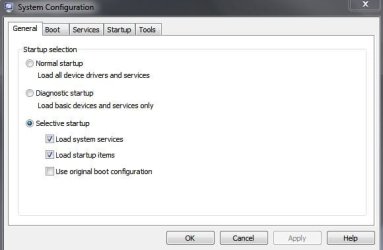
It's always better to use a program's own options to prevent startup behaviour if possible - there may be side-effects to simply disabling in msconfig.
 

My Computer My Computer

At a glance

Win 7 x64 Home Premium (and x86 VirtualBox VM...i3 370M/i7 6500U8GB - finally :)/8GBit's an i3, dude!/dual Intel&nVidia
Computer type
Laptop
Computer Manufacturer/Model Number
Asus K52F or Lenovo B51-80
OS
Win 7 x64 Home Premium (and x86 VirtualBox VM)/Win10
CPU
i3 370M/i7 6500U
Motherboard
Asus/Lenovo
Memory
8GB - finally :)/8GB
Graphics Card(s)
it's an i3, dude!/dual Intel&nVidia
Sound Card
onboard
Monitor(s) Displays
15.6" built-in
Screen Resolution
1366x768/1920x1080
Hard Drives
750GB Seagate internal
Sundry external drives attached to other computers on the local network
1TB SSD on the Lenovo
PSU
n/a
Internet Speed
as much as I can get - usually on a dongle/phone, so <1MB/s
Antivirus
MSE/Defender
Browser
IE11/12/Edge/Chrome/FF(if I must)
Back
Top