Clay L
New member
I did a search but didn't find anything that applied.
I have two identical HP laptops with mine running Win7 64 bit and my wife's running Vista 64 bit - both Home Premium. They are connected to a network with a wireless router which has an usb modem (aircard) plugged in. Both laptops can connect to the internet through the router.
Until recently I could put files in her public folders. I can still see her laptop, but now all of sudden I get the following dialog box http://img.photobucket.com/albums/v425/ClayL/networkerrormsg.jpg when I try to access it.
My wife can still access my laptop and send files to it.
I don't know what the user name is it asks for - I tried "Clay" which is the only user name on my computer - and the only password we have is the one for the network which I am already connected to and it doesn't work.
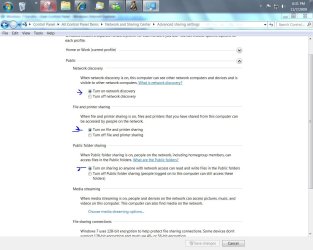
In "Advanced sharing" password protected sharing is turned off.
Any ideas of what is wrong?
I have two identical HP laptops with mine running Win7 64 bit and my wife's running Vista 64 bit - both Home Premium. They are connected to a network with a wireless router which has an usb modem (aircard) plugged in. Both laptops can connect to the internet through the router.
Until recently I could put files in her public folders. I can still see her laptop, but now all of sudden I get the following dialog box http://img.photobucket.com/albums/v425/ClayL/networkerrormsg.jpg when I try to access it.
My wife can still access my laptop and send files to it.
I don't know what the user name is it asks for - I tried "Clay" which is the only user name on my computer - and the only password we have is the one for the network which I am already connected to and it doesn't work.
In "Advanced sharing" password protected sharing is turned off.
Any ideas of what is wrong?
Last edited:
My Computer
At a glance
Win7
- OS
- Win7