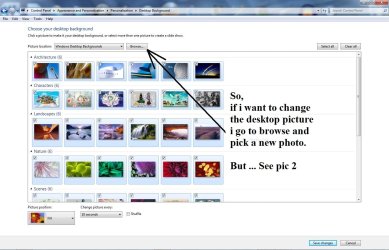
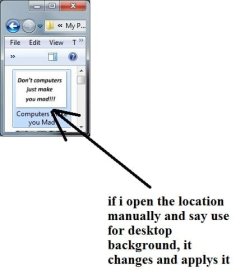
Recently I had to move my documents to a new drive and that included the folder that has all my wallpapers. It wouldn't let me set the wall paper to the new location so I ended up using this guide to reset the wallpaper locations. I even used the registry file that I got off the guide.
http://www.sevenforums.com/tutorials/70606-desktop-background-remove-picture-location-history.html
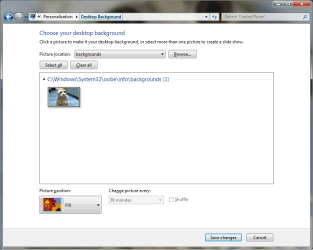
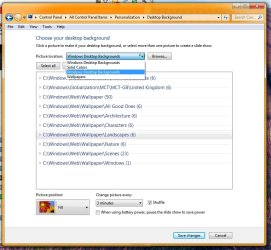
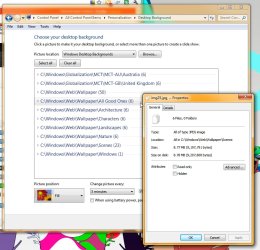
Now my choices for desktop locations are limited to Solid colors and the windows defaults. For some reason it will not allow me to add any new folders. It would do nothing after I pick the folder in the "browse for folder" window. Its not making any sense.
Also the new location for the wallpapers is C:\Users\BEan\Wallpaper\Double wide
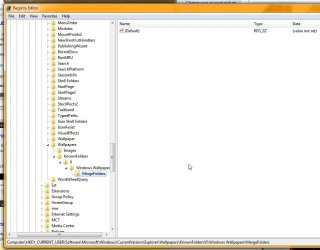
Here is my current registry for the wallpaper settings
HKEY_CURRENT_USER\Software\Microsoft\Windows\CurrentVersion\Explorer\Wallpapers
http://www.sevenforums.com/tutorials/70606-desktop-background-remove-picture-location-history.html
Now my choices for desktop locations are limited to Solid colors and the windows defaults. For some reason it will not allow me to add any new folders. It would do nothing after I pick the folder in the "browse for folder" window. Its not making any sense.
Also the new location for the wallpapers is C:\Users\BEan\Wallpaper\Double wide
Here is my current registry for the wallpaper settings
HKEY_CURRENT_USER\Software\Microsoft\Windows\CurrentVersion\Explorer\Wallpapers
Also I tried coping that part of the registry from my laptop but there was no real change except for adding a few folders that didn't exists on that computer. I still can't add anything.Windows Registry Editor Version 5.00
[HKEY_CURRENT_USER\Software\Microsoft\Windows\CurrentVersion\Explorer\Wallpapers]
[HKEY_CURRENT_USER\Software\Microsoft\Windows\CurrentVersion\Explorer\Wallpapers\KnownFolders]
[HKEY_CURRENT_USER\Software\Microsoft\Windows\CurrentVersion\Explorer\Wallpapers\KnownFolders\0]
[HKEY_CURRENT_USER\Software\Microsoft\Windows\CurrentVersion\Explorer\Wallpapers\KnownFolders\0\Windows Wallpapers]
[HKEY_CURRENT_USER\Software\Microsoft\Windows\CurrentVersion\Explorer\Wallpapers\KnownFolders\0\Windows Wallpapers\MergeFolders]
"C:\\Windows\\Globalization\\MCT\\MCT-US\\Wallpaper"=""
Last edited:
My Computer
At a glance
win7 home premium 64bitamd Phenom8gb
- Computer Manufacturer/Model Number
- Custom built
- OS
- win7 home premium 64bit
- CPU
- amd Phenom
- Memory
- 8gb