Hello all,
I was a long-time XP user and just switched over to Windows 7 a couple months ago. I like to change my desktop wallpaper every week or so, usually to funny things I find online. Some pictures look great filling the whole screen. Others are better centered as a smaller picture in the middle of the screen (e.g., the full screen version results in a warped picture or causes part of the picture to be cut off, or it's just too "in your face" for full screen, etc.). I was able to switch back and forth from "stretch" to "center" in XP without a problem. I'm not having success in Windows 7.
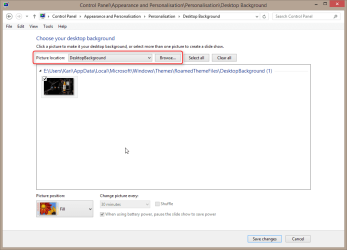
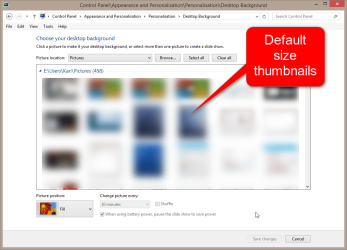
Here is what I've done: select a picture from my Pictures folder, open it (default viewer is Windows Photo Viewer), right click on the image, select "set as desktop background," and presto, the desktop background becomes a full-screen version of the picture. However, it's blurry and cut off in full screen. So I went to Control Panel, Change Desktop Background, and it displays my picture with a drop-down menu that has options for fill, fit, stretch, tile, and center. It's already set to center even though the picture is filling the screen. I tried each of the other options, hitting "save changes" each time, and none of the options changed the display at all. Where am I going wrong?
Thanks!!
I was a long-time XP user and just switched over to Windows 7 a couple months ago. I like to change my desktop wallpaper every week or so, usually to funny things I find online. Some pictures look great filling the whole screen. Others are better centered as a smaller picture in the middle of the screen (e.g., the full screen version results in a warped picture or causes part of the picture to be cut off, or it's just too "in your face" for full screen, etc.). I was able to switch back and forth from "stretch" to "center" in XP without a problem. I'm not having success in Windows 7.
Here is what I've done: select a picture from my Pictures folder, open it (default viewer is Windows Photo Viewer), right click on the image, select "set as desktop background," and presto, the desktop background becomes a full-screen version of the picture. However, it's blurry and cut off in full screen. So I went to Control Panel, Change Desktop Background, and it displays my picture with a drop-down menu that has options for fill, fit, stretch, tile, and center. It's already set to center even though the picture is filling the screen. I tried each of the other options, hitting "save changes" each time, and none of the options changed the display at all. Where am I going wrong?
Thanks!!
My Computer
At a glance
Windows 7 Home Premium 64 bit (version 6.1.76...3rd Generation Intel® Core™ i7-3517UNot sureIntel HD Graphics
- Computer type
- Laptop
- Computer Manufacturer/Model Number
- Acer Aspire V5-171-9620 11.6-Inch Laptop
- OS
- Windows 7 Home Premium 64 bit (version 6.1.7601 Service Pack 1 Build 7601)
- CPU
- 3rd Generation Intel® Core™ i7-3517U
- Motherboard
- Acer V5-171
- Memory
- Not sure
- Graphics Card(s)
- Intel HD Graphics
- Hard Drives
- Serial ATA 5400 RPM
- Antivirus
- Norton Security Suite
- Browser
- Google Chrome