Can't get past "Welcome" screen.

Jobear3

New member
Local time
11:01 AM
Messages
2
So I was playing games on my computer, and one of my applications wasn't working so I decided, let me restart my computer, and when I did, I typed in my password and everything and it just sat there saying "welcome" until I had enough. I looked on this site and tried everything I could understand, but still it mocks me. I restored my computer with the windows 7 disc (to three days ago). I unplugged it and took out the battery in the motherboard and all that. I looked through the BIOS settings and can't seem to get it. I'll take any advice you can offer. Thanks.
 

My Computer My Computer

Computer type
PC/Desktop
Computer Manufacturer/Model Number
Custom
OS
Windows 7 Home Premium 64bit
CPU
Intel Core i5-4590 Haswell Quad Core @3.3GHz
Motherboard
ASUS H97-Pro Gamer
Memory
2x G.SKILL Ripjaws 4GB DDR3
Graphics Card(s)
ZOTAC GeForce 1GB
Hard Drives
1x Seagate 1TB HDD
Antivirus
Kaspersky Total Security
Browser
Google Chrome
Hello and welcome Joybear so from what you have described I am assuming you cannot get into the BIOS settings/screen??
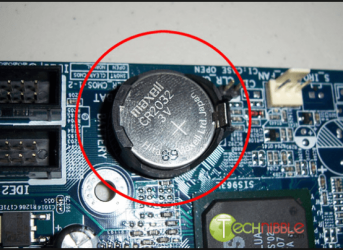
Now if that is the case then I can only think that the battery was either dead or put in the wrong way round so did you make sure it went it the right way round ie usually one see the battery positive side up when inserted and did you use a new battery?? (usually the same number battery as in the pic)
 

Attachments

  • CMOS.PNG
    CMOS.PNG
    136.5 KB · Views: 20

My Computer My Computer

Computer type
PC/Desktop
Computer Manufacturer/Model Number
Own build (new) Desk1 / Asus ROG Win 7 / Desk2 1st build
OS
Desk1 7 Home Prem / Desk2 10 Pro / Main lap Asus ROG 10 Pro 2 laptop Toshiba 7 Pro Asus P2520 7 & 10
CPU
Desk1 i5 3750K / Laptop i7 GTX 860M / Desk2 i5 2500
Motherboard
Desk1 Asus P877-V / Desk2 Gigabyte H67 UD3H / Laptop ?
Memory
Desk1 8GB (1866) / Desk2 16GB (1333) / Laptop 8Gb DDR3
Graphics Card(s)
Desk 1& 2NVidia GTX 650 & Laptops on board Intel
Sound Card
Desk 1 & 2 -XONAR DG Realtek High Def audio Laptop
Monitor(s) Displays
Desk 1 Benq HD 2450 / Desk2 Philips 24" / Laptop 17.5"
Screen Resolution
1920x1080 D1 & D2 & Laptop 1
Hard Drives
Desk1 Samsung 120GB 830 SSD
Asus ROG 256GB 850 Pro SSD
Desk2 Samsung 840 256 SSD
Toshiba 120GB EVO
PSU
Desk 1 Corsair HX 1050/ Laptop ? / Desk 2 Corsair HX 650
Case
Desk 1 Cooler HAF XM ? Toshiba laptop / Desk2 Coolermaster
Cooling
Fans on all Desk1 -2 Desk2 - all Coolermasters 5 Laptop ?
Keyboard
Desk 1 MS Sidewinder X6 Desk 2 MS Sidewinder X 4
Mouse
Desk 1&2 - Gigabyte MS 900 gamer - laptop - Logitec wireless
Internet Speed
ADSL2+
Other Info
One other Desktop (tester) and spare Toshba laptop both with SSD's
Running Kaspersky 2016 ISS on all machines config'd identically
Logitec audio stereo systems on each machine (x3)
Canon MG5250MFC
Router/modem TP-Link running WPA2SK
No I can get into the BIOS no problem, and the battery is installed correctly.
 

My Computer My Computer

Computer type
PC/Desktop
Computer Manufacturer/Model Number
Custom
OS
Windows 7 Home Premium 64bit
CPU
Intel Core i5-4590 Haswell Quad Core @3.3GHz
Motherboard
ASUS H97-Pro Gamer
Memory
2x G.SKILL Ripjaws 4GB DDR3
Graphics Card(s)
ZOTAC GeForce 1GB
Hard Drives
1x Seagate 1TB HDD
Antivirus
Kaspersky Total Security
Browser
Google Chrome
Back
Top