Can't join Homegroup

Well, as things tend to work, I got home to reproduce the error and everything works just fine. I am currently streaming an .avi video from the laptop through the htpc. However, if the errors occur again I will be sure to collect the information. Thanks agian for the assistance.
 

My Computer

OS
Windows 7 Build 7057
CPU
Phenom 9600
Motherboard
EVGA 730a
Memory
8GB Corsair
Graphics Card(s)
Onboard graphics
Monitor(s) Displays
Samsung LN-46a650
Screen Resolution
1080p
Hard Drives
Seagate 1.5TB
Hi guys

I am encountering the same problem (error 0x80632094) and i have tried everything i saw here to no avail. This is my current configuration:

I have on PC connected to a Belkin N1 Vision router via cable
One laptop connected via Wi-Fi to the router.
Both pc's are running on windows 7 build 7000 32bit

I am trying to set a homegroup between them. I rebooted them both, went to the main PC and created a homegroup. Then i rebooted it again. After it finished, i went to my laptop and saw that i have an option to join a new homegroup. I click join, enter the correct password, but it just loads there for a few minutes and it always ends with the windows cannot set up a homegroup for this pc 0x80632094 error...Normal network sharing works between the two, only homegroup doesn't...

Could it be that the router is blocking the traffic between the two computers on the respective protocol?

Thanks in advance
 

My Computer

OS
7
I have a similar setup and am getting the same exact error - 80632094 when ever either computer tries to join or merge with an existing Homegroup.. I have a Belkin N1 router also but am running Win 7 64-bit on both computers. Instead of a laptop I have a Desktop in the other room connected wirelessly. I have tried everything listed here, even reloading - on both computers and still the same exact error. Maybe it is a router thing.
 

My Computer

OS
Vista 7
I have a similar setup and am getting the same exact error - 80632094 .....is a router thing.

Do you have IPv6 disabled on the adapter? I'm gonna take a guess and say yes. If so, try enabling IPv6, then try joining homegroup.

I couldnt find any real specific info on your router about supporting ipv6 from belkin's website, tho it is quite possible it will handle the protocol... also keep the firmware up to date.


Only reason why i state this is because i had this issue on the network here, and come to find out, I had disabled the ipv6 long ago at first install. I had setup a homegroup BEFORE i disabled the ipv6. I reinstalled 7 on main pc making a different homegroup this time. Wanting the laptop to join it, i tried, but got the error cant join homegroup .... I then checked adapter settings and found ipv6 and ticked it, went to join and voila, prest-o-change-o!
 

My Computer

Computer Manufacturer/Model Number
CUSTOM
OS
XP/win7 x86 build 7127
CPU
Athlon64 X2 DUAL 4200+ 2.21ghz
Motherboard
ASUS K8 PRO SLI
Memory
2GB Dual Chan DDR2 Corsair
Graphics Card(s)
Nvidia 6800GT
Sound Card
nvidia
Monitor(s) Displays
19' LCD
Screen Resolution
1280x1024
Hard Drives
WD 250, 2x500, 2x1TB IDE/USB
WD 250 SATA (system)
SEAGATE 120 Sata
PSU
coolermaster 450
Case
SUPERFLOWER
Cooling
1 HDD bay fan, 5x80mm Case Fans, AEROGATE II Fan/Temp
Keyboard
MS wireless
Mouse
MS Wireless
Internet Speed
fassssssssst
Thanks for the reply , but that's not it. IPv6 has been enabled on both adapters since Win 7 was installed. I've also tried disabling and re-enabling IPv6 on both adapters and rebooting which still did not work. I've tried everything I can think of but still get the same error. The fact that you've been able to join the Homegroup with a Belkin N1 tells me it's not the router though. Glad to hear you got it working for you. :-{
 

My Computer

OS
Vista 7
Thanks for the reply , but that's not it. IPv6 has been enabled on both adapters since Win 7 was installed. I've also tried disabling and re-enabling IPv6 on both adapters and rebooting which still did not work. I've tried everything I can think of but still get the same error. The fact that you've been able to join the Homegroup with a Belkin N1 tells me it's not the router though. Glad to hear you got it working for you. :-{

no, sorry, i dont have your particular router. I was just stating that I ran into this kind of error with trying to join a homegroup.
 

My Computer

Computer Manufacturer/Model Number
CUSTOM
OS
XP/win7 x86 build 7127
CPU
Athlon64 X2 DUAL 4200+ 2.21ghz
Motherboard
ASUS K8 PRO SLI
Memory
2GB Dual Chan DDR2 Corsair
Graphics Card(s)
Nvidia 6800GT
Sound Card
nvidia
Monitor(s) Displays
19' LCD
Screen Resolution
1280x1024
Hard Drives
WD 250, 2x500, 2x1TB IDE/USB
WD 250 SATA (system)
SEAGATE 120 Sata
PSU
coolermaster 450
Case
SUPERFLOWER
Cooling
1 HDD bay fan, 5x80mm Case Fans, AEROGATE II Fan/Temp
Keyboard
MS wireless
Mouse
MS Wireless
Internet Speed
fassssssssst
Hi guys, i managed a "fix"...i put dashes because my solution was to connect to laptop aswell to the router using a cable, at which point all worked...I'm going to test in few minutes if the homegroup still works if i remove the cable and connect via wifi as normal. Keep you posted

Later edit: i tried to recreate the homegroup but still no luck until i connected the cable to the laptop aswell...But after the homegroup was made i could disconnect the cable and use wifi to connect my laptop instead.
 
Last edited:

My Computer

OS
7
Well I finally got it all working like a gem once I bought a new router that has a USB slot to plug in my Huawie 3g mobile internet modem. DIGGER. The reason I needed to use ICS was because I am only using a USB Huawie 3G modem and this can only connect to a USB slot. I wanted to share the internet connection from one laptop and this did work when three of the computers were running WinXP. Win 7 wouldnt woprk at all on this. With Win 7 I could get all computers to share the network ok but not the intrenet together. I did get the internet working on all computers but then networking them didnt work.
Now with the new D-Link DIR-451 3G mobile router with the Huawie 3G modum plugged into it, all is working perfectly.
Also for some wierd reason, since using this router I have no diconection problems from the 3G network like I often had in the past.

Add:
Although! there is still one minor issue in Win 7. Even though I have Internet connection and I can access all four computers on the network and vis-versa (including my Ubuntu machine) and all computers can see each other in Network Places. When I click on "computer" and then "home group" in Win 7, it says "There are no other people in the home group and "before you can view other peoples files on the network, they must join the home group". All computers are in the home group with the same work group name and I can access files from all compters to one an other and see all in My Network Places. So why cant I view any of them the "home group" in Win7?
 
Last edited:

My Computer

OS
win 7
I have the same problem aswell, even though they are homegrouped alright, if i try to open the homegroup nothing shows up. I remember i once saw some folders (library, music etc.) in there, but i still couldn't open those folders...but i don't really care, the network shares are all that i need for now
 

My Computer

OS
7
Colonel,

Leave the homegroup using Network and Sharing Center. Do it for both computers. Reboot both computers. Return to Network and Sharing and make sure they both want you to create a homegroup. Do so on only one computer. Reboot it. Check to make sure the homegroup is still there in Network and Sharing Center.

Go to the other computer. Check to make sure the new homegroup is visible in Networking and Sharing Center. If not report back here.

If it is just join it and report the exact error message if any.

Homegroups are not completely plug and play yet -- reboots are required to stabilize the network.

I just followed these instructions to the tee and on the computer that is trying to join the homegroup I get "incorrect password". I even changed the password and still couldn't connect.
 

My Computer

OS
7
I just followed these instructions to the tee and on the computer that is trying to join the homegroup I get "incorrect password". I even changed the password and still couldn't connect.

Password change propagation gets better in 7077 and appears entirely fixed in the RC that was just leaked. If you want to try the new version, send me a private message.
 

My Computer

Computer type
Laptop
Computer Manufacturer/Model Number
Apple
OS
El Capitan / Windows 10
CPU
i7-4980HQ
Memory
16GB
Graphics Card(s)
Iris 5200
Password change propagation gets better in 7077 and appears entirely fixed in the RC that was just leaked. If you want to try the new version, send me a private message.

I am using 7100 :( and I can't get Homegroup to work
 

My Computer

OS
7
I am using 7100 :( and I can't get Homegroup to work

OK, first we need to make sure that both boxes are setup to use network type "home". Next we need to make sure a homegroup is created on one box and the files are shared correctly. Then we go to the other box and try to see if it detects that homegroup. That's where we start.
 

My Computer

Computer type
Laptop
Computer Manufacturer/Model Number
Apple
OS
El Capitan / Windows 10
CPU
i7-4980HQ
Memory
16GB
Graphics Card(s)
Iris 5200
OK, first we need to make sure that both boxes are setup to use network type "home". Next we need to make sure a homegroup is created on one box and the files are shared correctly. Then we go to the other box and try to see if it detects that homegroup. That's where we start.

okay i will type another reply in 2 minutes after i do all this
 

My Computer

OS
7
okay in the Network and Sharing Center, under View your active networks both are set to "Home network.

I have the homegroup created on my desktop and the laptop which is wirelessly connected, can see the homegroup I created on the desktop.
 

My Computer

OS
7
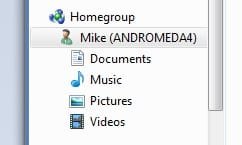
It can "see" like here in Explorer?
1.jpg
Or where? Screenshot if it's hard to explain...
 

My Computer

Computer type
Laptop
Computer Manufacturer/Model Number
Apple
OS
El Capitan / Windows 10
CPU
i7-4980HQ
Memory
16GB
Graphics Card(s)
Iris 5200
It can "see" like here in Explorer?
View attachment 8835
Or where? Screenshot if it's hard to explain...

I can't connect my laptop to the homegroup it sees that my desktop created. it says password is incorrect.

My desktop created a homegroup
My laptop tries to connect to homegroup but incorrect password.
The password is 100% identical.
 

My Computer

OS
7
I can't connect my laptop to the homegroup it sees that my desktop created. it says password is incorrect.

Run the homegroup troubleshooter, it'll do some stuff and ask you what you were trying to do. Then lie to it and tell it you were trying to create a homegroup. Do so. Then go back to the first computer and join it.
 

My Computer

Computer type
Laptop
Computer Manufacturer/Model Number
Apple
OS
El Capitan / Windows 10
CPU
i7-4980HQ
Memory
16GB
Graphics Card(s)
Iris 5200
Run the homegroup troubleshooter, it'll do some stuff and ask you what you were trying to do. Then lie to it and tell it you were trying to create a homegroup. Do so. Then go back to the first computer and join it.

Computer 1 created a homegroup.

Computer 2 keeps getting password incorrect message and can't connect to homegroup.

I did troubleshooter with Computer 2 and it says PROBLEM FOUND: YOU ARE NOT CONNECTED TO A HOMEGROUP.

I can't create a hoemgroup on computer 2 because it sees the homegroup in computer 1.
 

My Computer

OS
7
I can't create a hoemgroup on computer 2 because it sees the homegroup in computer 1.

Sure you can if you follow my instructions above. Run the troubleshooter etc. This is the trick.
 

My Computer

Computer type
Laptop
Computer Manufacturer/Model Number
Apple
OS
El Capitan / Windows 10
CPU
i7-4980HQ
Memory
16GB
Graphics Card(s)
Iris 5200
Back
Top