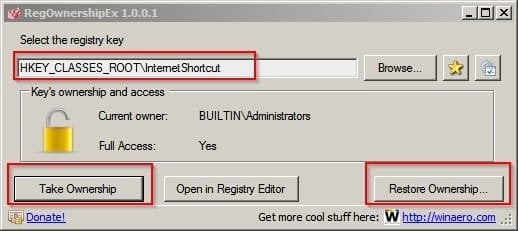
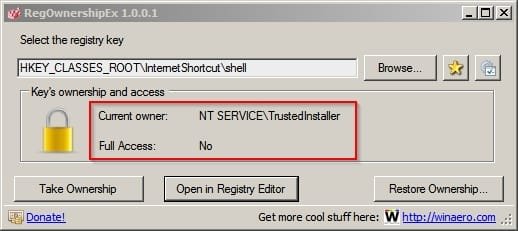
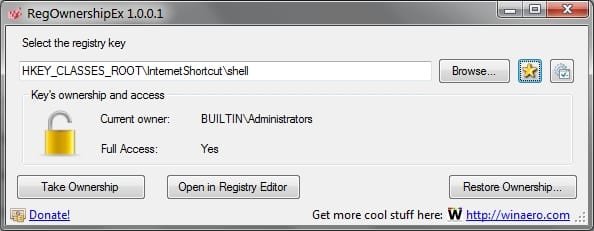
I'm trying to modify the HKEY_CLASSES_ROOT\InternetShortcut\shell key in the registry to add a "Open with Chrome" entry so that I can right-click a shortcut and choose whether to open it in IE (default) or Chrome.
I know how to create and write this type of key/command, I've done it successfully with other file types, but RegEdit keeps telling me I don't have the required permission to create a new subkey in this particular key.
I've changed the permissions to give administrators full control of this key but it still throws me the same error. I changed the permissions likewise on the parent key HKEY_CLASSES_ROOT\InternetShortcut and can create a new subkey directly under that key but the same settings don't work on the shell subkey.
Help...?
I know how to create and write this type of key/command, I've done it successfully with other file types, but RegEdit keeps telling me I don't have the required permission to create a new subkey in this particular key.
I've changed the permissions to give administrators full control of this key but it still throws me the same error. I changed the permissions likewise on the parent key HKEY_CLASSES_ROOT\InternetShortcut and can create a new subkey directly under that key but the same settings don't work on the shell subkey.
Help...?
My Computer
- Computer Manufacturer/Model Number
- ASUSTeK Computer INC.
- OS
- Microsoft Windows 7 Home Premium 32-bit 7601 Multiprocessor Free Service Pack 1
- CPU
- Intel(R) Core(TM)2 Quad CPU Q9400 @ 2.66GHz
- Motherboard
- ASUSTeK Computer INC. P5N-D
- Memory
- 4.00 GB
- Graphics Card(s)
- NVIDIA GeForce 9800 GT
- Sound Card
- (1) Creative Audigy Audio Processor (WDM)
- Screen Resolution
- 1280 x 1024 x 32 bits (4294967296 colors) @ 60 Hz
- Hard Drives
- (1) ST332062 0AS SCSI Disk Device (2) WDC WD32 00AAKS-00L9A SCSI Disk Device
- Keyboard
- Dell Media Keyboard (USB)
- Mouse
- MS Comfort Optical Mouse 3000 (USB)