Can't Remove Start Menu Pic & Frame- Tried All Methods I Could Find
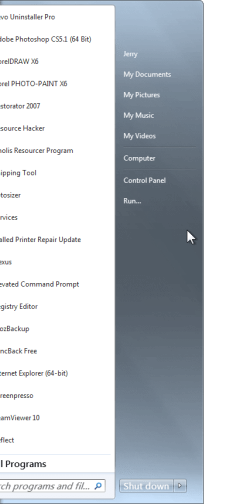
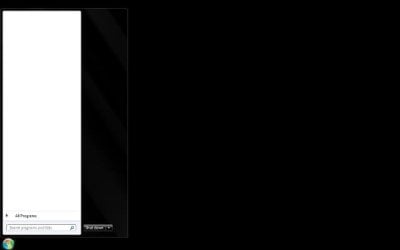
hi i can't seem to remove my User Pic & Frame from Start Menu, have tried all the methods i could find on the net, including Windows 7 Start Menu User Picture Remover, using Restorator 2007 to change aero.mssytles, renaming suffix of user.bmp ...
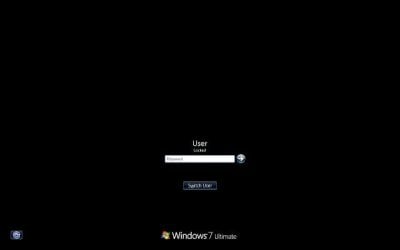
strangely i have successfully removed user pic & frame with no bad side effects at Logon/Switch User, using the modded modded authui.dll method. i'm beginning to think it's my build or my hardware- i'm testing customization on an xps laptop, and when i first installed win 7 ultimate 64-bit sp1, my windows auto-selected some xps theme at Personalization. after my first attempt with win7 start menu user remover, that theme no longer shows up as a choice at Personalization. since then i have been using standard aero win7 theme.
i really don't want to use a start menu replacement, need help with this i can give you the descriptions of my results on my attempts so far :-
1. Windows 7 Start Menu User Picture Remover - after i click on apply, my entire aero theme reverts to win 7 basic non-aero theme (the one with the grey start menu). my user pic is still there, the xps one chosen for me upon initial win7 installation.
2. Using Restorator 2007 to change aero.mssytles - now under personalization, i do see a new theme under 'Installed Themes' called "Windows 7 No Start Menu User Picture", it's appearance looks like std. win aero 7 on the list, but clicking it sends my current theme back to basic win 7 non-aero as well. and i still have my xps picture in start menu lol.
3. Renaming suffixes of user.bmp and guest.bmp - completely no effect.
ps. not sure if this clashes with any of the methods i tried above- i am currently having TransBar active & have executed windows 7 start orb changer once.
hi i can't seem to remove my User Pic & Frame from Start Menu, have tried all the methods i could find on the net, including Windows 7 Start Menu User Picture Remover, using Restorator 2007 to change aero.mssytles, renaming suffix of user.bmp ...
strangely i have successfully removed user pic & frame with no bad side effects at Logon/Switch User, using the modded modded authui.dll method. i'm beginning to think it's my build or my hardware- i'm testing customization on an xps laptop, and when i first installed win 7 ultimate 64-bit sp1, my windows auto-selected some xps theme at Personalization. after my first attempt with win7 start menu user remover, that theme no longer shows up as a choice at Personalization. since then i have been using standard aero win7 theme.
i really don't want to use a start menu replacement, need help with this i can give you the descriptions of my results on my attempts so far :-
1. Windows 7 Start Menu User Picture Remover - after i click on apply, my entire aero theme reverts to win 7 basic non-aero theme (the one with the grey start menu). my user pic is still there, the xps one chosen for me upon initial win7 installation.
2. Using Restorator 2007 to change aero.mssytles - now under personalization, i do see a new theme under 'Installed Themes' called "Windows 7 No Start Menu User Picture", it's appearance looks like std. win aero 7 on the list, but clicking it sends my current theme back to basic win 7 non-aero as well. and i still have my xps picture in start menu lol.
3. Renaming suffixes of user.bmp and guest.bmp - completely no effect.
ps. not sure if this clashes with any of the methods i tried above- i am currently having TransBar active & have executed windows 7 start orb changer once.
My Computer
At a glance
Windows 7 Ultimate x64
- Computer type
- PC/Desktop
- OS
- Windows 7 Ultimate x64