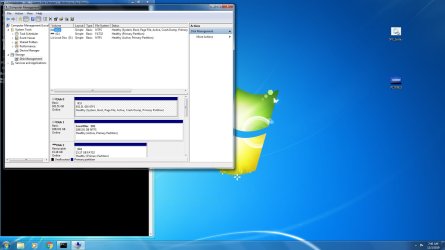
CBS Log's Scannow Corrupt. Can Someone look at this and tell me ??

When I hit the y (yes I clicked in the cmd prompt to make sure the y was shwoing) and enter the program closes and then it goes back to the desktop. I had let it sit for close to 10 minutes a few times and still nothing? So I have been manually restarting.

Here is what I see, perhaps I have been reading this wrong?

==============================================================================
Hello JJ: YOU ARE ABOUT TO COLLATE DATA FOR SFC!
==============================================================================

IMPORTANT: Option [2] MUST BE RUN FIRST.
Do NOT close this cmd prompt window while a program is running!

==============================================================================

Options:

[1] ABORT this process and EXIT.

[2] Run SFC [ System File Checker ].
[3] Copy the extracted ERRORS ONLY from the CBS.log.
[4] Copy the CBS.log.
[5] Copy ALL files.

NOTE: Option [2] MUST be run BEFORE running Options [3], [4] & [5].
Option [3] creates a CBS_ERRORS.txt file on the desktop.
Option [4] creates a CBS_Log.txt file on the desktop.
Option [5] creates a compressed SFC_Up folder on the desktop and
copies the files from Options [3] & [4] to it.

==============================================================================

>Enter an Option: 2

Running SFC . . .

Beginning system scan. This process will take some time.

Beginning verification phase of system scan.
Verification 100% complete.
Windows Resource Protection found corrupt files but was unable to fix some of th
em.
Details are included in the CBS.Log windir\Logs\CBS\CBS.log. For example
C:\Windows\Logs\CBS\CBS.log

SFC has completed successfully!

Creating the CBS_ERRORS.txt file . . .
The file has been created successfully!

==============================================================================

IMPORTANT: If Windows Resource Protection found corrupt files but was unable
to fix some of them, then REBOOT NOW for the pending actions to be
implimented. Before rebooting though, it will display . . .
Preparing to configure Windows. Do not turn off your computer.

Once the computer has rebooted, run SFC again [2 or 3 more times],
rebooting in bewtween [as above]. If there are STILL errors, then
DON'T select REBOOT NOW to allow the rest of the program to run.

==============================================================================

Do you want to REBOOT NOW ?

>Press [Y] & [Enter] to REBOOT NOW or [Enter] to return to the Options.
 

My Computer My Computer

At a glance

Microsoft Windows 7 Professional 64-bitIntel(R) Core(TM) i7-4790 CPU @ 3.60GHz16.00 GB Hynix/Hyundai HMT451U6BFR8A-PBNVIDIA GeForce GT 720 1920 x 1080 x 32 bits (...
Computer type
PC/Desktop
Computer Manufacturer/Model Number
DELL XPS 8700 DESKTOP
OS
Microsoft Windows 7 Professional 64-bit
CPU
Intel(R) Core(TM) i7-4790 CPU @ 3.60GHz
Motherboard
Dell Inc.Base Board 0KWVT8
Memory
16.00 GB Hynix/Hyundai HMT451U6BFR8A-PB
Graphics Card(s)
NVIDIA GeForce GT 720 1920 x 1080 x 32 bits (4294967296 colo
Sound Card
Broadcom Bluetooth Hands-free Audio
Screen Resolution
1920 x 1080 x 32 bits (4294967296 colors) @ 60 Hz
Hard Drives
ST1000DM ST1000DM003-1ER1 SCSI Disk Device
Hi jjr,

When I hit the y (yes I clicked in the cmd prompt to make sure the y was shwoing) and enter the program closes and then it goes back to the desktop. I had let it sit for close to 10 minutes a few times and still nothing? So I have been manually restarting.

Can you please download it again and run it because it might have got corrupted when you downloaded it!
Nobody else has reported a problem with the file so that is very strange!
 

My Computer My Computer

At a glance

Win 7 HP SP1 64-bit Vista HB SP2 32-bit Linux...Intel(R) Pentium(R) CPU P6200 @ 2.13GHz4.00 GBIntel(R) Graphics Media Accelerator HD
Computer type
Laptop
Computer Manufacturer/Model Number
Fujitsu LIFEBOOK
OS
Win 7 HP SP1 64-bit Vista HB SP2 32-bit Linux Mint 18.3
CPU
Intel(R) Pentium(R) CPU P6200 @ 2.13GHz
Motherboard
FUJITSU FJNBB06
Memory
4.00 GB
Graphics Card(s)
Intel(R) Graphics Media Accelerator HD
Sound Card
[1] Realtek High Definition Audio [2] Intel(R) Display Audio
Screen Resolution
1366 x 768 x 32 bits (4294967296 colors) @ 59 Hz
Hard Drives
TOSHIBA MK5076GSX
Antivirus
AVG FREE
After I press y and then enter should the pc boot by it self or is ok if I do it manually?

It seems everytime I run the scan it finds a prob and then fixes it?
 

My Computer My Computer

At a glance

Microsoft Windows 7 Professional 64-bitIntel(R) Core(TM) i7-4790 CPU @ 3.60GHz16.00 GB Hynix/Hyundai HMT451U6BFR8A-PBNVIDIA GeForce GT 720 1920 x 1080 x 32 bits (...
Computer type
PC/Desktop
Computer Manufacturer/Model Number
DELL XPS 8700 DESKTOP
OS
Microsoft Windows 7 Professional 64-bit
CPU
Intel(R) Core(TM) i7-4790 CPU @ 3.60GHz
Motherboard
Dell Inc.Base Board 0KWVT8
Memory
16.00 GB Hynix/Hyundai HMT451U6BFR8A-PB
Graphics Card(s)
NVIDIA GeForce GT 720 1920 x 1080 x 32 bits (4294967296 colo
Sound Card
Broadcom Bluetooth Hands-free Audio
Screen Resolution
1920 x 1080 x 32 bits (4294967296 colors) @ 60 Hz
Hard Drives
ST1000DM ST1000DM003-1ER1 SCSI Disk Device
Hi jjr,

After I press y and then enter should the pc boot by it self or is ok if I do it manually?

Did you see my previous post?
I have just looked and you haven't re-downloaded it.
Yes, the PC will reboot itself, but you can do it manually if you so wish!
Obviously there are other problems present that are not fixable by running SFC.
 
Last edited:

My Computer My Computer

At a glance

Win 7 HP SP1 64-bit Vista HB SP2 32-bit Linux...Intel(R) Pentium(R) CPU P6200 @ 2.13GHz4.00 GBIntel(R) Graphics Media Accelerator HD
Computer type
Laptop
Computer Manufacturer/Model Number
Fujitsu LIFEBOOK
OS
Win 7 HP SP1 64-bit Vista HB SP2 32-bit Linux Mint 18.3
CPU
Intel(R) Pentium(R) CPU P6200 @ 2.13GHz
Motherboard
FUJITSU FJNBB06
Memory
4.00 GB
Graphics Card(s)
Intel(R) Graphics Media Accelerator HD
Sound Card
[1] Realtek High Definition Audio [2] Intel(R) Display Audio
Screen Resolution
1366 x 768 x 32 bits (4294967296 colors) @ 59 Hz
Hard Drives
TOSHIBA MK5076GSX
Antivirus
AVG FREE
So you saw other issues. I just tried running my Acronis back-up twice and that worked w/o any corrupt file message. So at lease something positive if going on ;-)
 

My Computer My Computer

At a glance

Microsoft Windows 7 Professional 64-bitIntel(R) Core(TM) i7-4790 CPU @ 3.60GHz16.00 GB Hynix/Hyundai HMT451U6BFR8A-PBNVIDIA GeForce GT 720 1920 x 1080 x 32 bits (...
Computer type
PC/Desktop
Computer Manufacturer/Model Number
DELL XPS 8700 DESKTOP
OS
Microsoft Windows 7 Professional 64-bit
CPU
Intel(R) Core(TM) i7-4790 CPU @ 3.60GHz
Motherboard
Dell Inc.Base Board 0KWVT8
Memory
16.00 GB Hynix/Hyundai HMT451U6BFR8A-PB
Graphics Card(s)
NVIDIA GeForce GT 720 1920 x 1080 x 32 bits (4294967296 colo
Sound Card
Broadcom Bluetooth Hands-free Audio
Screen Resolution
1920 x 1080 x 32 bits (4294967296 colors) @ 60 Hz
Hard Drives
ST1000DM ST1000DM003-1ER1 SCSI Disk Device
Hi jjr,

I think that you are probably going to need to do a Repair Install!
First though, I will review this thread tomorrow and see if we have missed anything.
Have you got a System Image prior to this issue?
 

My Computer My Computer

At a glance

Win 7 HP SP1 64-bit Vista HB SP2 32-bit Linux...Intel(R) Pentium(R) CPU P6200 @ 2.13GHz4.00 GBIntel(R) Graphics Media Accelerator HD
Computer type
Laptop
Computer Manufacturer/Model Number
Fujitsu LIFEBOOK
OS
Win 7 HP SP1 64-bit Vista HB SP2 32-bit Linux Mint 18.3
CPU
Intel(R) Pentium(R) CPU P6200 @ 2.13GHz
Motherboard
FUJITSU FJNBB06
Memory
4.00 GB
Graphics Card(s)
Intel(R) Graphics Media Accelerator HD
Sound Card
[1] Realtek High Definition Audio [2] Intel(R) Display Audio
Screen Resolution
1366 x 768 x 32 bits (4294967296 colors) @ 59 Hz
Hard Drives
TOSHIBA MK5076GSX
Antivirus
AVG FREE
Sorry no image, Acronis would not function because of the corrupt file.

Im still going through all the MS updates and I had 1xx++ but the last one I checked now showed the updates all gone and the NEVER marked on the page wit the RED warning. This thing is possessed


Hi jjr,

I think that you are probably going to need to do a Repair Install!
First though, I will review this thread tomorrow and see if we have missed anything.
Have you got a System Image prior to this issue?
 

My Computer My Computer

At a glance

Microsoft Windows 7 Professional 64-bitIntel(R) Core(TM) i7-4790 CPU @ 3.60GHz16.00 GB Hynix/Hyundai HMT451U6BFR8A-PBNVIDIA GeForce GT 720 1920 x 1080 x 32 bits (...
Computer type
PC/Desktop
Computer Manufacturer/Model Number
DELL XPS 8700 DESKTOP
OS
Microsoft Windows 7 Professional 64-bit
CPU
Intel(R) Core(TM) i7-4790 CPU @ 3.60GHz
Motherboard
Dell Inc.Base Board 0KWVT8
Memory
16.00 GB Hynix/Hyundai HMT451U6BFR8A-PB
Graphics Card(s)
NVIDIA GeForce GT 720 1920 x 1080 x 32 bits (4294967296 colo
Sound Card
Broadcom Bluetooth Hands-free Audio
Screen Resolution
1920 x 1080 x 32 bits (4294967296 colors) @ 60 Hz
Hard Drives
ST1000DM ST1000DM003-1ER1 SCSI Disk Device
OK so this AM I downloaded your file checker again and this time Malwarebytes caught it, so O turned MLB off and downloaded your program again and ran it.

This time when I chose Y>Reboot it worked as it should.

Last night I ran the on-board Win7 diagnostics , although everything passes it did say that there was no diagnostic partition identified. Being that this was a blank spare drive I was using the Dell partition was not on that and I did not notice a option when I installed the OS using the Dell Disc.

So how important would this be and is it necessary?

Going to run a few more sfc scans and reboots if needed and then try my Acronis again to see if the validation part still works. That is my main issue to start with as when I ran prior I owuld get a validation error in the Acronis because of a corrupted file.

If i can get the Acronis to run all the time I would be happy with the stae that this PC is in as its a spare PC and I guess its time I look for a newer or new one. My issue is that I really like Windows 7 ofer 10 and would like to stay with 7 even w/o MS support.

Perhaps a dual boot setup (IN7 and 10) on a newer PC would be my answer.

no partition.jpg

P1170823.JPG
 

My Computer My Computer

At a glance

Microsoft Windows 7 Professional 64-bitIntel(R) Core(TM) i7-4790 CPU @ 3.60GHz16.00 GB Hynix/Hyundai HMT451U6BFR8A-PBNVIDIA GeForce GT 720 1920 x 1080 x 32 bits (...
Computer type
PC/Desktop
Computer Manufacturer/Model Number
DELL XPS 8700 DESKTOP
OS
Microsoft Windows 7 Professional 64-bit
CPU
Intel(R) Core(TM) i7-4790 CPU @ 3.60GHz
Motherboard
Dell Inc.Base Board 0KWVT8
Memory
16.00 GB Hynix/Hyundai HMT451U6BFR8A-PB
Graphics Card(s)
NVIDIA GeForce GT 720 1920 x 1080 x 32 bits (4294967296 colo
Sound Card
Broadcom Bluetooth Hands-free Audio
Screen Resolution
1920 x 1080 x 32 bits (4294967296 colors) @ 60 Hz
Hard Drives
ST1000DM ST1000DM003-1ER1 SCSI Disk Device
Ran the file checker a few times and now have no access to Chrome or IE.
So working from my cell
 

My Computer My Computer

At a glance

Microsoft Windows 7 Professional 64-bitIntel(R) Core(TM) i7-4790 CPU @ 3.60GHz16.00 GB Hynix/Hyundai HMT451U6BFR8A-PBNVIDIA GeForce GT 720 1920 x 1080 x 32 bits (...
Computer type
PC/Desktop
Computer Manufacturer/Model Number
DELL XPS 8700 DESKTOP
OS
Microsoft Windows 7 Professional 64-bit
CPU
Intel(R) Core(TM) i7-4790 CPU @ 3.60GHz
Motherboard
Dell Inc.Base Board 0KWVT8
Memory
16.00 GB Hynix/Hyundai HMT451U6BFR8A-PB
Graphics Card(s)
NVIDIA GeForce GT 720 1920 x 1080 x 32 bits (4294967296 colo
Sound Card
Broadcom Bluetooth Hands-free Audio
Screen Resolution
1920 x 1080 x 32 bits (4294967296 colors) @ 60 Hz
Hard Drives
ST1000DM ST1000DM003-1ER1 SCSI Disk Device
Hi jjr,

Did you check for Malware etc. If not, download and run Malwarebytes [FREE] from here => Malwarebytes.

I hope this helps!
 

My Computer My Computer

At a glance

Win 7 HP SP1 64-bit Vista HB SP2 32-bit Linux...Intel(R) Pentium(R) CPU P6200 @ 2.13GHz4.00 GBIntel(R) Graphics Media Accelerator HD
Computer type
Laptop
Computer Manufacturer/Model Number
Fujitsu LIFEBOOK
OS
Win 7 HP SP1 64-bit Vista HB SP2 32-bit Linux Mint 18.3
CPU
Intel(R) Pentium(R) CPU P6200 @ 2.13GHz
Motherboard
FUJITSU FJNBB06
Memory
4.00 GB
Graphics Card(s)
Intel(R) Graphics Media Accelerator HD
Sound Card
[1] Realtek High Definition Audio [2] Intel(R) Display Audio
Screen Resolution
1366 x 768 x 32 bits (4294967296 colors) @ 59 Hz
Hard Drives
TOSHIBA MK5076GSX
Antivirus
AVG FREE
Yes running MLB and ZA both paid for and long time user. So I had to uninstall Chrome, turn off M:B and Za and reinstalled Chrome and now its working. I did turn the ZA back on and am now running MLB again.

My last sfcscannow scan, looks like something with the media player?

View attachment 409984
 

My Computer My Computer

At a glance

Microsoft Windows 7 Professional 64-bitIntel(R) Core(TM) i7-4790 CPU @ 3.60GHz16.00 GB Hynix/Hyundai HMT451U6BFR8A-PBNVIDIA GeForce GT 720 1920 x 1080 x 32 bits (...
Computer type
PC/Desktop
Computer Manufacturer/Model Number
DELL XPS 8700 DESKTOP
OS
Microsoft Windows 7 Professional 64-bit
CPU
Intel(R) Core(TM) i7-4790 CPU @ 3.60GHz
Motherboard
Dell Inc.Base Board 0KWVT8
Memory
16.00 GB Hynix/Hyundai HMT451U6BFR8A-PB
Graphics Card(s)
NVIDIA GeForce GT 720 1920 x 1080 x 32 bits (4294967296 colo
Sound Card
Broadcom Bluetooth Hands-free Audio
Screen Resolution
1920 x 1080 x 32 bits (4294967296 colors) @ 60 Hz
Hard Drives
ST1000DM ST1000DM003-1ER1 SCSI Disk Device
This time i turned off WMP and ran a scan, still something going on:

Code:
2019-11-03 13:00:51, Info                  CSI    000004cd [SR] Beginning Verify and Repair transaction
2019-11-03 13:00:51, Info                  CSI    000004cf [SR] Cannot repair member file [l:28{14}]"ICacls.exe.mui" of Microsoft-Windows-ICacls.Resources, Version = 6.1.7600.16385, pA = PROCESSOR_ARCHITECTURE_AMD64 (9), Culture = [l:10{5}]"en-US", VersionScope = 1 nonSxS, PublicKeyToken = {l:8 b:31bf3856ad364e35}, Type neutral, TypeName neutral, PublicKey neutral in the store, hash mismatch
2019-11-03 13:00:51, Info                  CSI    000004d1 [SR] Cannot repair member file [l:32{16}]"F12Resources.dll" of Microsoft-Windows-IE-F12Resources, Version = 11.2.9600.19507, pA = PROCESSOR_ARCHITECTURE_AMD64 (9), Culture neutral, VersionScope = 1 nonSxS, PublicKeyToken = {l:8 b:31bf3856ad364e35}, Type neutral, TypeName neutral, PublicKey neutral in the store, hash mismatch
2019-11-03 13:00:51, Info                  CSI    000004d3 [SR] Cannot repair member file [l:22{11}]"WMVCORE.DLL" of Microsoft-Windows-MediaPlayer-WMVCore, Version = 6.1.7601.17514, pA = PROCESSOR_ARCHITECTURE_AMD64 (9), Culture neutral, VersionScope = 1 nonSxS, PublicKeyToken = {l:8 b:31bf3856ad364e35}, Type neutral, TypeName neutral, PublicKey neutral in the store, hash mismatch
2019-11-03 13:00:51, Info                  CSI    000004d4 [SR] Cannot repair member file [l:30{15}]"WMPhoto.dll.mui" of Microsoft-Windows-Photo-Image-Codec.Resources, Version = 7.1.7601.16492, pA = PROCESSOR_ARCHITECTURE_AMD64 (9), Culture = [l:10{5}]"ja-JP", VersionScope = 1 nonSxS, PublicKeyToken = {l:8 b:31bf3856ad364e35}, Type neutral, TypeName neutral, PublicKey neutral in the store, file is missing
2019-11-03 13:00:51, Info                  CSI    000004d6 [SR] Cannot repair member file [l:22{11}]"perfmon.msc" of Microsoft-Windows-PerformanceToolsGui, Version = 6.1.7601.23841, pA = PROCESSOR_ARCHITECTURE_AMD64 (9), Culture neutral, VersionScope = 1 nonSxS, PublicKeyToken = {l:8 b:31bf3856ad364e35}, Type neutral, TypeName neutral, PublicKey neutral in the store, hash mismatch
2019-11-03 13:00:51, Info                  CSI    000004d8 [SR] Cannot repair member file [l:40{20}]"PhotoScreensaver.scr" of Microsoft-Windows-PhotoScreensaver, Version = 6.1.7601.17514, pA = PROCESSOR_ARCHITECTURE_AMD64 (9), Culture neutral, VersionScope = 1 nonSxS, PublicKeyToken = {l:8 b:31bf3856ad364e35}, Type neutral, TypeName neutral, PublicKey neutral in the store, hash mismatch
2019-11-03 13:00:51, Info                  CSI    000004da [SR] Cannot repair member file [l:52{26}]"Windows Print complete.wav" of Microsoft-Windows-Shell-SoundThemes-Calligraphy, Version = 6.1.7600.16385, pA = PROCESSOR_ARCHITECTURE_AMD64 (9), Culture neutral, VersionScope = 1 nonSxS, PublicKeyToken = {l:8 b:31bf3856ad364e35}, Type neutral, TypeName neutral, PublicKey neutral in the store, hash mismatch
2019-11-03 13:00:51, Info                  CSI    000004dc [SR] Cannot repair member file [l:18{9}]"klist.exe" of Microsoft-Windows-Security-Tools-Klist, Version = 6.1.7600.16385, pA = PROCESSOR_ARCHITECTURE_AMD64 (9), Culture neutral, VersionScope = 1 nonSxS, PublicKeyToken = {l:8 b:31bf3856ad364e35}, Type neutral, TypeName neutral, PublicKey neutral in the store, hash mismatch
2019-11-03 13:00:51, Info                  CSI    000004de [SR] Cannot repair member file [l:24{12}]"timedate.cpl" of Microsoft-Windows-timedate, Version = 6.1.7601.17753, pA = PROCESSOR_ARCHITECTURE_AMD64 (9), Culture neutral, VersionScope = 1 nonSxS, PublicKeyToken = {l:8 b:31bf3856ad364e35}, Type neutral, TypeName neutral, PublicKey neutral in the store, hash mismatch
2019-11-03 13:00:51, Info                  CSI    000004e0 [SR] Cannot repair member file [l:36{18}]"ShaderCache.vs_1_1" of Microsoft-Windows-WindowsSystemAssessmentTool-Shaders, Version = 6.1.7600.16385, pA = PROCESSOR_ARCHITECTURE_AMD64 (9), Culture neutral, VersionScope = 1 nonSxS, PublicKeyToken = {l:8 b:31bf3856ad364e35}, Type neutral, TypeName neutral, PublicKey neutral in the store, hash mismatch
2019-11-03 13:00:51, Info                  CSI    000004e2 [SR] Cannot repair member file [l:36{18}]"ShaderCache.ps_2_0" of Microsoft-Windows-WindowsSystemAssessmentTool-Shaders, Version = 6.1.7600.16385, pA = PROCESSOR_ARCHITECTURE_AMD64 (9), Culture neutral, VersionScope = 1 nonSxS, PublicKeyToken = {l:8 b:31bf3856ad364e35}, Type neutral, TypeName neutral, PublicKey neutral in the store, hash mismatch
2019-11-03 13:00:51, Info                  CSI    000004e4 [SR] Cannot repair member file [l:40{20}]"ShaderCache10.vs_4_0" of Microsoft-Windows-WindowsSystemAssessmentTool-Shaders, Version = 6.1.7600.16385, pA = PROCESSOR_ARCHITECTURE_AMD64 (9), Culture neutral, VersionScope = 1 nonSxS, PublicKeyToken = {l:8 b:31bf3856ad364e35}, Type neutral, TypeName neutral, PublicKey neutral in the store, hash mismatch
2019-11-03 13:00:51, Info                  CSI    000004e5 [SR] Cannot repair member file [l:28{14}]"whoami.exe.mui" of Microsoft-Windows-WhoAmI.Resources, Version = 6.1.7600.16385, pA = PROCESSOR_ARCHITECTURE_AMD64 (9), Culture = [l:10{5}]"en-US", VersionScope = 1 nonSxS, PublicKeyToken = {l:8 b:31bf3856ad364e35}, Type neutral, TypeName neutral, PublicKey neutral in the store, file is missing
2019-11-03 13:00:51, Info                  CSI    000004e7 [SR] Cannot repair member file [l:32{16}]"icardres.dll.mui" of Microsoft-Windows-WCFCoreComp.Resources, Version = 6.1.7601.18523, pA = PROCESSOR_ARCHITECTURE_AMD64 (9), Culture = [l:10{5}]"en-us", VersionScope = 1 nonSxS, PublicKeyToken = {l:8 b:31bf3856ad364e35}, Type neutral, TypeName neutral, PublicKey neutral in the store, hash mismatch
2019-11-03 13:00:52, Info                  CSI    000004e9 [SR] Cannot repair member file [l:60{30}]"Clip_1080_5sec_10mbps_h264.mp4" of Microsoft-Windows-WinSATMediaSamples, Version = 6.1.7600.16385, pA = PROCESSOR_ARCHITECTURE_AMD64 (9), Culture neutral, VersionScope = 1 nonSxS, PublicKeyToken = {l:8 b:31bf3856ad364e35}, Type neutral, TypeName neutral, PublicKey neutral in the store, hash mismatch
2019-11-03 13:00:52, Info                  CSI    000004eb [SR] Cannot repair member file [l:30{15}]"FwRemoteSvr.dll" of Microsoft-Windows-Network-Security-Domain-Clients-Svc, Version = 6.1.7601.23452, pA = PROCESSOR_ARCHITECTURE_IA32_ON_WIN64 (10), Culture neutral, VersionScope = 1 nonSxS, PublicKeyToken = {l:8 b:31bf3856ad364e35}, Type neutral, TypeName neutral, PublicKey neutral in the store, hash mismatch
2019-11-03 13:00:52, Info                  CSI    000004ed [SR] Cannot repair member file [l:24{12}]"iexpress.exe" of Microsoft-Windows-IE-IExpress, Version = 11.2.9600.16428, pA = PROCESSOR_ARCHITECTURE_INTEL (0), Culture neutral, VersionScope = 1 nonSxS, PublicKeyToken = {l:8 b:31bf3856ad364e35}, Type neutral, TypeName neutral, PublicKey neutral in the store, hash mismatch
2019-11-03 13:00:52, Info                  CSI    000004ef [SR] Cannot repair member file [l:22{11}]"spsreng.dll" of Microsoft-Windows-SpeechEngine, Version = 6.1.7600.16385, pA = PROCESSOR_ARCHITECTURE_INTEL (0), Culture neutral, VersionScope = 1 nonSxS, PublicKeyToken = {l:8 b:31bf3856ad364e35}, Type neutral, TypeName neutral, PublicKey neutral in the store, hash mismatch
2019-11-03 13:00:52, Info                  CSI    000004f1 [SR] Cannot repair member file [l:22{11}]"WMVCORE.DLL" of Microsoft-Windows-MediaPlayer-WMVCore, Version = 6.1.7601.17514, pA = PROCESSOR_ARCHITECTURE_AMD64 (9), Culture neutral, VersionScope = 1 nonSxS, PublicKeyToken = {l:8 b:31bf3856ad364e35}, Type neutral, TypeName neutral, PublicKey neutral in the store, hash mismatch
2019-11-03 13:00:52, Info                  CSI    000004f2 [SR] This component was referenced by [l:206{103}]"Microsoft-Windows-Media-Format-Package~31bf3856ad364e35~amd64~~6.1.7601.17514.WindowsMediaFormatRuntime"
2019-11-03 13:00:52, Info                  CSI    000004f5 [SR] Could not reproject corrupted file [ml:520{260},l:46{23}]"\??\C:\Windows\System32"\[l:22{11}]"WMVCORE.DLL"; source file in store is also corrupted
2019-11-03 13:00:52, Info                  CSI    000004f6 [SR] Cannot repair member file [l:30{15}]"WMPhoto.dll.mui" of Microsoft-Windows-Photo-Image-Codec.Resources, Version = 7.1.7601.16492, pA = PROCESSOR_ARCHITECTURE_AMD64 (9), Culture = [l:10{5}]"ja-JP", VersionScope = 1 nonSxS, PublicKeyToken = {l:8 b:31bf3856ad364e35}, Type neutral, TypeName neutral, PublicKey neutral in the store, file is missing
2019-11-03 13:00:52, Info                  CSI    000004f7 [SR] This component was referenced by [l:270{135}]"Win8IP-Microsoft-Windows-Multimedia-Package~31bf3856ad364e35~amd64~ja-JP~7.1.7601.16492.Win7-Microsoft-Windows-Multimedia-Deployment-LP"
2019-11-03 13:00:52, Info                  CSI    000004f9 [SR] Cannot repair member file [l:40{20}]"PhotoScreensaver.scr" of Microsoft-Windows-PhotoScreensaver, Version = 6.1.7601.17514, pA = PROCESSOR_ARCHITECTURE_AMD64 (9), Culture neutral, VersionScope = 1 nonSxS, PublicKeyToken = {l:8 b:31bf3856ad364e35}, Type neutral, TypeName neutral, PublicKey neutral in the store, hash mismatch
2019-11-03 13:00:52, Info                  CSI    000004fa [SR] This component was referenced by [l:190{95}]"Microsoft-Windows-PhotoPremiumPackage~31bf3856ad364e35~amd64~~6.1.7601.17514.PhotoPremiumUpdate"
2019-11-03 13:00:52, Info                  CSI    000004fd [SR] Could not reproject corrupted file [ml:520{260},l:46{23}]"\??\C:\Windows\System32"\[l:40{20}]"PhotoScreensaver.scr"; source file in store is also corrupted
2019-11-03 13:00:52, Info                  CSI    000004ff [SR] Cannot repair member file [l:18{9}]"klist.exe" of Microsoft-Windows-Security-Tools-Klist, Version = 6.1.7600.16385, pA = PROCESSOR_ARCHITECTURE_AMD64 (9), Culture neutral, VersionScope = 1 nonSxS, PublicKeyToken = {l:8 b:31bf3856ad364e35}, Type neutral, TypeName neutral, PublicKey neutral in the store, hash mismatch
2019-11-03 13:00:52, Info                  CSI    00000500 [SR] This component was referenced by [l:242{121}]"Microsoft-Windows-Client-Features-Package~31bf3856ad364e35~amd64~~6.1.7601.17514.Microsoft-Windows-Client-Features-Update"
2019-11-03 13:00:52, Info                  CSI    00000503 [SR] Could not reproject corrupted file [ml:520{260},l:46{23}]"\??\C:\Windows\System32"\[l:18{9}]"klist.exe"; source file in store is also corrupted
2019-11-03 13:00:52, Info                  CSI    00000505 [SR] Cannot repair member file [l:24{12}]"timedate.cpl" of Microsoft-Windows-timedate, Version = 6.1.7601.17753, pA = PROCESSOR_ARCHITECTURE_AMD64 (9), Culture neutral, VersionScope = 1 nonSxS, PublicKeyToken = {l:8 b:31bf3856ad364e35}, Type neutral, TypeName neutral, PublicKey neutral in the store, hash mismatch
2019-11-03 13:00:52, Info                  CSI    00000506 [SR] This component was referenced by [l:154{77}]"Package_1_for_KB2660075~31bf3856ad364e35~amd64~~6.1.1.0.2660075-2_neutral_GDR"
2019-11-03 13:00:52, Info                  CSI    00000509 [SR] Could not reproject corrupted file [ml:520{260},l:46{23}]"\??\C:\Windows\System32"\[l:24{12}]"timedate.cpl"; source file in store is also corrupted
2019-11-03 13:00:52, Info                  CSI    0000050b [SR] Cannot repair member file [l:32{16}]"icardres.dll.mui" of Microsoft-Windows-WCFCoreComp.Resources, Version = 6.1.7601.18523, pA = PROCESSOR_ARCHITECTURE_AMD64 (9), Culture = [l:10{5}]"en-us", VersionScope = 1 nonSxS, PublicKeyToken = {l:8 b:31bf3856ad364e35}, Type neutral, TypeName neutral, PublicKey neutral in the store, hash mismatch
2019-11-03 13:00:52, Info                  CSI    0000050c [SR] This component was referenced by [l:156{78}]"Package_5_for_KB2943357~31bf3856ad364e35~amd64~~6.1.1.3.2943357-29_neutral_GDR"
2019-11-03 13:00:52, Info                  CSI    0000050f [SR] Could not reproject corrupted file [ml:520{260},l:58{29}]"\??\C:\Windows\System32\en-US"\[l:32{16}]"icardres.dll.mui"; source file in store is also corrupted
2019-11-03 13:00:53, Info                  CSI    00000511 [SR] Cannot repair member file [l:60{30}]"Clip_1080_5sec_10mbps_h264.mp4" of Microsoft-Windows-WinSATMediaSamples, Version = 6.1.7600.16385, pA = PROCESSOR_ARCHITECTURE_AMD64 (9), Culture neutral, VersionScope = 1 nonSxS, PublicKeyToken = {l:8 b:31bf3856ad364e35}, Type neutral, TypeName neutral, PublicKey neutral in the store, hash mismatch
2019-11-03 13:00:53, Info                  CSI    00000512 [SR] This component was referenced by [l:194{97}]"Microsoft-Windows-SampleContent-Music-Package~31bf3856ad364e35~amd64~~6.1.7601.17514.MusicSamples"
2019-11-03 13:00:53, Info                  CSI    00000515 [SR] Could not reproject corrupted file [ml:520{260},l:66{33}]"\??\C:\Windows\Performance\WinSAT"\[l:60{30}]"Clip_1080_5sec_10mbps_h264.mp4"; source file in store is also corrupted
2019-11-03 13:00:54, Info                  CSI    00000516 [SR] Cannot repair member file [l:28{14}]"whoami.exe.mui" of Microsoft-Windows-WhoAmI.Resources, Version = 6.1.7600.16385, pA = PROCESSOR_ARCHITECTURE_AMD64 (9), Culture = [l:10{5}]"en-US", VersionScope = 1 nonSxS, PublicKeyToken = {l:8 b:31bf3856ad364e35}, Type neutral, TypeName neutral, PublicKey neutral in the store, file is missing
2019-11-03 13:00:54, Info                  CSI    00000517 [SR] This component was referenced by [l:266{133}]"Microsoft-Windows-WindowsFoundation-LanguagePack-Package~31bf3856ad364e35~amd64~en-US~6.1.7601.17514.Windows Foundation Language Pack"
2019-11-03 13:00:54, Info                  CSI    00000518 [SR] Repaired file \SystemRoot\WinSxS\Manifests\\[l:30{15}]"FwRemoteSvr.dll" by copying from backup
2019-11-03 13:00:54, Info                  CSI    0000051a [SR] Repairing corrupted file [ml:48{24},l:46{23}]"\??\C:\Windows\SysWOW64"\[l:30{15}]"FwRemoteSvr.dll" from store
2019-11-03 13:00:54, Info                  CSI    0000051c [SR] Cannot repair member file [l:52{26}]"Windows Print complete.wav" of Microsoft-Windows-Shell-SoundThemes-Calligraphy, Version = 6.1.7600.16385, pA = PROCESSOR_ARCHITECTURE_AMD64 (9), Culture neutral, VersionScope = 1 nonSxS, PublicKeyToken = {l:8 b:31bf3856ad364e35}, Type neutral, TypeName neutral, PublicKey neutral in the store, hash mismatch
2019-11-03 13:00:54, Info                  CSI    0000051d [SR] This component was referenced by [l:196{98}]"Microsoft-Windows-Shell-SoundThemes-Package~31bf3856ad364e35~amd64~~6.1.7601.17514.Personalization"
2019-11-03 13:00:54, Info                  CSI    00000520 [SR] Could not reproject corrupted file [ml:520{260},l:64{32}]"\??\C:\Windows\Media\Calligraphy"\[l:52{26}]"Windows Print complete.wav"; source file in store is also corrupted
2019-11-03 13:00:54, Info                  CSI    00000522 [SR] Cannot repair member file [l:22{11}]"spsreng.dll" of Microsoft-Windows-SpeechEngine, Version = 6.1.7600.16385, pA = PROCESSOR_ARCHITECTURE_INTEL (0), Culture neutral, VersionScope = 1 nonSxS, PublicKeyToken = {l:8 b:31bf3856ad364e35}, Type neutral, TypeName neutral, PublicKey neutral in the store, hash mismatch
2019-11-03 13:00:54, Info                  CSI    00000523 [SR] This component was referenced by [l:242{121}]"Microsoft-Windows-Client-Features-Package~31bf3856ad364e35~amd64~~6.1.7601.17514.Microsoft-Windows-Client-Features-Update"
2019-11-03 13:00:54, Info                  CSI    00000526 [SR] Could not reproject corrupted file [ml:84{42},l:82{41}]"\??\C:\Windows\SysWOW64\Speech\Engines\SR"\[l:22{11}]"spsreng.dll"; source file in store is also corrupted
2019-11-03 13:00:54, Info                  CSI    00000528 [SR] Cannot repair member file [l:22{11}]"perfmon.msc" of Microsoft-Windows-PerformanceToolsGui, Version = 6.1.7601.23841, pA = PROCESSOR_ARCHITECTURE_AMD64 (9), Culture neutral, VersionScope = 1 nonSxS, PublicKeyToken = {l:8 b:31bf3856ad364e35}, Type neutral, TypeName neutral, PublicKey neutral in the store, hash mismatch
2019-11-03 13:00:54, Info                  CSI    00000529 [SR] This component was referenced by [l:162{81}]"Package_204_for_KB4519976~31bf3856ad364e35~amd64~~6.1.1.9.4519976-649_neutral_LDR"
2019-11-03 13:00:54, Info                  CSI    0000052a [SR] This component was referenced by [l:164{82}]"Package_768_for_KB4519976~31bf3856ad364e35~amd64~~6.1.1.9.4519976-2379_neutral_LDR"
2019-11-03 13:00:54, Info                  CSI    0000052d [SR] Could not reproject corrupted file [ml:520{260},l:46{23}]"\??\C:\Windows\System32"\[l:22{11}]"perfmon.msc"; source file in store is also corrupted
2019-11-03 13:00:54, Info                  CSI    0000052f [SR] Cannot repair member file [l:36{18}]"ShaderCache.vs_1_1" of Microsoft-Windows-WindowsSystemAssessmentTool-Shaders, Version = 6.1.7600.16385, pA = PROCESSOR_ARCHITECTURE_AMD64 (9), Culture neutral, VersionScope = 1 nonSxS, PublicKeyToken = {l:8 b:31bf3856ad364e35}, Type neutral, TypeName neutral, PublicKey neutral in the store, hash mismatch
2019-11-03 13:00:54, Info                  CSI    00000530 [SR] This component was referenced by [l:242{121}]"Microsoft-Windows-Client-Features-Package~31bf3856ad364e35~amd64~~6.1.7601.17514.Microsoft-Windows-Client-Features-Update"
2019-11-03 13:00:54, Info                  CSI    00000532 [SR] Cannot repair member file [l:36{18}]"ShaderCache.ps_2_0" of Microsoft-Windows-WindowsSystemAssessmentTool-Shaders, Version = 6.1.7600.16385, pA = PROCESSOR_ARCHITECTURE_AMD64 (9), Culture neutral, VersionScope = 1 nonSxS, PublicKeyToken = {l:8 b:31bf3856ad364e35}, Type neutral, TypeName neutral, PublicKey neutral in the store, hash mismatch
2019-11-03 13:00:54, Info                  CSI    00000533 [SR] This component was referenced by [l:242{121}]"Microsoft-Windows-Client-Features-Package~31bf3856ad364e35~amd64~~6.1.7601.17514.Microsoft-Windows-Client-Features-Update"
2019-11-03 13:00:54, Info                  CSI    00000535 [SR] Cannot repair member file [l:40{20}]"ShaderCache10.vs_4_0" of Microsoft-Windows-WindowsSystemAssessmentTool-Shaders, Version = 6.1.7600.16385, pA = PROCESSOR_ARCHITECTURE_AMD64 (9), Culture neutral, VersionScope = 1 nonSxS, PublicKeyToken = {l:8 b:31bf3856ad364e35}, Type neutral, TypeName neutral, PublicKey neutral in the store, hash mismatch
2019-11-03 13:00:54, Info                  CSI    00000536 [SR] This component was referenced by [l:242{121}]"Microsoft-Windows-Client-Features-Package~31bf3856ad364e35~amd64~~6.1.7601.17514.Microsoft-Windows-Client-Features-Update"
2019-11-03 13:00:54, Info                  CSI    00000539 [SR] Could not reproject corrupted file [ml:520{260},l:66{33}]"\??\C:\Windows\Performance\WinSAT"\[l:36{18}]"ShaderCache.vs_1_1"; source file in store is also corrupted
2019-11-03 13:00:54, Info                  CSI    0000053c [SR] Could not reproject corrupted file [ml:520{260},l:66{33}]"\??\C:\Windows\Performance\WinSAT"\[l:36{18}]"ShaderCache.ps_2_0"; source file in store is also corrupted
2019-11-03 13:00:55, Info                  CSI    0000053f [SR] Could not reproject corrupted file [ml:520{260},l:66{33}]"\??\C:\Windows\Performance\WinSAT"\[l:40{20}]"ShaderCache10.vs_4_0"; source file in store is also corrupted
2019-11-03 13:00:55, Info                  CSI    00000541 [SR] Cannot repair member file [l:32{16}]"F12Resources.dll" of Microsoft-Windows-IE-F12Resources, Version = 11.2.9600.19507, pA = PROCESSOR_ARCHITECTURE_AMD64 (9), Culture neutral, VersionScope = 1 nonSxS, PublicKeyToken = {l:8 b:31bf3856ad364e35}, Type neutral, TypeName neutral, PublicKey neutral in the store, hash mismatch
2019-11-03 13:00:55, Info                  CSI    00000542 [SR] This component was referenced by [l:164{82}]"Package_868_for_KB4519976~31bf3856ad364e35~amd64~~6.1.1.9.4519976-3104_neutral_LDR"
2019-11-03 13:00:55, Info                  CSI    00000543 [SR] This component was referenced by [l:164{82}]"Package_276_for_KB4519976~31bf3856ad364e35~amd64~~6.1.1.9.4519976-1265_neutral_LDR"
2019-11-03 13:00:55, Info                  CSI    00000546 [SR] Could not reproject corrupted file [ml:520{260},l:76{38}]"\??\C:\Program Files\Internet Explorer"\[l:32{16}]"F12Resources.dll"; source file in store is also corrupted
2019-11-03 13:00:55, Info                  CSI    00000548 [SR] Cannot repair member file [l:28{14}]"ICacls.exe.mui" of Microsoft-Windows-ICacls.Resources, Version = 6.1.7600.16385, pA = PROCESSOR_ARCHITECTURE_AMD64 (9), Culture = [l:10{5}]"en-US", VersionScope = 1 nonSxS, PublicKeyToken = {l:8 b:31bf3856ad364e35}, Type neutral, TypeName neutral, PublicKey neutral in the store, hash mismatch
2019-11-03 13:00:55, Info                  CSI    00000549 [SR] This component was referenced by [l:266{133}]"Microsoft-Windows-WindowsFoundation-LanguagePack-Package~31bf3856ad364e35~amd64~en-US~6.1.7601.17514.Windows Foundation Language Pack"
2019-11-03 13:00:55, Info                  CSI    0000054c [SR] Could not reproject corrupted file [ml:520{260},l:58{29}]"\??\C:\Windows\System32\en-US"\[l:28{14}]"ICacls.exe.mui"; source file in store is also corrupted
2019-11-03 13:00:55, Info                  CSI    0000054e [SR] Cannot repair member file [l:24{12}]"iexpress.exe" of Microsoft-Windows-IE-IExpress, Version = 11.2.9600.16428, pA = PROCESSOR_ARCHITECTURE_INTEL (0), Culture neutral, VersionScope = 1 nonSxS, PublicKeyToken = {l:8 b:31bf3856ad364e35}, Type neutral, TypeName neutral, PublicKey neutral in the store, hash mismatch
2019-11-03 13:00:55, Info                  CSI    0000054f [SR] This component was referenced by [l:230{115}]"Microsoft-Windows-InternetExplorer-VistaPlus-Update~31bf3856ad364e35~amd64~~11.2.9600.16428.Internet-Explorer-amd64"
2019-11-03 13:00:55, Info                  CSI    00000552 [SR] Could not reproject corrupted file [ml:48{24},l:46{23}]"\??\C:\Windows\SysWOW64"\[l:24{12}]"iexpress.exe"; source file in store is also corrupted
2019-11-03 13:00:55, Info                  CSI    00000554 [SR] Repair complete
2019-11-03 13:00:55, Info                  CSI    00000555 [SR] Committing transaction
2019-11-03 13:00:56, Info                  CSI    00000559 [SR] Verify and Repair Transaction completed. All files and registry keys listed in this transaction  have been successfully repaired

 

My Computer My Computer

At a glance

Microsoft Windows 7 Professional 64-bitIntel(R) Core(TM) i7-4790 CPU @ 3.60GHz16.00 GB Hynix/Hyundai HMT451U6BFR8A-PBNVIDIA GeForce GT 720 1920 x 1080 x 32 bits (...
Computer type
PC/Desktop
Computer Manufacturer/Model Number
DELL XPS 8700 DESKTOP
OS
Microsoft Windows 7 Professional 64-bit
CPU
Intel(R) Core(TM) i7-4790 CPU @ 3.60GHz
Motherboard
Dell Inc.Base Board 0KWVT8
Memory
16.00 GB Hynix/Hyundai HMT451U6BFR8A-PB
Graphics Card(s)
NVIDIA GeForce GT 720 1920 x 1080 x 32 bits (4294967296 colo
Sound Card
Broadcom Bluetooth Hands-free Audio
Screen Resolution
1920 x 1080 x 32 bits (4294967296 colors) @ 60 Hz
Hard Drives
ST1000DM ST1000DM003-1ER1 SCSI Disk Device
Last post for today, seems to be getting better as I have run a few Acronis backups w/o any vaildation errors due to corrupt file.

So hopefully I can just keep on running the sfc over and over till it fixes itself..

View attachment 409991
 

My Computer My Computer

At a glance

Microsoft Windows 7 Professional 64-bitIntel(R) Core(TM) i7-4790 CPU @ 3.60GHz16.00 GB Hynix/Hyundai HMT451U6BFR8A-PBNVIDIA GeForce GT 720 1920 x 1080 x 32 bits (...
Computer type
PC/Desktop
Computer Manufacturer/Model Number
DELL XPS 8700 DESKTOP
OS
Microsoft Windows 7 Professional 64-bit
CPU
Intel(R) Core(TM) i7-4790 CPU @ 3.60GHz
Motherboard
Dell Inc.Base Board 0KWVT8
Memory
16.00 GB Hynix/Hyundai HMT451U6BFR8A-PB
Graphics Card(s)
NVIDIA GeForce GT 720 1920 x 1080 x 32 bits (4294967296 colo
Sound Card
Broadcom Bluetooth Hands-free Audio
Screen Resolution
1920 x 1080 x 32 bits (4294967296 colors) @ 60 Hz
Hard Drives
ST1000DM ST1000DM003-1ER1 SCSI Disk Device
Hi


That report is showing even more errors its now including Permissions problems.

DID you get the download from Heidoc ?????

If you did
UNPLUG D External drive and perform a Repair install.
KEEP IT DISCONNECTED AND DO THE FOLLOWING

AFTER YOU HAVE DONE THE ABOVE

RESET WINDOWS UPDATES TO OFF

REBOOT

run check for updates DO NOT install ANYTHING
make a note of whats available

REBOOT

run the update check again DO NOT install
make a note of whats available

REBOOT

run KB947821

REBOOT

run the update check again

I would like to see

the results of the 3 update checks and the SURT report


Roy
 

My Computer My Computer

At a glance

W7 home premium 32bit/W7HP 64bit/w10 tp insid...E5300 dual core3gbNvidia Geforce 7100 Nforce 630i
Computer type
PC/Desktop
Computer Manufacturer/Model Number
medionl/Aspire 6930G/acer x55a
OS
W7 home premium 32bit/W7HP 64bit/w10 tp insider ring
CPU
E5300 dual core
Motherboard
medion MS7366
Memory
3gb
Graphics Card(s)
Nvidia Geforce 7100 Nforce 630i
Monitor(s) Displays
avixc
Internet Speed
n (isp resticted to 72)
Antivirus
mse/pands
Browser
palemoon
Other Info
Belkin Fd7050 n USB using Railink RT2870 drivers, more upto date
DID you get the download from Heidoc ????? NO!


I was on the Ten Forum after I could not get the 10 upgrade to run from the MS site (would upgrade about 1/2 way then I would get error message about my graphics card)and some suggested I get Win 10 from there I tried to do from that heidoc site , the site said no more dl till next mo. I tried the 10 upgrade from 7 on the MS site but only got about half way when I received some type of error about graphic's and could g no further

May I ask why I would unplug my D drive, its not used for C:?

Is this malware? Am I hacked or a virus or is the pc just going to heaven?

Im just about ready to junk it, a plus though at least I have the Acronis backuos running again
 
Last edited:

My Computer My Computer

At a glance

Microsoft Windows 7 Professional 64-bitIntel(R) Core(TM) i7-4790 CPU @ 3.60GHz16.00 GB Hynix/Hyundai HMT451U6BFR8A-PBNVIDIA GeForce GT 720 1920 x 1080 x 32 bits (...
Computer type
PC/Desktop
Computer Manufacturer/Model Number
DELL XPS 8700 DESKTOP
OS
Microsoft Windows 7 Professional 64-bit
CPU
Intel(R) Core(TM) i7-4790 CPU @ 3.60GHz
Motherboard
Dell Inc.Base Board 0KWVT8
Memory
16.00 GB Hynix/Hyundai HMT451U6BFR8A-PB
Graphics Card(s)
NVIDIA GeForce GT 720 1920 x 1080 x 32 bits (4294967296 colo
Sound Card
Broadcom Bluetooth Hands-free Audio
Screen Resolution
1920 x 1080 x 32 bits (4294967296 colors) @ 60 Hz
Hard Drives
ST1000DM ST1000DM003-1ER1 SCSI Disk Device
Well ran again this am and now I see something about the processor?

Im just going to keep on running the scannow and reboot for another day or so . As of now just bit te bullet and ordered a new pc.

This I will keep as a back as this was always used as one. So here is the laters:

019-11-04 08:21:19, Info CSI 00000312 [SR] Beginning Verify and Repair transaction
2019-11-04 08:21:20, Info CSI 00000314 [SR] Cannot repair member file [l:22{11}]"spsreng.dll" of Microsoft-Windows-SpeechEngine, Version = 6.1.7600.16385, pA = PROCESSOR_ARCHITECTURE_INTEL (0), Culture neutral, VersionScope = 1 nonSxS, PublicKeyToken = {l:8 b:31bf3856ad364e35}, Type neutral, TypeName neutral, PublicKey neutral in the store, hash mismatch
2019-11-04 08:21:22, Info CSI 00000316 [SR] Cannot repair member file [l:22{11}]"spsreng.dll" of Microsoft-Windows-SpeechEngine, Version = 6.1.7600.16385, pA = PROCESSOR_ARCHITECTURE_INTEL (0), Culture neutral, VersionScope = 1 nonSxS, PublicKeyToken = {l:8 b:31bf3856ad364e35}, Type neutral, TypeName neutral, PublicKey neutral in the store, hash mismatch
2019-11-04 08:21:22, Info CSI 00000317 [SR] This component was referenced by [l:242{121}]"Microsoft-Windows-Client-Features-Package~31bf3856ad364e35~amd64~~6.1.7601.17514.Microsoft-Windows-Client-Features-Update"
2019-11-04 08:21:22, Info CSI 0000031a [SR] Could not reproject corrupted file [ml:84{42},l:82{41}]"\??\C:\Windows\SysWOW64\Speech\Engines\SR"\[l:22{11}]"spsreng.dll"; source file in store is also corrupted
2019-11-04 08:21:23, Info CSI 0000031c [SR] Verify complete
2019-11-04 08:21:23, Info CSI 0000031d [SR] Verifying 100 (0x0000000000000064) components
2019-11-04 08:21:23, Info CSI 0000031e [SR] Beginning Verify and Repair transaction
2019-11-04 08:21:27, Info CSI 00000321 [SR] Verify complete
2019-11-04 08:21:28, Info CSI 00000322 [SR] Verifying 100 (0x0000000000000064) components
2019-11-04 08:21:28, Info CSI 00000323 [SR] Beginning Verify and Repair transaction
2019-11-04 08:21:31, Info CSI 00000325 [SR] Verify complete
2019-11-04 08:21:31, Info CSI 00000326 [SR] Verifying 100 (0x0000000000000064) components
2019-11-04 08:21:31, Info CSI 00000327 [SR] Beginning Verify and Repair transaction
2019-11-04 08:21:35, Info CSI 00000329 [SR] Verify complete
2019-11-04 08:21:35, Info CSI 0000032a [SR] Verifying 100 (0x0000000000000064) components
2019-11-04 08:21:35, Info CSI 0000032b [SR] Beginning Verify and Repair transaction
2019-11-04 08:21:39, Info CSI 0000032d [SR] Verify complete
2019-11-04 08:21:40, Info CSI 0000032e [SR] Verifying 100 (0x0000000000000064) components
2019-11-04 08:21:40, Info CSI 0000032f [SR] Beginning Verify and Repair transaction
2019-11-04 08:21:42, Info CSI 00000332 [SR] Verify complete
2019-11-04 08:21:42, Info CSI 00000333 [SR] Verifying 100 (0x0000000000000064) components
2019-11-04 08:21:42, Info CSI 00000334 [SR] Beginning Verify and Repair transaction
2019-11-04 08:21:47, Info CSI 00000336 [SR] Verify complete
2019-11-04 08:21:48, Info CSI 00000337 [SR] Verifying 100 (0x0000000000000064) components
2019-11-04 08:21:48, Info CSI 00000338 [SR] Beginning Verify and Repair transaction
2019-11-04 08:21:52, Info CSI 0000033a [SR] Verify complete
2019-11-04 08:21:53, Info CSI 0000033b [SR] Verifying 100 (0x0000000000000064) components
2019-11-04 08:21:53, Info CSI 0000033c [SR] Beginning Verify and Repair transaction
2019-11-04 08:21:56, Info CSI 0000033e [SR] Verify complete
2019-11-04 08:21:57, Info CSI 0000033f [SR] Verifying 47 (0x000000000000002f) components
2019-11-04 08:21:57, Info CSI 00000340 [SR] Beginning Verify and Repair transaction
2019-11-04 08:21:58, Info CSI 00000342 [SR] Verify complete
2019-11-04 08:21:58, Info CSI 00000343 [SR] Repairing 3 components
2019-11-04 08:21:58, Info CSI 00000344 [SR] Beginning Verify and Repair transaction
2019-11-04 08:21:58, Info CSI 00000346 [SR] Cannot repair member file [l:24{12}]"timedate.cpl" of Microsoft-Windows-timedate, Version = 6.1.7601.17753, pA = PROCESSOR_ARCHITECTURE_AMD64 (9), Culture neutral, VersionScope = 1 nonSxS, PublicKeyToken = {l:8 b:31bf3856ad364e35}, Type neutral, TypeName neutral, PublicKey neutral in the store, hash mismatch
2019-11-04 08:21:58, Info CSI 00000349 [SR] Cannot verify component files for Microsoft-Windows-Video-TVVideoControl, Version = 6.1.7601.24056, pA = PROCESSOR_ARCHITECTURE_IA32_ON_WIN64 (10), Culture neutral, VersionScope = 1 nonSxS, PublicKeyToken = {l:8 b:31bf3856ad364e35}, Type neutral, TypeName neutral, PublicKey neutral, manifest is damaged (TRUE)
2019-11-04 08:21:58, Info CSI 0000034b [SR] Cannot repair member file [l:22{11}]"spsreng.dll" of Microsoft-Windows-SpeechEngine, Version = 6.1.7600.16385, pA = PROCESSOR_ARCHITECTURE_INTEL (0), Culture neutral, VersionScope = 1 nonSxS, PublicKeyToken = {l:8 b:31bf3856ad364e35}, Type neutral, TypeName neutral, PublicKey neutral in the store, hash mismatch
2019-11-04 08:21:58, Info CSI 0000034d [SR] Cannot repair member file [l:24{12}]"timedate.cpl" of Microsoft-Windows-timedate, Version = 6.1.7601.17753, pA = PROCESSOR_ARCHITECTURE_AMD64 (9), Culture neutral, VersionScope = 1 nonSxS, PublicKeyToken = {l:8 b:31bf3856ad364e35}, Type neutral, TypeName neutral, PublicKey neutral in the store, hash mismatch
2019-11-04 08:21:58, Info CSI 0000034e [SR] This component was referenced by [l:154{77}]"Package_1_for_KB2660075~31bf3856ad364e35~amd64~~6.1.1.0.2660075-2_neutral_GDR"
2019-11-04 08:21:58, Info CSI 00000351 [SR] Could not reproject corrupted file [ml:520{260},l:46{23}]"\??\C:\Windows\System32"\[l:24{12}]"timedate.cpl"; source file in store is also corrupted
2019-11-04 08:21:58, Info CSI 00000353 [SR] Cannot repair member file [l:22{11}]"spsreng.dll" of Microsoft-Windows-SpeechEngine, Version = 6.1.7600.16385, pA = PROCESSOR_ARCHITECTURE_INTEL (0), Culture neutral, VersionScope = 1 nonSxS, PublicKeyToken = {l:8 b:31bf3856ad364e35}, Type neutral, TypeName neutral, PublicKey neutral in the store, hash mismatch
2019-11-04 08:21:58, Info CSI 00000354 [SR] This component was referenced by [l:242{121}]"Microsoft-Windows-Client-Features-Package~31bf3856ad364e35~amd64~~6.1.7601.17514.Microsoft-Windows-Client-Features-Update"
2019-11-04 08:21:58, Info CSI 00000357 [SR] Could not reproject corrupted file [ml:84{42},l:82{41}]"\??\C:\Windows\SysWOW64\Speech\Engines\SR"\[l:22{11}]"spsreng.dll"; source file in store is also corrupted
2019-11-04 08:21:59, Info CSI 00000359 [SR] Repair complete
2019-11-04 08:21:59, Info CSI 0000035a [SR] Committing transaction
2019-11-04 08:21:59, Info CSI 0000035e [SR] Verify and Repair Transaction completed. All files and registry keys listed in this transaction have been successfully repaired
 

My Computer My Computer

At a glance

Microsoft Windows 7 Professional 64-bitIntel(R) Core(TM) i7-4790 CPU @ 3.60GHz16.00 GB Hynix/Hyundai HMT451U6BFR8A-PBNVIDIA GeForce GT 720 1920 x 1080 x 32 bits (...
Computer type
PC/Desktop
Computer Manufacturer/Model Number
DELL XPS 8700 DESKTOP
OS
Microsoft Windows 7 Professional 64-bit
CPU
Intel(R) Core(TM) i7-4790 CPU @ 3.60GHz
Motherboard
Dell Inc.Base Board 0KWVT8
Memory
16.00 GB Hynix/Hyundai HMT451U6BFR8A-PB
Graphics Card(s)
NVIDIA GeForce GT 720 1920 x 1080 x 32 bits (4294967296 colo
Sound Card
Broadcom Bluetooth Hands-free Audio
Screen Resolution
1920 x 1080 x 32 bits (4294967296 colors) @ 60 Hz
Hard Drives
ST1000DM ST1000DM003-1ER1 SCSI Disk Device
Update :
This PC is old and I decided enough is enough, its working well enough for my Acronis back up to function and also this is my back up PC and I do not not use it much. My main PC dies a few weeks ago so I have been relying on this one.
So today bit the bullet and ordered a new PC from Dell.

Im sure when that arrives I will be back w/ more questions as I will attempt to make that a dual boot system as i have read that it should work as long as tmy new PC was ordered with Win 10 Pro, the warning also stated that its up to the user to insrtall and also locate the drivers. So that could be another mess (who knows)

Back to this isse would anyone here venture a guess what is going on with my dell Studio 540 (one with this issue)?

Malware?
Virus?
Hacked?
Processor on the way out?
Or?

This was a legit pc with the MS COA and the original Dell OS re-installation disc that I used.

Thank you all for your patience it was really appreciated.

John
 

My Computer My Computer

At a glance

Microsoft Windows 7 Professional 64-bitIntel(R) Core(TM) i7-4790 CPU @ 3.60GHz16.00 GB Hynix/Hyundai HMT451U6BFR8A-PBNVIDIA GeForce GT 720 1920 x 1080 x 32 bits (...
Computer type
PC/Desktop
Computer Manufacturer/Model Number
DELL XPS 8700 DESKTOP
OS
Microsoft Windows 7 Professional 64-bit
CPU
Intel(R) Core(TM) i7-4790 CPU @ 3.60GHz
Motherboard
Dell Inc.Base Board 0KWVT8
Memory
16.00 GB Hynix/Hyundai HMT451U6BFR8A-PB
Graphics Card(s)
NVIDIA GeForce GT 720 1920 x 1080 x 32 bits (4294967296 colo
Sound Card
Broadcom Bluetooth Hands-free Audio
Screen Resolution
1920 x 1080 x 32 bits (4294967296 colors) @ 60 Hz
Hard Drives
ST1000DM ST1000DM003-1ER1 SCSI Disk Device
Back
Top