Infinite
Closed as requested
- Local time
- 4:50 PM
- Messages
- 958
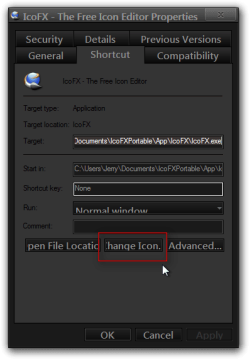
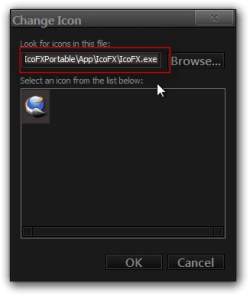
So, at first I couldn't change an Icon of Minecraft, then I created a shortcut by Right Clicking then I changed the Icon.
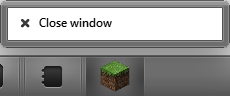
I pinned it to my Taskbar. Another Window opened (of Minecraft) with Default Icon.
I used Resource Hacker to change Icon Group/1001/0

"Minecraft Icon", it was meant to say "Another Minecraft Window Opens" so basically that black minecraft icon is a shortcut to Minecraft on the right.
Icon I am trying to change it to is attatched.
It's the only Icon I can't change
Basically I want to make the black icon be the only window and open Minecraft in the black icon window only.
The right/default icon is the one that the Minecraft game window opens from
All help is appreciated.
I pinned it to my Taskbar. Another Window opened (of Minecraft) with Default Icon.
I used Resource Hacker to change Icon Group/1001/0
"Minecraft Icon", it was meant to say "Another Minecraft Window Opens" so basically that black minecraft icon is a shortcut to Minecraft on the right.
Icon I am trying to change it to is attatched.
It's the only Icon I can't change
Basically I want to make the black icon be the only window and open Minecraft in the black icon window only.
The right/default icon is the one that the Minecraft game window opens from
All help is appreciated.
Attachments
Last edited:
My Computer
- Computer type
- PC/Desktop
- Computer Manufacturer/Model Number
- Novatech iRush Pro
- OS
- Windows 7 Ultimate SP1 - 64 Bit
- CPU
- Intel Core i5 2500k
- Motherboard
- Foxconn H67M-S/H67M-V/H67
- Memory
- 2x4GB DDR3 1333Hz
- Graphics Card(s)
- Ati Radeon 6770
- Sound Card
- None
- Monitor(s) Displays
- Samsung S22B150
- Screen Resolution
- 1920x1080
- Hard Drives
- 2x500GB
- PSU
- 500W
- Cooling
- Fan
- Keyboard
- HP KU0316
- Mouse
- Wireless Logitech M185
- Internet Speed
- 20MB/s
- Antivirus
- Avast Free
- Browser
- Google Chrome
- Other Info
- Logitech M185 Mouse
KU-M316 Keyboard