
chkdsk ran 8 hrs, then black screen, then weird startup screen, then..

KayronLim

New member
Member
Local time
11:56 PM
Messages
25
... after 15 minutes of hanging in that weird startup screen, considering whether to hard reboot or not, it went into start repair (still there now)...

To make a long story short, I suspected something wrong with my hard drive due to a software giving me an i/o error, after some research (I am not knowledgable when it comes to computers), I ran chkdsk, when I woke up it was still running as it should be (in the process of 'replacing bad clusters' for certain files... so there was something wrong alright) and was at 28%.

After leaving my computer for ten minutes, I found my computer had gone to a black screen and seeing as I was reluctant to do a hard reboot, I waited it out and it moved to a windows safe mode startup screen... but only the big cursor and standard background was present, nothing else (see attached picture). After ten minutes it went to startup repair, which has been running for the past half hour.

What has happened during the ten minutes I was away and chkdsk was still only at 28%, why did the subsequent events unfold as they did? What can I do now??
 

Attachments
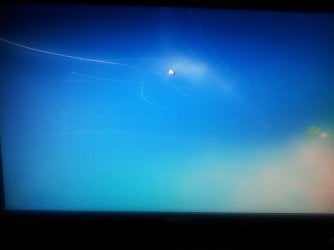
  • 2013-02-07 08.52.16.jpg
    2013-02-07 08.52.16.jpg
    334.7 KB · Views: 197

My Computer My Computer

At a glance

windows 7
OS
windows 7

My Computer My Computer

At a glance

Desk1 7 Home Prem / Desk2 10 Pro / Main lap A...Desk1 i5 3750K / Laptop i7 GTX 860M / Desk2 i...Desk1 8GB (1866) / Desk2 16GB (1333) / Laptop...Desk 1& 2NVidia GTX 650 & Laptops on board Intel
Computer type
PC/Desktop
Computer Manufacturer/Model Number
Own build (new) Desk1 / Asus ROG Win 7 / Desk2 1st build
OS
Desk1 7 Home Prem / Desk2 10 Pro / Main lap Asus ROG 10 Pro 2 laptop Toshiba 7 Pro Asus P2520 7 & 10
CPU
Desk1 i5 3750K / Laptop i7 GTX 860M / Desk2 i5 2500
Motherboard
Desk1 Asus P877-V / Desk2 Gigabyte H67 UD3H / Laptop ?
Memory
Desk1 8GB (1866) / Desk2 16GB (1333) / Laptop 8Gb DDR3
Graphics Card(s)
Desk 1& 2NVidia GTX 650 & Laptops on board Intel
Sound Card
Desk 1 & 2 -XONAR DG Realtek High Def audio Laptop
Monitor(s) Displays
Desk 1 Benq HD 2450 / Desk2 Philips 24" / Laptop 17.5"
Screen Resolution
1920x1080 D1 & D2 & Laptop 1
Hard Drives
Desk1 Samsung 120GB 830 SSD
Asus ROG 256GB 850 Pro SSD
Desk2 Samsung 840 256 SSD
Toshiba 120GB EVO
PSU
Desk 1 Corsair HX 1050/ Laptop ? / Desk 2 Corsair HX 650
Case
Desk 1 Cooler HAF XM ? Toshiba laptop / Desk2 Coolermaster
Cooling
Fans on all Desk1 -2 Desk2 - all Coolermasters 5 Laptop ?
Keyboard
Desk 1 MS Sidewinder X6 Desk 2 MS Sidewinder X 4
Mouse
Desk 1&2 - Gigabyte MS 900 gamer - laptop - Logitec wireless
Internet Speed
ADSL2+
Other Info
One other Desktop (tester) and spare Toshba laptop both with SSD's
Running Kaspersky 2016 ISS on all machines config'd identically
Logitec audio stereo systems on each machine (x3)
Canon MG5250MFC
Router/modem TP-Link running WPA2SK
Hi, I couldn't get IN safe mode, it ran startup repair by itself and I believe the reason that it took 24 hours was because my hard drive was already in a bad way... So now I wake up and find a SMART message telling me that the hdd failure is imminent and that I should back up things.

Too late thought, when I choose the option to get into windows, it goes very slow and a blue screen flashes, bringing me back to the choice of doing a startup repair or try again. Sigh.
 

My Computer My Computer

At a glance

windows 7
OS
windows 7
Hum Kayron looks like it might be the end of the drive mate how old is it?

I suppose you didn't do any back up or images of the system?

Just as a matter of interst some machine specs would be handy too.
 

My Computer My Computer

At a glance

Desk1 7 Home Prem / Desk2 10 Pro / Main lap A...Desk1 i5 3750K / Laptop i7 GTX 860M / Desk2 i...Desk1 8GB (1866) / Desk2 16GB (1333) / Laptop...Desk 1& 2NVidia GTX 650 & Laptops on board Intel
Computer type
PC/Desktop
Computer Manufacturer/Model Number
Own build (new) Desk1 / Asus ROG Win 7 / Desk2 1st build
OS
Desk1 7 Home Prem / Desk2 10 Pro / Main lap Asus ROG 10 Pro 2 laptop Toshiba 7 Pro Asus P2520 7 & 10
CPU
Desk1 i5 3750K / Laptop i7 GTX 860M / Desk2 i5 2500
Motherboard
Desk1 Asus P877-V / Desk2 Gigabyte H67 UD3H / Laptop ?
Memory
Desk1 8GB (1866) / Desk2 16GB (1333) / Laptop 8Gb DDR3
Graphics Card(s)
Desk 1& 2NVidia GTX 650 & Laptops on board Intel
Sound Card
Desk 1 & 2 -XONAR DG Realtek High Def audio Laptop
Monitor(s) Displays
Desk 1 Benq HD 2450 / Desk2 Philips 24" / Laptop 17.5"
Screen Resolution
1920x1080 D1 & D2 & Laptop 1
Hard Drives
Desk1 Samsung 120GB 830 SSD
Asus ROG 256GB 850 Pro SSD
Desk2 Samsung 840 256 SSD
Toshiba 120GB EVO
PSU
Desk 1 Corsair HX 1050/ Laptop ? / Desk 2 Corsair HX 650
Case
Desk 1 Cooler HAF XM ? Toshiba laptop / Desk2 Coolermaster
Cooling
Fans on all Desk1 -2 Desk2 - all Coolermasters 5 Laptop ?
Keyboard
Desk 1 MS Sidewinder X6 Desk 2 MS Sidewinder X 4
Mouse
Desk 1&2 - Gigabyte MS 900 gamer - laptop - Logitec wireless
Internet Speed
ADSL2+
Other Info
One other Desktop (tester) and spare Toshba laptop both with SSD's
Running Kaspersky 2016 ISS on all machines config'd identically
Logitec audio stereo systems on each machine (x3)
Canon MG5250MFC
Router/modem TP-Link running WPA2SK
Download the maker's HD Diagnostics DOS CD scan, burn to CD using Windows Image Burner, boot to run extended scan.

Next run another full Disk Check (Option 2) from Win7 installer System Recovery Options or Repair CD Command Line.

Alternative method: download free Partition Wizard bootable CD, burn to CD using Windows Image Burner, boot to run Partition Wizard Partition surface test, followed by Partition Wizard Check File System.

If HD passes both tests, work through the steps for Troubleshooting Windows 7 Failure to Start. The installer is provided in Step 5 to use for repairs or if necessary reinstall.
 
Back
Top