alleyoop,
We have several tutorials on installing, covering all possibilities.
Personally, I always make a 100% clean install.
As far as moving the folders, I do such all of the time.
Do NOT move the program folders or program data folders.
Move such folders as Music, Videos, Pictures, Documents.
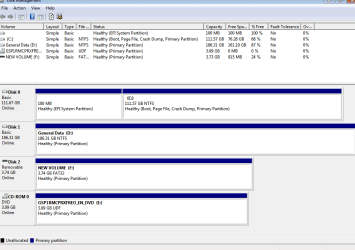
Helpful would be for us to know the sizes of the two disks that you will be using.
Put Windows, all programs and program data on one disk. After that, it's your call but there is no sense in putting small folders such as bookmarks on your larger drive.
Not sure if I understand or agree with the program folders or data comment. I know on my old PC it was quite large and hindered system performance.
I also just made the jump to a SSD drive 60GB that I'm running in an older PC, which has improved it quite a bit, but now that I'm installing a new Windows 7 OS on the PC and I'd like to keep the SSD clean for just the OS, and maybe a few other files that can benefit from SSD speed. My data drive is 2TB for all the programs, art, music, video and other large data items.
I'm aware that moving the programs and users files to another drive can cause an issue at some point, BUT is a there a hybrid approach (like leaving the ADMINISTRATOR account on the SSD) that entails moving ONLY some user accounts to a larger drive. I can't emagine that the admin account will grow larger if I'm using my own user account(s) for all the data, media, music, docs and other items so it could remain on the SSD. That way if my user links were severed or my SSD loaded a bit to fast for the HDD one day that the system will have the admin and default accounts and hopefully won't go crazy since it can use one of those to startup. It also won't leave me locked out of the system or attempt to recreate new default accounts.
So my question is can I redirect or link just inside the USERS folder not the whole folder itself and thus avoid problems down the road? Since my SSD is only 60GB, and almost half full now with clean OS and OFFICE. I would just relocate users as required, for example the account "Student".
If I can get away with leaving programs on the SSD, or just some of the major ones that might be an option, but I don't have space for everything nor do i want to clutter up the OS drive.
What about doing these links as a safer alternative:
robocopy "C:\Users\Student" "F:\Users\Student" /COPYALL /MIR /XJ
robocopy "C:\Program Files" "F:\Program Files" /COPYALL /MIR /XJ
robocopy "C:\Program Files (x86)" "F:\Program Files (x86)" /COPYALL /MIR /XJ
robocopy "C:\ProgramData" "F:\ProgramData" /COPYALL /MIR /XJ
rmdir "C:\Users\Student" /S /Q
rmdir "C:\Program Files" /S /Q
rmdir "C:\Program Files (x86)" /S /Q
rmdir "C:\ProgramData" /S /Q
mklink "C:\Users\Student" "F:\Users\Student" /J
mklink "C:\Program Files" "F:\Program Files" /J
mklink "C:\Program Files (x86)" "F:\Program Files (x86)" /J
mklink "C:\ProgramData" "F:\ProgramData" /J
In another post somewhere I saw a comment that the AppData account needs to be copied but from what I can see it's part of each user account folder so it will be copied anyway not sure why it was pointed out as a separte item. Yes it's hidden but the command switches above take care of hidden folders and sub foldes. Maybe it's different in Vista or the non X64 version? Some of the discussion started in older forums.
Any issues seen with only taking part of the accounts to a new drive and leaving the other default and admin users intact for emergency or maintenance reasons?
Did I include everything that is required when entering data at the command line level in the recovery console?
Other insights and comments?
Henry


 ).
).