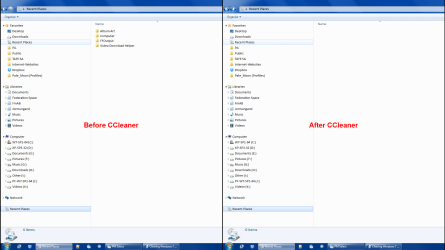
I have searched everywhere on the Internet, including Microsoft Support and Community, for a solution to this problem. I am looking for a way to clear the Recent Places list. I can clear Recent Items. In fact, almost all of the solutions for clearing Recent Places that a search turns up actually clears Items. But nothing does a mass clearing of Places.
I can right-click on the Recent Places icon in my task bar and the right-click on any single place, then delete that. But then the next visited place just scrolls up into view. Nowhere can I find an option for clearing all recent places in the list. I have tried searching for Recent places in the Start Menu, in the Explorer Location Bar and elsewhere, but every option that eventually comes up applies only to Recent Items.
Anyone have any ideas?
Thanks...
CBinLA
I can right-click on the Recent Places icon in my task bar and the right-click on any single place, then delete that. But then the next visited place just scrolls up into view. Nowhere can I find an option for clearing all recent places in the list. I have tried searching for Recent places in the Start Menu, in the Explorer Location Bar and elsewhere, but every option that eventually comes up applies only to Recent Items.
Anyone have any ideas?
Thanks...
CBinLA
My Computer
At a glance
Windows 7 Enterprise 64Intel i3 550Kingston 8 GB DIMM DDR3 1600AMD Radeon HD 6670 1 GB DDR5
- Computer type
- PC/Desktop
- Computer Manufacturer/Model Number
- custom build
- OS
- Windows 7 Enterprise 64
- CPU
- Intel i3 550
- Motherboard
- Asus P755DD-E LX
- Memory
- Kingston 8 GB DIMM DDR3 1600
- Graphics Card(s)
- AMD Radeon HD 6670 1 GB DDR5
- Hard Drives
- WDC 500GB SATA300
WDC 2TB SATA300
WDC 3TB SATA600
- Antivirus
- Avast Pro
- Browser
- Pale Moon