
CMOS Settings Wrong

Deathgazer

New member
Local time
10:46 AM
Messages
29
Sigh, back for another problem.

PC is about 2 months old now. About 2 weeks ago I started receiving an error
message while booting up. Very shortly after I boot up the PC, I receive a black
screen that points to "CMOS Settings Wrong" "Date/Time not set".

Press F1 to run SETUP, Press F2 to load default values and continue. Or something like that. At first I just pressed F2, it booted up normally, except my date and time were wrong. Went ahead and fixed it, np. A few days and some restarts later (doesn't do it during EVERY restart, but definitely some), I boot up and get the same message. This time I hit F1 and put in the correct date and time. I hit the save hotkey and it boots up normally with the time and date I just entered, np.

Basically, same problem, a few restarts or so days later, same thing all over again, regardless of if I F2 or F1. Most of them were normal restarts, nothing strange, although this time I was playing CoD: MW2 when the game froze up/sound skipping, so I turned the PC off, tried to turn the PC back on, and nothing... I know the mobo had power, the mobo light was on. Although pushing the power button did nothing.. I turned off the back power switch, replugged the power plug, turned the power switch back on, the mobo light lit back up, pushed the power button on the front, nothing... Tried this for a lil while with no luck. Ended up going to watch some TV, then I heard the boot sound and it had booted back up.

Whats the deal? I heard somewhere it might be a bad BIOS battery? Possibly dying on me? After a quick glimpse I couldn't find anything that resembled one on the mobo, but it's a bit late/dark and I might have missed it.

This is a desktop. Plenty of cooling, and never overclocked. Only thing that was done to the PC was took out a bad ram stick a few weeks or so ago.
 

My Computer

Computer Manufacturer/Model Number
Custom
OS
Windows 7 64-bit OEM
CPU
i7 920 (stock)
Motherboard
Asus Sabertooth x58
Memory
6GB Triple Channel
Graphics Card(s)
XFX HD 6870
Monitor(s) Displays
Asus 23.6" x2
Screen Resolution
3960x1080
Hard Drives
1TB
PSU
1200 watt
Case
Lancool Lian Li
Cooling
Good air cooling
Keyboard
G510
Mouse
G9x
Internet Speed
Cable
Other Info
Last format: February 3, 2012
Antivirus: Avast Internet Security
Sigh, back for another problem.

PC is about 2 months old now. About 2 weeks ago I started receiving an error
message while booting up. Very shortly after I boot up the PC, I receive a black
screen that points to "CMOS Settings Wrong" "Date/Time not set".

Press F1 to run SETUP, Press F2 to load default values and continue. Or something like that. At first I just pressed F2, it booted up normally, except my date and time were wrong. Went ahead and fixed it, np. A few days and some restarts later (doesn't do it during EVERY restart, but definitely some), I boot up and get the same message. This time I hit F1 and put in the correct date and time. I hit the save hotkey and it boots up normally with the time and date I just entered, np.

Basically, same problem, a few restarts or so days later, same thing all over again, regardless of if I F2 or F1. Most of them were normal restarts, nothing strange, although this time I was playing CoD: MW2 when the game froze up/sound skipping, so I turned the PC off, tried to turn the PC back on, and nothing... I know the mobo had power, the mobo light was on. Although pushing the power button did nothing.. I turned off the back power switch, replugged the power plug, turned the power switch back on, the mobo light lit back up, pushed the power button on the front, nothing... Tried this for a lil while with no luck. Ended up going to watch some TV, then I heard the boot sound and it had booted back up.

Whats the deal? I heard somewhere it might be a bad BIOS battery? Possibly dying on me? After a quick glimpse I couldn't find anything that resembled one on the mobo, but it's a bit late/dark and I might have missed it.

This is a desktop. Plenty of cooling, and never overclocked. Only thing that was done to the PC was took out a bad ram stick a few weeks or so ago.

your battery CMOS is low.. you have to change new one of it..and after that change the setting data/time on BIOS.
 

My Computer

Computer Manufacturer/Model Number
built up
OS
windows 7
CPU
Phenom II AMD Dragon 3.5Ghz
Memory
DDR3 4GB
Graphics Card(s)
ATI Radeon 512Mb
Monitor(s) Displays
HP L1506
Screen Resolution
1152 x 864
Hard Drives
WDC 1 TB SATA-II Green Power
Keyboard
HP wireless keyboard
Mouse
HP Optic
Internet Speed
1GB
Do we have this right, the PC is 2 months old and you have alredy replaced one stick of ram...

Your specs say the manufacturer is Velocity Micro. From your post it appears to be a mobo problem, so have you contacted Velocity?

Did they replace the bad ram or did you purchase else ware?

They should be your first course of action...
 

My Computer

Computer Manufacturer/Model Number
Home Grown
OS
Windows 7 Ultimate (64)
CPU
i7-2600K
Motherboard
Asus P8P67-M Pro
Memory
G.SKILL Ripjaws X Series 8GB (2 x 4GB)
Graphics Card(s)
ATI 5750
Sound Card
On-Board
Monitor(s) Displays
LG W2486L
Screen Resolution
1920X1080
Hard Drives
Intel X-25M 80 Gig SSD | Intel X-25M 160 Gig SSD | WD Black 500MB - External eSata
PSU
Zalman ZM770-XT 770 Watts
Case
Antec 180 mini
Cooling
Cooler Master V8
Internet Speed
15MB - Cable
Other Info
Sissy OC - 4.6 @ 1.3175 24/7 | 18' Idle - 55' Load
It is silver and about the size of a dime. Can`t believe a 2 month old pc needs a new cmos battery but it does sound like the culprit.
 

My Computer

Computer Manufacturer/Model Number
Myself
OS
Windows 7 Ultimate 64Bit
CPU
C2D E8200
Motherboard
XFX 750i
Memory
8GB PNY PC2-6400
Graphics Card(s)
BFG 9600GT x 2
Sound Card
Stock XFX Optical
Monitor(s) Displays
Gateway 22" HD Display
Hard Drives
C: 1 TB G: 500 GB H: 500 GB
PSU
Ultra LSP 550 Pro Lifetime Series
Case
Xion2
Cooling
ThermalTake
Ah thanks, was hoping to narrow down the problem before I let Velocity Micro know. And yeah... it's still pretty new and they've already had to send me a new stick of ram to replace the bad one. And now this. I think this started happening around the same day or right after I took out the bad stick of ram. (didn't get the new stick till a few weeks later)

Aside from the hardware issues it's a good PC. Thanks for the info, 'hopefully' it will be an easy fix.
 

My Computer

Computer Manufacturer/Model Number
Custom
OS
Windows 7 64-bit OEM
CPU
i7 920 (stock)
Motherboard
Asus Sabertooth x58
Memory
6GB Triple Channel
Graphics Card(s)
XFX HD 6870
Monitor(s) Displays
Asus 23.6" x2
Screen Resolution
3960x1080
Hard Drives
1TB
PSU
1200 watt
Case
Lancool Lian Li
Cooling
Good air cooling
Keyboard
G510
Mouse
G9x
Internet Speed
Cable
Other Info
Last format: February 3, 2012
Antivirus: Avast Internet Security
...Aside from the hardware issues it's a good PC. Thanks for the info, 'hopefully' it will be an easy fix.
Interesting post... They provided the hardware, yet aside from the hardware issues it's a "Good PC"... :rolleyes:

Good luck with this...
 

My Computer

Computer Manufacturer/Model Number
Home Grown
OS
Windows 7 Ultimate (64)
CPU
i7-2600K
Motherboard
Asus P8P67-M Pro
Memory
G.SKILL Ripjaws X Series 8GB (2 x 4GB)
Graphics Card(s)
ATI 5750
Sound Card
On-Board
Monitor(s) Displays
LG W2486L
Screen Resolution
1920X1080
Hard Drives
Intel X-25M 80 Gig SSD | Intel X-25M 160 Gig SSD | WD Black 500MB - External eSata
PSU
Zalman ZM770-XT 770 Watts
Case
Antec 180 mini
Cooling
Cooler Master V8
Internet Speed
15MB - Cable
Other Info
Sissy OC - 4.6 @ 1.3175 24/7 | 18' Idle - 55' Load
Battery on MB looks similar to this pic ! A very common battery ID # is 2032
 

Attachments

  • Battery_on_Motherboard.JPG
    Battery_on_Motherboard.JPG
    44.1 KB · Views: 37

My Computer

Computer type
PC/Desktop
Computer Manufacturer/Model Number
Built them myself, Science Experiments !
OS
Win7 Enterprise, Win7 x86 (Ult 7600), Win7 x64 Ult 7600, TechNet RTM on AMD x64 (2.8Ghz)
CPU
AMD fx8350 4ghz, AMD-32 2400mhz, AMD-64 3200mhz, AMDx64 2.8G
Motherboard
SIS 755, ECS-K8M890M-M (Ult 7600), GigaByte & others
Memory
2gb, 4gb on the Ult 7600, 4gb on Technet RTM, 32gb on FX8350
Graphics Card(s)
Draw my own Graphics, several nVidia cards
Sound Card
on motherboard
Monitor(s) Displays
19" flat scr, 28" I-Inc widescr,22" Emprex Widescr, 23" Acer
Screen Resolution
1280 x 1024, 1440 x 900, 1920 x 1080
Hard Drives
6 pata Ide HD's & 2 Sata HD's
added 80gb external on Ult 7600 computer,
numerous extra 1tb, 2TB, 3Tb SATA HD's
A collection of ext HD Docks w/ HDs
PSU
430w, 550w, 600w, 700, 800, etc
Case
All Generic Full Towers
Cooling
Open Air & a few fans, some w/ colored LEDs
Keyboard
Compaq & Dell recycled from GoodWill
Mouse
Made in China Optical Wired Mouse
Internet Speed
Fast Cable InterNet
Antivirus
AVG Free on 24 different Desktops, NO Problems!
Browser
IE 8 is preferred, but use FireFox sometimes
Other Info
Linksys Routers, switches, & Hubs
Too Many USB Flash Drives to count, Biggest is 64GB !
Eight computers in my home network.
Sixteen computers at my business network.
Linked via TeamViewer !
Lots of old used spare computer parts everywhere!

My Computer

Computer Manufacturer/Model Number
built up
OS
windows 7
CPU
Phenom II AMD Dragon 3.5Ghz
Memory
DDR3 4GB
Graphics Card(s)
ATI Radeon 512Mb
Monitor(s) Displays
HP L1506
Screen Resolution
1152 x 864
Hard Drives
WDC 1 TB SATA-II Green Power
Keyboard
HP wireless keyboard
Mouse
HP Optic
Internet Speed
1GB

My Computer

Computer Manufacturer/Model Number
Custom
OS
Windows 7 64-bit OEM
CPU
i7 920 (stock)
Motherboard
Asus Sabertooth x58
Memory
6GB Triple Channel
Graphics Card(s)
XFX HD 6870
Monitor(s) Displays
Asus 23.6" x2
Screen Resolution
3960x1080
Hard Drives
1TB
PSU
1200 watt
Case
Lancool Lian Li
Cooling
Good air cooling
Keyboard
G510
Mouse
G9x
Internet Speed
Cable
Other Info
Last format: February 3, 2012
Antivirus: Avast Internet Security

Attachments

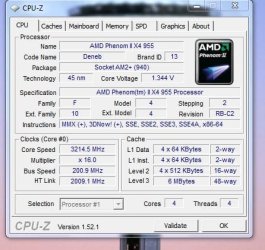
  • cpu-z_PHENOM-955.JPG
    cpu-z_PHENOM-955.JPG
    47.1 KB · Views: 34
  • cpuz_151.zip
    cpuz_151.zip
    616 KB · Views: 286

My Computer

Computer type
PC/Desktop
Computer Manufacturer/Model Number
Built them myself, Science Experiments !
OS
Win7 Enterprise, Win7 x86 (Ult 7600), Win7 x64 Ult 7600, TechNet RTM on AMD x64 (2.8Ghz)
CPU
AMD fx8350 4ghz, AMD-32 2400mhz, AMD-64 3200mhz, AMDx64 2.8G
Motherboard
SIS 755, ECS-K8M890M-M (Ult 7600), GigaByte & others
Memory
2gb, 4gb on the Ult 7600, 4gb on Technet RTM, 32gb on FX8350
Graphics Card(s)
Draw my own Graphics, several nVidia cards
Sound Card
on motherboard
Monitor(s) Displays
19" flat scr, 28" I-Inc widescr,22" Emprex Widescr, 23" Acer
Screen Resolution
1280 x 1024, 1440 x 900, 1920 x 1080
Hard Drives
6 pata Ide HD's & 2 Sata HD's
added 80gb external on Ult 7600 computer,
numerous extra 1tb, 2TB, 3Tb SATA HD's
A collection of ext HD Docks w/ HDs
PSU
430w, 550w, 600w, 700, 800, etc
Case
All Generic Full Towers
Cooling
Open Air & a few fans, some w/ colored LEDs
Keyboard
Compaq & Dell recycled from GoodWill
Mouse
Made in China Optical Wired Mouse
Internet Speed
Fast Cable InterNet
Antivirus
AVG Free on 24 different Desktops, NO Problems!
Browser
IE 8 is preferred, but use FireFox sometimes
Other Info
Linksys Routers, switches, & Hubs
Too Many USB Flash Drives to count, Biggest is 64GB !
Eight computers in my home network.
Sixteen computers at my business network.
Linked via TeamViewer !
Lots of old used spare computer parts everywhere!
Sure thing:
cpuzk.png
 

My Computer

Computer Manufacturer/Model Number
Custom
OS
Windows 7 64-bit OEM
CPU
i7 920 (stock)
Motherboard
Asus Sabertooth x58
Memory
6GB Triple Channel
Graphics Card(s)
XFX HD 6870
Monitor(s) Displays
Asus 23.6" x2
Screen Resolution
3960x1080
Hard Drives
1TB
PSU
1200 watt
Case
Lancool Lian Li
Cooling
Good air cooling
Keyboard
G510
Mouse
G9x
Internet Speed
Cable
Other Info
Last format: February 3, 2012
Antivirus: Avast Internet Security

My Computer

Computer Manufacturer/Model Number
built up
OS
windows 7
CPU
Phenom II AMD Dragon 3.5Ghz
Memory
DDR3 4GB
Graphics Card(s)
ATI Radeon 512Mb
Monitor(s) Displays
HP L1506
Screen Resolution
1152 x 864
Hard Drives
WDC 1 TB SATA-II Green Power
Keyboard
HP wireless keyboard
Mouse
HP Optic
Internet Speed
1GB
The brief introduuction of your mobo is here, and you can download its manual here.
 

My Computer

OS
Server 2008 R2 SP1, Win7 x64 Pro SP1
CPU
Intel Core 2 Duo E6700 @3.3GHz
Motherboard
ASUS P5W DH DELUXE
Memory
Transcend DDRII 800 4GB (2 x 2GB )
Graphics Card(s)
GeForce 7950GX2
Sound Card
Realtek ALC882M Integrated on board
Monitor(s) Displays
ACER AL2723 27" LCD
Screen Resolution
1920x1200
Hard Drives
WD 6401 AALS 640G x 1
Seagate 160 GB (Barracuda 7200.7) x 2
PSU
Zippy PSL-6720P(G1)720W
Case
Thermaltake Kandalf VA9000SWA
Cooling
Zalman CNPS9500
Keyboard
Standard
Mouse
Standard
Internet Speed
10M, Cable
Other Info
Above is one of my desktops.
Probably just a batch of batteries that have been sitting too long before being installed and there it is between the pci slots...easy to get to(just like changing a watch battery). Good luck with this issue, sounds like a reasonable machine to me and the fact they took care of the ram is a good sign (hardware failures can and do occur...usually reasonably soon after install or new pc startup (this has been my experience....if it doesn't fail in the first 60 days it will usually last a long time)).
 

My Computer

Computer Manufacturer/Model Number
Systemax N2000 Gaming PC
OS
Windows 7 Ultimate x64
CPU
Q6600 @2.4ghz (G0 stepping)
Motherboard
XFX nforce 680i LT
Memory
8 gb OCZ vista essential sli PC-6400
Graphics Card(s)
Dual 9800gt in SLI mode
Sound Card
Integrated 8.1 High Definition Audio
Monitor(s) Displays
Dual Sceptre x246w 24 inch monitors
Screen Resolution
1920 x 1200 each monitor
Hard Drives
500 GB SATA II / 7500 rpm
PSU
Cooler Master Real Power Pro 1250W
Case
N2000 server tower
Cooling
Thermaltake Bigwater 760 is
Keyboard
MS Intelitype 6000 v2.0
Mouse
MS Intelipoint 6000
Internet Speed
Wi-power 1.5GB up / 512k down
Other Info
Windows 7 Ultimate x64, Windows 7 Pro x64, Windows Home Premium X86, Windows XP pro, Windows Home Server x86, Ubuntu 10.4 x86 and x64, Ubuntu server 10.4, SQL Server 2005, MySQL 5.0
your battery CMOS is low.. you have to change new one of it..and after that change the setting data/time on BIOS.

It might also just be not locked into it's holder correctly...
The easy way to find out is to lift it out and snap it back in. If the problem goes away, they're all set.
 

My Computer

Computer Manufacturer/Model Number
Homebrew
OS
XP Pro SP3 X86 / Win7 Pro X86
CPU
Amd 64 x2 4200 (2.4ghz)
Motherboard
Asus M2N-MX SE Plus
Memory
Kingston DDR2 800 2gb
Graphics Card(s)
Nvidia GF-8400
Sound Card
Realtek on Motherboard
Monitor(s) Displays
Acer x-193bw
Screen Resolution
1440 x 900
Hard Drives
Western Digital 500g
PSU
350watt In-Win
Case
In-Win
Cooling
Air
Keyboard
yes
Mouse
yes
Internet Speed
5mpbs
Other Info
Also ASRock ION 330 as HTPC (on XP).
Acer Aspire as GP netbook (on XP).
Thought I fixed the problem but it's back again.. Screen froze on a black screen while I was asleep. Didn't respond to anything so I had to do a hard-shutdown. Proceeded to hit the power button to boot it back up... nothing, did not power up at all, although the motherboard light was on so it's definitely getting power. Went afk, about 10 to 15 minutes later the PC powered itself up but the monitor wasn't getting a signal. Had to hard reboot again. Same thing all over again. PC shut off, hit power button, 10ish minutes later it powers on. "No Signal" on the monitor.

Tried it again... Hard shutdown, hit power button, 10 minutes later it powers on. Monitor loads up this time and I get the "CMOS SETTINGS WRONG" "DATE/TIME NOT SET" screen. Hit F2, desktop loads up, I start up firefox, then the computer seems to stop responding. The mouse cursor moved around fine, although nothing seemed to be loading up or responding. CTRL+Shift+Escape.. nothing. Hit CTRL+ALT+DEL and it took me to a pure black screen and stayed there. Had to hard shutdown again....

Anyone know what the problem could be? I replaced the CMOS battery a few weeks ago and it wasn't have any trouble until today. Maybe it's another bad battery or not seated right? Although that's hard to believe. Or could it be something else since it takes so long just to decide to power up?

Thanks again :(
 

My Computer

Computer Manufacturer/Model Number
Custom
OS
Windows 7 64-bit OEM
CPU
i7 920 (stock)
Motherboard
Asus Sabertooth x58
Memory
6GB Triple Channel
Graphics Card(s)
XFX HD 6870
Monitor(s) Displays
Asus 23.6" x2
Screen Resolution
3960x1080
Hard Drives
1TB
PSU
1200 watt
Case
Lancool Lian Li
Cooling
Good air cooling
Keyboard
G510
Mouse
G9x
Internet Speed
Cable
Other Info
Last format: February 3, 2012
Antivirus: Avast Internet Security
Just replaced the CMOS battery again. Didn't seem to help anything. PC doesn't seem to want to power up at all now.

Edit: It powered on like an hour after I messed with it... ugh
 
Last edited:

My Computer

Computer Manufacturer/Model Number
Custom
OS
Windows 7 64-bit OEM
CPU
i7 920 (stock)
Motherboard
Asus Sabertooth x58
Memory
6GB Triple Channel
Graphics Card(s)
XFX HD 6870
Monitor(s) Displays
Asus 23.6" x2
Screen Resolution
3960x1080
Hard Drives
1TB
PSU
1200 watt
Case
Lancool Lian Li
Cooling
Good air cooling
Keyboard
G510
Mouse
G9x
Internet Speed
Cable
Other Info
Last format: February 3, 2012
Antivirus: Avast Internet Security
Update: Computer is powering up fine now, although it's still giving me the CMOS SETTINGS WRONG DATE/TIME NOT SET message on boot. Even though I've changed the cmos battery twice..
 

My Computer

Computer Manufacturer/Model Number
Custom
OS
Windows 7 64-bit OEM
CPU
i7 920 (stock)
Motherboard
Asus Sabertooth x58
Memory
6GB Triple Channel
Graphics Card(s)
XFX HD 6870
Monitor(s) Displays
Asus 23.6" x2
Screen Resolution
3960x1080
Hard Drives
1TB
PSU
1200 watt
Case
Lancool Lian Li
Cooling
Good air cooling
Keyboard
G510
Mouse
G9x
Internet Speed
Cable
Other Info
Last format: February 3, 2012
Antivirus: Avast Internet Security
sound's great..for your information..the CMOS battery for CPU standard is about 3A of electric, so just make sure that's the battery have least 3A on it.
 

My Computer

Computer Manufacturer/Model Number
built up
OS
windows 7
CPU
Phenom II AMD Dragon 3.5Ghz
Memory
DDR3 4GB
Graphics Card(s)
ATI Radeon 512Mb
Monitor(s) Displays
HP L1506
Screen Resolution
1152 x 864
Hard Drives
WDC 1 TB SATA-II Green Power
Keyboard
HP wireless keyboard
Mouse
HP Optic
Internet Speed
1GB
It's a "CR2032 Lithium Battery SUPER 3V"
 

My Computer

Computer Manufacturer/Model Number
Custom
OS
Windows 7 64-bit OEM
CPU
i7 920 (stock)
Motherboard
Asus Sabertooth x58
Memory
6GB Triple Channel
Graphics Card(s)
XFX HD 6870
Monitor(s) Displays
Asus 23.6" x2
Screen Resolution
3960x1080
Hard Drives
1TB
PSU
1200 watt
Case
Lancool Lian Li
Cooling
Good air cooling
Keyboard
G510
Mouse
G9x
Internet Speed
Cable
Other Info
Last format: February 3, 2012
Antivirus: Avast Internet Security
Back
Top