Command Center wants to make changes to my computer, can't click no

Download avastclear.exe on your desktop

Should I move it from my downloads to my desktop? I can't save files when I download them.

It honestly should not matter. Just open it, it will prompt you to restart in safe mode. Do so.

If you installed avast! in a different folder than the default, browse for it. (Note: Be careful! The content of any folder you choose will be deleted!) If you cannot find the avast folder under c\program files that is fine, just do not select a folder then.
Click REMOVE
Restart your computer

Have you done tfc like I asked?
 

My Computer My Computer

At a glance

Windows 10 ProAMD Ryzen 5 2400G Processor with Radeon RX Ve...G.SKILL Ripjaws V Series 16GB (2 x 8GB) 288-P...2047MB NVIDIA GeForce GTX 1060 6GB (EVGA)
Computer type
PC/Desktop
Computer Manufacturer/Model Number
Custom Built
OS
Windows 10 Pro
CPU
AMD Ryzen 5 2400G Processor with Radeon RX Vega 11 Graphics
Motherboard
ASRock X470 Master SLI/AC AM4 AMD Promontory X470 SATA 6Gb/s
Memory
G.SKILL Ripjaws V Series 16GB (2 x 8GB) 288-Pin DDR4 SDRAM D
Graphics Card(s)
2047MB NVIDIA GeForce GTX 1060 6GB (EVGA)
Sound Card
Motherboard Built in
Monitor(s) Displays
Acer R240HY bidx 23.8-Inch IPS HDMI DVI VGA (1920 x 1080) Wi
Screen Resolution
1920 x 1080
Hard Drives
1TB Sandisk SSD PLUS (Main drive)
500 GB Seagate 7200 RPM (Games)
500 GB Western Digital 7200 RPM (Virtual Machines)
PSU
CORSAIR TX Series TX650M 650W 80+ Gold Modular Power Supply
Case
CORSAIR CARBIDE SPEC-02 Mid-Tower Gaming Case, Red LED Fan
Cooling
220mm, two 120mm, and four 60mm fans
Keyboard
Wired Dell keyboard
Mouse
Wireless Logitech mouse
Internet Speed
250mb down, 30mb up
Antivirus
Panda Cloud Antivirus
Browser
Chrome-ish x64
Other Info
Your awesome for reading this.
No, I thought that I should remove the avast remnants first
 

My Computer My Computer

At a glance

Windows 7 Home Premium 64bit8.00 GBNvidia GeForce GTX 555
Computer type
PC/Desktop
Computer Manufacturer/Model Number
Dell (Alienware)
OS
Windows 7 Home Premium 64bit
Memory
8.00 GB
Graphics Card(s)
Nvidia GeForce GTX 555
No, I thought that I should remove the avast remnants first

Ok that is fine. Do that. After you get booted back up. Hit no (if you can) on the uac prompt for command center.
 

My Computer My Computer

At a glance

Windows 10 ProAMD Ryzen 5 2400G Processor with Radeon RX Ve...G.SKILL Ripjaws V Series 16GB (2 x 8GB) 288-P...2047MB NVIDIA GeForce GTX 1060 6GB (EVGA)
Computer type
PC/Desktop
Computer Manufacturer/Model Number
Custom Built
OS
Windows 10 Pro
CPU
AMD Ryzen 5 2400G Processor with Radeon RX Vega 11 Graphics
Motherboard
ASRock X470 Master SLI/AC AM4 AMD Promontory X470 SATA 6Gb/s
Memory
G.SKILL Ripjaws V Series 16GB (2 x 8GB) 288-Pin DDR4 SDRAM D
Graphics Card(s)
2047MB NVIDIA GeForce GTX 1060 6GB (EVGA)
Sound Card
Motherboard Built in
Monitor(s) Displays
Acer R240HY bidx 23.8-Inch IPS HDMI DVI VGA (1920 x 1080) Wi
Screen Resolution
1920 x 1080
Hard Drives
1TB Sandisk SSD PLUS (Main drive)
500 GB Seagate 7200 RPM (Games)
500 GB Western Digital 7200 RPM (Virtual Machines)
PSU
CORSAIR TX Series TX650M 650W 80+ Gold Modular Power Supply
Case
CORSAIR CARBIDE SPEC-02 Mid-Tower Gaming Case, Red LED Fan
Cooling
220mm, two 120mm, and four 60mm fans
Keyboard
Wired Dell keyboard
Mouse
Wireless Logitech mouse
Internet Speed
250mb down, 30mb up
Antivirus
Panda Cloud Antivirus
Browser
Chrome-ish x64
Other Info
Your awesome for reading this.
Should I run the scan before I restart in safe mode? whoops dont mind this I didnt see your reply when I typed this
 

My Computer My Computer

At a glance

Windows 7 Home Premium 64bit8.00 GBNvidia GeForce GTX 555
Computer type
PC/Desktop
Computer Manufacturer/Model Number
Dell (Alienware)
OS
Windows 7 Home Premium 64bit
Memory
8.00 GB
Graphics Card(s)
Nvidia GeForce GTX 555
(Wait a second after you see my reply and refresh a few times before replying. Sometimes I edit my post a few seconds later.)

Since your having problems with saving files..........tfc might be hard to run.

Try another web browser like internet explorer since I see you are using chrome. See if that allows you to save tfc to your downloads folder or desktop.

Here are the directions again:


1.) Please download and save the file TFC by Old Timer. Again, save the file to your downloads folder or your desktop. Do not run it.

Downloading TFC


2.) Close your programs before running this tool. TFC will close ALL open programs.

3.) Browse to where you saved tfc. Right click on tfc.exe and choose Run As Administrator.

4.) Click the Start button to begin the cleaning process and let it run uninterrupted to completion. When it finishes it will say total files cleaned, and the start button will be grayed out. Click exit.
Important! If TFC prompts you to reboot, please do so immediately. If not prompted, manually reboot the machine anyway to ensure a complete clean.
 

My Computer My Computer

At a glance

Windows 10 ProAMD Ryzen 5 2400G Processor with Radeon RX Ve...G.SKILL Ripjaws V Series 16GB (2 x 8GB) 288-P...2047MB NVIDIA GeForce GTX 1060 6GB (EVGA)
Computer type
PC/Desktop
Computer Manufacturer/Model Number
Custom Built
OS
Windows 10 Pro
CPU
AMD Ryzen 5 2400G Processor with Radeon RX Vega 11 Graphics
Motherboard
ASRock X470 Master SLI/AC AM4 AMD Promontory X470 SATA 6Gb/s
Memory
G.SKILL Ripjaws V Series 16GB (2 x 8GB) 288-Pin DDR4 SDRAM D
Graphics Card(s)
2047MB NVIDIA GeForce GTX 1060 6GB (EVGA)
Sound Card
Motherboard Built in
Monitor(s) Displays
Acer R240HY bidx 23.8-Inch IPS HDMI DVI VGA (1920 x 1080) Wi
Screen Resolution
1920 x 1080
Hard Drives
1TB Sandisk SSD PLUS (Main drive)
500 GB Seagate 7200 RPM (Games)
500 GB Western Digital 7200 RPM (Virtual Machines)
PSU
CORSAIR TX Series TX650M 650W 80+ Gold Modular Power Supply
Case
CORSAIR CARBIDE SPEC-02 Mid-Tower Gaming Case, Red LED Fan
Cooling
220mm, two 120mm, and four 60mm fans
Keyboard
Wired Dell keyboard
Mouse
Wireless Logitech mouse
Internet Speed
250mb down, 30mb up
Antivirus
Panda Cloud Antivirus
Browser
Chrome-ish x64
Other Info
Your awesome for reading this.
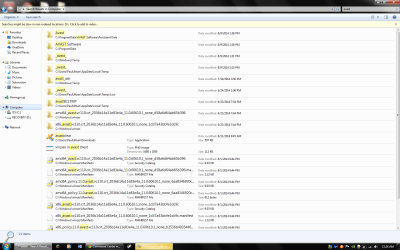
When I restarted in safe mode, I realized had no idea where the avast files are. So I restarted in normal mode (command center message didn't pop up in safe mode) and I wonder if it it's ok to just search for the files and delete them myself. Here's a picture of what I found with the name avast: I was dumb and forgot that I can't press print screen twice and have two different pictures, theres more that the search found but not much.
 

Attachments

  • avast search.png
    avast search.png
    88.4 KB · Views: 3
Last edited:

My Computer My Computer

At a glance

Windows 7 Home Premium 64bit8.00 GBNvidia GeForce GTX 555
Computer type
PC/Desktop
Computer Manufacturer/Model Number
Dell (Alienware)
OS
Windows 7 Home Premium 64bit
Memory
8.00 GB
Graphics Card(s)
Nvidia GeForce GTX 555
Did you read what I posted here? You need to slow down a little bit here.

Thanks for sticking with me so far, I just want to be cautious, do I need to have avastclear saved to my desktop or can I just run it from my downloads

No problems with being cautious :) I would follow the directions on the page:
How to uninstall our software using avastclear:
Download avastclear.exe on your desktop
When you open the tool it may prompt you to restart in safe mode. That is fine. Do so.
If you installed avast! in a different folder than the default, browse for it. (Note: Be careful! The content of any folder you choose will be deleted!) If you cannot find the avast folder under c\program files that is fine, just do not select a folder then.
Click REMOVE
Restart your computer
 

My Computer My Computer

At a glance

Windows 10 ProAMD Ryzen 5 2400G Processor with Radeon RX Ve...G.SKILL Ripjaws V Series 16GB (2 x 8GB) 288-P...2047MB NVIDIA GeForce GTX 1060 6GB (EVGA)
Computer type
PC/Desktop
Computer Manufacturer/Model Number
Custom Built
OS
Windows 10 Pro
CPU
AMD Ryzen 5 2400G Processor with Radeon RX Vega 11 Graphics
Motherboard
ASRock X470 Master SLI/AC AM4 AMD Promontory X470 SATA 6Gb/s
Memory
G.SKILL Ripjaws V Series 16GB (2 x 8GB) 288-Pin DDR4 SDRAM D
Graphics Card(s)
2047MB NVIDIA GeForce GTX 1060 6GB (EVGA)
Sound Card
Motherboard Built in
Monitor(s) Displays
Acer R240HY bidx 23.8-Inch IPS HDMI DVI VGA (1920 x 1080) Wi
Screen Resolution
1920 x 1080
Hard Drives
1TB Sandisk SSD PLUS (Main drive)
500 GB Seagate 7200 RPM (Games)
500 GB Western Digital 7200 RPM (Virtual Machines)
PSU
CORSAIR TX Series TX650M 650W 80+ Gold Modular Power Supply
Case
CORSAIR CARBIDE SPEC-02 Mid-Tower Gaming Case, Red LED Fan
Cooling
220mm, two 120mm, and four 60mm fans
Keyboard
Wired Dell keyboard
Mouse
Wireless Logitech mouse
Internet Speed
250mb down, 30mb up
Antivirus
Panda Cloud Antivirus
Browser
Chrome-ish x64
Other Info
Your awesome for reading this.
In the safe mode program there wasnt a way for me to search with keywords for items ( I could browse for it but that would take forever and the files that I found in the search are in different places) I'm pretty sure I installed avast in the default place, but all of these remnants of avast are in different folders.
 

My Computer My Computer

At a glance

Windows 7 Home Premium 64bit8.00 GBNvidia GeForce GTX 555
Computer type
PC/Desktop
Computer Manufacturer/Model Number
Dell (Alienware)
OS
Windows 7 Home Premium 64bit
Memory
8.00 GB
Graphics Card(s)
Nvidia GeForce GTX 555
In the safe mode program there wasnt a way for me to search with keywords for items ( I could browse for it but that would take forever and the files that I found in the search are in different places) I'm pretty sure I installed avast in the default place, but all of these remnants of avast are in different folders.

Please read what I said and slow down. You are posting to quick. Read everything I state and keep asking questions if need be, but make sure you are reading each response. I did not ask you to search for avast. I asked you to launch the utility, it then prompts you to restart in safe mode. Do so. Then when the utility opens, click the browse button ... and choose C\program files (check both programs files folders if you have two) and look for the folder called Avast. If it is not there, do not choose a folder and exit out. Then click uninstall.

See screenshots and do in order:

picture.php


picture.php
 

My Computer My Computer

At a glance

Windows 10 ProAMD Ryzen 5 2400G Processor with Radeon RX Ve...G.SKILL Ripjaws V Series 16GB (2 x 8GB) 288-P...2047MB NVIDIA GeForce GTX 1060 6GB (EVGA)
Computer type
PC/Desktop
Computer Manufacturer/Model Number
Custom Built
OS
Windows 10 Pro
CPU
AMD Ryzen 5 2400G Processor with Radeon RX Vega 11 Graphics
Motherboard
ASRock X470 Master SLI/AC AM4 AMD Promontory X470 SATA 6Gb/s
Memory
G.SKILL Ripjaws V Series 16GB (2 x 8GB) 288-Pin DDR4 SDRAM D
Graphics Card(s)
2047MB NVIDIA GeForce GTX 1060 6GB (EVGA)
Sound Card
Motherboard Built in
Monitor(s) Displays
Acer R240HY bidx 23.8-Inch IPS HDMI DVI VGA (1920 x 1080) Wi
Screen Resolution
1920 x 1080
Hard Drives
1TB Sandisk SSD PLUS (Main drive)
500 GB Seagate 7200 RPM (Games)
500 GB Western Digital 7200 RPM (Virtual Machines)
PSU
CORSAIR TX Series TX650M 650W 80+ Gold Modular Power Supply
Case
CORSAIR CARBIDE SPEC-02 Mid-Tower Gaming Case, Red LED Fan
Cooling
220mm, two 120mm, and four 60mm fans
Keyboard
Wired Dell keyboard
Mouse
Wireless Logitech mouse
Internet Speed
250mb down, 30mb up
Antivirus
Panda Cloud Antivirus
Browser
Chrome-ish x64
Other Info
Your awesome for reading this.
I don't have a folder called avast in either of my program files. I do have a folder called Avast Software in my Program Data folder, should I choose that folder and uninstall it?
 

My Computer My Computer

At a glance

Windows 7 Home Premium 64bit8.00 GBNvidia GeForce GTX 555
Computer type
PC/Desktop
Computer Manufacturer/Model Number
Dell (Alienware)
OS
Windows 7 Home Premium 64bit
Memory
8.00 GB
Graphics Card(s)
Nvidia GeForce GTX 555
I don't have a folder called avast in either of my program files. I do have a folder called Avast Software in my Program Data folder, should I choose that folder and uninstall it?

Ok then. Yes that is fine if you would like. The important thing is to choose the uninstall button like shown in the screenshot. This will delete all reg keys and drivers if any are found and then will prompt to restart.

Later, AFTER you rebooted from the utility, if you like you can search for and delete any folders you find with avast. But the removal tool should be fine.

Once you finish doing the above,
After you get booted back up. Hit no (if you can) on the uac prompt for command center.

Then Please do what was posted in post 25.

Click this link to go directly to the post.

Confirm with me what you have done when you finished.
 

My Computer My Computer

At a glance

Windows 10 ProAMD Ryzen 5 2400G Processor with Radeon RX Ve...G.SKILL Ripjaws V Series 16GB (2 x 8GB) 288-P...2047MB NVIDIA GeForce GTX 1060 6GB (EVGA)
Computer type
PC/Desktop
Computer Manufacturer/Model Number
Custom Built
OS
Windows 10 Pro
CPU
AMD Ryzen 5 2400G Processor with Radeon RX Vega 11 Graphics
Motherboard
ASRock X470 Master SLI/AC AM4 AMD Promontory X470 SATA 6Gb/s
Memory
G.SKILL Ripjaws V Series 16GB (2 x 8GB) 288-Pin DDR4 SDRAM D
Graphics Card(s)
2047MB NVIDIA GeForce GTX 1060 6GB (EVGA)
Sound Card
Motherboard Built in
Monitor(s) Displays
Acer R240HY bidx 23.8-Inch IPS HDMI DVI VGA (1920 x 1080) Wi
Screen Resolution
1920 x 1080
Hard Drives
1TB Sandisk SSD PLUS (Main drive)
500 GB Seagate 7200 RPM (Games)
500 GB Western Digital 7200 RPM (Virtual Machines)
PSU
CORSAIR TX Series TX650M 650W 80+ Gold Modular Power Supply
Case
CORSAIR CARBIDE SPEC-02 Mid-Tower Gaming Case, Red LED Fan
Cooling
220mm, two 120mm, and four 60mm fans
Keyboard
Wired Dell keyboard
Mouse
Wireless Logitech mouse
Internet Speed
250mb down, 30mb up
Antivirus
Panda Cloud Antivirus
Browser
Chrome-ish x64
Other Info
Your awesome for reading this.
I haven't run tfc yet, but I think this might be of some importance; When I had the avast uninstaller restart my computer I waited for about 10 minutes for my computer to shutdown and reboot, but it just kept on saying "shutting down". I decided to turn it off manually with the power button and I restarted it in safe mode. I went on with the avast uninstaller and uninstalled the avast software and restarted my computer in normal mode.
 

My Computer My Computer

At a glance

Windows 7 Home Premium 64bit8.00 GBNvidia GeForce GTX 555
Computer type
PC/Desktop
Computer Manufacturer/Model Number
Dell (Alienware)
OS
Windows 7 Home Premium 64bit
Memory
8.00 GB
Graphics Card(s)
Nvidia GeForce GTX 555
I ran tfc here are the results"

total files cleaned: 3,901.00 mb

Towards the end of the scan, libraries opened out of nowhere.

There was no prompt to reboot so I restarted the computer myself.

When my computer restarted there is a black space in my icons and I don't remember what was there, but I do remember there not being an open space.

I still received the command center prompt. Here's a picture:
 

Attachments

  • after tfc.png
    after tfc.png
    180.7 KB · Views: 0
Last edited:

My Computer My Computer

At a glance

Windows 7 Home Premium 64bit8.00 GBNvidia GeForce GTX 555
Computer type
PC/Desktop
Computer Manufacturer/Model Number
Dell (Alienware)
OS
Windows 7 Home Premium 64bit
Memory
8.00 GB
Graphics Card(s)
Nvidia GeForce GTX 555
Ok, thank you for the information. Run herdprotect again. This time remove what was showing in the screenshot from earlier. Everything above the inconclusive line. Does this make sense? Check and remove those programs. Click the item-Action-delete. Once done, and the threats removed; restart the pc. Run it again and then post a new log.

1.) Were you able to save the file (tfc) in google chrome or did you have to use internet explorer?
 

My Computer My Computer

At a glance

Windows 10 ProAMD Ryzen 5 2400G Processor with Radeon RX Ve...G.SKILL Ripjaws V Series 16GB (2 x 8GB) 288-P...2047MB NVIDIA GeForce GTX 1060 6GB (EVGA)
Computer type
PC/Desktop
Computer Manufacturer/Model Number
Custom Built
OS
Windows 10 Pro
CPU
AMD Ryzen 5 2400G Processor with Radeon RX Vega 11 Graphics
Motherboard
ASRock X470 Master SLI/AC AM4 AMD Promontory X470 SATA 6Gb/s
Memory
G.SKILL Ripjaws V Series 16GB (2 x 8GB) 288-Pin DDR4 SDRAM D
Graphics Card(s)
2047MB NVIDIA GeForce GTX 1060 6GB (EVGA)
Sound Card
Motherboard Built in
Monitor(s) Displays
Acer R240HY bidx 23.8-Inch IPS HDMI DVI VGA (1920 x 1080) Wi
Screen Resolution
1920 x 1080
Hard Drives
1TB Sandisk SSD PLUS (Main drive)
500 GB Seagate 7200 RPM (Games)
500 GB Western Digital 7200 RPM (Virtual Machines)
PSU
CORSAIR TX Series TX650M 650W 80+ Gold Modular Power Supply
Case
CORSAIR CARBIDE SPEC-02 Mid-Tower Gaming Case, Red LED Fan
Cooling
220mm, two 120mm, and four 60mm fans
Keyboard
Wired Dell keyboard
Mouse
Wireless Logitech mouse
Internet Speed
250mb down, 30mb up
Antivirus
Panda Cloud Antivirus
Browser
Chrome-ish x64
Other Info
Your awesome for reading this.
I didnt try in google chrome, I used internet explorer for the download
 

My Computer My Computer

At a glance

Windows 7 Home Premium 64bit8.00 GBNvidia GeForce GTX 555
Computer type
PC/Desktop
Computer Manufacturer/Model Number
Dell (Alienware)
OS
Windows 7 Home Premium 64bit
Memory
8.00 GB
Graphics Card(s)
Nvidia GeForce GTX 555
I didnt try in google chrome, I used internet explorer for the download

Ok so it worked in there then. Thank you :)

Do not forget to do the following posted above:

Ok, thank you for the information. Run herdprotect again. This time remove what was showing in the screenshot from earlier. Everything above the inconclusive line. Does this make sense? Check and remove those programs. Click the item-Action-delete. Once done, and the threats removed; restart the pc. Run it again and then post a new log.
 

My Computer My Computer

At a glance

Windows 10 ProAMD Ryzen 5 2400G Processor with Radeon RX Ve...G.SKILL Ripjaws V Series 16GB (2 x 8GB) 288-P...2047MB NVIDIA GeForce GTX 1060 6GB (EVGA)
Computer type
PC/Desktop
Computer Manufacturer/Model Number
Custom Built
OS
Windows 10 Pro
CPU
AMD Ryzen 5 2400G Processor with Radeon RX Vega 11 Graphics
Motherboard
ASRock X470 Master SLI/AC AM4 AMD Promontory X470 SATA 6Gb/s
Memory
G.SKILL Ripjaws V Series 16GB (2 x 8GB) 288-Pin DDR4 SDRAM D
Graphics Card(s)
2047MB NVIDIA GeForce GTX 1060 6GB (EVGA)
Sound Card
Motherboard Built in
Monitor(s) Displays
Acer R240HY bidx 23.8-Inch IPS HDMI DVI VGA (1920 x 1080) Wi
Screen Resolution
1920 x 1080
Hard Drives
1TB Sandisk SSD PLUS (Main drive)
500 GB Seagate 7200 RPM (Games)
500 GB Western Digital 7200 RPM (Virtual Machines)
PSU
CORSAIR TX Series TX650M 650W 80+ Gold Modular Power Supply
Case
CORSAIR CARBIDE SPEC-02 Mid-Tower Gaming Case, Red LED Fan
Cooling
220mm, two 120mm, and four 60mm fans
Keyboard
Wired Dell keyboard
Mouse
Wireless Logitech mouse
Internet Speed
250mb down, 30mb up
Antivirus
Panda Cloud Antivirus
Browser
Chrome-ish x64
Other Info
Your awesome for reading this.
Before I do that, would it be safer to shut down my computer and then turn it on instead choosing restart after the removal of the threats?
 

My Computer My Computer

At a glance

Windows 7 Home Premium 64bit8.00 GBNvidia GeForce GTX 555
Computer type
PC/Desktop
Computer Manufacturer/Model Number
Dell (Alienware)
OS
Windows 7 Home Premium 64bit
Memory
8.00 GB
Graphics Card(s)
Nvidia GeForce GTX 555
Before I do that, would it be safer to shut down my computer and then turn it on instead choosing restart after the removal of the threats?

That makes no difference.
 

My Computer My Computer

At a glance

Windows 10 ProAMD Ryzen 5 2400G Processor with Radeon RX Ve...G.SKILL Ripjaws V Series 16GB (2 x 8GB) 288-P...2047MB NVIDIA GeForce GTX 1060 6GB (EVGA)
Computer type
PC/Desktop
Computer Manufacturer/Model Number
Custom Built
OS
Windows 10 Pro
CPU
AMD Ryzen 5 2400G Processor with Radeon RX Vega 11 Graphics
Motherboard
ASRock X470 Master SLI/AC AM4 AMD Promontory X470 SATA 6Gb/s
Memory
G.SKILL Ripjaws V Series 16GB (2 x 8GB) 288-Pin DDR4 SDRAM D
Graphics Card(s)
2047MB NVIDIA GeForce GTX 1060 6GB (EVGA)
Sound Card
Motherboard Built in
Monitor(s) Displays
Acer R240HY bidx 23.8-Inch IPS HDMI DVI VGA (1920 x 1080) Wi
Screen Resolution
1920 x 1080
Hard Drives
1TB Sandisk SSD PLUS (Main drive)
500 GB Seagate 7200 RPM (Games)
500 GB Western Digital 7200 RPM (Virtual Machines)
PSU
CORSAIR TX Series TX650M 650W 80+ Gold Modular Power Supply
Case
CORSAIR CARBIDE SPEC-02 Mid-Tower Gaming Case, Red LED Fan
Cooling
220mm, two 120mm, and four 60mm fans
Keyboard
Wired Dell keyboard
Mouse
Wireless Logitech mouse
Internet Speed
250mb down, 30mb up
Antivirus
Panda Cloud Antivirus
Browser
Chrome-ish x64
Other Info
Your awesome for reading this.
I ran the herdprotector scan, found one threat (the other ones i remember it showing last time are gone)and I chose to look at the details of it and it was part the uninstallation software for call of duty world at war (a game I have on disc). herdprotect told me that I should uninstall COD WAW from the control panel before deleting this file because it might not allow the game to uninstall correctly if I ever chose to do so. I decided to check on here before removing the file.

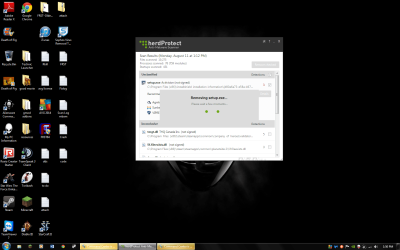
There was an option to cancel looking at the details and go back to the scan results so I could be ready to remove the file, but when I clicked cancel this appeared and has been "removing set.exe" for about 15 minutes. Should I close the herdprotect window and rescan?
 

Attachments

  • herdprotector is stuck.png
    herdprotector is stuck.png
    95.5 KB · Views: 2
Last edited:

My Computer My Computer

At a glance

Windows 7 Home Premium 64bit8.00 GBNvidia GeForce GTX 555
Computer type
PC/Desktop
Computer Manufacturer/Model Number
Dell (Alienware)
OS
Windows 7 Home Premium 64bit
Memory
8.00 GB
Graphics Card(s)
Nvidia GeForce GTX 555
You do not need to uninstall call of duty. You can just close out of herdprotect and restart your pc. Even if it still says removing setup exe, just restart. Setup.exe is not malware. Your game will be fine.

Now move on to this:

Run herdprotect again, save a log and upload it here. (Were done with the malware removal imho. This is just so I can double check.) Just close out of herdprotect then.

____________________________________________________________________________________________

Next step for directions:

Command center is not malware. It is this: Alienware Command Center - Should I Remove It?

You do not need should I remove it to uninstall it, that link is just for information purposes.

It is made by alienware. Find it under control panel-uninstall a program. Find it and uninstall it. It is just bloatware from the manufacturer you do not need.

Then restart.

Keep up the good work :)
 

My Computer My Computer

At a glance

Windows 10 ProAMD Ryzen 5 2400G Processor with Radeon RX Ve...G.SKILL Ripjaws V Series 16GB (2 x 8GB) 288-P...2047MB NVIDIA GeForce GTX 1060 6GB (EVGA)
Computer type
PC/Desktop
Computer Manufacturer/Model Number
Custom Built
OS
Windows 10 Pro
CPU
AMD Ryzen 5 2400G Processor with Radeon RX Vega 11 Graphics
Motherboard
ASRock X470 Master SLI/AC AM4 AMD Promontory X470 SATA 6Gb/s
Memory
G.SKILL Ripjaws V Series 16GB (2 x 8GB) 288-Pin DDR4 SDRAM D
Graphics Card(s)
2047MB NVIDIA GeForce GTX 1060 6GB (EVGA)
Sound Card
Motherboard Built in
Monitor(s) Displays
Acer R240HY bidx 23.8-Inch IPS HDMI DVI VGA (1920 x 1080) Wi
Screen Resolution
1920 x 1080
Hard Drives
1TB Sandisk SSD PLUS (Main drive)
500 GB Seagate 7200 RPM (Games)
500 GB Western Digital 7200 RPM (Virtual Machines)
PSU
CORSAIR TX Series TX650M 650W 80+ Gold Modular Power Supply
Case
CORSAIR CARBIDE SPEC-02 Mid-Tower Gaming Case, Red LED Fan
Cooling
220mm, two 120mm, and four 60mm fans
Keyboard
Wired Dell keyboard
Mouse
Wireless Logitech mouse
Internet Speed
250mb down, 30mb up
Antivirus
Panda Cloud Antivirus
Browser
Chrome-ish x64
Other Info
Your awesome for reading this.
Back
Top