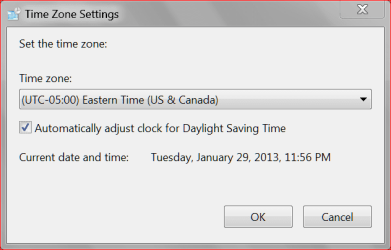
I've been having on-again, off-again problems with the clock randomly resetting to a day or two in the future. In the past, going into the internet time settings and telling it to update again fixed it. However the last time or two this has happened, I kept getting a message saying the connection to the server had timed out, and since I was in a hurry, I just reset the date manually and went on my way. The most recent occurrence, I had plenty of time on my hands and decided to see if I could figure out what was up with the internet time sync, and switched it to a different server to see if that would fix it. It didn't, and after a couple tries instead of saying the connection had timed out, it said that "the peer is unreachable". I went through all the default time servers and it did the same thing - it time out several times, and then it said the peer was unreachable. I then went and plugged in servers from this list- same thing. If anyone has any idea what's happening or how to fix it, I would greatly appreciate it. Thanks!
I ran across this tread and it is not related to the cmos battery because I have replaced mine w/o success. It seems I have to tell the PC to sync to internet time each time I power up otherwise the clock runs about 1.5X normal. It'll be ahead by a day or two after PC being on for a couple of days if not synced upon boot up. I have also replace the ASUS MB for this issue w/o success. Any updates on this issues?
My Computer
At a glance
Windows 7Phenom II x6 1090t8GB 1600MhzGforce GTX 470 1280MB
After replacing the motherboard battery you will have to reset the time in the bios and in Windows 7. Your time may also fluctuate if Microsoft doesn't like your system (Lost Activation). Many times when you replace the motherboard you have to reactivate the system with your COA. Sometimes by phone with Microsoft.
My Computer
At a glance
Windows 10 Pro. 64/ version 1709 Windows 7 Pr...Intel i7-6800K @ 4.3Corsair Platinum 16 gig @2400EVGA GTX 1070 OC
Computer type
PC/Desktop
Computer Manufacturer/Model Number
Home made Desktop
OS
Windows 10 Pro. 64/ version 1709 Windows 7 Pro/64
CPU
Intel i7-6800K @ 4.3
Motherboard
ASUS X-99 Deluxe II
Memory
Corsair Platinum 16 gig @2400
Graphics Card(s)
EVGA GTX 1070 OC
Monitor(s) Displays
Asus 27" LED LCD/VE278Q
Screen Resolution
1920-1080 or 1280-720 HDMI
Hard Drives
INTEL SSD 730-240 Gb Sata 3.0/
PSU
EVGA Platium 1200W
Case
Phanteks Luxe Tempered Glass 8 fans/ one radiator
Cooling
XSPC/ Water Cooled CPU
Keyboard
Das 4 Professional
Mouse
Logitech M705/MX Anywhere 2-S
Internet Speed
100 mbits
Antivirus
Microsoft Security Essentials/ Malwarebytes Premium 3.0/ SAS
Browser
I.E. 11 default/Firefox/ ISP Time Warner Cable/Spectrum
Other Info
LG BluRay Burner/
Sound system-KLipsch-THX/
Icy Dock ssd Hot Swap bays.
Bios and win7 clocks have both been reset already and windows in activated. Like I said clock once synced works fine but when shutdown and rebooted, if not synced, it will run fast. It's as if the "synchronize with internet timer" is not working on it's own.
My Computer
At a glance
Windows 7Phenom II x6 1090t8GB 1600MhzGforce GTX 470 1280MB
Make sure you have a check mark in the sync with internet time server and okay your self out and then reboot. I use time windows.com
I know of no way Windows 7 or your bios can make a clock run faster. Have you checked for infection. Their are infection that just target the time/clock.
My Computer
At a glance
Windows 10 Pro. 64/ version 1709 Windows 7 Pr...Intel i7-6800K @ 4.3Corsair Platinum 16 gig @2400EVGA GTX 1070 OC
Computer type
PC/Desktop
Computer Manufacturer/Model Number
Home made Desktop
OS
Windows 10 Pro. 64/ version 1709 Windows 7 Pro/64
CPU
Intel i7-6800K @ 4.3
Motherboard
ASUS X-99 Deluxe II
Memory
Corsair Platinum 16 gig @2400
Graphics Card(s)
EVGA GTX 1070 OC
Monitor(s) Displays
Asus 27" LED LCD/VE278Q
Screen Resolution
1920-1080 or 1280-720 HDMI
Hard Drives
INTEL SSD 730-240 Gb Sata 3.0/
PSU
EVGA Platium 1200W
Case
Phanteks Luxe Tempered Glass 8 fans/ one radiator
Cooling
XSPC/ Water Cooled CPU
Keyboard
Das 4 Professional
Mouse
Logitech M705/MX Anywhere 2-S
Internet Speed
100 mbits
Antivirus
Microsoft Security Essentials/ Malwarebytes Premium 3.0/ SAS
Browser
I.E. 11 default/Firefox/ ISP Time Warner Cable/Spectrum
Other Info
LG BluRay Burner/
Sound system-KLipsch-THX/
Icy Dock ssd Hot Swap bays.
Yes it's marked and has to be in order to do a manual update. I also use windows.com. I scan for malware and other issues regularly and nothing shows up, ever. I'm guessing it's a hardware issue on both boards I've run and sort of am giving up on it. For example after powering on this evening after clocking being synced this morning, the PC is about 6 hours ahead. Once I sync with internet time it's runs normal. That is until I shutdown and restart again...
One thing that is common is when I tell it to sync I always get an error on the 1st attempt then works on the 2nd one. This may be the reason it does not sync on it's own upon reboot. If I could find out what causes the error on the 1st click of the "update now" I might find the issue.
My Computer
At a glance
Windows 7Phenom II x6 1090t8GB 1600MhzGforce GTX 470 1280MB
I'm out of suggestion. Did you check for infections?
The reason I ask their some infections will mess up your system time so you can't get Windows Updates etc.
My Computer
At a glance
Windows 10 Pro. 64/ version 1709 Windows 7 Pr...Intel i7-6800K @ 4.3Corsair Platinum 16 gig @2400EVGA GTX 1070 OC
Computer type
PC/Desktop
Computer Manufacturer/Model Number
Home made Desktop
OS
Windows 10 Pro. 64/ version 1709 Windows 7 Pro/64
CPU
Intel i7-6800K @ 4.3
Motherboard
ASUS X-99 Deluxe II
Memory
Corsair Platinum 16 gig @2400
Graphics Card(s)
EVGA GTX 1070 OC
Monitor(s) Displays
Asus 27" LED LCD/VE278Q
Screen Resolution
1920-1080 or 1280-720 HDMI
Hard Drives
INTEL SSD 730-240 Gb Sata 3.0/
PSU
EVGA Platium 1200W
Case
Phanteks Luxe Tempered Glass 8 fans/ one radiator
Cooling
XSPC/ Water Cooled CPU
Keyboard
Das 4 Professional
Mouse
Logitech M705/MX Anywhere 2-S
Internet Speed
100 mbits
Antivirus
Microsoft Security Essentials/ Malwarebytes Premium 3.0/ SAS
Browser
I.E. 11 default/Firefox/ ISP Time Warner Cable/Spectrum
Other Info
LG BluRay Burner/
Sound system-KLipsch-THX/
Icy Dock ssd Hot Swap bays.
We can find out via commnad prompt.
click on start, and type cmd in the search box.
This will open a command prompt,
Type: tzutil /g
Then press enter,
It should now state what your time zone is set to in the registry.
Is it correct?. If not, let me know what your Time Zone should be, and I will create a command for you to add it to the registry via command prompt.
Last edited:
My Computer
At a glance
Windows 7 Home Premium 64 BitCore I7 1155 3.4GHZ8GB DDR 1600
It is set to mountain time which is correct though I am on Arizona time which currently is on mountain time though of course we do not have daylight savings time in AZ.
My Computer
At a glance
Windows 7Phenom II x6 1090t8GB 1600MhzGforce GTX 470 1280MB
I'm out of suggestion. Did you check for infections?
The reason I ask their some infections will mess up your system time so you can't get Windows Updates etc.
I use malwarebits regularly and have had infections in the past but nothing as of recent. This is a very odd one I agree. Two MB, new CMOS battery, reset of bios, etc, etc.
My Computer
At a glance
Windows 7Phenom II x6 1090t8GB 1600MhzGforce GTX 470 1280MB
Another Just a Thought. Is there any over-clocking of CPU or memory going on ?
My Computer
At a glance
Win7 Enterprise, Win7 x86 (Ult 7600), Win7 x6...AMD fx8350 4ghz, AMD-32 2400mhz, AMD-64 3200m...2gb, 4gb on the Ult 7600, 4gb on Technet RTM,...Draw my own Graphics, several nVidia cards
Computer type
PC/Desktop
Computer Manufacturer/Model Number
Built them myself, Science Experiments !
OS
Win7 Enterprise, Win7 x86 (Ult 7600), Win7 x64 Ult 7600, TechNet RTM on AMD x64 (2.8Ghz)
6 pata Ide HD's & 2 Sata HD's
added 80gb external on Ult 7600 computer,
numerous extra 1tb, 2TB, 3Tb SATA HD's
A collection of ext HD Docks w/ HDs
PSU
430w, 550w, 600w, 700, 800, etc
Case
All Generic Full Towers
Cooling
Open Air & a few fans, some w/ colored LEDs
Keyboard
Compaq & Dell recycled from GoodWill
Mouse
Made in China Optical Wired Mouse
Internet Speed
Fast Cable InterNet
Antivirus
AVG Free on 24 different Desktops, NO Problems!
Browser
IE 8 is preferred, but use FireFox sometimes
Other Info
Linksys Routers, switches, & Hubs
Too Many USB Flash Drives to count, Biggest is 64GB !
Eight computers in my home network.
Sixteen computers at my business network.
Linked via TeamViewer !
Lots of old used spare computer parts everywhere!
Just noticed an issue I may have created by mistake. When I try to update time.windows it tells me I don't have privilege in my admin account. When I go to services the windows time service is no where to be found. Somehow it was removed when I was last in there checking to ensure it was in automatic. How do I get it back?
My Computer
At a glance
Windows 7Phenom II x6 1090t8GB 1600MhzGforce GTX 470 1280MB
txgec is you clock fixed? piotrowr could you please start you own thread.
We just get confused with post of two different computer and problems on the same thread at the same time.
My Computer
At a glance
Windows 10 Pro. 64/ version 1709 Windows 7 Pr...Intel i7-6800K @ 4.3Corsair Platinum 16 gig @2400EVGA GTX 1070 OC
Computer type
PC/Desktop
Computer Manufacturer/Model Number
Home made Desktop
OS
Windows 10 Pro. 64/ version 1709 Windows 7 Pro/64
CPU
Intel i7-6800K @ 4.3
Motherboard
ASUS X-99 Deluxe II
Memory
Corsair Platinum 16 gig @2400
Graphics Card(s)
EVGA GTX 1070 OC
Monitor(s) Displays
Asus 27" LED LCD/VE278Q
Screen Resolution
1920-1080 or 1280-720 HDMI
Hard Drives
INTEL SSD 730-240 Gb Sata 3.0/
PSU
EVGA Platium 1200W
Case
Phanteks Luxe Tempered Glass 8 fans/ one radiator
Cooling
XSPC/ Water Cooled CPU
Keyboard
Das 4 Professional
Mouse
Logitech M705/MX Anywhere 2-S
Internet Speed
100 mbits
Antivirus
Microsoft Security Essentials/ Malwarebytes Premium 3.0/ SAS
Browser
I.E. 11 default/Firefox/ ISP Time Warner Cable/Spectrum
Other Info
LG BluRay Burner/
Sound system-KLipsch-THX/
Icy Dock ssd Hot Swap bays.