computer won't start after replacing psu

silkmudah

Banned
Local time
10:38 PM
Messages
43
Location
DetRiot, MI
I recently upgraded my PSU in my system and gave my friend my old psu. after installing my old PSU into my friends system it won't boot, it will start and get to the loading Windows screen but it won't show the Windows 7 logo and just freezes on that point. sometimes it will distort the resolution and make it look like bad 3d that you need those red/blue lens glasses for.
I don't know if its because I had to take the fan off the heatsink to get it in but never removed the actual heatsink or cpu. it won't even try to reinstall a fresh copy of Windows it just freezes during that as well. If you need more info let me know and ill reply with what I can
 

My Computer

Computer type
PC/Desktop
Computer Manufacturer/Model Number
Custom Build
OS
Windows 7 ultimate 64 bit
CPU
AMD FX(tm)-6100 Six-Core Processor (6 CPUs), ~3
Motherboard
GA-78LMT-S2P
Memory
8192MB RAM
Graphics Card(s)
NVIDIA GeForce GT 640
Monitor(s) Displays
HP 2009m 21"
Screen Resolution
1600x900@60Hz
Hard Drives
MDT MD7500AACS-00D6B0 ATA Device
PSU
SeaSonic M12II 650 SS-650AM 650W
Case
Rosewill CHALLENGER Black Gaming ATX Mid Tower
Cooling
2xCOUGAR CF-V12H Vortex Hydro-Dynamic-Bearing, and stock.
Internet Speed
PING: 9ms, DOWNLOAD: 28.60Mbps, UPLOAD: 5.64Mbps
Antivirus
Microsoft Security Essentials
Browser
Firefox
Listing the basic specs of your friends PC (video card in particular) and of your PSU will help in identifying the problem.
 

My Computer

Computer Manufacturer/Model Number
Homemade
OS
Win 7 64 bit professional
CPU
CPU: 3930K @ 4.8 MHz Stable as a rock
Motherboard
ASUS Rampage IV Extreme LGA 2011
Memory
CORSAIR DOMINATOR GT 16GB (4 x 4GB) 240-Pin DDR3
Graphics Card(s)
EVGA SuperClocked+ GeForce GTX 680
Monitor(s) Displays
Dell 3007WFP
Screen Resolution
2560 x 1600
Hard Drives
Vector(256gb) x 2
RevoDrive 3 X2 space (240 GB)
Crucial C300 256 GB SSD
PSU
CORSAIR AX1200i 1200W Digital ATX12V v2.31 and EPS 2.92 SLI
Cooling
Water cooling EK Supremacy ELITE
Mouse
ratZ-7
Other Info
WEI-7.8

My Computer

Computer type
PC/Desktop
Computer Manufacturer/Model Number
Custom Build
OS
Windows 7 ultimate 64 bit
CPU
AMD FX(tm)-6100 Six-Core Processor (6 CPUs), ~3
Motherboard
GA-78LMT-S2P
Memory
8192MB RAM
Graphics Card(s)
NVIDIA GeForce GT 640
Monitor(s) Displays
HP 2009m 21"
Screen Resolution
1600x900@60Hz
Hard Drives
MDT MD7500AACS-00D6B0 ATA Device
PSU
SeaSonic M12II 650 SS-650AM 650W
Case
Rosewill CHALLENGER Black Gaming ATX Mid Tower
Cooling
2xCOUGAR CF-V12H Vortex Hydro-Dynamic-Bearing, and stock.
Internet Speed
PING: 9ms, DOWNLOAD: 28.60Mbps, UPLOAD: 5.64Mbps
Antivirus
Microsoft Security Essentials
Browser
Firefox
update, put in original psu and still same problem. any chance that because of me having to remove the fan on the heatsink it somehow made it move and become unusable until resinked?
 

My Computer

Computer type
PC/Desktop
Computer Manufacturer/Model Number
Custom Build
OS
Windows 7 ultimate 64 bit
CPU
AMD FX(tm)-6100 Six-Core Processor (6 CPUs), ~3
Motherboard
GA-78LMT-S2P
Memory
8192MB RAM
Graphics Card(s)
NVIDIA GeForce GT 640
Monitor(s) Displays
HP 2009m 21"
Screen Resolution
1600x900@60Hz
Hard Drives
MDT MD7500AACS-00D6B0 ATA Device
PSU
SeaSonic M12II 650 SS-650AM 650W
Case
Rosewill CHALLENGER Black Gaming ATX Mid Tower
Cooling
2xCOUGAR CF-V12H Vortex Hydro-Dynamic-Bearing, and stock.
Internet Speed
PING: 9ms, DOWNLOAD: 28.60Mbps, UPLOAD: 5.64Mbps
Antivirus
Microsoft Security Essentials
Browser
Firefox
It's worth a try to remove CPU and it's thermal paste, inspect the pins very carefully and re-install with new paste. Then boot with only one stick of ram in number 1 slot. Double check all PSU power connections and tell us what happens. If needed you may want to clear the cmos and try again. Once a successful boot then install rest of ram while turned off and reboot.
 

My Computer

Computer type
PC/Desktop
Computer Manufacturer/Model Number
A blend of brains, brawn and dumb luck.
OS
Windows 7 Ultimate 64
CPU
i7 3770k OC'd 4.6 @ 1.17v, also FX 8120 & i5 miniITX
Motherboard
MSI P67A-GD80 b3
Memory
32 gb G.Skill Sniper DDR3 10-12-12-31 @ 2133
Graphics Card(s)
XFX Radeon 7870 2GB DDR5
Sound Card
Sound Blaster Z Series Card
Monitor(s) Displays
(2) LG LED 23" 1920 x 1080 2ms Monitors via mini d-port
Screen Resolution
1680 X 1050 p
Hard Drives
Samsung 256 gb 830 SSD sata III
(1) 1 tb WD Black
(2) 1 tb Hitachi deskmates/sata II
(2) 1 tb WD green/sata II
(2) 3 tb Seagate Barracuda
(1) 120 gb OCZ Vertex SS
(1) Drobo 5N w/5 Seagate 3tb
PSU
EVGA modular 1000G2 80% gold rating & APC 1200 RS
Case
CoolerMaster Storm Styker
Cooling
7 case fans 140mm & 120mm, NZXT Kraken X60
Keyboard
(2) Logitech Illuminated Keyboards (1) usb (1) wireless
Mouse
Logitech G700 & T-BC21 - nano nx for the laptop
Internet Speed
Basic 120mbps down
Antivirus
Trend Micro Titanium Max Security & Malwarebytes Premium
Browser
Chrome and IE 10
Other Info
5 Noctua case fans + 3 Noctua in p/p on NZXT cooler
Integrated hot swap drive bays for 2.5" Drives
(2) Lite-on dvd/cd/Blu Ray optical 22X
Integrated fan controller and led on/off
HP Officejet Pro 8630 all-n-one
Hot-swappable 3.5" hard drive bay
Netgear Nighthawk router
Asus USB 3 & sata 6 PCIe card
Vantec IDE to sata adptr./Ultra sata adptr
Lenovo L420 i5 lappy with m sata
Drobo 5N advanced NAS
Are you installing the heat sink back on the cpu before you start up after installing the different power supply?
 

My Computer

Computer type
PC/Desktop
Computer Manufacturer/Model Number
Home made Desktop
OS
Windows 10 Pro. 64/ version 1709 Windows 7 Pro/64
CPU
Intel i7-6800K @ 4.3
Motherboard
ASUS X-99 Deluxe II
Memory
Corsair Platinum 16 gig @2400
Graphics Card(s)
EVGA GTX 1070 OC
Monitor(s) Displays
Asus 27" LED LCD/VE278Q
Screen Resolution
1920-1080 or 1280-720 HDMI
Hard Drives
INTEL SSD 730-240 Gb Sata 3.0/
PSU
EVGA Platium 1200W
Case
Phanteks Luxe Tempered Glass 8 fans/ one radiator
Cooling
XSPC/ Water Cooled CPU
Keyboard
Das 4 Professional
Mouse
Logitech M705/MX Anywhere 2-S
Internet Speed
100 mbits
Antivirus
Microsoft Security Essentials/ Malwarebytes Premium 3.0/ SAS
Browser
I.E. 11 default/Firefox/ ISP Time Warner Cable/Spectrum
Other Info
LG BluRay Burner/
Sound system-KLipsch-THX/
Icy Dock ssd Hot Swap bays.
i technically never removed the actual heatsink just the fan that attaches to it. its a older case with the psu on top and the fan was in the way. i will remove it all and reapply thermal paste when i can and then update
 

My Computer

Computer type
PC/Desktop
Computer Manufacturer/Model Number
Custom Build
OS
Windows 7 ultimate 64 bit
CPU
AMD FX(tm)-6100 Six-Core Processor (6 CPUs), ~3
Motherboard
GA-78LMT-S2P
Memory
8192MB RAM
Graphics Card(s)
NVIDIA GeForce GT 640
Monitor(s) Displays
HP 2009m 21"
Screen Resolution
1600x900@60Hz
Hard Drives
MDT MD7500AACS-00D6B0 ATA Device
PSU
SeaSonic M12II 650 SS-650AM 650W
Case
Rosewill CHALLENGER Black Gaming ATX Mid Tower
Cooling
2xCOUGAR CF-V12H Vortex Hydro-Dynamic-Bearing, and stock.
Internet Speed
PING: 9ms, DOWNLOAD: 28.60Mbps, UPLOAD: 5.64Mbps
Antivirus
Microsoft Security Essentials
Browser
Firefox
The point I'm trying to get to is: Never run your computer without the cpu cooler installed and the fan installed and working properly.
 

My Computer

Computer type
PC/Desktop
Computer Manufacturer/Model Number
Home made Desktop
OS
Windows 10 Pro. 64/ version 1709 Windows 7 Pro/64
CPU
Intel i7-6800K @ 4.3
Motherboard
ASUS X-99 Deluxe II
Memory
Corsair Platinum 16 gig @2400
Graphics Card(s)
EVGA GTX 1070 OC
Monitor(s) Displays
Asus 27" LED LCD/VE278Q
Screen Resolution
1920-1080 or 1280-720 HDMI
Hard Drives
INTEL SSD 730-240 Gb Sata 3.0/
PSU
EVGA Platium 1200W
Case
Phanteks Luxe Tempered Glass 8 fans/ one radiator
Cooling
XSPC/ Water Cooled CPU
Keyboard
Das 4 Professional
Mouse
Logitech M705/MX Anywhere 2-S
Internet Speed
100 mbits
Antivirus
Microsoft Security Essentials/ Malwarebytes Premium 3.0/ SAS
Browser
I.E. 11 default/Firefox/ ISP Time Warner Cable/Spectrum
Other Info
LG BluRay Burner/
Sound system-KLipsch-THX/
Icy Dock ssd Hot Swap bays.
I would reseat your Video Card, and any other add-in cards in the PC. RAM modules too. Also check to make sure your SATA cables etc are plugged in securely. Stuff can get bumped and moved around when doing something like a power supply swap and not be obvious that they aren't firmly plugged in.
 

My Computer

Computer type
PC/Desktop
Computer Manufacturer/Model Number
Home Built
OS
Windows 10 Education 64 bit
CPU
AMD Phenom II X4 980 Black Edition Deneb 3.7GHz
Motherboard
Asus M4N68T-M V2 µATX Motherboard
Memory
8GB 4GBx2 Kingston PC10600 DDR3 1333 Memory
Graphics Card(s)
Zotac NVIDIA Geforce GT640 2 Gig DDR3 PCIe
Sound Card
VIA VT1708s High Definition Audio 8-channel Onboard
Monitor(s) Displays
22" LG E2242 1080p and 2 19" I-INC AG191D
Screen Resolution
1280x1024 - 1920x1080 - 1280x1024
Hard Drives
Crucial M100 256 GB SSD and 500 GB WD Blue SATA
PSU
Thermaltake TR 620
Case
Power Up Black ATX Mid-Tower Case
Cooling
Stock heatsink and fan
Keyboard
Logitech Wireless K350 Wave
Mouse
Logitech Wireless M570 Trackman Wheel
Internet Speed
80 Mbps Down 30 Mbps Up
Antivirus
Windows Defender
Browser
Internet Explorer 11
Other Info
HP DVD1040e Lightscribe - External USB2
I haven't tried running it again and wont until i can reseat the heatsink and such, i will remove the ram and replugged in all cables
 

My Computer

Computer type
PC/Desktop
Computer Manufacturer/Model Number
Custom Build
OS
Windows 7 ultimate 64 bit
CPU
AMD FX(tm)-6100 Six-Core Processor (6 CPUs), ~3
Motherboard
GA-78LMT-S2P
Memory
8192MB RAM
Graphics Card(s)
NVIDIA GeForce GT 640
Monitor(s) Displays
HP 2009m 21"
Screen Resolution
1600x900@60Hz
Hard Drives
MDT MD7500AACS-00D6B0 ATA Device
PSU
SeaSonic M12II 650 SS-650AM 650W
Case
Rosewill CHALLENGER Black Gaming ATX Mid Tower
Cooling
2xCOUGAR CF-V12H Vortex Hydro-Dynamic-Bearing, and stock.
Internet Speed
PING: 9ms, DOWNLOAD: 28.60Mbps, UPLOAD: 5.64Mbps
Antivirus
Microsoft Security Essentials
Browser
Firefox
Some motherboards won't complete POST & boot if they don't detect a cpu fan plugged into its location.
 

My Computer

Computer Manufacturer/Model Number
8 home-builds from the 80's into 2004
OS
W7 Home Premium 32bit
alright, so found out its just a bad ram stick, took one of them out and it booted to a weird only black lines with nothing loading after that. shut down and took that stick out and place the other in and it booted fine!
 

My Computer

Computer type
PC/Desktop
Computer Manufacturer/Model Number
Custom Build
OS
Windows 7 ultimate 64 bit
CPU
AMD FX(tm)-6100 Six-Core Processor (6 CPUs), ~3
Motherboard
GA-78LMT-S2P
Memory
8192MB RAM
Graphics Card(s)
NVIDIA GeForce GT 640
Monitor(s) Displays
HP 2009m 21"
Screen Resolution
1600x900@60Hz
Hard Drives
MDT MD7500AACS-00D6B0 ATA Device
PSU
SeaSonic M12II 650 SS-650AM 650W
Case
Rosewill CHALLENGER Black Gaming ATX Mid Tower
Cooling
2xCOUGAR CF-V12H Vortex Hydro-Dynamic-Bearing, and stock.
Internet Speed
PING: 9ms, DOWNLOAD: 28.60Mbps, UPLOAD: 5.64Mbps
Antivirus
Microsoft Security Essentials
Browser
Firefox
I would suggest after all that moving things around and heat sink work that you monitor your temps. Just to make sure things are running cool.
 

My Computer

Computer type
PC/Desktop
Computer Manufacturer/Model Number
Home made Desktop
OS
Windows 10 Pro. 64/ version 1709 Windows 7 Pro/64
CPU
Intel i7-6800K @ 4.3
Motherboard
ASUS X-99 Deluxe II
Memory
Corsair Platinum 16 gig @2400
Graphics Card(s)
EVGA GTX 1070 OC
Monitor(s) Displays
Asus 27" LED LCD/VE278Q
Screen Resolution
1920-1080 or 1280-720 HDMI
Hard Drives
INTEL SSD 730-240 Gb Sata 3.0/
PSU
EVGA Platium 1200W
Case
Phanteks Luxe Tempered Glass 8 fans/ one radiator
Cooling
XSPC/ Water Cooled CPU
Keyboard
Das 4 Professional
Mouse
Logitech M705/MX Anywhere 2-S
Internet Speed
100 mbits
Antivirus
Microsoft Security Essentials/ Malwarebytes Premium 3.0/ SAS
Browser
I.E. 11 default/Firefox/ ISP Time Warner Cable/Spectrum
Other Info
LG BluRay Burner/
Sound system-KLipsch-THX/
Icy Dock ssd Hot Swap bays.
alright, so found out its just a bad ram stick, took one of them out and it booted to a weird only black lines with nothing loading after that. shut down and took that stick out and place the other in and it booted fine!

What happens if you put the other stick back in? It may not have been bad, it may have just not been seated correctly.
 

My Computer

Computer type
PC/Desktop
Computer Manufacturer/Model Number
Home Built
OS
Windows 10 Education 64 bit
CPU
AMD Phenom II X4 980 Black Edition Deneb 3.7GHz
Motherboard
Asus M4N68T-M V2 µATX Motherboard
Memory
8GB 4GBx2 Kingston PC10600 DDR3 1333 Memory
Graphics Card(s)
Zotac NVIDIA Geforce GT640 2 Gig DDR3 PCIe
Sound Card
VIA VT1708s High Definition Audio 8-channel Onboard
Monitor(s) Displays
22" LG E2242 1080p and 2 19" I-INC AG191D
Screen Resolution
1280x1024 - 1920x1080 - 1280x1024
Hard Drives
Crucial M100 256 GB SSD and 500 GB WD Blue SATA
PSU
Thermaltake TR 620
Case
Power Up Black ATX Mid-Tower Case
Cooling
Stock heatsink and fan
Keyboard
Logitech Wireless K350 Wave
Mouse
Logitech Wireless M570 Trackman Wheel
Internet Speed
80 Mbps Down 30 Mbps Up
Antivirus
Windows Defender
Browser
Internet Explorer 11
Other Info
HP DVD1040e Lightscribe - External USB2
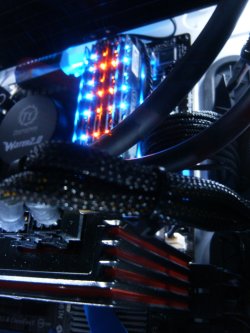
That's good news that you've identified the source of the problem. Odd that the stick would be fine and then go bad. You may want to blow out all the slots and re-install the good one then the suspect ram and see if you can get both seen. If not then I would consider a matched ram stick either 2 or 4 sticks purchase as ram is relatively cheap. I love my newer sticks. Crucial Ballistix Tactical Tracers:Crucial Ballistix Tactical Tracer 4GB 240-Pin DDR3 SDRAM DDR3 1866 (PC3 14900) Desktop Memory (with Orange/Blue Light) Model BLT4G3D1869DT2TXOB - Newegg.com
HPIM2667.jpg
 

My Computer

Computer type
PC/Desktop
Computer Manufacturer/Model Number
A blend of brains, brawn and dumb luck.
OS
Windows 7 Ultimate 64
CPU
i7 3770k OC'd 4.6 @ 1.17v, also FX 8120 & i5 miniITX
Motherboard
MSI P67A-GD80 b3
Memory
32 gb G.Skill Sniper DDR3 10-12-12-31 @ 2133
Graphics Card(s)
XFX Radeon 7870 2GB DDR5
Sound Card
Sound Blaster Z Series Card
Monitor(s) Displays
(2) LG LED 23" 1920 x 1080 2ms Monitors via mini d-port
Screen Resolution
1680 X 1050 p
Hard Drives
Samsung 256 gb 830 SSD sata III
(1) 1 tb WD Black
(2) 1 tb Hitachi deskmates/sata II
(2) 1 tb WD green/sata II
(2) 3 tb Seagate Barracuda
(1) 120 gb OCZ Vertex SS
(1) Drobo 5N w/5 Seagate 3tb
PSU
EVGA modular 1000G2 80% gold rating & APC 1200 RS
Case
CoolerMaster Storm Styker
Cooling
7 case fans 140mm & 120mm, NZXT Kraken X60
Keyboard
(2) Logitech Illuminated Keyboards (1) usb (1) wireless
Mouse
Logitech G700 & T-BC21 - nano nx for the laptop
Internet Speed
Basic 120mbps down
Antivirus
Trend Micro Titanium Max Security & Malwarebytes Premium
Browser
Chrome and IE 10
Other Info
5 Noctua case fans + 3 Noctua in p/p on NZXT cooler
Integrated hot swap drive bays for 2.5" Drives
(2) Lite-on dvd/cd/Blu Ray optical 22X
Integrated fan controller and led on/off
HP Officejet Pro 8630 all-n-one
Hot-swappable 3.5" hard drive bay
Netgear Nighthawk router
Asus USB 3 & sata 6 PCIe card
Vantec IDE to sata adptr./Ultra sata adptr
Lenovo L420 i5 lappy with m sata
Drobo 5N advanced NAS
Back
Top