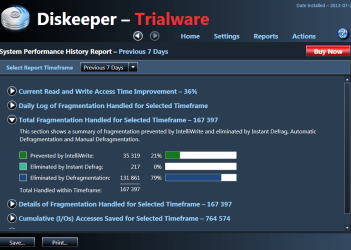
I think any 3rd party defragger is gonna tell you your drive is fragmented and needs to be defragged, it`s written into the program so you think you need to use it.
You could run 5 different defrag programs and they will all give you different results.
AddRAM, mon ami. To live is to have choices, your last several replies indicate you have made yours, but life is filled with endless possibilities. Just as the way you handle the maintenance of your machine can be entirely different than how I handle mine.
You seem to have missed the point of my telling:
"The moral of my story is if you're not seeing any improvement with your defragging try running a
CHKDSK first".
If you are content with the Windows defragger that is fine and good, but users would like and need to explore alternatives, and we are here to help guide them.
I have been using defraggler for years and pretty much content with its performance. I wonder how Puran is better than say, defraggler?
I used to use Defraggler with 98 and XP. It analyses the drive and puts files back in a contiguous (next to each other) fashion. w7 likes file is a predetermined order to run more efficiently. Defraggler doesn't "know" that whereas Puran does. This is my understanding of it at least. Puran arranges the files in a way similar to the built in w7 defragger.
A long time ago I did some research on Windows 7 defragger and found that Microsoft had Diskeeper make the program for them.
Keeping in mind what a defragging does; arranging things on a hard drive so the hard drive and Windows 7 finds them quicker.
To me it matter very little how a 3rd part program want things on the hard drive. What matter to me is Windows 7 defragger put things where Windows 7 wants them.
A little over a year ago I tested 4 or 5 defrag programs on my grandpa computer. All defrag programs disagreed with each other. Some have nicer little jumping squares than the others. Some have different options but their is no way to tell if these options do anything but make little squares change colors and mover around.
So what did I end up with?
1. Using Windows 7 built in defragger
2. A well tested hard drive.
Thank you LaybackBear for jogging my memory, I also remember when Microsoft asked for help in designing a defragger for them.
Britton, I used to use jv16 tools, defraggler, JK, ultradefrag, speed disk, O&O, Disk Keeper, Amigabit Disk Defrag and a host of others but I always seemed to come back to the Windows defrag, JK, jv16. and now Puran.
For the "newbies" out there, don't take that as a testimonial.
What you do to your own system is on you,
so have proper backup.
Like Layback I'm in testing mode, earlier I downloaded the new JK, ran the defrag, and do not notice any degradation in performance, but time will tell. Life is a bowl of cherries, why stay in the pits?
There are many alternatives out there, and again,
what you do to your own system is on you,
so have proper backup.
To become complacent, is to become careless.
Anak (1951 - ????)