Hi,
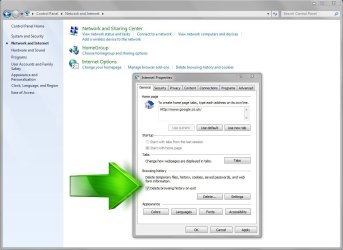
Since you failed to state which browser Dude's post was a fun one to test with in ie10 to see what setting third party cookies to prompt would do,
Warning this setting will possibly drive you insane so test it on ehow and don't forget to check the box for Block or allow
I personally used block,
If yu want to add or remove a site you added you'd use the Privacy tab and the sites button,
Mine was blank so it obviously does not store any existing cookies there pretty much why I said there's no easy way to cull the existing cookies already installed View attachment 357409
In ie I don't see an easy way to view and cull them out,
In Firefox and Chrome review these, https://support.mozilla.org/en-US/kb/enable-and-disable-cookies-website-preferences https://support.google.com/chrome/answer/95647?hl=en
2nd ASUS X299 Apex/Intel i9-9940x with Custom water loop/7H-Prem-x64/Corsair 450D case/Ram Trident-z 3600C16 4x8gb / Samsung970Evo plus 500gb SSD/Dual ssd EZ swap evo/PSU EVGA SuperNova 1200w-P2 80+Platinum/GPU Titan Xp /8-ML-140 on push-pull on 2-280GTX rads
2nd ASUS X299 Apex/Intel i9-9940x with Custom water loop/7H-Prem-x64/Corsair 450D case/Ram Trident-z 3600C16 4x8gb / Samsung970Evo plus 500gb SSD/Dual ssd EZ swap evo/PSU EVGA SuperNova 1200w-P2 80+Platinum/GPU Titan Xp /8-ML-140 on push-pull on 2-280GTX rads