Cooler Master hyper 212 plus?

If you put an exhaust fan in the rear of the case, you won't need to add a second one to the HSF. I would get another CoolerMaster fan like the one on the 212+, as they move a decent amount of air and are quiet. I have two of them running on two systems, one is an always on server, and I would call them very quiet.

Just remember that CPU cooling doesn't stop with the HSF, but relies on the whole system as well.
 

My Computer

OS
Windows 7 Ultimate x64 SP1
CPU
Intel Core i7-2600
Motherboard
Gigabyte GA-P67A-UD3P-B3
Memory
12 GB Patriot Extreme DDR3-1333
Graphics Card(s)
Nvidia GTX 470
Monitor(s) Displays
Dell UltraSharp 2209WA
Hard Drives
OCZ Agility3 240 GB, WD5001AALS, WD7501AALS
PSU
OCZ ModStream 700W
Case
CoolerMaster HAF 912 Advanced
Cooling
CoolerMaster Hyper 212 Plus
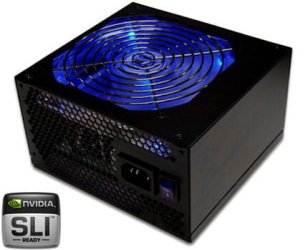
I stick my finger in the CPU & GPU fan and stopped it for few seconds.. i was WRONG the noise is not coming from the CPU fan or Graphic Card fan. it's coming from the Power Supply fan.
i can stick my fingers in the Power Supply because of the iron cover.. my Power Supply is OCZ-600W(OCZGXS). very disappointment i bought the CPU fan for nothing :(
 

Attachments

  • GXS_nvidia2.jpg
    GXS_nvidia2.jpg
    45.1 KB · Views: 0

My Computer

OS
MS Windows 7 Ultimate 64-bit
CPU
AMD Phenom II X4 Black Edition 955
Motherboard
Gigabyte GA-MA770T-UD3P
Memory
KingSton 8GB BUS1333 DDR3
Graphics Card(s)
SAPPHIRE HD 5850 1GB GDDR5 PCIE (Game Edition)
Sound Card
Realtek High Definition Audio
Monitor(s) Displays
DELL M993s Flat screen 19inch
Screen Resolution
1280x1024
Hard Drives
WD Caviar Green 1 TB, 5400 RPM, 64 MB Cache
PSU
Gamma-HEC 500 Watt
Case
Gamma
Cooling
Cooler Master hyper 212 plus
Keyboard
A4TECH
Mouse
A4TECH
Internet Speed
ADSL 2048 Kbps
Thanks guys for ur help. <33
 

My Computer

OS
MS Windows 7 Ultimate 64-bit
CPU
AMD Phenom II X4 Black Edition 955
Motherboard
Gigabyte GA-MA770T-UD3P
Memory
KingSton 8GB BUS1333 DDR3
Graphics Card(s)
SAPPHIRE HD 5850 1GB GDDR5 PCIE (Game Edition)
Sound Card
Realtek High Definition Audio
Monitor(s) Displays
DELL M993s Flat screen 19inch
Screen Resolution
1280x1024
Hard Drives
WD Caviar Green 1 TB, 5400 RPM, 64 MB Cache
PSU
Gamma-HEC 500 Watt
Case
Gamma
Cooling
Cooler Master hyper 212 plus
Keyboard
A4TECH
Mouse
A4TECH
Internet Speed
ADSL 2048 Kbps
Well, once you put a quiet 120mm exhaust fan at the rear of the case, you can overclock!
 

My Computer

Computer type
PC/Desktop
Computer Manufacturer/Model Number
Home built (GeneO industries)/Model 4
OS
Windows 10 Pro. EFI boot partition, full EFI boot
CPU
i7 4770k 4.4GHz (44-44-43-43 turbo) @ 1.248V
Motherboard
ASUS Maximus VI Hero
Memory
16GB (8GBx2) @2200 MHz G.skill Sniper 10-11-10-30-1, 1.6V
Graphics Card(s)
MSI GTX 970 Gaming 4G
Sound Card
Onboard SupremeFX Audio
Monitor(s) Displays
NEC Spectraview 2490WUXi-SV
Screen Resolution
1920 x 1200
Hard Drives
Samsung 850 Pro 256GB (OS), Samsung 2x 128GB 840 Pro SSD in RAID0, 3x WD Blue 6Gb/s 1TB RAID0, WD 2TB Black external USB 3.0, 2TB WD20EARS Green external USB 3.0, 2x 500GB Seagate and 1 750 GB external USB, 1x 350GB external USB3
PSU
Seasonic X-850 (2012 KM3 model)
Case
Fractal Design Define R4
Cooling
NH-D14, NF-F12, NF-A15; NF-P14, NF-P12,NF-A14, S12A PWM
Keyboard
Cooler Master Storm Quickfire Rapid - Brown
Mouse
Logitech G602
Internet Speed
126.4 Mb/s down, 24.3 Mb/s up
Other Info
USB 3.0 x8 , SATA III x8, eSATA, USB 2.0 x6. Samsung DVD R/W drive.

WEI: CPU 7.8, Memory 7.9, Graphics 7.9, Disk 7.9
You can replace the noisy fan in that power supply. If you can't do it yourself, you can get a technician to do it. I'd suggest you get someone with experience to do it because fiddling with PSU internals can be dangerous.

Another alternative is to get a new PSU that is known to be quiet.

Your PSU fan is probably spinning very fast to try to combat the heat you are generating. It has no help from an exhaust fan.

If you want to buy a new PSU, start a thread and I can point you toward some very quiet units. You may not need a powerful PSU, depending on your other hardware.

There are PSUs with NO fan and there are also PSUs with fans that do not spin at all until the PSU is under a fairly large load. But you need help from an exhaust fan.

Another thing that can help as a last resort is to cut out the exhaust fan grill--the honeycomb structure on the back. This requires a Dremel grinding tool or some work with good tin snips. The grill causes a "whooshing" sound as the exhaust fan blows through it. If you get rid of the grill you get rid of the whooshing.

But do more investigation and cut the grill only if the whooshing is a major issue and if other methods don't properly reduce your noise level.
 

My Computer

Computer type
PC/Desktop
Computer Manufacturer/Model Number
Ignatz Special; 4 speed manual gearbox; factory air conditioning; one of one
OS
Windows 7 Home Premium SP1, 64-bit
CPU
Intel Skylake i5-6600K, not overclocked
Motherboard
AsRock Z170M Extreme 4, micro ATX
Memory
8 GB HyperX DDR4-2666 (2 x 4 GB)
Graphics Card(s)
none; graphics are integrated on CPU
Sound Card
onboard: Realtek ALC1150; external: USB Behringer UF0-202
Monitor(s) Displays
Dell S2340M 23 inch IPS
Screen Resolution
1600 x 900
Hard Drives
System: Crucial MX100 series SSD, 128 GB;
Data: Samsung Spinpoint 103SJ, 1 TB;
Backup: WD Caviar Green WD30EZRX-00D8PB0, 3 TB
PSU
Rosewill SilentNight 500 watt fanless, semi-modular
Case
Antec Solo II
Cooling
Noctua NH-U12S; Noctua F12 intake, Noctua S12A exhaust
Keyboard
Microsoft 200 6JH-00001 USB
Mouse
Dell or Microsoft optical wired; USB
Antivirus
Microsoft Security Essentials and Malwarebytes Premium
Browser
Pale Moon
Other Info
All fans PWM; speeds at idle: CPU circa 500 rpm; intake circa 600 rpm; exhaust circa 600 rpm; CPU temps 27 idle and 47 C load in a warm room (27 C/81 F) when running Intel Extreme Tuning Utility stress test.
Wow. I was seriously suspecting the graphics card as I was reading through all the posts, until this last page. A LOT of PC parts claim to be quiet, and are in fact NOT even close to quiet. Of course, your perception has a lot to do with it. I have been in friends' houses where the ambient noise is so high, that a loud PC would seem quiet.

Anyway, good luck!!!
 

My Computer

Computer Manufacturer/Model Number
ME!
OS
Windows 7 Pro 64bit
CPU
Intel i5 750 - OCed @ 3.57GHz
Motherboard
Gigabyte P55A-UD3
Memory
8GB DDR3
Graphics Card(s)
GTX260
Sound Card
onboard sound
Monitor(s) Displays
Dual 22" LCD
Screen Resolution
1680x1050 x 2
Hard Drives
removable - 2x Samsung F1 1TB; WD Caviar Black 1TB
PSU
I forgot - 750W Antec
Case
Antec P18something
Cooling
I blow on the CPU from time to time
Mouse
Logitech MX laser
Internet Speed
7Mb
Does anyone know of a video to show which brackets to use for installing a Cooler Master Hyper Plus on a Phenom 955? I have an MSI 870-G45 MB.

Thanks,

Casey
 

My Computer

Computer type
PC/Desktop
Computer Manufacturer/Model Number
Custom Build
OS
Windows 7 Home Premium
CPU
AMD Phenom II 955 Black Edition Quad Core
Motherboard
MSI 870-G45
Memory
Corsair XMS3 8GB
Graphics Card(s)
ATI Eyefinity HD 5770 5 mini display ports
Sound Card
Realtek High Definition 6.1
Monitor(s) Displays
2 DELL E207WFP 21.5" - 1 Acer 21.5"
Screen Resolution
2 Dells 1680x1050 - Acer 1920x1080
Hard Drives
Intel 40GB SSD
WD 500GB internal
WD 500Gb external
PSU
Cooler Master 500w
Case
Cooler Master 430 Black Elite
Keyboard
HP
Mouse
MIBRU
Internet Speed
10 mbs
Antivirus
Trend Micro
Browser
Chrome
Back
Top