What do you want to do with the picture once you find it?
It should be possible to run batch file...
...the batch file reads the Excel list*
...the batch file copies** the photos of interest
...and puts then into a temporary folder on your desktop***.
*assumes that the Excel file can be saved as text (CSV).
**or moves or maybe a few other things
***or a different location/folder
Does that sound like something that would help you?
So - you are okay with these files being a copy of the original - correct?
(e.g The original photos should stay where they are.)
Are the photos all in one folder?
(c:\photos\...)
Or are they in multiple folders?
(c:\photos\2010\...)
(c:\photos\2011\...)
(c:\photos\2012\...)
If the photos are in multiple folders, can the batch file put the copies into one single folder for you to work with? Or do you need to keep them in the same type of folder structure?
We will work on writing the batch file if I determine that a batch file is going to work best for you
Okay - it is important that what I come up with works for every case that you will encounter.
Sorry to keep asking questions...
Can you save the spreadsheet as text so that it looks like this in notepad:
[Within Excel, save the list of files as Text (MS-DOS)(*.txt).]
photo1.jpg
photo33.jpg
photo88.jpg
It sort of* does not matter what the file names are.
*Are the file names simple letters/numbers?
No special characters?
The end goal of using a batch file or a script is:
You create the text file that lists the photos to be found.
You run the batch file or script.
You will have a copy of all of the files of interest in a temp folder within seconds.
Please watch these videos and see if this script is something that you can use:
You might want to watch in the full screen mode and at 720p.
The script only looks in one folder. If the script cannot locate one of the files, it pops up a box for you to copy the file name and paste it into the search box as shown in the video below.
There is a way to make the script search each folder, but since you said that does not happen very often, I kept the script simple.
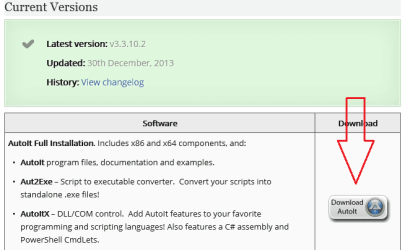
If you want to try this script, then install AutoIt from here: AutoIt Downloads - AutoItScript
Accept the default settings during the installation.
Then close the help file.
The installer does not install extra junk programs
After the installation completes...
...click on an empty spot on your desktop
...press F5 to refresh the desktop
(so that the Explorer's context menu updates)
...right click on an empty spot on your desktop
...and select New > AutoIt v3 Script as shown in the first video
(if AutoIt v3 Script is not shown in the context menu, restart the computer)
...name the newly created file whatever you want
...right click on that newly created file
...and select Edit Script from the context menu
...copy the code in the code box below and paste it into that file
...close/save the file.
The video shows right clicking on the file and selecting Run Script. You can just double click to run the script.
If the script ever hangs - you can kill it by clicking on the AutoIt icon down by the clock and selecting Exit.
Code:
Opt("TrayIconDebug", 1)

$S_running = "find-copy-photos" ;name the script
If WinExists($S_running) Then
    MsgBox(0, "AutoIt", "The script to find and copy photos is already running")
    Exit
EndIf
AutoItWinSetTitle($S_running)

$FileName = FileOpenDialog("Select the file that contains the list of photos to find & copy", "C:\temp\", "Text File (*.txt)")
If @error Then Exit

$FileNameArray = StringSplit(FileRead($FileName), @CRLF, 1)

$PhotoFolder = FileSelectFolder("Select the top level folder that contains the photos.", "")
If @error Then Exit

$search = FileFindFirstFile($PhotoFolder & "\*.*")
If $search = -1 Then
    MsgBox(0, "Error", "No files/directories matched the search pattern")
    Exit
EndIf
While 1
    Local $file = FileFindNextFile($search)
    If @error Then ExitLoop

    For $i = 1 To $FileNameArray[0]
        If $file = $FileNameArray[$i] Then
            FileCopy($PhotoFolder & "\" & $file, @DesktopDir & "\output\", 8)
            $FileNameArray[$i] = ""
        EndIf
    Next
WEnd


For $i = 1 To $FileNameArray[0]
    If $FileNameArray[$i] <> "" Then
        InputBox("Error", "Could not find:", $FileNameArray[$i])
        If @error = 1 Then Exit
    EndIf
Next

Run("explorer.exe " & @DesktopDir & "\output\")
I tried doing another list of photos, and it didnt work for a few pictures.
I know for sure that the photos are in the folder I was searching (because i was doing this as a sort of test), but it came up with a box that said "could not find..."
any idea why it would do that?
It found other photos in the folder, but couldn't find some of them.
Great! this works for me too. How about if I wanna find photos under a subfolder? for example, main folder is "Photomain" and I have subfolder "photosub". My list includes photo names for both main and sub folder.
Great! this works for me too. How about if I wanna find photos under a subfolder? for example, main folder is "Photomain" and I have subfolder "photosub". My list includes photo names for both main and sub folder.
Having all of the photos in one folder handles the issue of duplicate file names.
e.g. there might have files in these paths on the hard drive:
...\photomain\image12.png
...\photomain\photosub\image58.png
...\photomain\photosub2\image58.png
If your list of files to copy included image58.png, should the script just silently copy the first match found or warn you that two or more files were found with the name image58.png? If image58.png is the same photo that is stored in two locations, then copying the first one found is not a problem. But, if the images are different and you really meant to copy the file located in subfolder2, then copying the first file found is a problem.
And then there is the recursion level: How many sub-folder levels should be searched? 2? 30?
It is possible to include sub-folders in the search/copy script, but it would take me too long to write/debug such code. If you still need a script that will handle sub-folders, then you can join AutoIt's forum and ask for help with creating such a script. But be warned, I've seen members of that forum be rude to newcomers. (Rude as in cursing, name calling, belittling ...) Your experience might vary.
Hi RCDEV,
Did you find a way to search sub folders?
It would save me a lot of time if it was possible to search in sub folders.
I tried to look into the Microit forum but it's all giberous to me!!! Help!
UsernameIssues I like the Autoit software you recommended but i am having problems editing the scrip to work for my needs and wonder if you could help?
I'm not moving photos, I need to copy file from a large master list into a separate folder. The source files are on our work network. I have created a .txt list but the scrip is giving me fits. I would like the scrip to ask me for a list and source location of files and a destination for the files. The list will be local (desktop) and the source and destination would be network location.
Opt("TrayIconDebug", 1)

$S_running = "find-&-copy-files" ;name the script
If WinExists($S_running) Then
    MsgBox(0, "AutoIt", "The script to find & copy files is already running")
    Exit
EndIf
AutoItWinSetTitle($S_running)

$FileName = FileOpenDialog("Select the file that contains the list of files to find & copy", "C:\temp\", "Text File (*.txt)")
If @error Then Exit

$FileNameArray = StringSplit(FileRead($FileName), @CRLF, 1)

$SourceFolder = FileSelectFolder("Select the source folder.", "c:\temp\s")
If @error Then Exit

$DestinationFolder = FileSelectFolder("Select the destination folder.", "c:\temp\d")
If @error Then Exit

$search = FileFindFirstFile($SourceFolder & "\*.*")
If $search = -1 Then
    MsgBox(0, "Error", "No files/directories matched the search pattern")
    Exit
EndIf

While 1
    Local $file = FileFindNextFile($search)
    If @error Then ExitLoop

    For $i = 1 To $FileNameArray[0]
        If $file = $FileNameArray[$i] Then
            FileCopy($SourceFolder & "\" & $file, $DestinationFolder & "\")
            $FileNameArray[$i] = ""
        EndIf
    Next
WEnd

For $i = 1 To $FileNameArray[0]
    If $FileNameArray[$i] <> "" Then
        InputBox("Error", "Could not find:", $FileNameArray[$i])
        If @error = 1 Then Exit
    EndIf
Next

Run("explorer.exe " & $DestinationFolder & "\")
I would suggest that you change this part... "C:\temp\"
...of this line:
Code:
$FileName = FileOpenDialog("Select the file that contains the list of files to find & copy", [COLOR=Red]"C:\temp\"[/COLOR], "Text File (*.txt)")
to the folder where you will keep the text list of the files to be copied. That should save you some navigation.
The same is true for this part... "c:\temp\s"
...of this line:
Code:
$SourceFolder = FileSelectFolder("Select the source folder.", [COLOR=Red]"c:\temp\s"[/COLOR])
...and this part... "c:\temp\d"
...of this line:
Code:
$DestinationFolder = FileSelectFolder("Select the destination folder.", [COLOR=Red]"c:\temp\d"[/COLOR])
You will be changing those last two lines to point to your network resource.
You can use a mapped drive letters or UNC* paths.
> I need to copy file from a large master list...
Is that large master list in an Excel spreadsheet?
If so, how are you currently making the TXT file to be used with the script?