
Vasanth M S
New member
Recently I had a problem with my hard disk, in the boot log it said "There is a problem with your hard disk". Now I am having a problem with one of my local disk. The local disk contains only pictures and most of the pictures are corrupted.
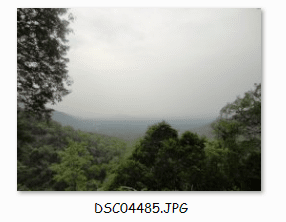
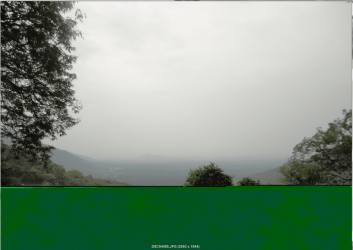
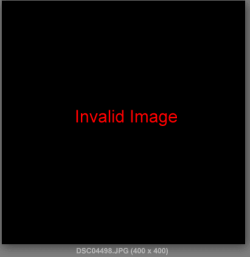
The corrupted pictures looks nice and good when it is viewed in large icon but when you double click it half of the pictures are either scrambled or looks grey or fully pixelated or invalid image.
After a disk check the occupied disk space became less and all the folders in the local disk are having a small lock symbol at the bottom.
Please help, even if I put a new folder containing pictures in the local disk, it also gets corrupted !!
The bigger picture is double clicked and the smaller picture is viewed in extra large icons.
The corrupted pictures looks nice and good when it is viewed in large icon but when you double click it half of the pictures are either scrambled or looks grey or fully pixelated or invalid image.
After a disk check the occupied disk space became less and all the folders in the local disk are having a small lock symbol at the bottom.
Please help, even if I put a new folder containing pictures in the local disk, it also gets corrupted !!
The bigger picture is double clicked and the smaller picture is viewed in extra large icons.
Attachments

My Computer
- Computer type
- PC/Desktop
- Computer Manufacturer/Model Number
- Unknown
- OS
- Windows 7 Ultimate 64 bit
- CPU
- Intel Pentium(R) Dual Core 2.60GHz each
- Motherboard
- DG41RQ G41 Chipset
- Memory
- 4 GB
- Graphics Card(s)
- NVIDIA GeForce GT 610 2GB Zotac Synergy Edition
- Screen Resolution
- 1920x1080
- Hard Drives
- 1 TB Seagate Hard Drive


