CPU Fan randomly cutting out?

Framoman

New member
Local time
4:56 AM
Messages
23
Hi, hope someone can help!

As of today my CPU fan has been randomly cutting out, causing my PC to force shutdown, no BSOD though, just straight cut off. It then tries to reboot and everything works fine apart from CPU fan will not spin, and so there is no response on the computer screen. If I wait a little while, or switch the CPU fan socket, it will work again. I have installed 2 case fans today, but these are powered by the case/PSU, and not anything to do with the mobo.

The fan is stock Intel and is 2 years old. Any suggestions on what I should be doing from here guys?

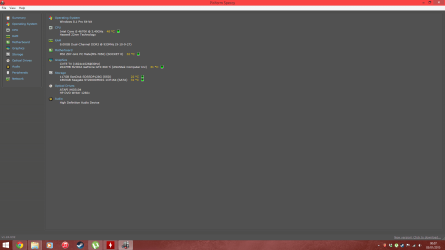
PC specs in attached image.

Any help appreciated greatly! :geek:

Sam
 

Attachments

  • specs.png
    specs.png
    51.8 KB · Views: 6

My Computer

Computer type
PC/Desktop
Computer Manufacturer/Model Number
Custom Build
OS
Windows 8.1 Pro 64 bit
CPU
Intel 4670k
Motherboard
Asus Z87-G41 PC Mate
Memory
Corsair Vengrance 8gb DDR3 1866mhz
Graphics Card(s)
Asus Nvidia GTX 660ti
Hard Drives
Seagate 2tb
Sandisk 120gb SSD
Keyboard
Corsair K70 Gaming Keyboard
Mouse
ROG Gladuis
Antivirus
Avg
Browser
Chrome
Did this problem start when you started the new case fans?

Are you using Asus AI suite?

Is the cpu fan and heat sink very clean?

A fan and heat sink that is dirty sometimes will not run on low PWM connections and will run a full motherboard 12V fan header connection.

You could keep your cpu cooler fan hooked to the chassis fan header. To make sure it runs and no over heating happens.
Then install a spare fan to the cpu fan header and watch it. The fan will have to be a 4 pin connection to be able to monitor the PWM. PWM is what is used to vary the speed of the fan.

Pulse Width Modulation, or PWM, is a technique for getting analog results with digital means. Digital control is used to create a square wave, a signal switched between on and off.

I personally don't use PWM cpu fan header. I like my cpu cooler to run at max all the time.
To do this their is a change in the bois that must be done first or you might not be able to boot.
 

My Computer

Computer type
PC/Desktop
Computer Manufacturer/Model Number
Home made Desktop
OS
Windows 10 Pro. 64/ version 1709 Windows 7 Pro/64
CPU
Intel i7-6800K @ 4.3
Motherboard
ASUS X-99 Deluxe II
Memory
Corsair Platinum 16 gig @2400
Graphics Card(s)
EVGA GTX 1070 OC
Monitor(s) Displays
Asus 27" LED LCD/VE278Q
Screen Resolution
1920-1080 or 1280-720 HDMI
Hard Drives
INTEL SSD 730-240 Gb Sata 3.0/
PSU
EVGA Platium 1200W
Case
Phanteks Luxe Tempered Glass 8 fans/ one radiator
Cooling
XSPC/ Water Cooled CPU
Keyboard
Das 4 Professional
Mouse
Logitech M705/MX Anywhere 2-S
Internet Speed
100 mbits
Antivirus
Microsoft Security Essentials/ Malwarebytes Premium 3.0/ SAS
Browser
I.E. 11 default/Firefox/ ISP Time Warner Cable/Spectrum
Other Info
LG BluRay Burner/
Sound system-KLipsch-THX/
Icy Dock ssd Hot Swap bays.
Did this problem start when you started the new case fans?


yes, about 3 hours after, but I've been rummaging in the case, so could have knocked something?


Are you using Asus AI suite?


no, should I?


Is the cpu fan and heat sink very clean?


yes, they are fine, arctic silver applied about a year ago and no problems since.


A fan and heat sink that is dirty sometimes will not run on low PWM connections and will run a full motherboard 12V fan header connection.

You could keep your cpu cooler fan hooked to the chassis fan header. To make sure it runs and no over heating happens.
Then install a spare fan to the cpu fan header and watch it. The fan will have to be a 4 pin connection to be able to monitor the PWM. PWM is what is used to vary the speed of the fan.

Pulse Width Modulation, or PWM, is a technique for getting analog results with digital means. Digital control is used to create a square wave, a signal switched between on and off.

I personally don't use PWM cpu fan header. I like my cpu cooler to run at max all the time.
To do this their is a change in the bois that must be done first or you might not be able to boot.


Ok, cheers
 

My Computer

Computer type
PC/Desktop
Computer Manufacturer/Model Number
Custom Build
OS
Windows 8.1 Pro 64 bit
CPU
Intel 4670k
Motherboard
Asus Z87-G41 PC Mate
Memory
Corsair Vengrance 8gb DDR3 1866mhz
Graphics Card(s)
Asus Nvidia GTX 660ti
Hard Drives
Seagate 2tb
Sandisk 120gb SSD
Keyboard
Corsair K70 Gaming Keyboard
Mouse
ROG Gladuis
Antivirus
Avg
Browser
Chrome
I have no idea what this means from your last post.

"The only difference between me and you is, you think there's no difference between me and you"
 

My Computer

Computer type
PC/Desktop
Computer Manufacturer/Model Number
Home made Desktop
OS
Windows 10 Pro. 64/ version 1709 Windows 7 Pro/64
CPU
Intel i7-6800K @ 4.3
Motherboard
ASUS X-99 Deluxe II
Memory
Corsair Platinum 16 gig @2400
Graphics Card(s)
EVGA GTX 1070 OC
Monitor(s) Displays
Asus 27" LED LCD/VE278Q
Screen Resolution
1920-1080 or 1280-720 HDMI
Hard Drives
INTEL SSD 730-240 Gb Sata 3.0/
PSU
EVGA Platium 1200W
Case
Phanteks Luxe Tempered Glass 8 fans/ one radiator
Cooling
XSPC/ Water Cooled CPU
Keyboard
Das 4 Professional
Mouse
Logitech M705/MX Anywhere 2-S
Internet Speed
100 mbits
Antivirus
Microsoft Security Essentials/ Malwarebytes Premium 3.0/ SAS
Browser
I.E. 11 default/Firefox/ ISP Time Warner Cable/Spectrum
Other Info
LG BluRay Burner/
Sound system-KLipsch-THX/
Icy Dock ssd Hot Swap bays.
Take the quote however you wish my friend ;) :thumbsup:
 

My Computer

Computer type
PC/Desktop
Computer Manufacturer/Model Number
Custom Build
OS
Windows 8.1 Pro 64 bit
CPU
Intel 4670k
Motherboard
Asus Z87-G41 PC Mate
Memory
Corsair Vengrance 8gb DDR3 1866mhz
Graphics Card(s)
Asus Nvidia GTX 660ti
Hard Drives
Seagate 2tb
Sandisk 120gb SSD
Keyboard
Corsair K70 Gaming Keyboard
Mouse
ROG Gladuis
Antivirus
Avg
Browser
Chrome
Have a nice day.
 

My Computer

Computer type
PC/Desktop
Computer Manufacturer/Model Number
Home made Desktop
OS
Windows 10 Pro. 64/ version 1709 Windows 7 Pro/64
CPU
Intel i7-6800K @ 4.3
Motherboard
ASUS X-99 Deluxe II
Memory
Corsair Platinum 16 gig @2400
Graphics Card(s)
EVGA GTX 1070 OC
Monitor(s) Displays
Asus 27" LED LCD/VE278Q
Screen Resolution
1920-1080 or 1280-720 HDMI
Hard Drives
INTEL SSD 730-240 Gb Sata 3.0/
PSU
EVGA Platium 1200W
Case
Phanteks Luxe Tempered Glass 8 fans/ one radiator
Cooling
XSPC/ Water Cooled CPU
Keyboard
Das 4 Professional
Mouse
Logitech M705/MX Anywhere 2-S
Internet Speed
100 mbits
Antivirus
Microsoft Security Essentials/ Malwarebytes Premium 3.0/ SAS
Browser
I.E. 11 default/Firefox/ ISP Time Warner Cable/Spectrum
Other Info
LG BluRay Burner/
Sound system-KLipsch-THX/
Icy Dock ssd Hot Swap bays.
Check if BIOS or a windows fan control software changed. If that is all set correct, put the fan on a regular connector from power supply. If that runs continuously, then the fan is OK and the problem may be with the board and how it controls the fan.
If the fan doesn't run on PSU, then the fan may have a problem and try a new fan.

Obviously check the plugs, wire etc.
 

My Computer

Computer Manufacturer/Model Number
homemade
OS
W7 Pro 64
CPU
Intel i3 3220 @ 3.3 GHz
Motherboard
ASRock H77M
Memory
2x8GB DDR 3 1600 Kingston
Graphics Card(s)
onboard
Sound Card
onboard
Monitor(s) Displays
two 21" LCD
Hard Drives
128 GB Samsung 830
PSU
OCZ400MXSP
Cooling
Stock
Internet Speed
DSL
Right, I've determined that it is the CPU fan headers on mobo that are both dead, not sure why. It's still under warranty so I'll be getting onto MSI about this tomorrow morning.

Any ideas what may have caused this so I can prevent this in the future? Could it have been a power surge?

Also Layback bear you seem to be offended, idk why?

Anyway, what a pain :huh:
 

My Computer

Computer type
PC/Desktop
Computer Manufacturer/Model Number
Custom Build
OS
Windows 8.1 Pro 64 bit
CPU
Intel 4670k
Motherboard
Asus Z87-G41 PC Mate
Memory
Corsair Vengrance 8gb DDR3 1866mhz
Graphics Card(s)
Asus Nvidia GTX 660ti
Hard Drives
Seagate 2tb
Sandisk 120gb SSD
Keyboard
Corsair K70 Gaming Keyboard
Mouse
ROG Gladuis
Antivirus
Avg
Browser
Chrome
your fan maybe too large and draw more current than the Mobo connector is rated for.
 

My Computer

Computer Manufacturer/Model Number
homemade
OS
W7 Pro 64
CPU
Intel i3 3220 @ 3.3 GHz
Motherboard
ASRock H77M
Memory
2x8GB DDR 3 1600 Kingston
Graphics Card(s)
onboard
Sound Card
onboard
Monitor(s) Displays
two 21" LCD
Hard Drives
128 GB Samsung 830
PSU
OCZ400MXSP
Cooling
Stock
Internet Speed
DSL
Back
Top